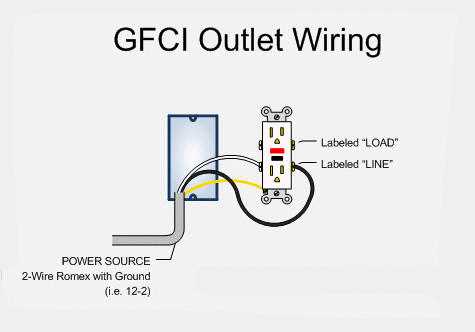
Connect the line terminals first to ensure proper power flow to the device. Use black wires for hot and white wires for neutral, keeping all connections tight and free of exposed copper strands.
Identify the load terminals if downstream outlets need protection. Attach the corresponding wires carefully, making sure they do not contact the line side or the metal mounting strap. This prevents unintended tripping or electrical faults.
Check grounding connections by linking the green or bare copper wire to the grounding screw. Secure it firmly to maintain reliable protection against electrical shocks and maintain the integrity of the circuit.
Test the outlet using a trip tester after installation. Press the test button to verify that the protective mechanism interrupts power, then reset and confirm power restoration. Repeat this procedure on each protected device in the circuit to ensure safety compliance.
GFCI Outlet Connection Instructions
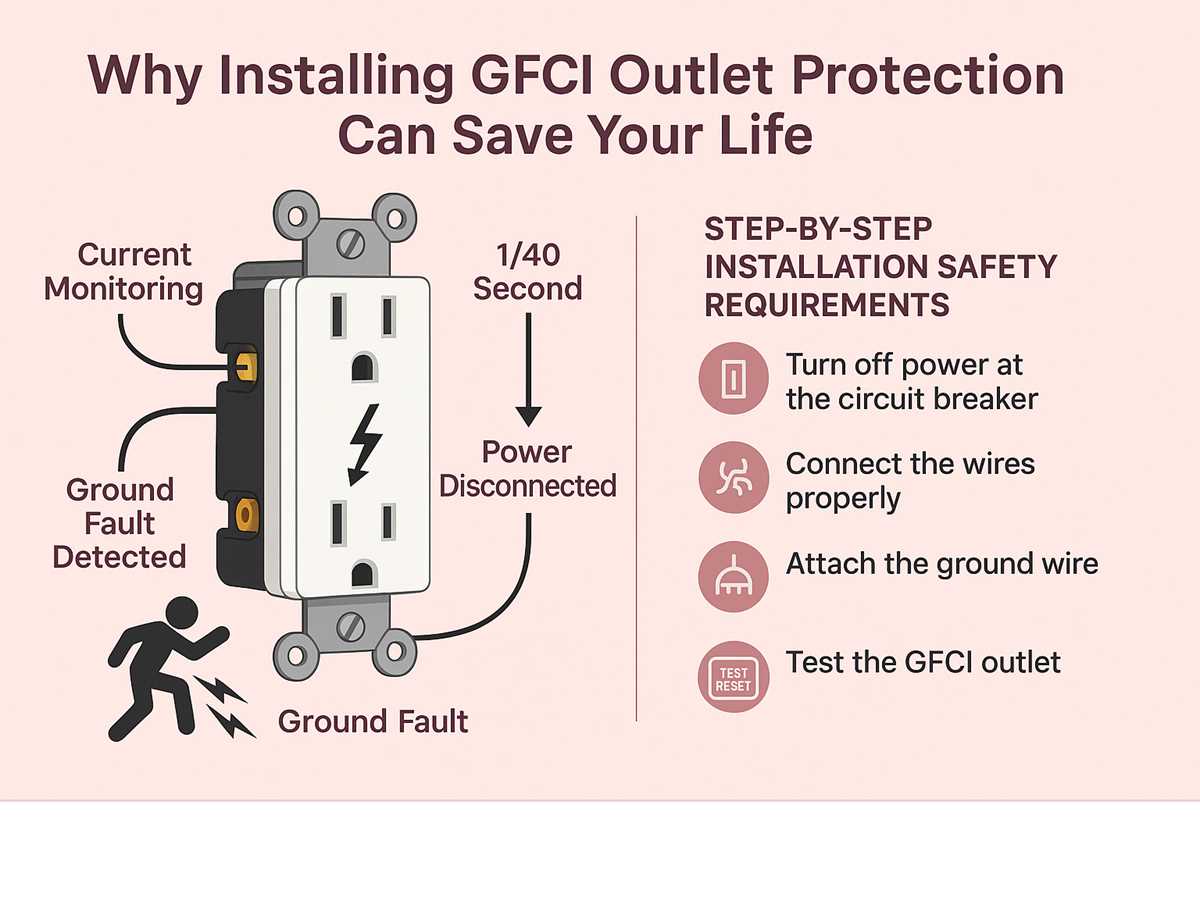
Connect the incoming power lines to the designated terminals, typically black to the hot side and white to neutral. Ensure that wire ends are stripped to the correct length and inserted fully into the terminal slots without stray strands.
Attach downstream outlets to the load terminals if additional protection is required. Verify that hot and neutral connections are consistent, and route the wires to avoid contact with mounting screws or metal boxes.
Secure the ground connection by attaching the green or bare copper wire to the grounding screw. Tighten the connection to maintain a continuous path to the main panel for safety against electrical shock.
Check tightness and alignment of all connections before mounting the device. Loose terminals can cause arcing, overheating, and tripping failures. Use a torque screwdriver if possible to meet manufacturer specifications.
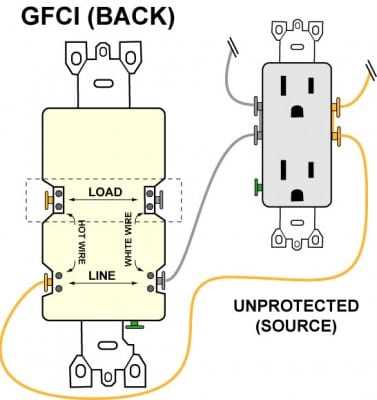
Install the outlet into the electrical box and secure with mounting screws. Make sure no wires are pinched between the device and the box, and maintain proper spacing to prevent insulation damage.
Test the protective mechanism by pressing the test button. The outlet should interrupt power immediately. Reset and verify that the device restores power correctly. Repeat this process for any downstream outlets connected to the load terminals.
Document the configuration including line, load, and grounding assignments. Label each conductor if necessary, especially when multiple devices are protected in a series, to simplify future maintenance and troubleshooting.
Identifying Line and Load Connections
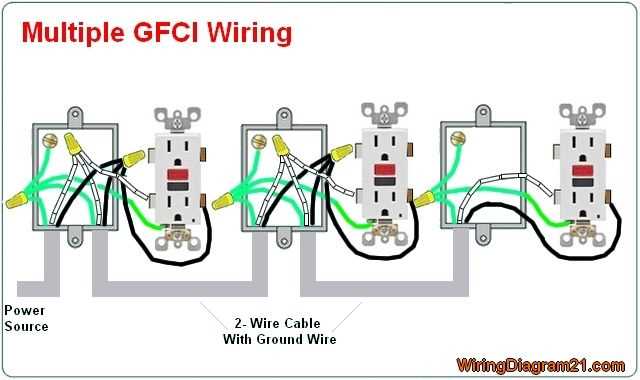
Connect incoming power conductors to the designated line terminals. Typically, black wires carry the hot current and white wires serve as neutral. Ensure all strands are fully inserted and tightened to avoid loose contacts that could cause tripping or arcing.
Attach downstream devices to the load terminals if additional outlets require protection. Maintain consistent polarity and avoid crossing hot and neutral lines. Proper separation prevents unintended trips and ensures the protective mechanism operates reliably under fault conditions.
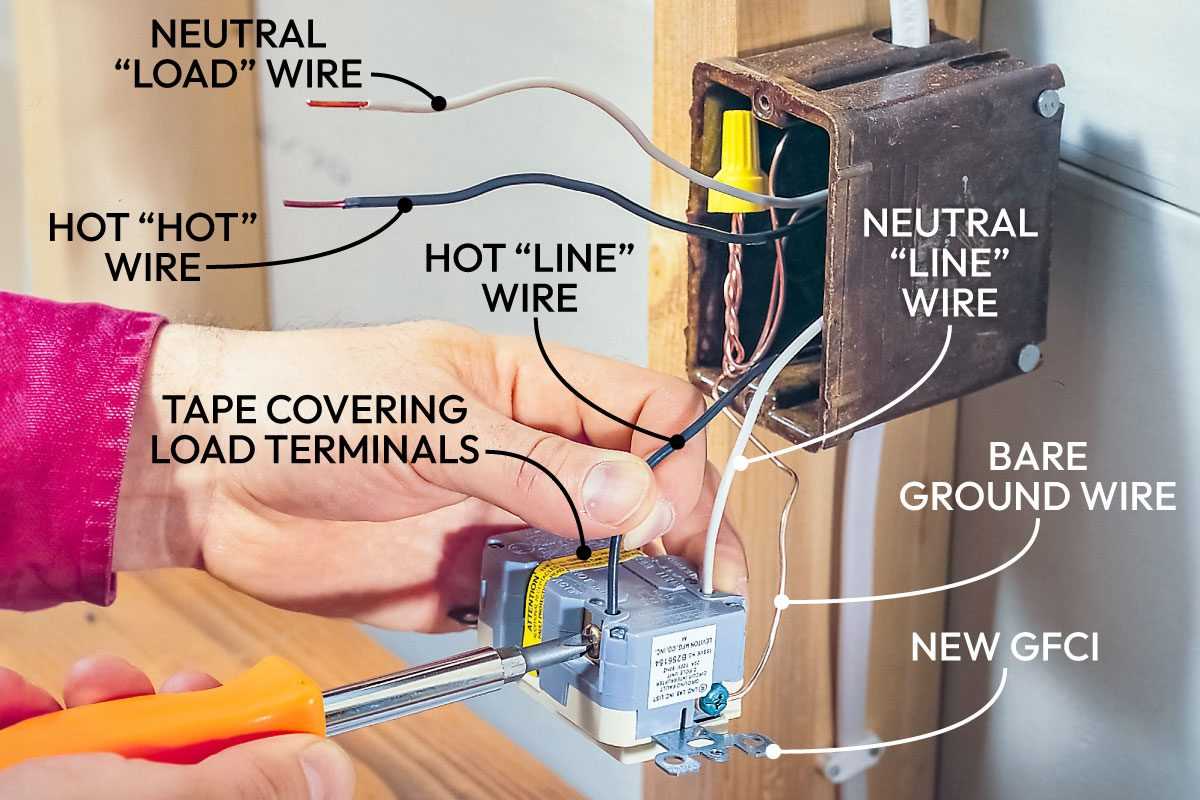
Verify connections with a multimeter before final assembly. Measure voltage between line and load points to confirm correct assignment, then test the protective mechanism by pressing the test button. Document the configuration to simplify future maintenance or troubleshooting of multiple protected outlets.