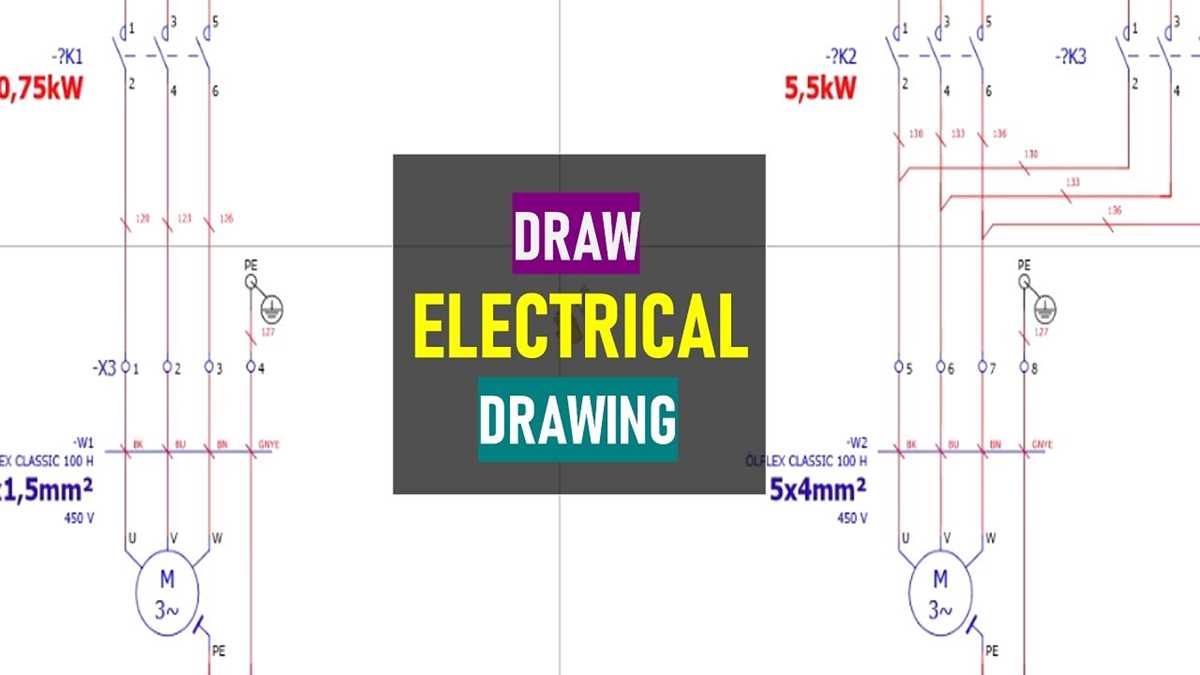
Place the power source at the left edge of the page and position loads such as lamps, motors, or controllers toward the right side. Maintain a logical flow of current from supply to consumption; this arrangement allows technicians to trace each conductor without confusion. Keep parallel conductors evenly spaced and avoid intersecting lines unless a node symbol indicates a real junction.
Prepare a list of all circuit elements before drafting the electrical layout. Include switches, relays, circuit breakers, terminal blocks, and sensors with their voltage ratings and terminal identifiers. Assign a unique alphanumeric code to every component, such as S1 for switches, K1 for relays, and F1 for protective devices. These references should appear next to each symbol and correspond with a parts table.
Use standardized graphical symbols defined by IEC or ANSI electrical documentation rules. Improvised icons complicate interpretation during installation or troubleshooting. Straight horizontal and vertical conductor paths improve readability, while angled segments should remain rare and short. Each connection line benefits from conductor identifiers that match cable labels or terminal block numbers used inside the physical installation.
Color and notation strengthen clarity in the electrical scheme. Phase conductors often appear as brown or black, neutral lines as blue, and protective earth as green-yellow. When printing without color, apply letter codes such as L, N, and PE directly beside the lines. A small legend describing symbols, conductor marks, and device abbreviations allows engineers and electricians to interpret the electrical layout without additional explanations.
Structured Creation of an Electrical Connection Blueprint
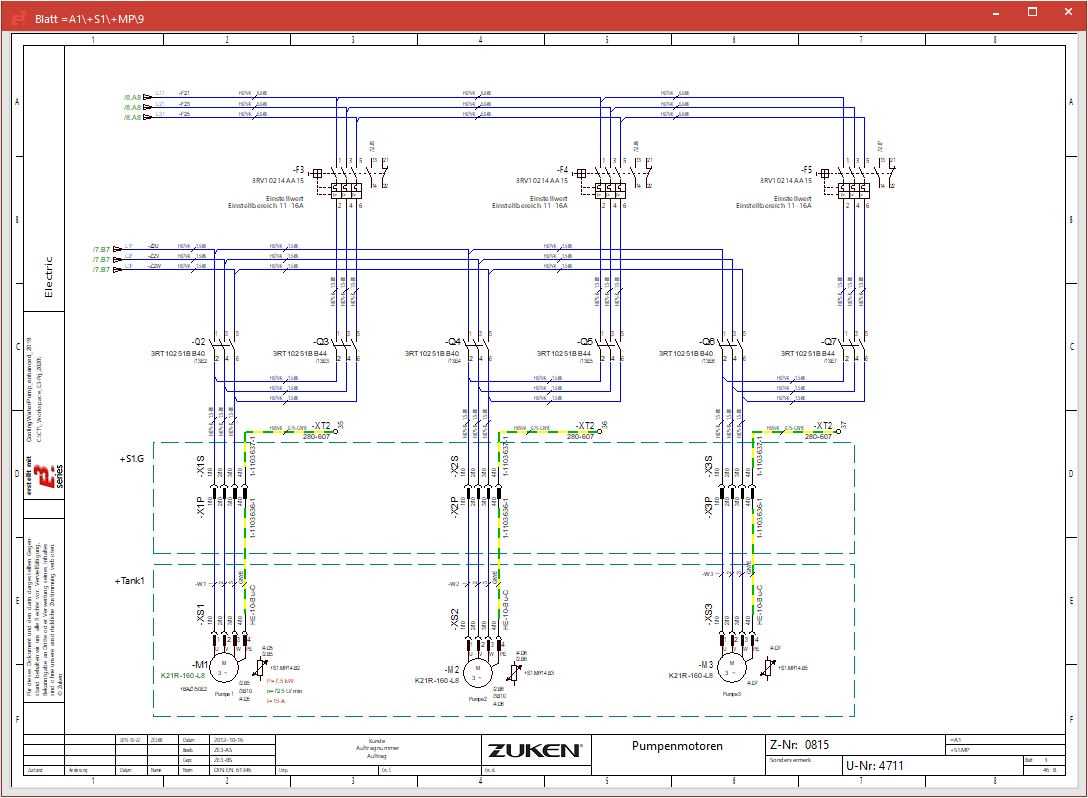
Place the power source at the left edge of the page and loads on the right side to maintain clear signal direction. Such orientation reduces confusion during installation and maintenance. Use straight horizontal and vertical lines only; diagonal conductors complicate reading. Mark voltage levels near the source, for example: 230 V AC input, 24 V DC supply, or 5 V control line. Every conductor should receive an alphanumeric label such as L1, N, PE, or C1 to prevent ambiguity during assembly.
Component Identification
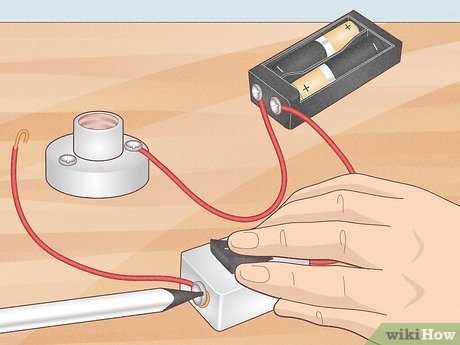
Assign standardized graphical symbols for each device. A relay coil may be labeled K1, contacts K1.1 and K1.2, while a motor could appear as M1. Position switching elements such as push buttons or limit switches close to the control path they influence. Avoid long crossing lines; if an intersection cannot be avoided, insert a small dot to indicate electrical continuity. Absence of a dot means conductors pass without connection.
Maintain consistent spacing between elements. A grid with 10–15 mm intervals helps align switches, protection units, and loads. Place protective components–fuses, circuit breakers, surge suppressors–upstream of the devices they guard. Example: F1 (10 A fuse) located between the supply terminal and the control relay. Label conductor cross-sections when relevant: 1.5 mm² for lighting circuits, 2.5 mm² for socket groups, larger values for motors.
Connection Logic and Trace Clarity
Group related control paths together. A motor starter arrangement typically shows the supply line passing through a breaker, thermal overload relay, then the contactor before reaching the motor terminals. Control paths–start button, stop button, auxiliary contact–should appear in a separate vertical chain to simplify troubleshooting. Terminal blocks deserve numbering such as X1:1, X1:2, X1:3, enabling technicians to locate conductors quickly inside the cabinet.
Finish the blueprint with a legend table listing symbol meaning, cable identifiers, voltage categories, and device references. Include revision data and page numbering if the circuit extends across several sheets. Print using high contrast lines around 0.3–0.5 mm thickness; thinner strokes fade during photocopying while thicker lines obscure labels.
Identifying Electrical Components and Assigning Accurate Symbols Before Drafting a Circuit Scheme
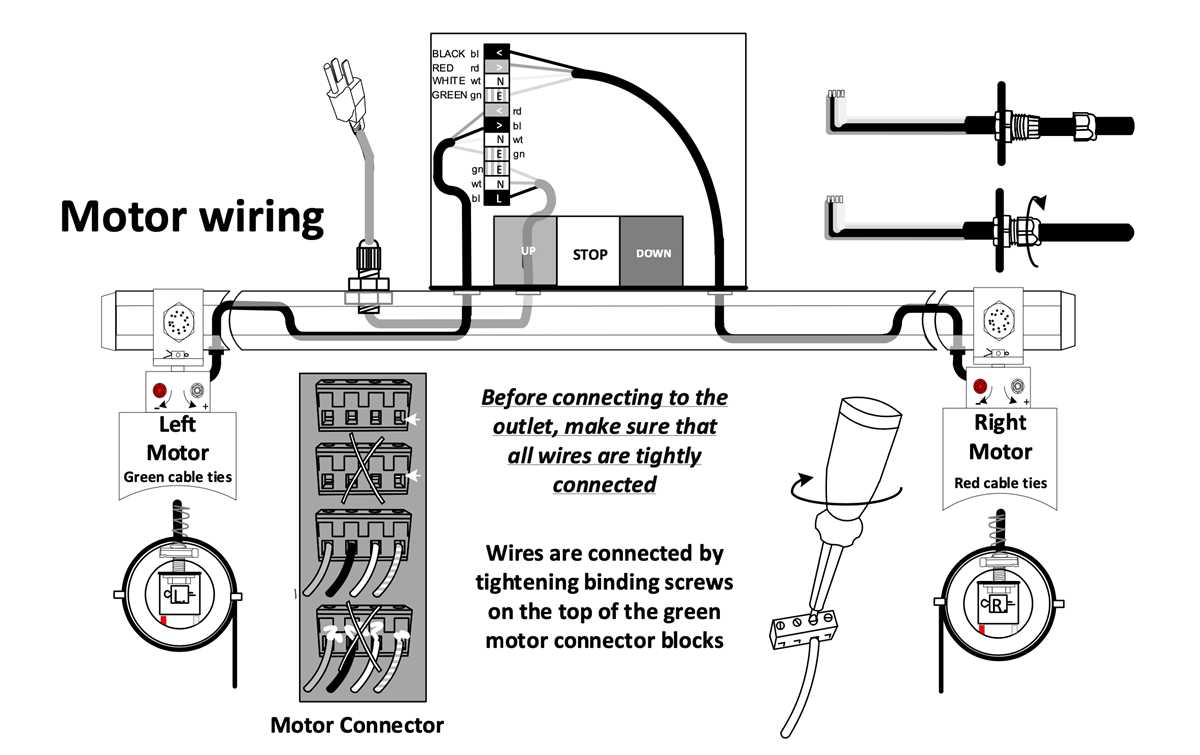
Inspect every physical device and record its technical markings before any graphical work begins. Read model numbers, rated voltage, current limits, and contact configuration printed on the housing or listed in datasheets. Relays, contactors, push buttons, circuit breakers, sensors, and power supplies must be distinguished by their operational category rather than appearance. A relay with a 24 V coil and two normally open contacts requires a different graphical representation than a latching relay or timer module. Photograph components during inspection and write a short functional note such as “temperature sensor – analog output 4–20 mA” or “three-pole motor protection breaker – thermal magnetic.” This prevents confusion during symbol assignment.
Translate each identified device into its standardized graphic form using widely accepted references such as IEC 60617 or IEEE symbol catalogs. Avoid improvised graphics; consistency allows technicians and engineers to interpret the scheme without clarification.
- Switches: distinguish SPST, SPDT, or multi-pole configurations.
- Protection devices: separate fuse symbols from circuit breaker graphics.
- Actuators: differentiate motor symbols from solenoids or heaters.
- Sensors: represent analog transmitters differently from discrete limit switches.
- Power units: separate AC supply blocks, DC converters, and battery sources.
Assign reference designators to every element immediately after symbol selection. Use structured prefixes linked to device type so that the graphical plan remains readable:
- K – relays or contactors
- S – switches and push buttons
- F – fuses and protective devices
- M – electric motors
- T – transformers
- PS – power supply modules
Combine the prefix with sequential numbering (K1, K2, S1, F3). Keep numbering logical: control panel devices first, field devices afterward.
Verify symbol accuracy through cross-checking between datasheets, terminal layouts, and manufacturer documentation. If a contact block contains both normally closed and normally open pairs, reflect that exact configuration in the graphic representation and mark terminal numbers beside the symbol (13–14, 21–22, etc.). Terminal identification prevents installation errors and simplifies troubleshooting later. Maintain a component table beside the scheme listing device tag, description, rated parameters, and enclosure location such as “panel door,” “motor cabinet,” or “field junction box.” This structured preparation stage eliminates ambiguity before any lines or interconnections appear on the electrical plan.