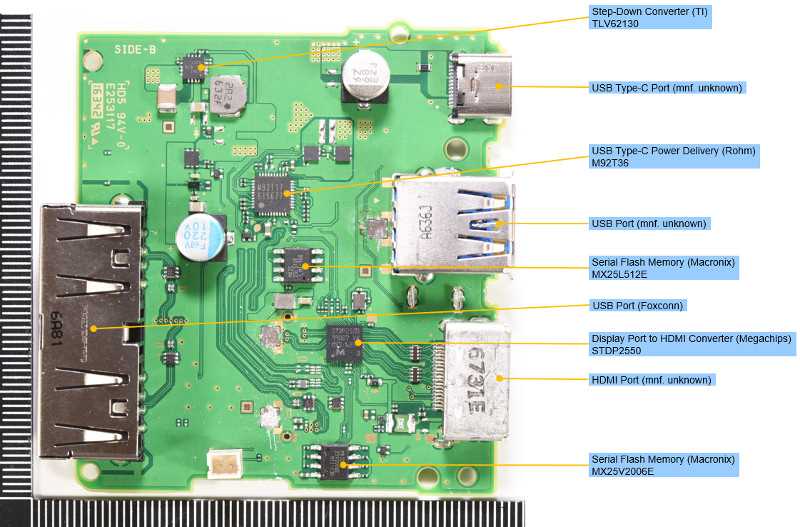
Use a multimeter to identify power rails and grounding paths before attempting any repairs. The primary board contains 3.7V lithium battery connections, regulated 5V lines for USB ports, and ground planes across the chassis. Proper identification prevents shorts and component damage.
Trace data and control signals carefully from the processor to display and input modules. Ribbon connectors often carry differential pairs for high-speed communication, which require precise alignment to maintain signal integrity.
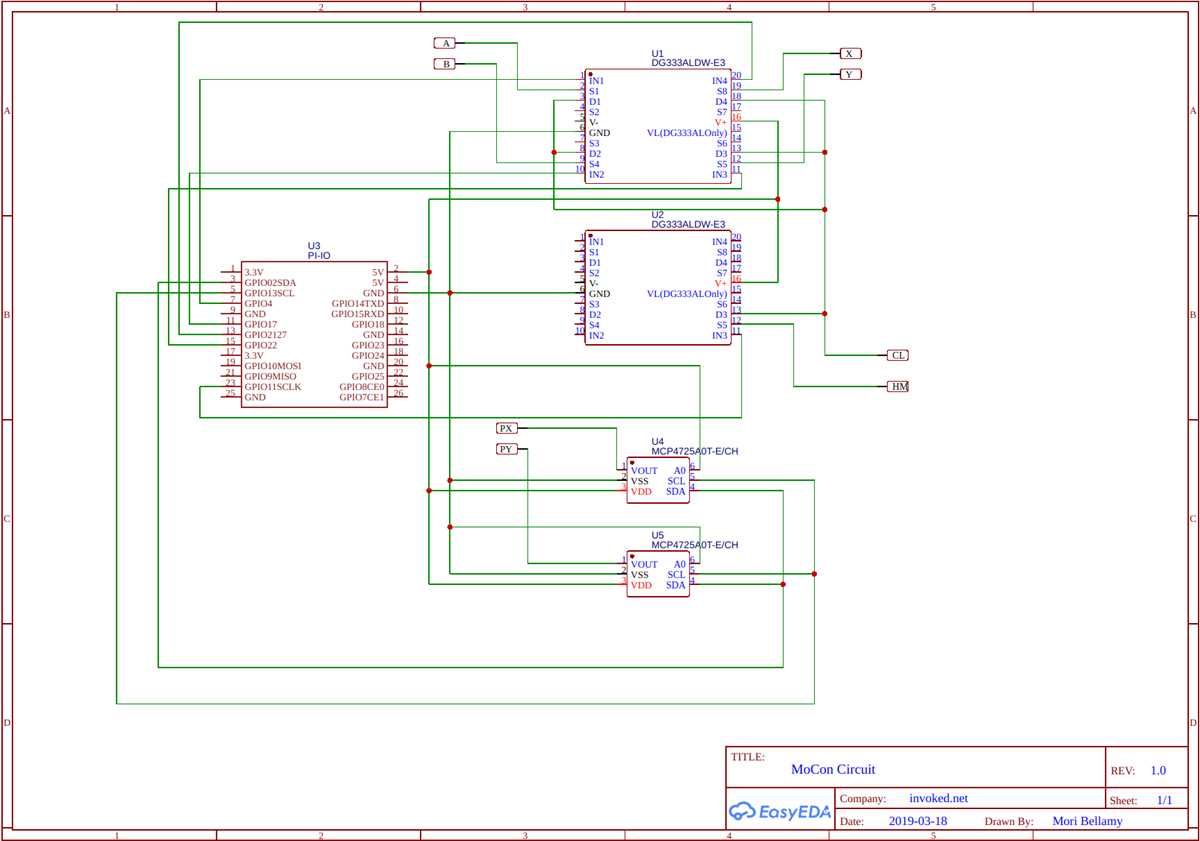
Inspect solder joints and pads for cracks or oxidation. Microfractures can cause intermittent failures, especially on high-frequency traces. Reflowing or touch-up soldering restores stable connections without affecting surrounding components.
Document each connection before disassembly using photographs or notes. Power, ground, and signal lines are densely packed, and misrouting can lead to permanent damage or loss of functionality in the audio, display, or storage subsystems.
Internal Board Connection Guide for Handheld Console
Identify power rails and grounding paths first using a multimeter. The main board includes 3.7V battery inputs, regulated 5V lines for USB and display modules, and ground planes that connect to the metallic frame. Accurate identification prevents shorts and protects sensitive components.
Trace data lines and control signals from the processor to peripherals carefully. High-speed differential pairs carry video and touch input signals, so ensure ribbon connectors are aligned and free of debris. Verify continuity and check solder pads for cracks or oxidation before reassembly.
Identifying Power and Ground Connections on the Main Board

Use a multimeter to confirm voltage presence on all incoming power rails. The main board typically has a 3.7V lithium battery input, regulated 5V lines for USB ports, and ground planes connecting to the metallic frame. Accurate detection prevents accidental shorts and component damage.
Locate the battery terminals and primary voltage regulators. Check the solder joints for cracks or cold connections, as these are common points of failure that can interrupt power distribution and cause unstable operation of the device.
Trace ground paths carefully from the main processor to the chassis. Green or bare copper planes provide a continuous protective path. Ensure each point is secure and free of corrosion to maintain proper shielding and prevent interference with high-speed data lines.
- Identify each voltage rail separately
- Mark the positive and negative leads
- Verify continuity between regulator outputs and connected modules
- Check that capacitors and inductors along the path are intact
Inspect connectors for USB, display, and control inputs. These often carry both power and ground lines simultaneously. Confirm correct polarity and tight seating to prevent voltage drops or intermittent faults.
Document all power and ground points with notes or photos before further disassembly. Proper mapping ensures safe reconnection and reduces risk of reversing polarity, which could permanently damage sensitive integrated circuits.