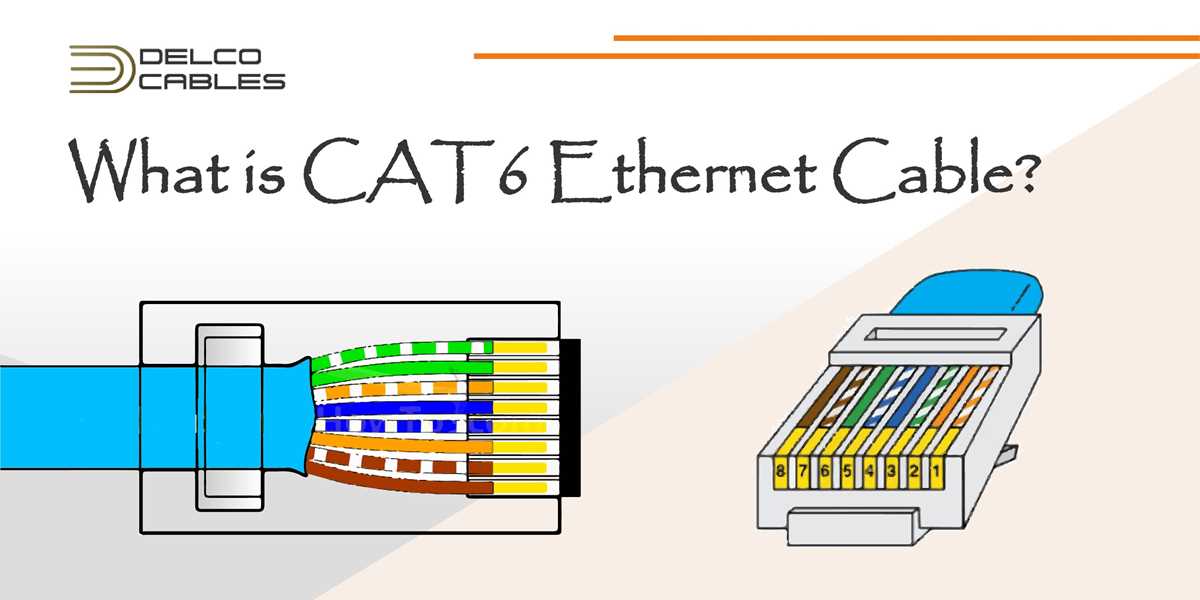
For a reliable Ethernet connection, start by organizing your cables and ensuring you have the right tools. You’ll need a crimping tool, a pair of scissors, and the right type of cable. Cutting the cable to the required length is the first step in creating a secure connection. After trimming the cable, make sure to strip off the outer insulation, revealing the individual color-coded wires inside.
Pay attention to the wiring order. For standard Ethernet connections, you’ll typically use the T568B wiring standard, which is the most common. The color coding for this standard is as follows: white-orange, orange, white-green, blue, white-blue, green, white-brown, and brown. Make sure each wire is placed in the correct order to prevent signal issues and ensure smooth data transfer.
Once the wires are correctly aligned, use the crimping tool to secure the connector onto the cable. Insert the wires into the connector, ensuring each one reaches the end of the connector to make a solid connection. The crimping tool will push the metal pins into the wires, creating a secure electrical contact.
RJ45 Connector Wiring Guide
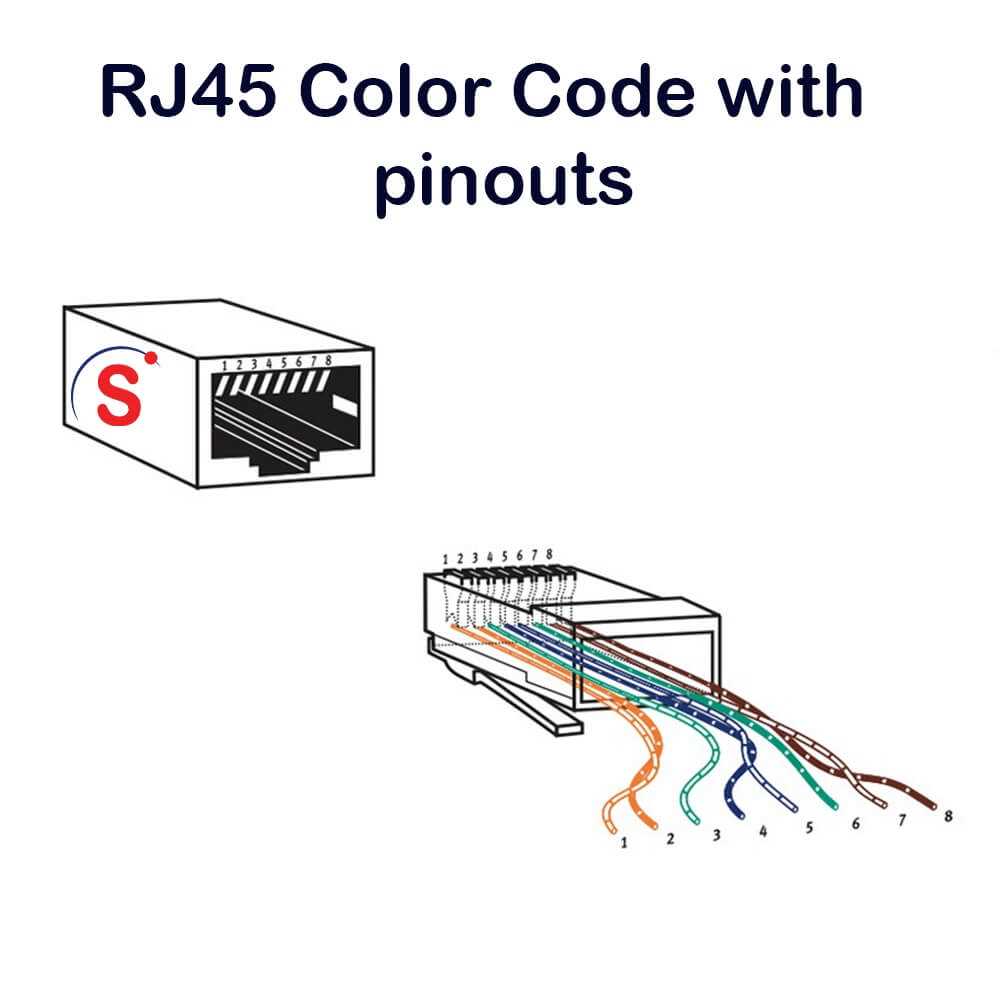
Start by selecting the appropriate cable for your network setup. Use Cat5e or Cat6 cables for fast and reliable Ethernet connections. Cut the cable to the required length and strip back about 2 inches of the outer jacket to expose the internal wires. Be careful not to nick or damage the individual wires during this process.
Next, untwist the pairs of wires inside the cable and align them according to the T568B color standard. This arrangement is the most common for network connections. The color order for this wiring standard is: white with orange, orange, white with green, blue, white with blue, green, white with brown, and brown.
Insert the individual wires into the end of the connector. Each wire should reach the metal pins at the front of the connector. Make sure they are in the correct order, with the most important part being the alignment of the colors in the right slots. This step will ensure that the data travels along the correct path to ensure the connection functions properly.
Use a crimping tool to secure the connector onto the cable. The crimping tool presses the metal pins into the individual wires, ensuring a firm electrical connection. It is critical to apply enough pressure to make sure the connection is secure, as a loose or improperly crimped wire can result in connection issues.
After crimping the connector, perform a basic test to check the integrity of the connection. Use a cable tester to ensure that the connection is correct and all pins are working as expected. If any issues are detected, check the alignment and re-crimp the cable if necessary.
Step-by-Step Guide to Wiring an RJ45 Connector
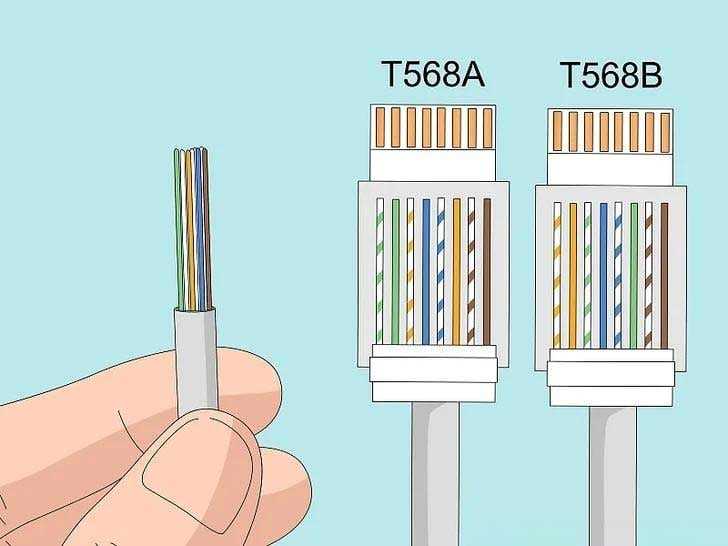
Start by cutting your Ethernet cable to the desired length. Use a cable stripper to remove about 2 inches of the outer insulation, exposing the twisted pairs of wires inside. Carefully untwist each pair, ensuring the wires remain intact. Align the wires according to the T568B color standard, which is the most commonly used arrangement for Ethernet connections. The order should be: white with orange, orange, white with green, blue, white with blue, green, white with brown, and brown.
Once the wires are arranged in the correct order, trim them so they are all the same length and insert them into the end of the plug, ensuring each wire reaches the metal pins. Use a crimping tool to secure the plug, making sure the metal pins make proper contact with the wires. Finally, test the cable with a cable tester to ensure all connections are correct and the cable is functioning properly.