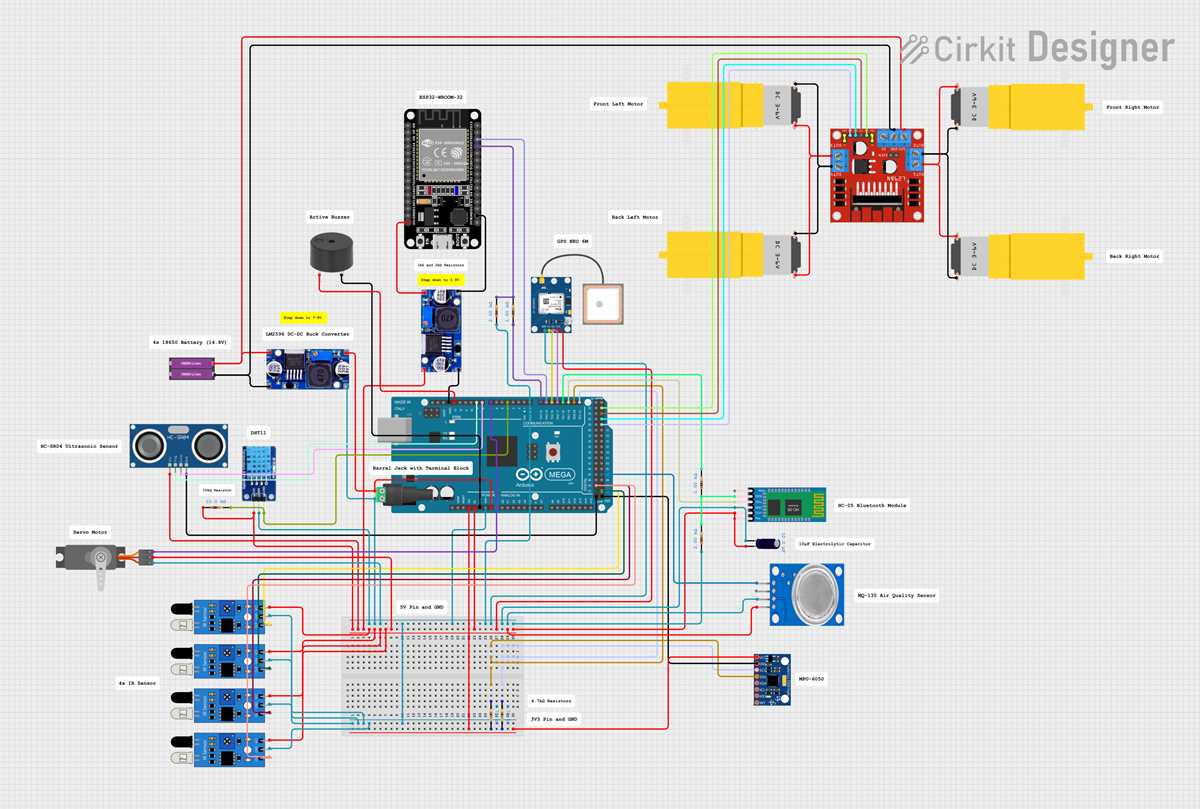
Use the official schematic of the ATmega-series controller board as the primary reference while wiring peripherals, because every pin group is tied to specific voltage rails, oscillators, and protection elements. The board operates at 5 V logic with a 16 MHz clock source, and its microcontroller package exposes more than fifty digital I/O lines and sixteen analog inputs. Before connecting sensors or modules, verify the mapping between header pins and MCU ports such as PORTA, PORTB, and PORTC; this prevents accidental overlap with serial or timer functions.
The electrical layout shows several key subsystems: a USB-to-serial interface chip for programming, a linear voltage regulator that converts 7–12 V external input to stable 5 V, and a separate 3.3 V regulator line rated near 50 mA. Decoupling capacitors are placed close to the microcontroller power pins (VCC and AVCC) to suppress noise generated by high-frequency switching on digital outputs. When reproducing the board design or troubleshooting connections, pay attention to these capacitors and the ferrite bead that isolates the analog supply section.
Clock generation is handled through a 16 MHz quartz resonator paired with two small capacitors typically around 22 pF. This oscillator feeds the main MCU timing network, affecting serial communication speed, timer counters, and PWM generation. If the board fails to boot or communication through UART becomes unstable, the first component to inspect in the schematic is the resonator section and its grounding path.
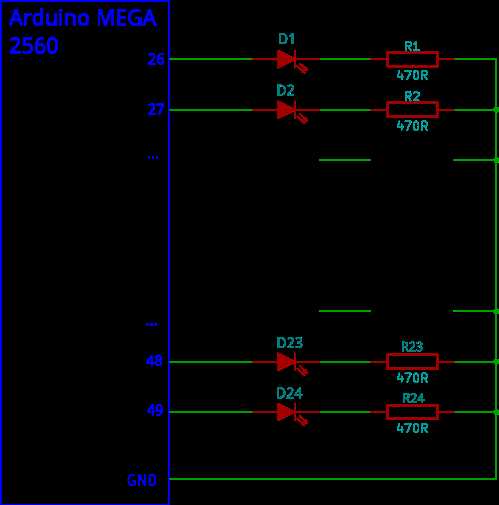
The connection map also highlights how interface headers link directly to MCU ports. Digital pins often route through small current-limiting resistors near indicator LEDs, while analog inputs connect to the internal ADC through the AREF reference network. Using the schematic during development helps identify which pins support PWM outputs, hardware SPI, I²C, and multiple UART channels, enabling reliable expansion with displays, motor drivers, and sensor arrays.
Practical Interpretation for Hardware Work
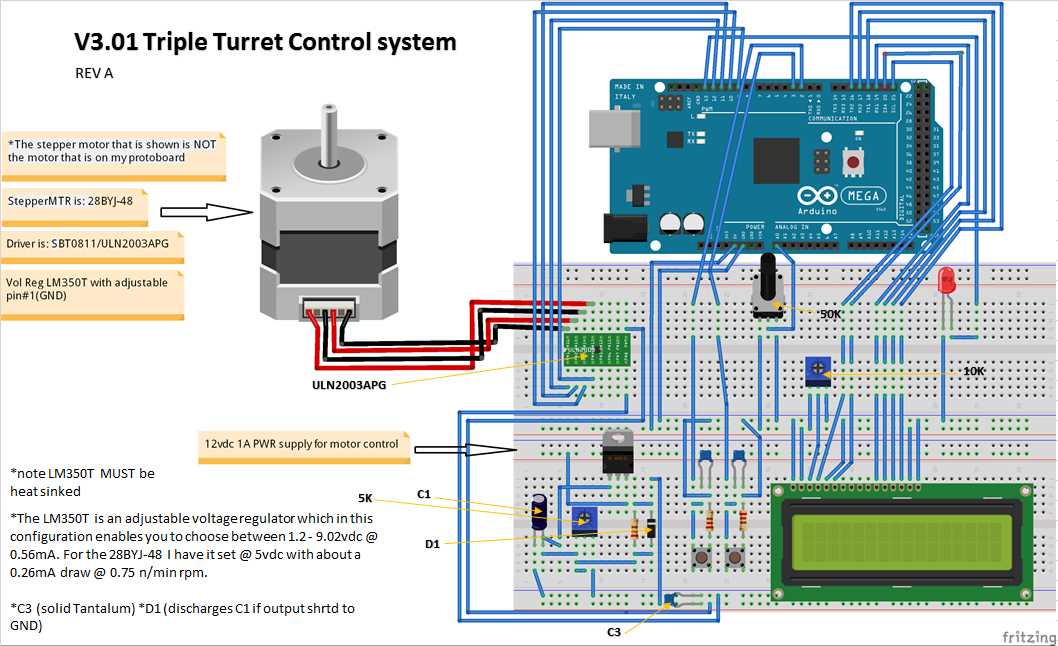
Trace the power distribution lines first: locate the 5 V rail, the 3.3 V regulator output, and the VIN input path on the schematic sheet of the large ATmega-based development board. Confirm how the linear regulator receives voltage through the barrel jack and through the VIN pin. During hardware prototyping, measure these nodes with a multimeter before attaching external modules. The onboard regulator normally tolerates 7–12 V input; lower values can lead to unstable logic levels across the board.
Inspect the microcontroller pin mapping carefully. Each port group–PORTA, PORTB, PORTC and others–connects to header rows that appear along the edges of the board. The connection layout reveals which pins support PWM, UART channels, SPI lines, and I²C communication. For example, the SPI interface usually links to pins labeled MOSI, MISO, and SCK that route both to header pins and to the ICSP connector. Hardware developers often tap the ICSP header during debugging because it provides shorter electrical paths.
Look closely at the oscillator section surrounding the main chip. The schematic sheet shows a crystal resonator connected through two small capacitors to ground. These capacitors commonly range around 18–22 pF and stabilize the clock signal. If timing irregularities appear in prototypes, verify that these capacitors remain close to the microcontroller pins and that trace length is minimal.
Follow the reset network next. The reset line typically includes a pull-up resistor tied to the logic supply and a momentary push button that pulls the line to ground. Many board layouts also place a small capacitor between reset and ground; this element shapes the startup pulse when the USB interface toggles the reset line during firmware upload.
USB-to-serial conversion hardware deserves attention. The schematic sheet shows a secondary controller that translates USB communication into UART signals connected to RX0 and TX0 of the primary chip. When debugging communication faults, check the continuity between this interface chip and those serial pins. Also verify that the TX and RX indicator LEDs connect through current-limiting resistors, typically about 1 kΩ.
Examine the analog input section with care. Several analog channels route through header pins directly to the microcontroller’s ADC multiplexer. The connection layout normally includes a reference voltage path labeled AREF. If precise sensor readings are required, attach an external reference source to that node and isolate it from noise by adding a small capacitor, often 100 nF, between AREF and ground.
Observe how protection components appear across I/O lines. Small resistors sometimes sit in series with LEDs, while polyfuses guard the USB power line. The polyfuse usually trips near 500 mA, preventing excessive current draw from a computer port. Hardware builders should verify this element when the board stops receiving power from USB.
Finally, correlate the schematic sheet with the physical header arrangement on the board. Printing the layout and marking pin numbers with colored notes helps during wiring of shields, sensors, and motor drivers. This manual cross-checking step prevents accidental placement of high-current loads onto pins designed only for logic signaling.