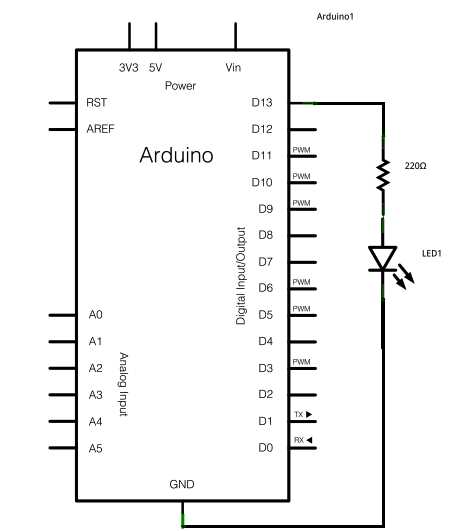
Begin by identifying all modules and sensors required for your project. Note their operating voltages, pin configurations, and current requirements to prevent damage during assembly.
Label each connection point clearly on the board to maintain correct signal flow. Use color-coded wires or tags to distinguish inputs, outputs, and power lines for quick verification.
Include resistors and protective components in series with LEDs or sensitive inputs. Calculate resistor values based on supply voltage and device specifications to avoid overcurrent conditions.
Test each module independently before integrating it with the main board. Check power supply stability, response to control signals, and proper operation of digital or analog outputs.
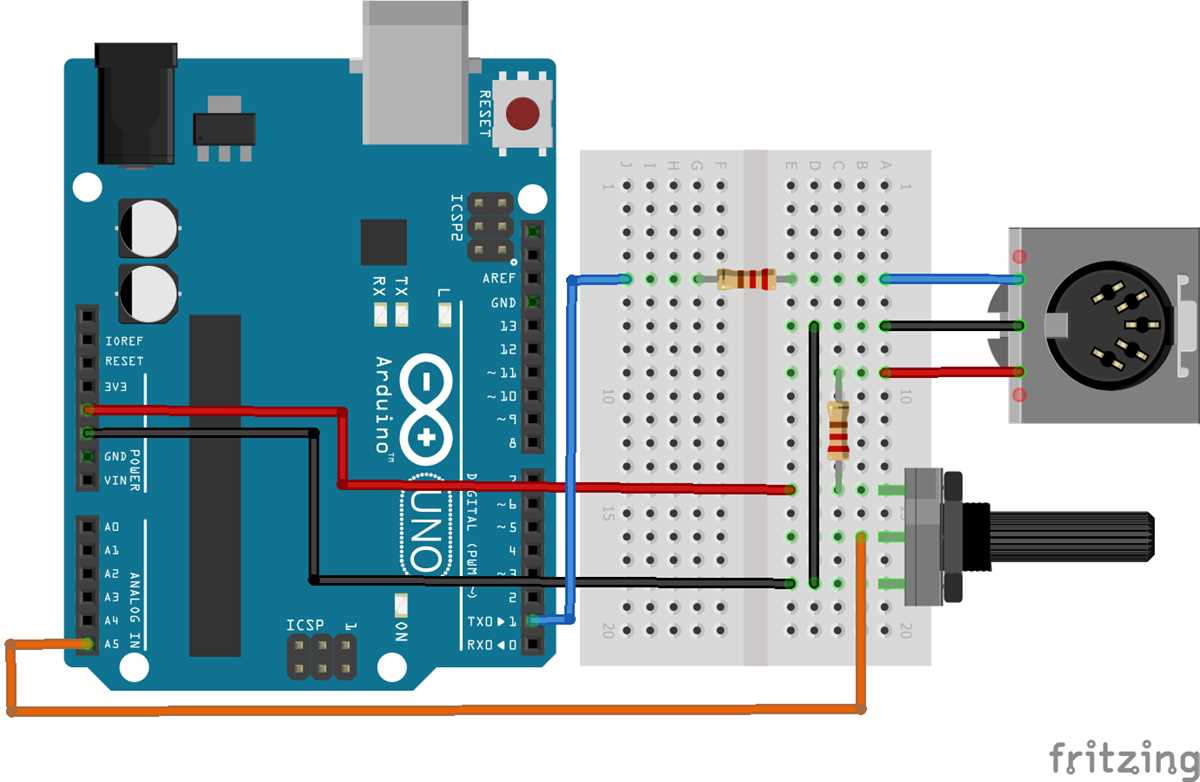
Arrange components to minimize wire crossing and maintain a tidy layout. This reduces signal interference and simplifies troubleshooting if connections fail.
Secure all connections using solder or reliable terminal blocks. Loose wires can cause intermittent signals or erratic behavior during operation.
Document each step of the assembly including pin assignments, voltage levels, and sequence order. Proper records make adjustments easier and prevent errors in future modifications.
Perform a full system test after assembly. Verify that each sensor responds correctly and that all indicators and outputs function in the intended sequence without shorts or misfires.
Complete Guide to Building Arduino Connections and Component Layouts
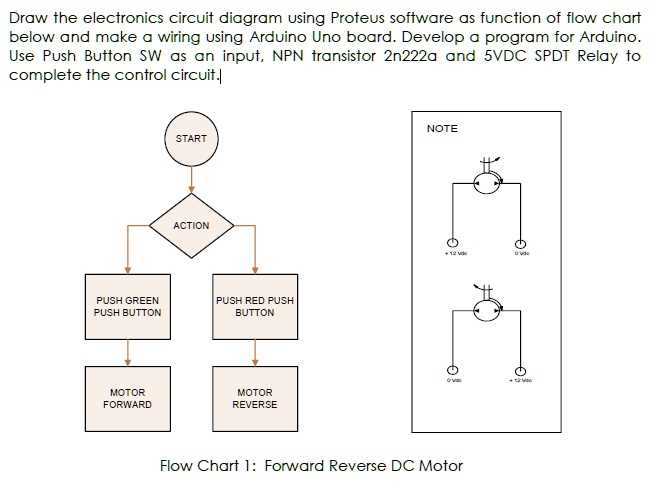
Start by organizing all modules and sensors on a flat surface to identify each connection type. Label their pins according to function and voltage requirement to avoid mismatches.
Use color-coded jumper wires to separate power, ground, and signal lines. Consistent color conventions reduce errors and speed up troubleshooting during testing.
Place resistors, capacitors, and protective diodes near sensitive components. Calculate resistor values based on supply voltage and current to prevent damage to LEDs or sensors.
Group similar components together to minimize wire length. This arrangement reduces interference, simplifies assembly, and keeps the layout compact and readable.
Connect digital and analog modules to their designated pins. Ensure analog inputs are isolated from high-current lines to maintain signal accuracy and prevent noise.
Secure all connections using either soldering or terminal blocks. Loose connections can create intermittent signals, causing unpredictable behavior in the project.
Document each connection and module placement in a reference sheet. Include pin assignments, supply voltages, and expected outputs to facilitate debugging and future modifications.
Perform sequential testing by activating one module at a time and observing its response. Verify all indicators, motors, or displays function correctly before full system operation.
Selecting Components and Preparing the Arduino Board
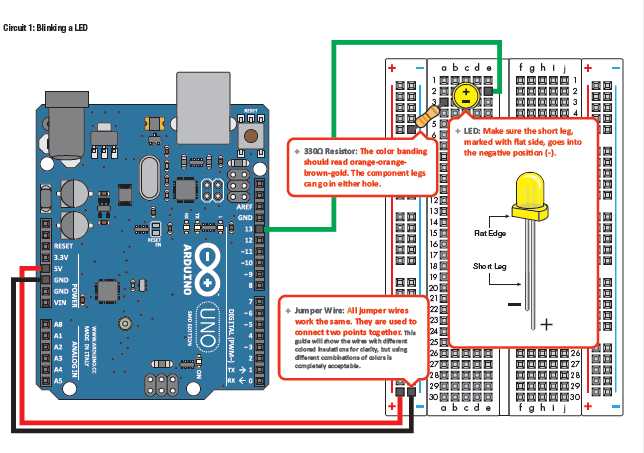
Identify all modules and sensors needed for the project, listing their input voltage, current requirements, and communication protocols. This prevents overloads and ensures compatibility with the control board.
Choose resistors, capacitors, and protective diodes based on calculated values for each module. Proper selection maintains signal stability and prevents damage to delicate electronic parts.
Inspect the board for loose solder joints or bent headers. Clean all contact points with isopropyl alcohol to guarantee reliable connections when inserting modules or wires.
Use breadboards or prototyping shields to test component layouts before permanent assembly. This allows quick adjustments to connections and placement without risking the board.
Organize power distribution lines separately from signal paths. Keeping high-current wires distinct minimizes interference and maintains accurate readings from analog sensors.
Label all pins and connections clearly with tape or markers. Documenting these details simplifies future modifications, debugging, and integration of additional components.