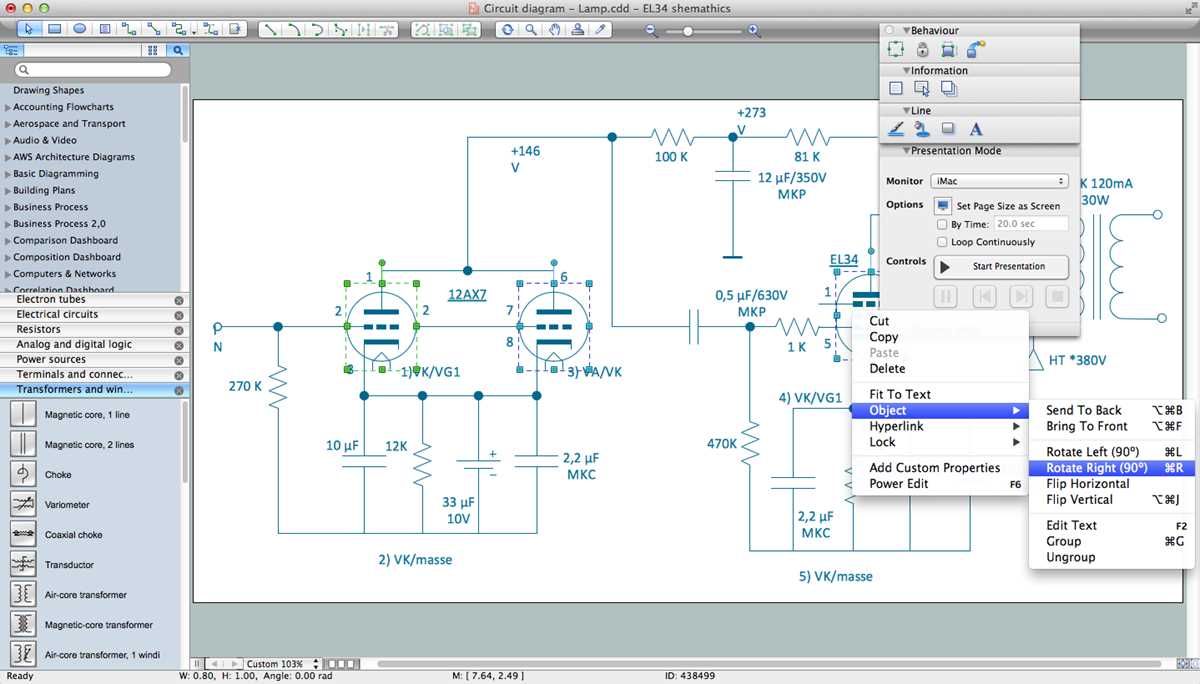
Choose software that supports multi-layer schematics for complex circuits with more than 50 components. Applications offering real-time connection validation reduce errors by up to 40% compared to manual layouts. Tools with drag-and-drop libraries of standard components save several hours per project.
Integrate color-coded tracing to differentiate between voltage levels, ground lines, and signal paths. For circuits exceeding 12V, highlighting high-current routes prevents accidental overloads during assembly. Use platforms that allow automatic labeling of pins and connectors to reduce manual notation mistakes.
Export options in vector formats like SVG or PDF ensure clarity when printing or sharing with technicians. Selecting software that supports team collaboration with version tracking avoids duplicated efforts in projects with multiple engineers. Prioritize solutions that allow quick insertion of annotations and measurement markers for documentation and troubleshooting purposes.
Optimizing Circuit Mapping Tools
Select platforms that allow automatic component alignment to reduce crossing lines and overlapping paths. In systems with more than 100 nodes, this feature can cut layout time by 50%. Look for solutions that offer real-time error detection for short circuits and missing connections.
Use layered views for complex assemblies, separating power rails, control signals, and ground paths. Highlighting each layer with distinct colors helps prevent confusion during assembly and testing. For projects involving microcontrollers, tools that can annotate pin functions automatically save hours of manual documentation.
Prioritize collaborative options if multiple engineers contribute to the schematic. Platforms that maintain version history and allow simultaneous editing minimize conflicts. Exporting in high-resolution formats ensures printed layouts retain legibility for technicians handling wiring and component placement in large panels.
Choosing the Right Software for Your Circuit Type
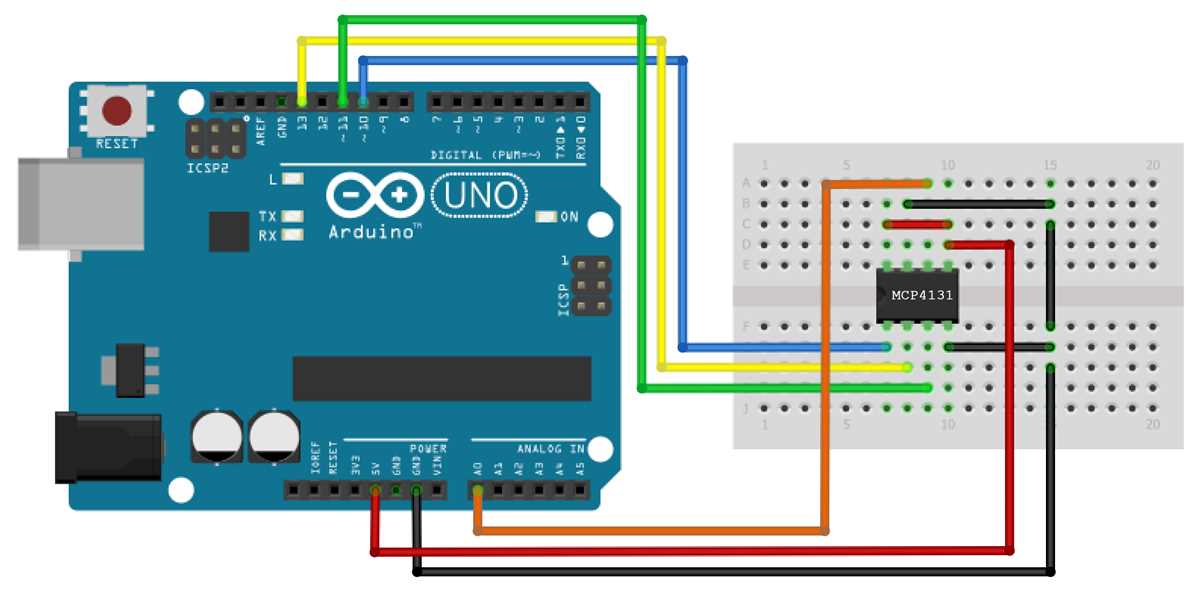
Select programs with component libraries matching your project specifications. For AC circuits, ensure the platform includes transformers, relays, and protective devices. DC projects benefit from built-in battery modules, voltage regulators, and motor drivers. Accurate component databases reduce errors during assembly and testing.
Prioritize tools that support simulation for functional verification before physical implementation. Platforms capable of simulating voltage drops, current flow, and thermal behavior allow detection of overloads or mismatched components. Simulations shorten troubleshooting time by predicting potential failures.
Feature Checklist for Project Requirements
- Layered layouts for separating power, signal, and ground connections
- Automatic numbering of pins and nodes
- Export to high-resolution formats like PDF or SVG
- Annotation tools for labeling components and voltage levels
- Collaboration mode with version tracking for team projects
For microcontroller-based circuits, ensure the platform can assign pin functions automatically and provide real-time error notifications. Integration with external libraries for sensors and modules accelerates design and reduces compatibility issues.
Cost and licensing models vary widely. Free software may limit the number of components per project or restrict export options. Subscription-based platforms often include cloud storage, version control, and access to updated libraries. Compare features carefully to match project scale and team requirements.