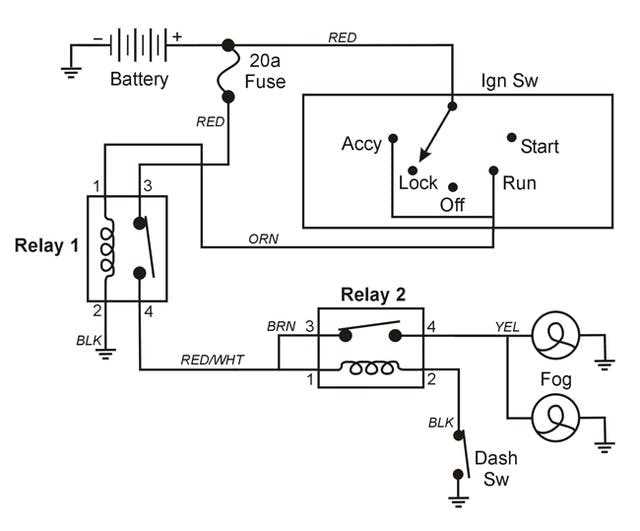
Start by identifying each cable’s function before connecting to the power source or control modules. Use standard color codes and verify continuity with a multimeter to prevent faults.
Ensure battery terminals are clean and tightened to 6–8 Nm torque. Secure all high-current leads with insulated lugs to maintain stable voltage under load.
Route lighting and sensor lines away from heat sources and moving parts. Maintain a minimum separation of 25 mm between high-current and signal cables to reduce interference.
Test each connection individually before full assembly. Check that tail lights, turn indicators, and brake lamps operate consistently under 12V supply.
Apply dielectric grease to exposed connectors and cover junctions with protective caps to prevent corrosion. This ensures long-term reliability of the system.
Label all cables near their connection points using heat-resistant tags. This simplifies troubleshooting and future upgrades without guessing the original configuration.
Inspect grounding points for corrosion or looseness. A solid ground improves signal integrity and prevents erratic sensor readings or flickering lights during operation.
Automotive Connection Layouts
Identify each cable by function and color before attaching to power sources or lighting modules. Use a multimeter to confirm continuity and ensure polarity is correct to prevent short circuits or flickering lights.
Route high-current lines along secure paths away from sharp edges or moving components. Maintain at least 25 mm separation from sensor and low-voltage lines to reduce interference and maintain signal accuracy.
Lighting and Indicator Setup
Connect tail lights, brake lamps, and turn signals according to the color-coded layout. Apply dielectric grease to terminals and cover connectors with protective caps to prevent oxidation and ensure stable operation under vibration.
Sensor and Control Integration
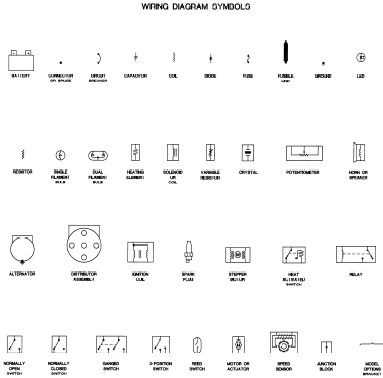
Attach sensors and control modules using labeled cables for easy identification. Inspect all grounding points and tighten screws to 4–6 Nm to maintain reliable current return paths and prevent erratic readings from interference or loose connections.
Battery and Power Distribution Connections
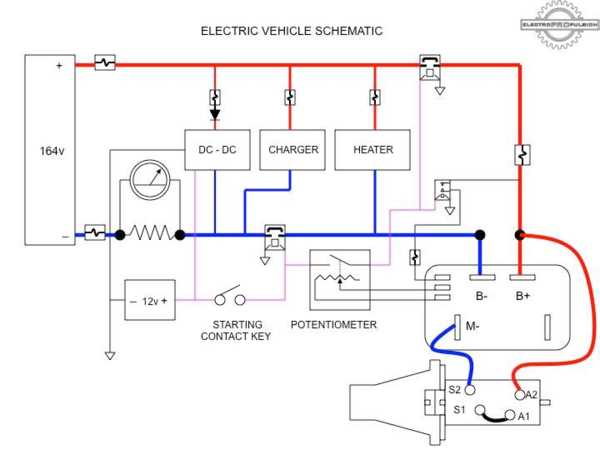
Secure each battery terminal with insulated brackets and tighten bolts to 6–8 Nm torque. Loose connections can cause voltage drops and overheating under high current loads.
Use copper lugs with proper cross-section, at least 50 mm², for main positive and negative leads. Verify polarity to prevent damage to control modules and sensors.
Bus and Fuse Setup
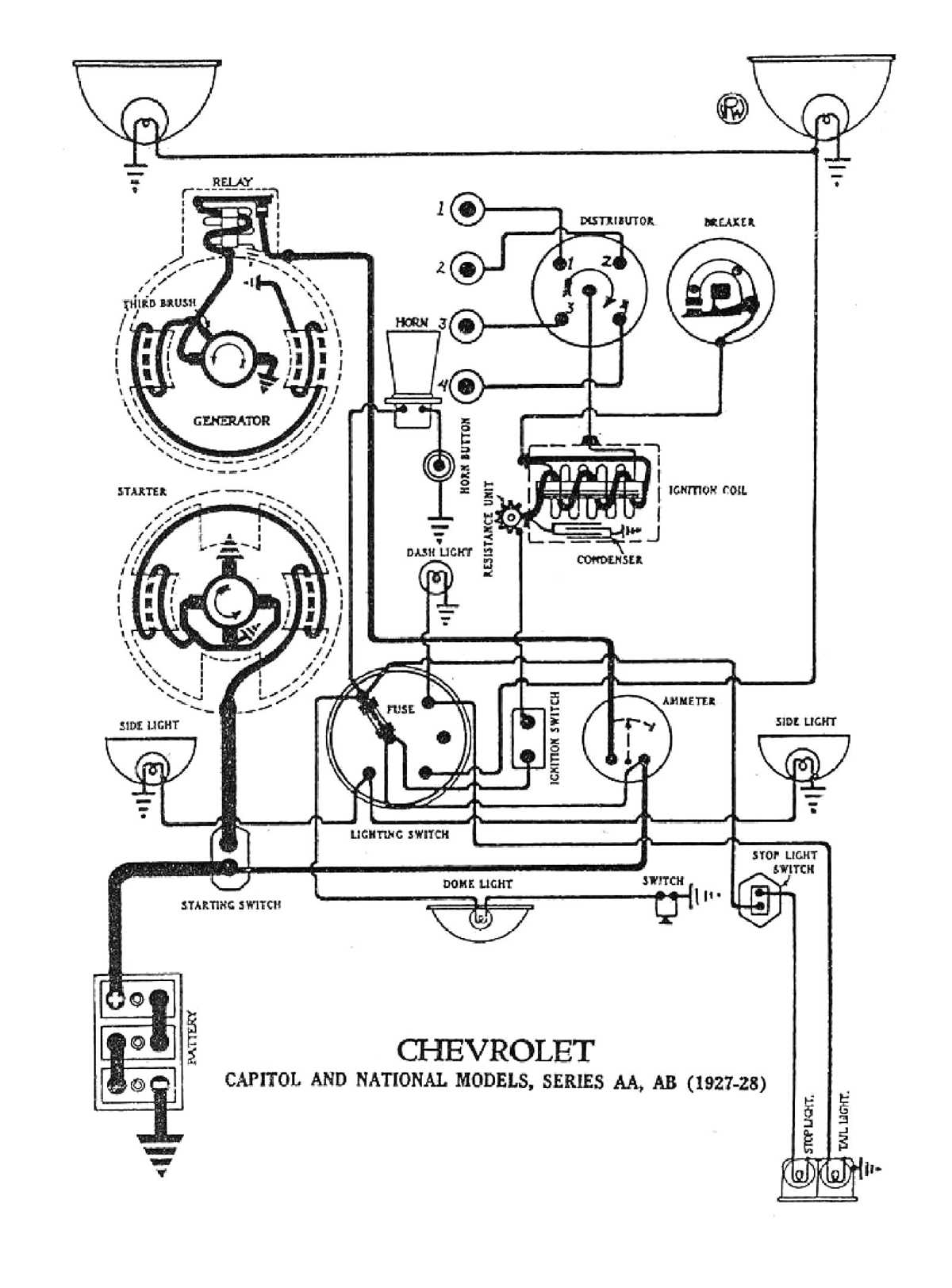
Install busbars to link battery modules in series or parallel. Include fuses near the main power source to protect against short circuits:
- Slow-blow fuses for high-capacity modules
- Rated slightly above the maximum operating current
- Test each fuse under controlled load before final assembly
Route cables along secure paths avoiding heat sources, moving parts, and sharp edges. Maintain at least 30 mm separation between power and signal lines to minimize interference.
Grounding and Monitoring
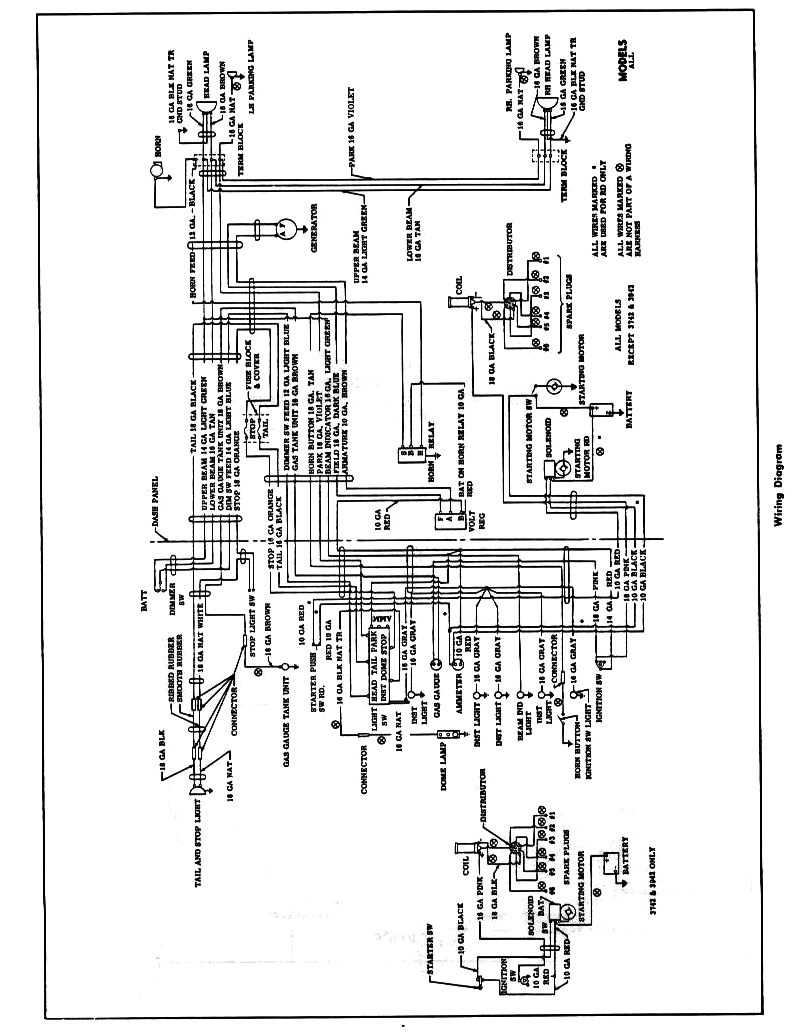
Check all grounding points for corrosion or looseness. A solid chassis connection ensures reliable return paths and prevents erratic sensor readings or flickering lamps.
Label each cable with voltage and function using heat-resistant tags. Add voltage taps for real-time monitoring of individual modules to detect imbalance or failing cells early.
Apply dielectric grease to exposed terminals and cover junctions with protective caps. This prevents oxidation and extends the life of all connections under vibration and environmental exposure.