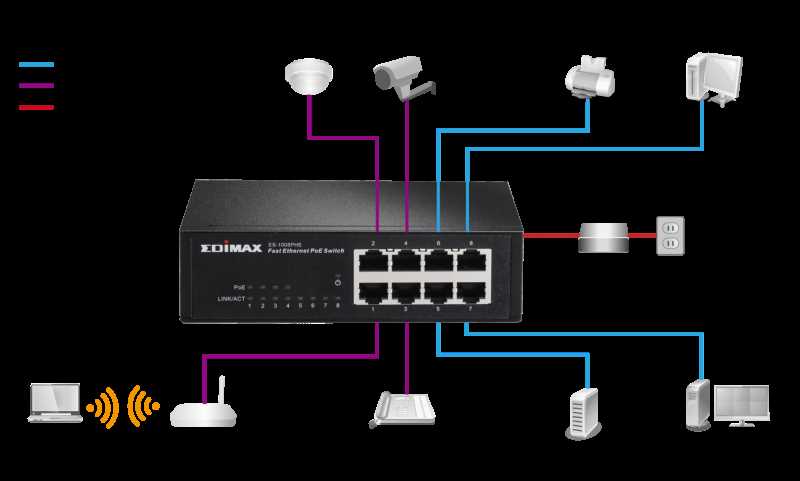
Use a structured pin assignment when linking devices that transmit both energy and information over a single cable. Standard pairs carry data signals while specific conductors handle direct current, allowing simultaneous operation without separate power lines.
Ensure cables are rated for the voltage load of connected equipment. Conductors with insufficient gauge can overheat, causing interruptions or damage. Opt for Category 5e or higher with 24 AWG or thicker strands for reliable performance.
Label each termination point clearly before installation. Misaligned connections between hubs, injectors, and endpoints can result in partial connectivity or reversed polarity, which compromises device startup and signal integrity.
Test each link with a continuity and voltage tester before live operation. Confirm both energy delivery and signal presence on the intended pins, and replace any connectors showing excessive resistance or poor contact.
Power over Network Connection and Pin Assignment Overview
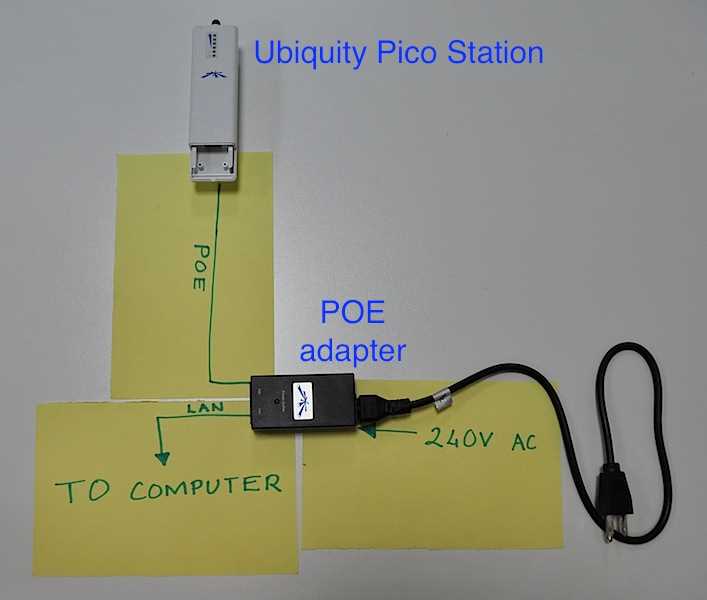
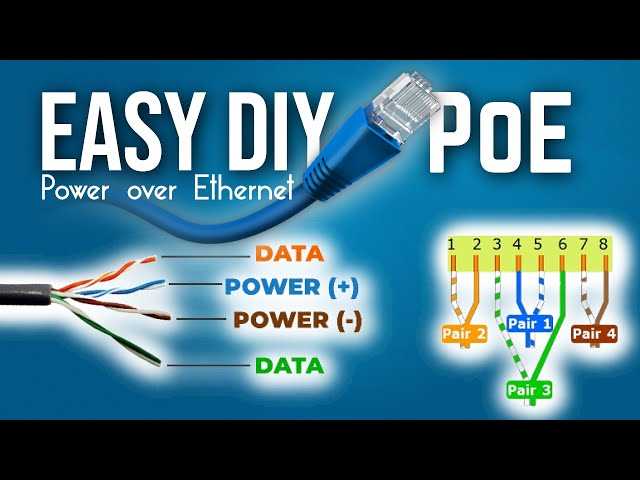
Assign pins according to the device specification to separate energy delivery from data signals. Typically, two pairs carry data while the remaining conductors transmit direct current. Using incorrect pairs can result in failed startup or intermittent connectivity.
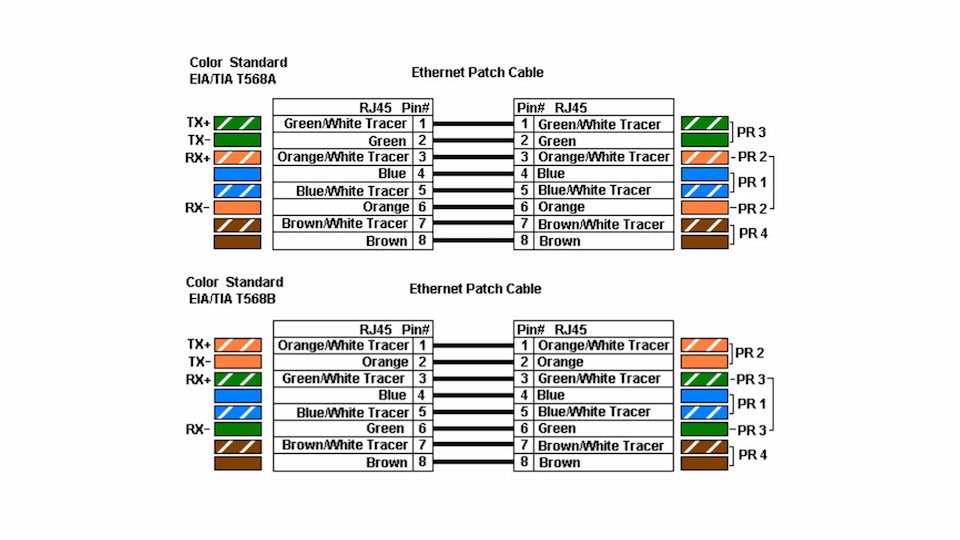
Follow T568A or T568B standards when terminating cables at patch panels and outlets. Consistent pin arrangement ensures compatibility between hubs, injectors, and endpoints, reducing troubleshooting time and preventing cross-connections.
Check conductor gauge and insulation rating before installation. 24 AWG or thicker strands handle up to 30 watts safely, while thinner conductors may overheat. Shielded cables are recommended in high-interference environments to maintain signal clarity.
Label each termination point and document pin assignments. Maintain a simple reference list showing which pairs carry energy and which carry data. This practice avoids confusion during expansions or maintenance.
Test connections with a combination tester and voltage meter. Verify that energy reaches the powered device without voltage drop and that data pairs show continuity. Replace connectors or patch cords showing resistance higher than 0.1 ohms to prevent operational issues.
Understanding Data and Power Pair Configurations in Ethernet Cables
Identify which twisted pairs carry energy and which carry information before installation. Standard cables typically allocate two pairs for data transmission and the remaining two for direct current. Misallocating these pairs can cause device startup failures or intermittent performance issues.
Use consistent color coding and pin assignments at both ends of the cable. Following recognized standards ensures that hubs, injectors, and endpoints interpret signals correctly. Mixing pairs may create interference, signal loss, or heating of conductors.
Measure resistance and continuity on each pair before connecting active devices. Verify that energy pairs show minimal voltage drop under load and that information pairs have proper continuity. Replace any cable with resistance exceeding 0.1 ohms to maintain reliable operation.
Document the pair configuration for future troubleshooting and network expansion. Keep a clear reference showing which conductors carry power and which carry data. Accurate records reduce downtime and prevent mistakes when adding additional endpoints or modifying the layout.