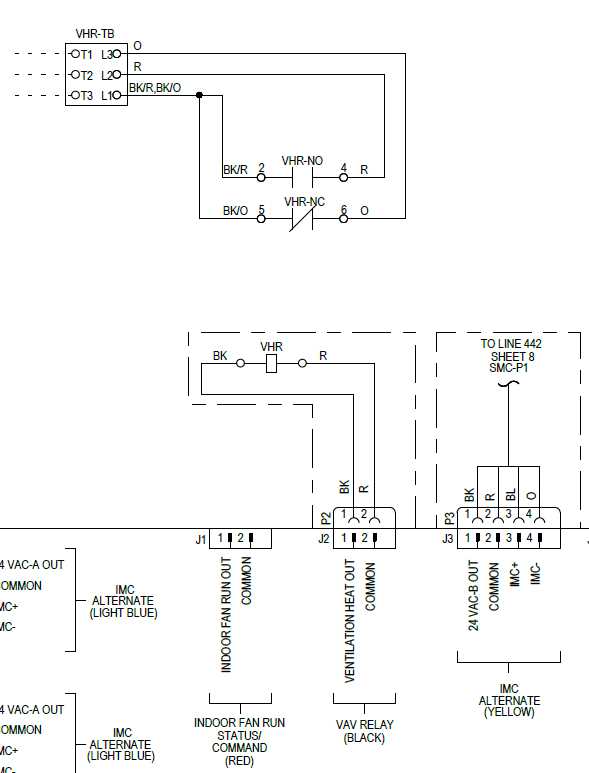
Verify all terminal points and voltage levels before connecting conductors. Use a multimeter to check continuity and confirm insulation integrity. Clearly label each lead as line, neutral, or ground to prevent errors during installation.
Inspect the breaker panel and distribution points to ensure compatibility with the control unit load. Tighten all bus screws and confirm metallic surfaces are clean and free from corrosion to prevent overheating.
Route conductors carefully through junction boxes and conduits while maintaining separation between power and control lines. Use color-coded leads and document terminal assignments to simplify testing and future maintenance.
Perform preliminary resistance and continuity tests before energizing the system. Confirm phase alignment, verify load connections, and ensure all grounding points maintain proper continuity to reduce risk of faults or shocks.
Trane Symbio 700 System Connection Guide
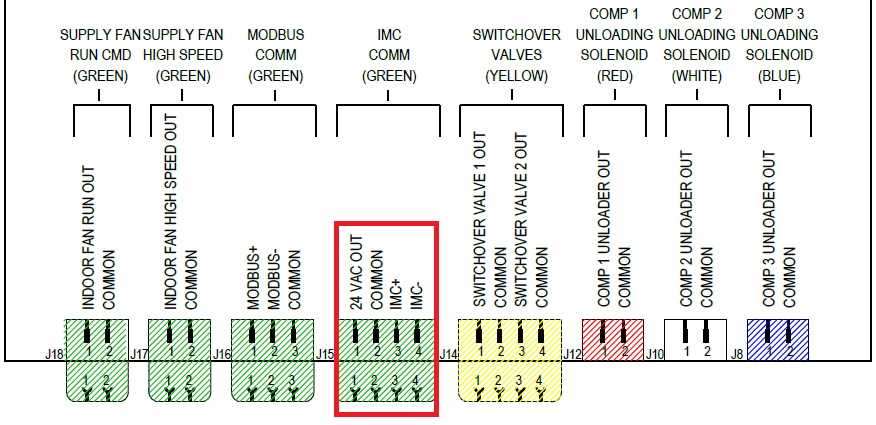
Confirm the main supply voltage and phase configuration before attaching any leads. Use a calibrated meter to verify incoming power aligns with unit specifications and check that grounding paths are secure and continuous.
Identify each terminal on the control module and mark corresponding conductors. Connections to relays, sensors, and actuators must follow the color code and pin assignment provided on the unit’s side panel to prevent cross-connections.
Secure all conductors within the junction box using strain relief clamps to avoid loosening under vibration. Maintain separation between high-power lines and communication cables to reduce interference and ensure signal integrity.
Perform continuity and insulation resistance tests on all conductors before energizing the system. Verify that no shorts exist between live, neutral, and ground paths, and document each verified terminal assignment for future troubleshooting.
After completing connections, energize the unit gradually and monitor for abnormal currents or fault indicators. Adjust terminal screws and connectors as needed to maintain consistent contact, and log initial startup readings for reference during maintenance checks.
Identifying Terminals and Internal Connections on Symbio 700 Units
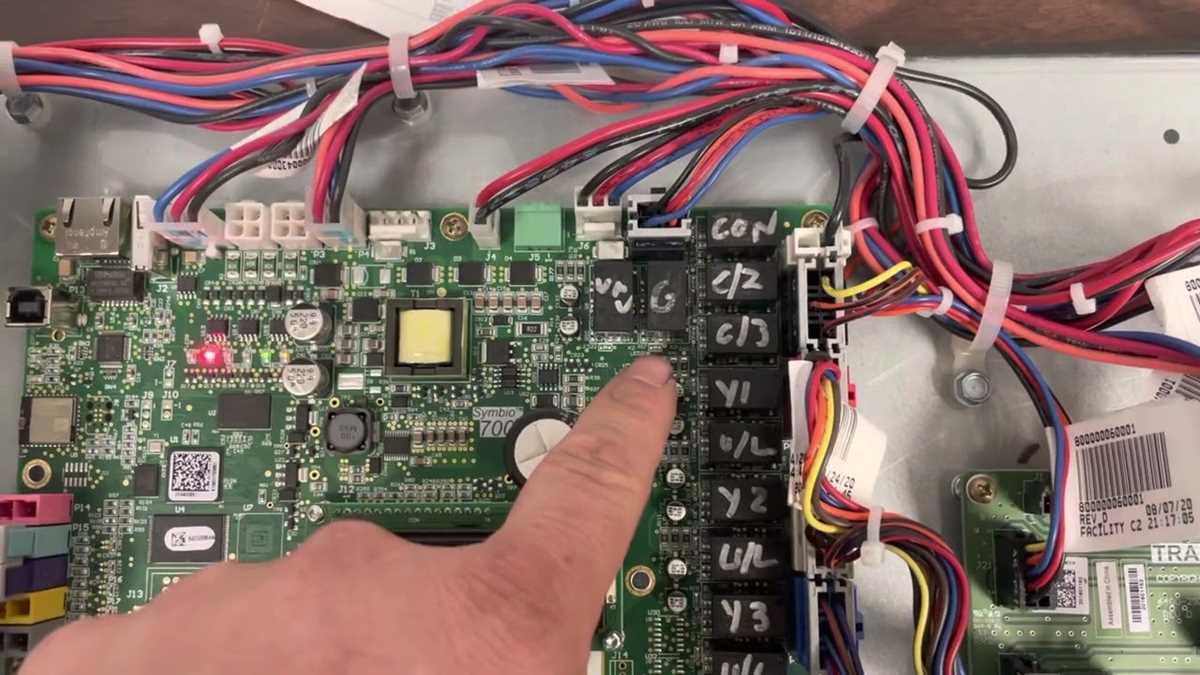
Label all external leads before accessing the internal panels. Each terminal serves a distinct role such as power supply, control input, or sensor feedback, and incorrect identification can cause operational faults.
Locate the primary control board terminals positioned near the main access panel. Terminals are grouped by function with numeric or color codes to simplify tracing each line to its corresponding device.
Inspect internal connectors and bus bars for secure seating. Loose screws or poorly seated terminals can create intermittent contact or short circuits within the unit.
Use a multimeter to confirm continuity between external leads and their internal points. Measure voltage and resistance to verify signal paths and avoid misconnection errors during startup.
Identify auxiliary modules such as relays, sensor boards, and motor controllers. Each module has clearly marked pins that match external leads, which ensures that signals and power are correctly routed.
Separate communication and power paths within the unit to reduce interference. Route high-current lines away from signal traces, using insulated channels or cable ties to maintain physical separation.
After all terminals are verified, tighten screws gradually while monitoring for loose strands or bent pins. Energize the unit stepwise, observing indicators to confirm each internal connection functions correctly, and document the layout for future reference.