Begin by stripping the outer insulation from the cable, exposing the twisted pairs inside. Carefully align each pair of wires according to the color code specified for your setup. This ensures the correct transmission of signals between your devices.
Next, insert the individual wires into the appropriate slots in the terminal block of the socket. Make sure that each wire is fully inserted and that there is no exposed copper to avoid short circuits. Tighten the screws securely to ensure a solid connection.
Once the wires are connected, test the connection with a network tester to confirm proper functionality. If the tester indicates any issues, double-check the wire order and connections, as even a small mistake in positioning the wires can cause connectivity problems.
Steps to Properly Wire a Network Outlet
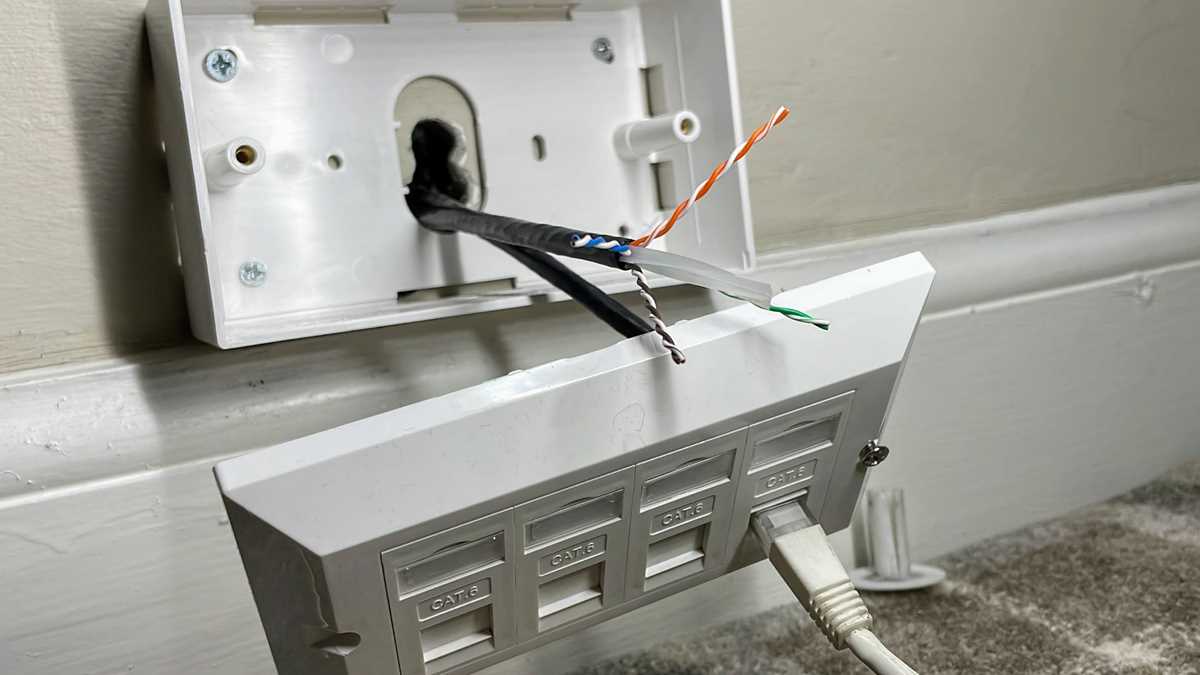
Start by measuring and cutting the cable to the required length. Leave enough slack to comfortably connect the cable to the device and the outlet. Ensure you have sufficient length on both ends to avoid tension on the wires once everything is installed.
Next, carefully strip back the outer insulation using a wire stripper, exposing the twisted pairs inside. Be careful not to damage the individual wires. The exposed wires should be long enough to fit into the connection terminals but not too long to cause unwanted exposure.
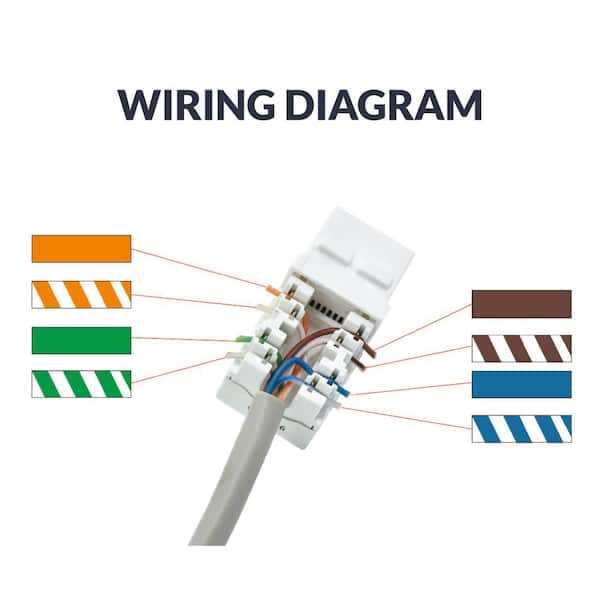
Once the wire is stripped, untwist the pairs as needed and organize them according to the color code. The most common wiring standards are T568A and T568B. Choose one and align the wires as follows:
- For T568A: Green/White, Green, Orange/White, Blue, Blue/White, Orange, Brown/White, Brown
- For T568B: Orange/White, Orange, Green/White, Blue, Blue/White, Green, Brown/White, Brown
After arranging the wires in the correct order, cut them evenly, making sure all are aligned perfectly. Insert the wires into the appropriate slots in the terminal block, ensuring they go all the way in. This step prevents any loose connections that can result in intermittent or poor-quality network performance.
Once the wires are inserted, use a punch-down tool to secure them into place. This tool pushes the wires into the connectors and ensures a firm, reliable connection. Make sure the tool cuts off any excess wire while securing the connection.
After securing the wires, double-check that each wire is in the correct position and tightly inserted into the terminal. Any misplaced wire could cause a disruption in the network signal. Verify that there is no exposed copper, as this could lead to short circuits or interference.
Finally, test the installation with a network cable tester to ensure that all connections are correct and the outlet is functioning properly. If the tester shows any issues, retrace your steps and correct any miswiring or loose connections before finalizing the setup.
Common Mistakes in Network Outlet Installation
A frequent mistake is failing to follow the correct color code for the wire pairs. Improper color-coding can cause confusion during installation and troubleshooting. Always follow the standard wiring scheme, such as T568A or T568B, and ensure the wires are in the correct order before securing them.
Another common issue is stripping too much of the outer insulation. If too much of the cable is stripped, the individual wires may be exposed too far, which can lead to short circuits or weak connections. Strip just enough to expose the inner pairs without exposing too much copper wire.
Using incorrect wire length is also problematic. If the wire is too short, it can cause tension on the connection points, which could lead to disconnections over time. Conversely, if the wire is too long, it may create clutter and increase the chance of miswiring. Measure and cut the wire to the correct length before starting the installation process.
Another mistake is not using the punch-down tool correctly. If you fail to press the wires securely into the terminal, you risk creating an unreliable connection. A punch-down tool should be used with enough force to insert the wires properly and cut off any excess wire for a clean installation.
- Ensure the correct color code is followed (T568A or T568B)
- Only strip enough insulation to expose the inner wires
- Measure the wire length before cutting to avoid excess or shortage
- Use the punch-down tool with proper force for a secure connection
Troubleshooting and Fixing Network Outlet Wiring Issues
If the connection is not working, start by verifying the wire connections. Ensure that all individual wires are securely inserted into the corresponding slots in the terminal block. Misplaced wires can cause communication errors or prevent the device from connecting to the network.
Check for loose or incomplete connections. If any wire is not properly secured, it can create an unreliable link. Use a punch-down tool to make sure each wire is pressed firmly into the terminal. This tool will also cut off any excess wire, ensuring a clean installation.
Another common issue is damaged or stripped cables. Examine the outer jacket and individual wires for any visible damage or fraying. If the wire is compromised, replace it with a new one of the same type and length to ensure optimal performance.
Testing the Connection
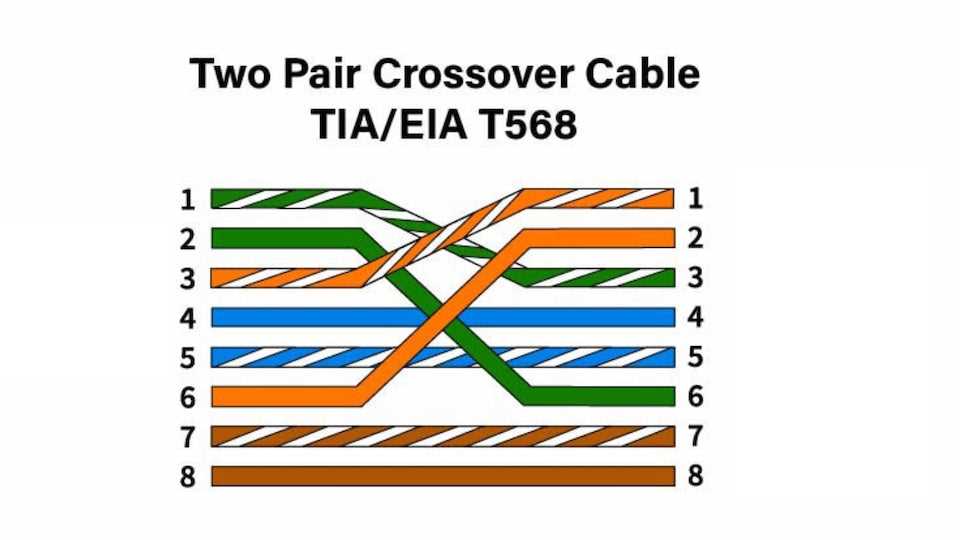
Once you’ve checked the physical connections, use a network cable tester to verify that all wires are correctly wired and connected. The tester will indicate whether the wiring follows the correct order and whether there are any faults in the system.
Fixing Intermittent Connection Issues
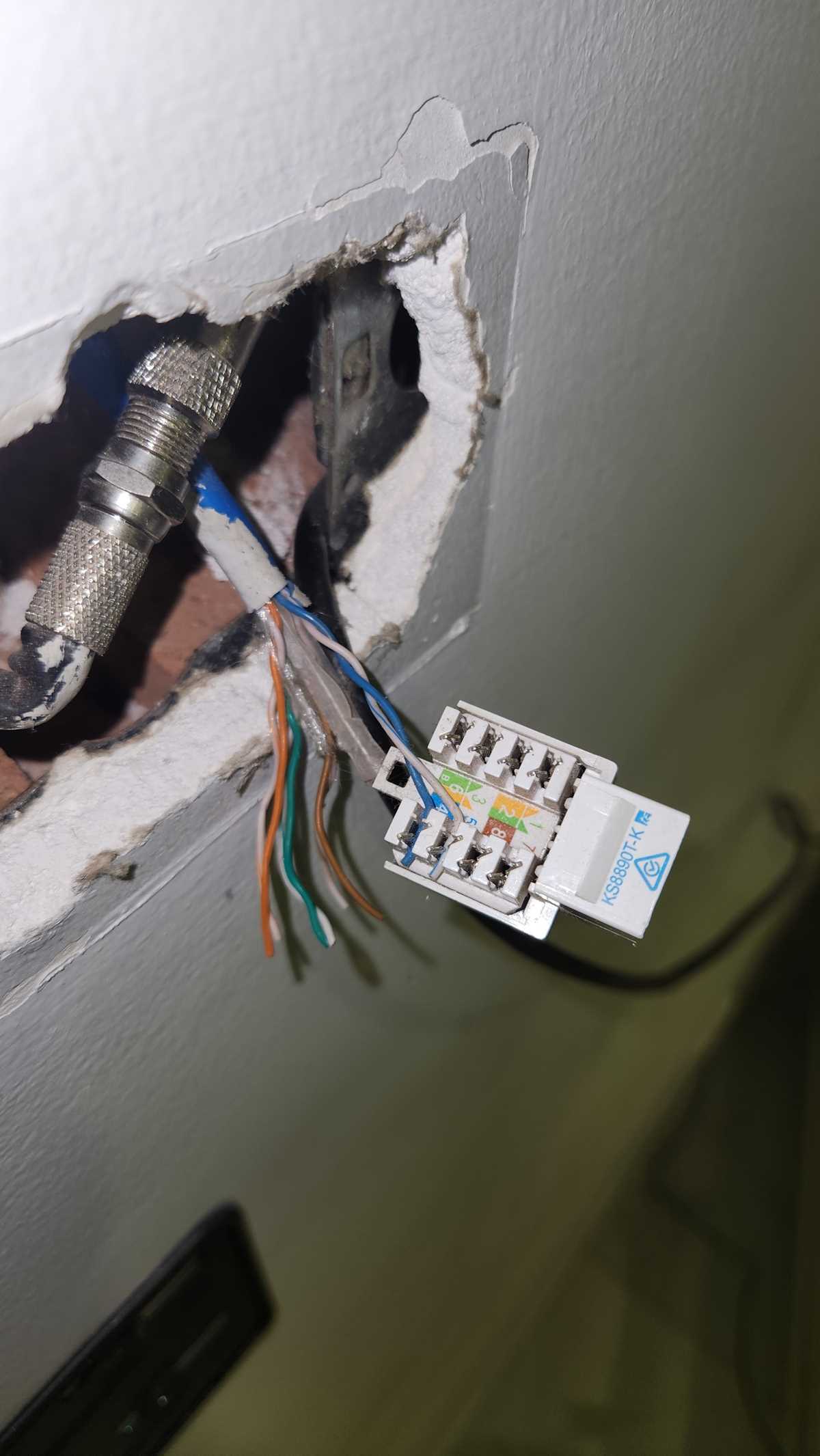
If the connection works intermittently, check for any loose or corroded terminals. A weak connection due to corrosion can disrupt the signal. Clean the terminals or replace them if necessary to restore a stable connection.
If the wires are properly installed and the tester shows no faults, but issues persist, inspect the network equipment itself. Sometimes, the problem lies with the router or the connected devices, and not with the outlet. Ensure all devices are powered on and correctly configured.
If after troubleshooting the connection still fails, consider reinstalling the network outlet. Ensure all steps are followed properly from wire stripping to termination, and double-check for any overlooked mistakes in the wiring process.
| Issue | Cause | Solution |
|---|---|---|
| No connection | Misplaced wires or loose connections | Re-check wire positions and use a punch-down tool |
| Intermittent connection | Loose or corroded terminals | Clean or replace terminals |
| Damaged cable | Frayed or stripped cable | Replace damaged cable |
| Incorrect wiring order | Wires installed in wrong order | Test with network cable tester and rewire if needed |