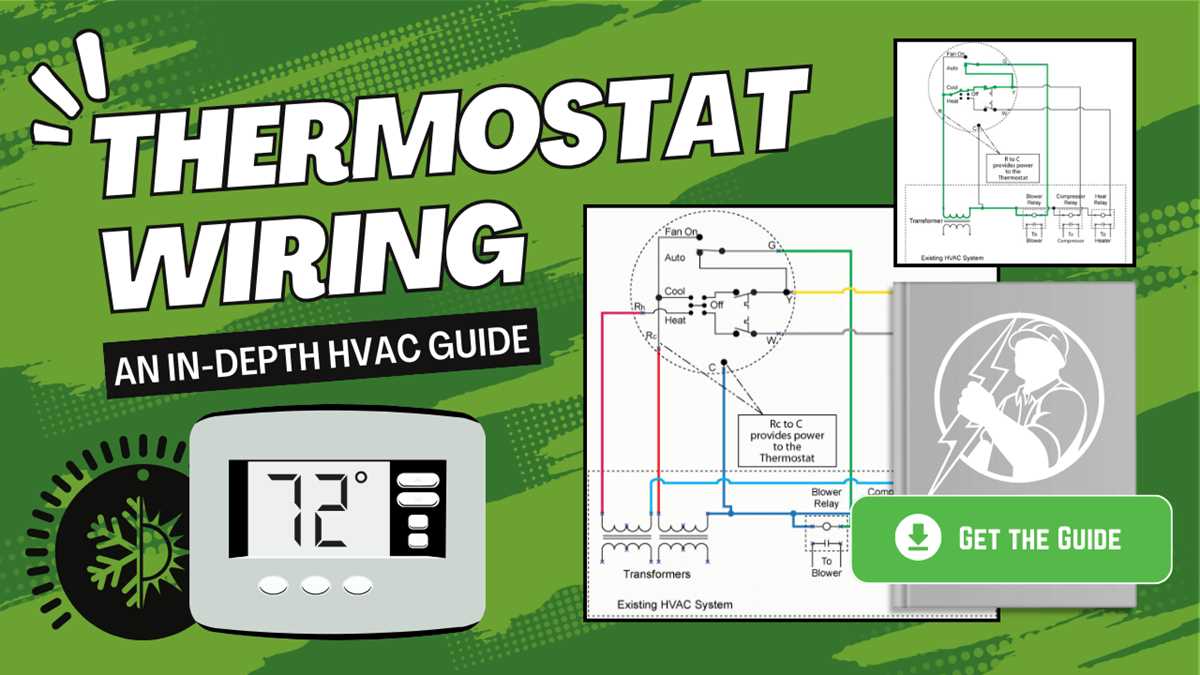
Ensure the main power is switched off before linking any signal leads to avoid short circuits or damage to components. Identify the red and blue conductors that carry 24V control voltage and the common wire typically marked as C. Secure each connection with proper terminals and confirm tight contact.
Locate the input terminals on the temperature regulation device and match them to the corresponding outputs from the HVAC system. Use color-coded labeling to prevent misconnection between heating, cooling, and fan activation lines. Double-check manufacturer markings to align each lead precisely.
Test the sensor feedback connections by measuring resistance between the sensing points. Confirm readings match expected values for ambient temperature response. This ensures the controller responds accurately to environmental changes.
After securing all leads, restore power and operate the system through a single cycle to verify correct activation of heating and cooling stages. Observe indicator lights or readouts to confirm proper function. Adjust or tighten connections if any inconsistencies appear.
Wiring Guide for AC Unit Thermostat Connections
Switch off all power at the main breaker before handling any electrical leads. Identify the common wire, usually blue, and connect it to the C terminal on the control interface. Ensure firm attachment and avoid loose strands that could create shorts.
Locate the R wire, typically red, which provides 24V power. Connect it directly to the R terminal and verify that the corresponding voltage is present with a multimeter. Check polarity and insulation to prevent system faults.
Connect the Y lead to the compressor control input. Ensure that no other lines share the terminal to avoid false activations. Test continuity from the control panel to the HVAC system before finalizing the installation.
The G wire governs the fan relay. Attach it to the fan terminal and confirm that it triggers the blower motor when the system is set to cooling. Observe the relay click and measure voltage at the blower input.
After all leads are secured, restore power and operate a test cycle. Check each stage individually–heating, cooling, and fan–to confirm proper sequencing and response. Tighten any connections that show resistance or intermittent contact before closing the control panel.
Identifying Thermostat Terminals and Color Codes
Start with the power connection by locating the red lead, usually marked as R. This line delivers 24V from the control transformer and should connect securely to the designated power terminal. Double-check the label on the base plate to prevent accidental cross-connections.
The common line, often blue or black, links directly to the C terminal. Verify continuity with a multimeter to ensure the loop completes without resistance. This terminal stabilizes the control voltage and maintains reliable system operation.
- Y terminal – typically yellow, controls the compressor.
- G terminal – generally green, operates the blower fan.
- W terminal – white, activates the heating stage.
Follow these color conventions carefully, as swapping leads can trigger incorrect system responses.
Check for auxiliary lines such as O/B, which control heat pump reversing valves. Orange usually signals the O function, and dark blue or purple indicates B. Confirm the manufacturer’s guide because color codes may vary slightly across models.
After mapping each lead, label connections with tape or permanent marker. This avoids confusion during testing and future maintenance. Conduct a step-by-step cycle test to verify that each terminal correctly engages the corresponding HVAC component before securing the baseplate.