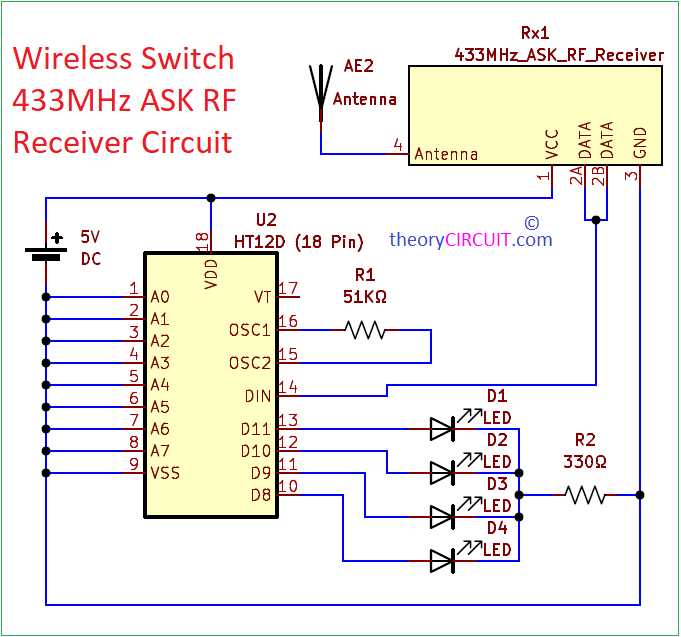
If you’re working on wireless communication systems, connecting a pair of encoder and decoder ICs is a fundamental task. Start by reviewing the pinout and electrical connections of these devices, as each pin serves a specific function that ensures smooth data transmission. Understanding how to wire them correctly will prevent common issues such as signal interference or miscommunication between modules.
The key to reliable performance is correct wiring, especially when setting up the address and data pins. If these pins are not properly configured, the communication system will fail to transmit or receive signals correctly. Refer to the datasheet for detailed specifications on the resistor and capacitor values, as they directly impact the operating frequency of the system.
To further troubleshoot and optimize the setup, make sure that power supply levels are stable, and always check that the ground connections are solid. Grounding issues can often cause irregularities in signal integrity. Additionally, consider using decoupling capacitors near the power pins to reduce noise and improve signal clarity.
HT12E Circuit Configuration
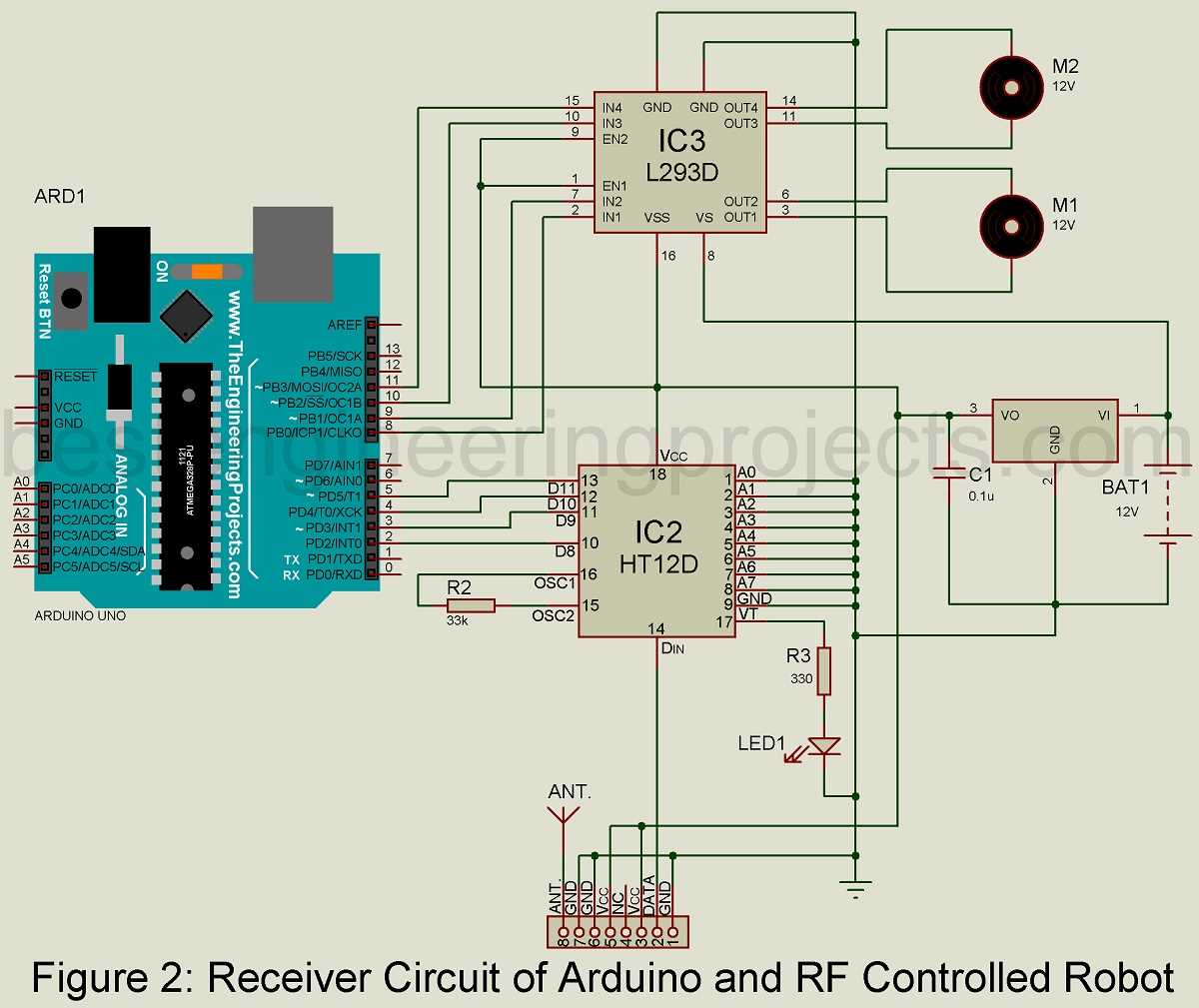
For a smooth setup of the encoder and decoder pairing, pay attention to the pin configuration. The primary pins responsible for data input and output are the A0 to A7 pins, which are used to input the data that needs to be transmitted. Ensuring that the address pins (A0-A7) match between both devices will allow the data to be correctly interpreted.
The next critical aspect is the address setting. Both the encoder and decoder require an address for data transmission. The address pins must be connected to either ground or VCC based on your network setup. Typically, setting all the address pins to either logic high or low will ensure the devices communicate on the same channel. Using pull-up resistors for the address lines might be a good practice for stable connections.
The decoder needs a strobe signal for data to be output correctly. It’s important to connect the strobe pin to a GPIO pin on a microcontroller or other external device that will handle the strobe signal. This ensures that the decoder knows when to read the data sent through the data pins.
Finally, ensure the power supply is stable. Both the encoder and decoder require a steady 5V supply to operate properly. Use decoupling capacitors near the power pins to reduce any noise and ensure the data is transmitted without interference. A good practice is to use a regulated power supply to avoid fluctuations that can cause transmission errors.
Understanding the Pin Configuration of HT12E IC
When setting up an encoder or decoder for communication, the first step is understanding the functionality of each pin. The 18-pin IC includes multiple data and address pins that are crucial for its operation. The first set of pins, from A0 to A7, are used for transmitting address data. These pins should be connected to either VCC or ground depending on the address configuration you want to assign. Both the encoder and decoder must have matching addresses for proper data transfer.
Key Data and Control Pins
- AD0-AD7: These are the address pins that are responsible for identifying the communication channel between the transmitter and receiver.
- DIN: The data input pin where the transmission data is fed into the IC.
- DOUT: The output pin for data transmission from the decoder to an external device.
- VCC and GND: These pins supply power to the IC. Make sure the power supply is stable at 5V to avoid issues.
Additional Functional Pins
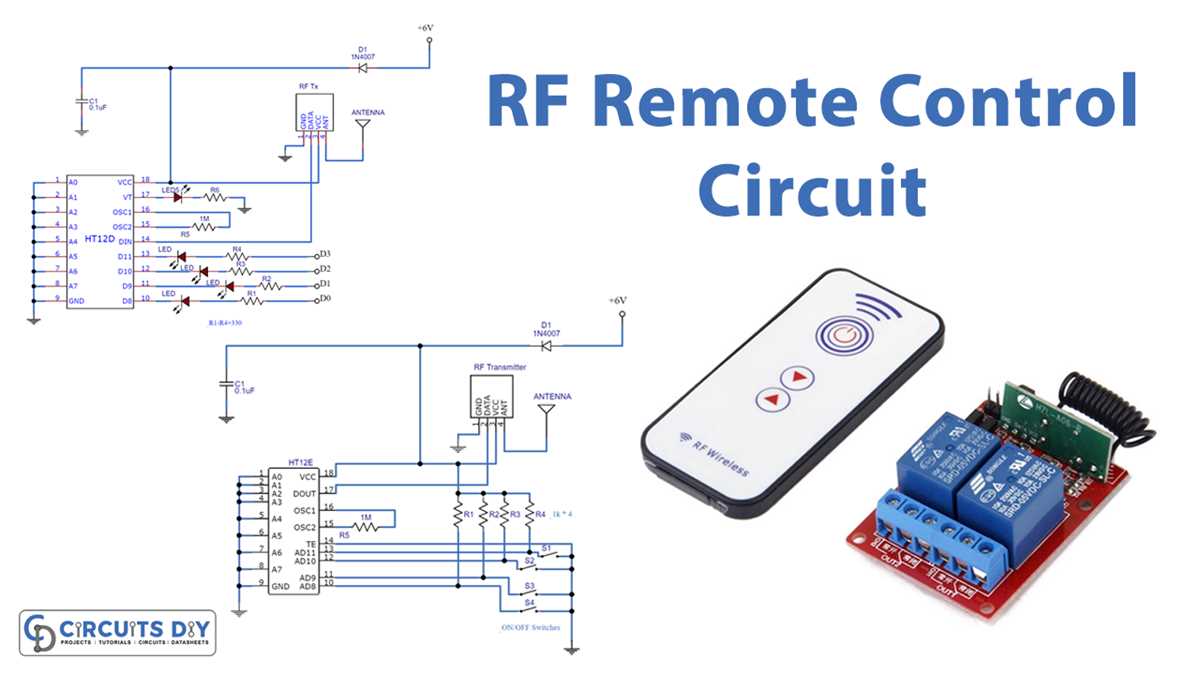
Several other pins play significant roles in controlling the operation of the device. The OE (output enable) pin must be connected to logic high to enable the output from the encoder or decoder. Similarly, the TE (transmit enable) pin controls the data transmission flow, ensuring the IC is only active when necessary. The status of the STROBE pin determines when the data should be read by the receiver.
Proper pin configuration is crucial for efficient operation. Connecting the correct address pins and ensuring stable power and control lines will prevent communication errors. Pay close attention to the wiring of each pin to guarantee a smooth data transmission process between the two modules.