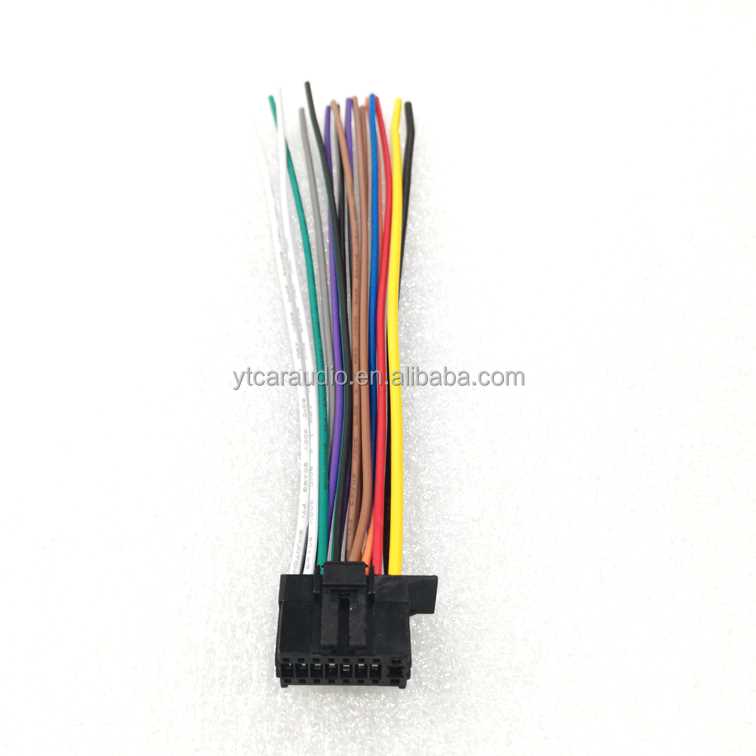
Attach the black lead to the negative terminal first to prevent short circuits. Confirm the positive feed using a multimeter to ensure correct voltage before proceeding.
Match each speaker wire to its corresponding channel using the color codes printed on the connectors. Incorrect pairing can cause imbalance in sound output and potential damage to the amplifier.
Connect the antenna cable securely to the designated port and verify that it is fully seated. A loose connection can result in poor reception and intermittent signal loss.
Check all terminal screws for tightness and ensure no exposed metal is left outside the connectors. This prevents sparks and reduces the risk of electrical shorts during operation.
Step by Step Guide to Connecting Power Speaker and Antenna Lines
Start by identifying the main power leads using a voltage tester. Connect the positive feed to the red terminal and the ground wire to the black terminal, making sure the screws are tight and no copper is exposed.
Next, match each speaker conductor to its corresponding output according to the color codes. Twist the strands neatly and secure them under the clamps to avoid loose contact, which can cause static or channel imbalance.
Attach the antenna cable firmly to the input port. Check that the connection is fully seated to prevent intermittent reception, and avoid sharp bends that could damage the conductor inside.
Finally, inspect every connection visually and with a tester to confirm continuity and proper polarity. Tighten all screws again and bundle excess cable to reduce strain on terminals, ensuring long-term reliability of the audio setup.
Identifying Power and Ground Connections for Safe Installation
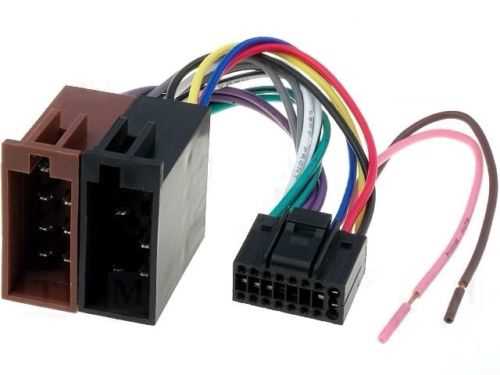
Locate the positive lead first by checking for red insulation or the label marked with a plus sign. Confirm voltage with a multimeter before making any connections to prevent short circuits or sparks.
Identify the ground conductor by looking for black or bare copper wire. Ensure it is continuous from the power source to the chassis or mounting bracket, as a broken ground increases the risk of electric shock.
Inspect all wire insulation along the length for cracks, nicks, or fraying. Damaged insulation must be stripped back and replaced with new protective sleeves or electrical tape to avoid accidental contact with live surfaces.
Use a continuity tester to verify each conductor’s path. Touch one probe to the end of the wire and the other to the terminal; a continuous beep confirms the correct lead without breaks or shorts.
Label multiple lines clearly using colored tape or permanent markers. This prevents confusion when connecting several speakers or accessories, ensuring that positive and ground connections remain consistent across the setup.
Tighten all terminal screws securely and check that no copper strands extend outside the connectors. Loose or exposed wires can cause arcing, heat buildup, and potential failure of the electrical assembly.
After completing connections, perform a voltage and continuity check. Measure between positive and ground, then between positive and chassis, to confirm proper polarity and safe current flow before powering the system.