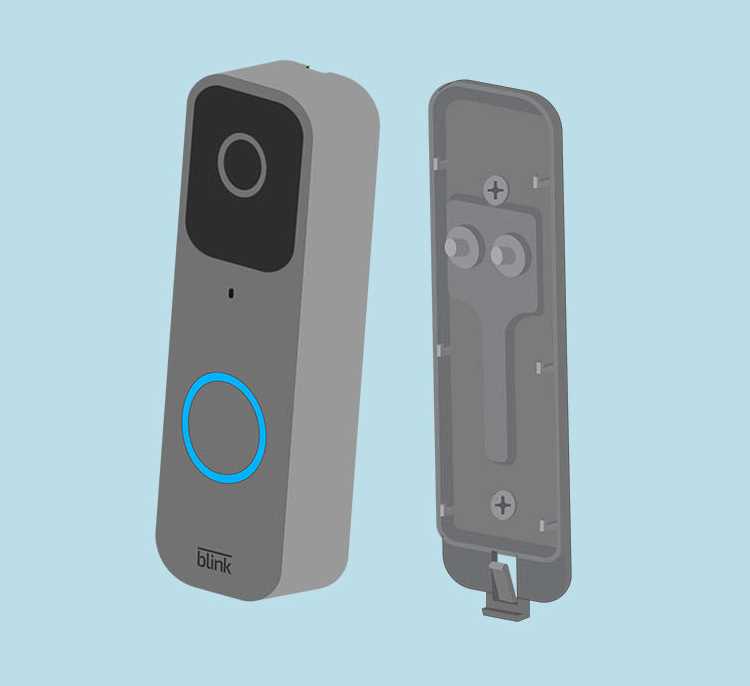
First, ensure your existing setup is compatible with the new system. Check the voltage requirements of the unit you plan to install. Most smart entry systems require a 16-24V AC power source, which is typically available from your existing transformer. If necessary, replace the transformer to meet the power specifications, ensuring a reliable connection.
Next, carefully connect the wires to the appropriate terminals. Match the two wires from the power source to the corresponding terminals on the unit, ensuring correct polarity. If the setup includes a chime, connect its wires according to the instructions, ensuring that it will work in sync with the system when activated. Properly tighten all connections to prevent any loose wiring that could disrupt operation.
After completing the connections, test the system by pressing the button and verifying that both the camera and the chime function correctly. If there is no response, double-check the power source and the wire connections. Use a multimeter to verify that the voltage at the terminals is correct. If problems persist, refer to the troubleshooting guide provided by the manufacturer.
Setting Up Your Smart Entry System Power Connections
Start by verifying that your current power supply is compatible with the new system. Most units require a voltage between 16V and 24V AC, which is typically supplied by your existing transformer. If your current transformer doesn’t meet this requirement, replace it with a suitable one to ensure proper operation. Check the label on your unit or manual for exact power specifications to avoid overloading the system.
Next, identify the connection terminals on both the power source and the new device. Typically, the two wires coming from your transformer will connect to the power input on the device. Ensure that the wire marked as “positive” or “live” is connected to the appropriate terminal. In some cases, you may also need to connect a ground wire to ensure safety and proper grounding of the system.
Chime and Power Source Connections
If your setup includes a chime, connect the corresponding wires from the chime to the terminals on the unit. Ensure the chime’s wires are connected securely to avoid intermittent sound issues. Some models require that the chime be connected to the power terminals in a specific configuration to ensure that the device activates correctly when the button is pressed.
- Power terminals: Connect wires from the transformer to the system’s power input terminals.
- Chime terminals: Attach wires from the chime to the designated connection points.
- Ground connection: If needed, connect the ground wire to prevent electrical surges.
After all connections are made, check for any loose wires or unsecured connections. Even minor issues like loose wiring can cause the system to malfunction. Once you’ve confirmed everything is correctly wired, move on to testing the system.
Testing and Troubleshooting
To test the system, press the button and check if the camera activates and the chime rings. If you don’t see a live feed or hear the sound, start by using a multimeter to check the voltage at the power input terminals. Ensure the voltage matches the required levels as specified by the system’s manual. If the voltage is too low or absent, check the connections for any errors, particularly the transformer and chime connections.
Lastly, if the system still doesn’t function correctly, consider replacing any faulty wires or components. A faulty transformer or damaged wire could be the source of the problem. Review the system’s manual for any specific troubleshooting steps tailored to your setup.
Preparing Your Existing System for Installation
Before connecting a new unit, ensure your current setup has a compatible power source. Check the voltage of your existing transformer. Most modern systems require a 16-24V AC supply. If your transformer is rated below this range, you’ll need to replace it to meet the power demands of your new device. Verify that the transformer’s amperage can also handle the added load of the new components.
Disconnecting Old Components
Turn off the power at the circuit breaker to ensure safety. Remove the old device carefully, noting the connections for future reference. Pay special attention to the wires coming from the transformer, as these will be reconnected to the new system. Ensure there is no damage to the cables or connectors before proceeding.
After removing the old unit, clean up any debris or corrosion from the wires to ensure a solid connection with the new system. Corroded or dirty terminals can cause unreliable performance or power issues. If necessary, strip the wire ends slightly to expose fresh metal for a better contact surface.
Ensuring Proper Grounding

Check the grounding system for safety. Proper grounding is vital to prevent electrical shocks or system malfunctions. If your current setup doesn’t have a dedicated ground wire, add one according to the manufacturer’s guidelines. Ensure the grounding wire is securely connected to a metal surface to prevent electrical hazards.