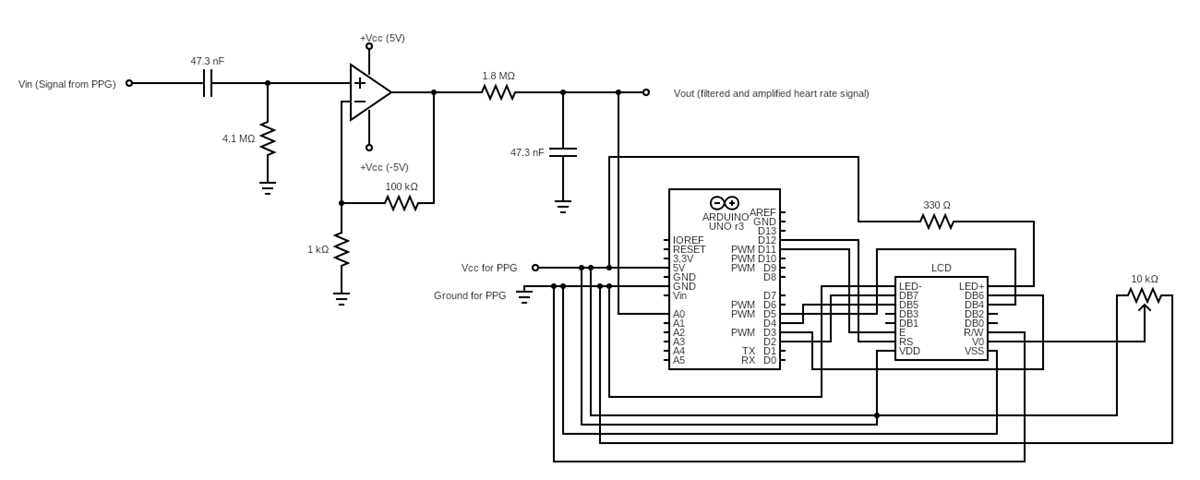
For constructing a reliable pulse detection system, begin by selecting an optical sensor like a photodiode, which can detect the variation in light reflected by the skin with each pulse. The sensor needs to be connected to an amplifier that will boost the weak electrical signal, as pulses create small voltage changes that require amplification for accurate processing.
Once you have the sensor and amplifier set up, the next step is integrating a microcontroller, such as an Arduino, which will be used to process the incoming signals. The microcontroller should filter the noise from the signal and measure the time intervals between each pulse, enabling the system to output a steady measurement. Consider using a low-pass filter to remove high-frequency noise for more accurate data.
Finally, calibrate the entire setup by testing it against a commercial device or a known standard. If necessary, adjust the amplifier’s gain or modify the filtering algorithm in the code to improve accuracy. Once the system is properly calibrated, it can reliably output pulse measurements that can be used for various health applications.
Building a Simple Pulse Detection Setup
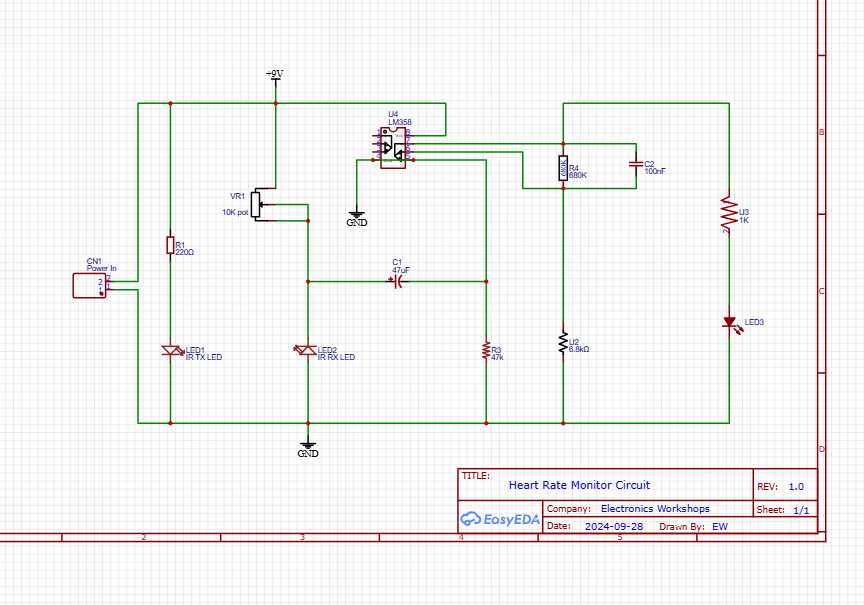
Start with selecting a suitable photodiode or infrared sensor for detecting light changes during each pulse. The sensor will convert these light variations into small electrical signals. Use an operational amplifier to strengthen these signals, ensuring they are detectable by your processing unit. Ensure the sensor is properly aligned with the skin surface to get the most accurate readings, as variations in distance can distort the signal.
Next, connect the amplifier to a microcontroller like Arduino, which will handle the signal processing. Use a low-pass filter circuit to eliminate any high-frequency noise that could interfere with the signal accuracy. Program the microcontroller to calculate the intervals between pulses, displaying the result on a screen or sending it to a connected device for analysis. Calibration is a critical step–compare the results with a reliable commercial device to ensure your setup works as expected, making any necessary adjustments to gain or code.
Choosing Components for a Pulse Detection System
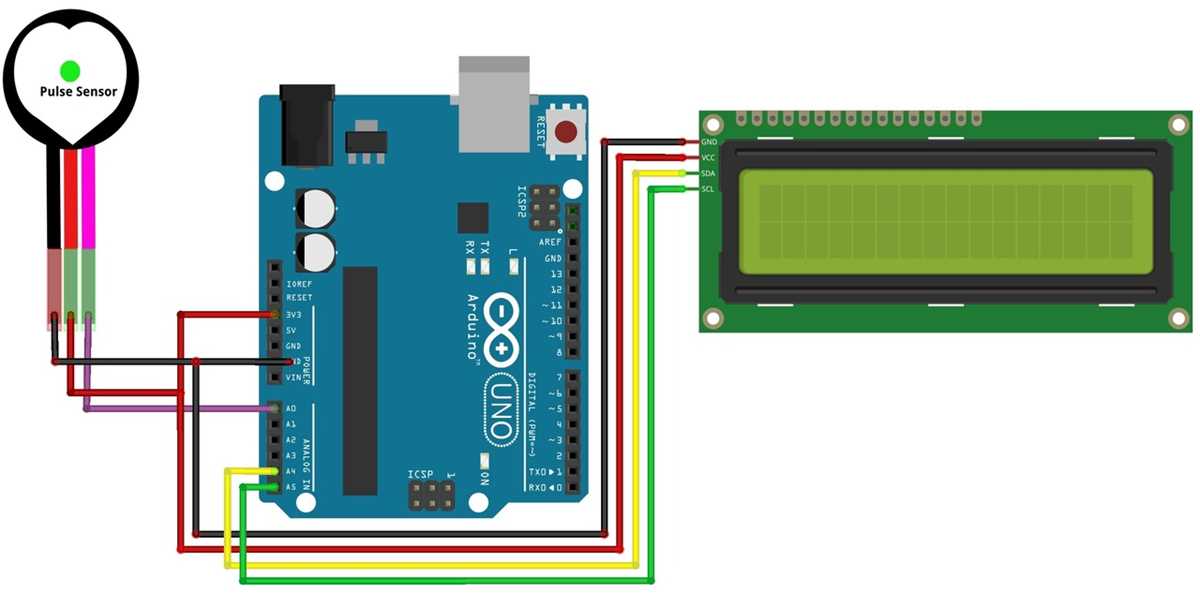
To begin with, select an optical sensor like a photodiode or an infrared emitter and detector pair. These sensors detect changes in light absorption caused by the movement of blood beneath the skin. The sensor must have high sensitivity and quick response time to capture each pulse accurately. Ensure the sensor can work in low light conditions and has a wavelength suitable for skin penetration, such as infrared light.
Next, choose an operational amplifier (op-amp) to amplify the signals from the sensor. The op-amp should have low offset voltage and high input impedance to minimize errors in signal conversion. For best results, use a low-noise op-amp, which helps to prevent unwanted signal distortion. You may need to adjust the amplifier’s gain based on the strength of the signal coming from the sensor.
Finally, select a microcontroller capable of processing the amplified signals. An Arduino or similar platform is ideal for beginners, as it has the processing power to filter noise, calculate time intervals between pulses, and output the data. A low-pass filter is also necessary to remove high-frequency noise from the signal, ensuring smooth data. Consider adding a display or Bluetooth module to show the data or send it to another device for further analysis.