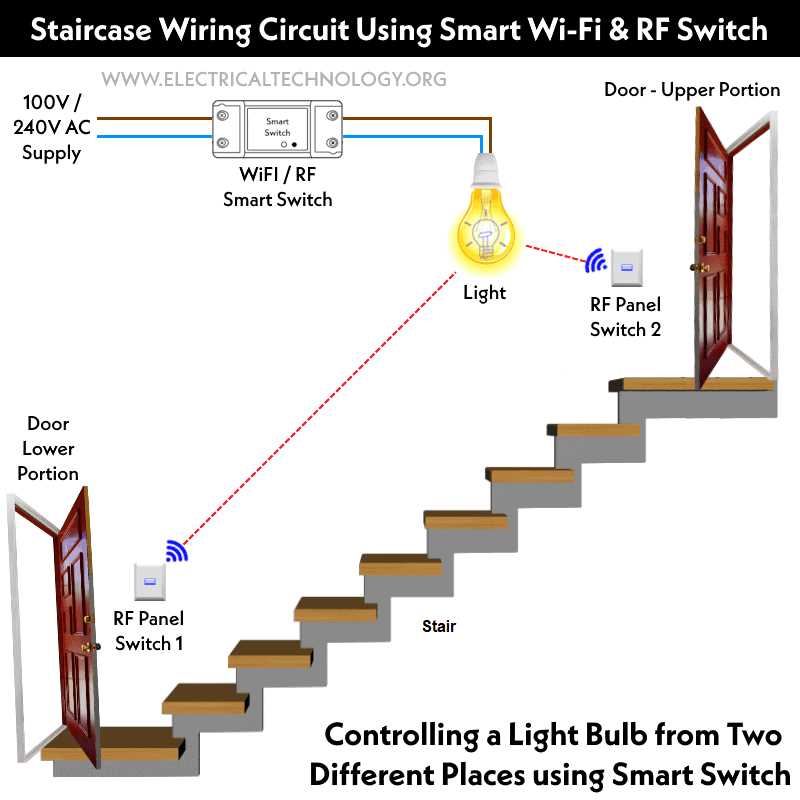
Start by identifying the components you’ll need for this setup: a control mechanism, power source, and the device that will use the power. Place the power input first, followed by the controller and the load, ensuring each part is connected according to its function.
Make sure to select the correct type of controller for your setup. A basic toggle or push-button style can handle most home lighting, but for more complex configurations, you might need a dimmer or a three-way mechanism. Ensure the connections are secure and that the current will flow smoothly from the power source to the load when the controller is activated.
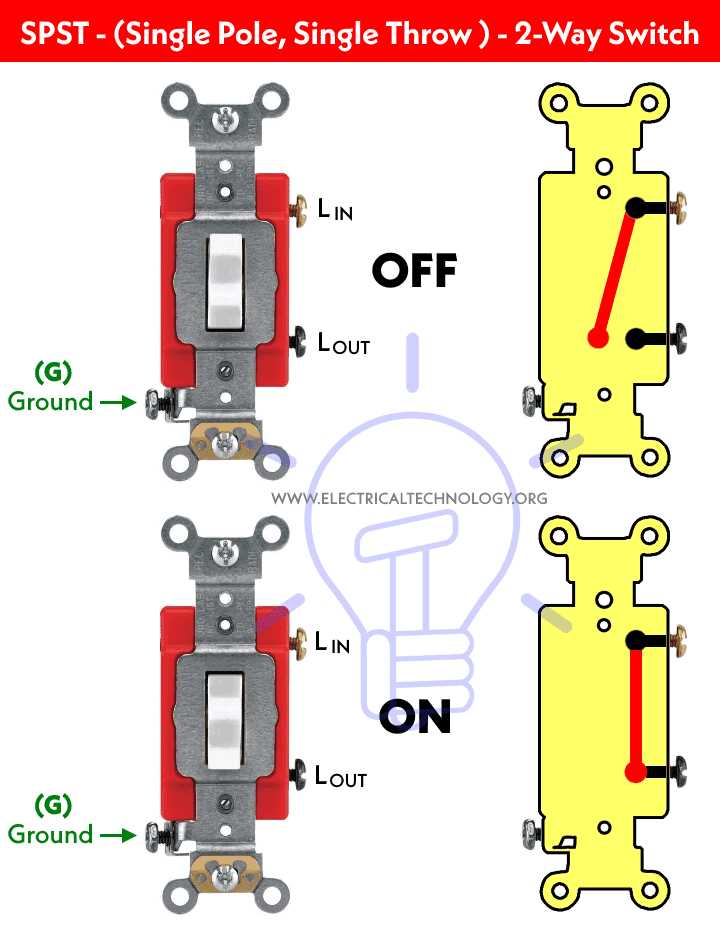
Proper labeling of each connection and component is important. This ensures clarity when working with the system and allows for easier troubleshooting later. Label the terminals as input, output, and ground to help quickly identify where each wire should connect.
How to Connect a Control to Operate a Light
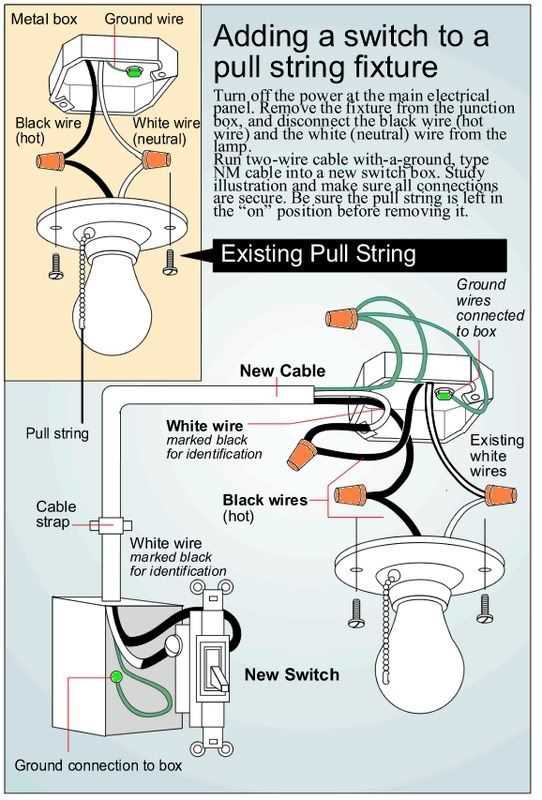
To begin, connect the power source to the input terminal of the controller. Ensure the current flows directly through the switch, allowing you to regulate the flow of energy to the fixture. The output terminal should then link to the light fixture or bulb, ensuring that when the mechanism is activated, the power reaches the device.
It’s critical to confirm that all connections are tightly secured and insulated to prevent any short circuits or accidental disconnections. Use wire nuts or electrical tape to secure any exposed wiring and double-check the continuity of the connections. This ensures safe and reliable operation of the entire setup, minimizing the risk of electrical faults.
How to Wire a Single Pole Light Controller
Start by turning off the power at the breaker box to ensure safety. This is an important step before handling any electrical components. After ensuring the power is off, you can begin by preparing the wires for the connections. Strip approximately 3/4 inch of insulation from both the black (hot) and white (neutral) wires to expose the copper wire.
Next, connect the black wire to one of the terminals on the controller. This will act as the live wire, carrying current when the device is activated. Tighten the terminal screw securely to ensure a firm connection. If using a screw terminal, loop the wire clockwise around the screw before tightening it, ensuring a proper and solid connection.
Now, take the remaining black wire, which will connect to the fixture, and attach it to the other terminal of the controller. This wire will allow the electrical current to reach the load once the controller is activated. Make sure this wire is firmly attached as well, to avoid any potential loose connections or electrical faults.
The neutral wire (typically white) should be connected directly to the fixture, ensuring that it is properly insulated. In this case, it does not pass through the controller. If necessary, use a wire nut to secure all neutral wires together and avoid any contact with the hot wire or metal parts of the box.
- Always double-check each connection to make sure there are no exposed wires.
- Use a voltage tester to verify that the power is off before working with the wires.
- Once everything is securely connected, mount the controller back into the box and replace the cover plate.
Finally, turn the power back on at the breaker and test the operation of the controller. If everything is connected correctly, the load should operate when you toggle the device on and off. Ensure that the connections are stable and that there are no signs of overheating or malfunction.