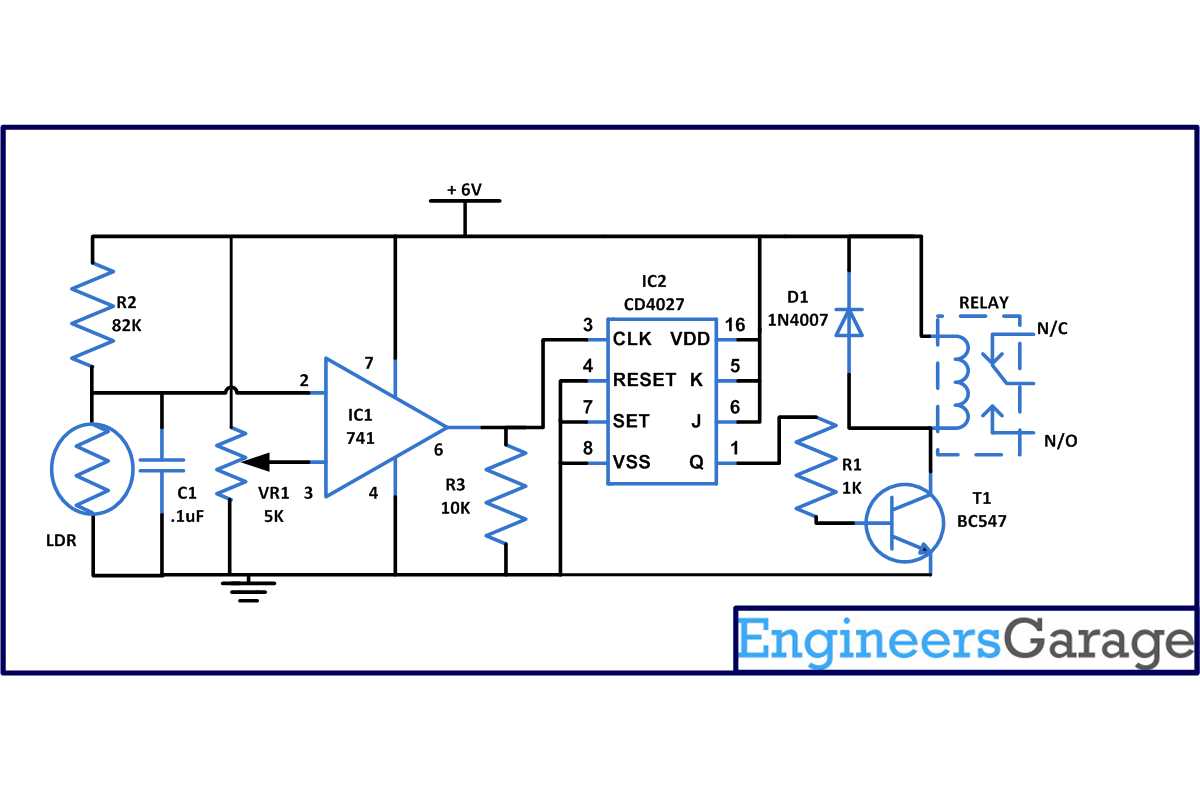
To effectively design or analyze an electrical control setup, focus on understanding how components interact in a given system. Start by recognizing key elements like switches, relays, and sensors, which dictate the flow of current and control mechanisms. This understanding will guide you in building and troubleshooting real-world systems.
Each element has a specific role in activating or deactivating circuits. A switch, for instance, may initiate or cut off power based on the system’s requirements, while relays act as intermediaries between high-voltage and low-voltage circuits. Understanding their connections and operational flow is the first step in mastering control schematics.
Next, mastering the layout is crucial. A clear representation allows you to predict the system’s response, troubleshoot failures, and even optimize performance. Start with simple systems and gradually move to more complex ones as your familiarity with how components function together grows.
Designing a Functional Control System Layout
Start by identifying the key components: power sources, switches, and loads. Determine their roles in the system, and ensure that each element is placed logically for smooth operation. Proper placement of each item allows for easier maintenance and troubleshooting later on.
Begin by drawing the main power source, followed by the control switches and, finally, the loads that will perform tasks. Use clear lines to show connections between elements, making sure they are simple and straightforward. Each line should represent the flow of energy from one component to another.
Symbol Usage and Labeling
Always use standardized symbols for each component. This ensures clarity and makes it easier for others to read and understand your layout. A switch, for example, should be represented by a specific symbol that differentiates it from a power source or load. Labels should be clear, especially for switches that control multiple functions.
- Switches: Use a standardized symbol for each type of switch. Clearly label them with their function (e.g., “Main Power Switch” or “Light Control”).
- Power Sources: Represent sources of power like batteries or mains supply with distinct symbols.
- Loads: Use icons to depict elements that consume power, such as motors or lights.
For more complex setups, add safety features like fuses or circuit breakers to protect against power surges or malfunctions. These elements should also be clearly marked and placed appropriately in the diagram. Remember, safety always comes first in the design process.
Ensure that your layout clearly shows the connections between each component. Use lines to represent wiring or connections, and indicate the direction of current flow where applicable. Keep the flow straightforward to avoid confusion and unnecessary complexity.
Testing the Layout
After drawing the layout, simulate the operation of the system. Check whether each component works as intended and whether the flow of energy is properly controlled. This will help identify any issues before you move on to building the physical system.
Test each section individually, ensuring that switches turn devices on or off, and that loads behave as expected. Always check for short circuits or improper connections, which could lead to system failures. If issues arise during testing, adjust the layout and test again.
How to Read a Switching Circuit Layout
Begin by identifying the key components represented in the layout. Each element, such as power sources, switches, and loads, will have a standard symbol. Recognize these symbols and understand their role in the overall system. For instance, a battery or power supply is usually represented by two parallel lines, while a switch is often shown as a simple break in the line.
Understanding Connections and Flow
Next, follow the connections. Lines between components show the path of electrical flow. These connections represent conductors or wires that transport power from one element to another. Always read the lines from left to right, indicating the typical direction of energy flow in most systems.
Check for any interruptions in the flow. Switches or relays will be depicted as open or closed, showing whether they are allowing or blocking the passage of energy. Understanding whether a switch is in an open or closed state is crucial for interpreting how the system functions.
Look for labels next to each component. These labels often give you more context about the role of each element, such as the voltage ratings or the specific type of switch. Proper labeling can also help you troubleshoot issues by pointing you directly to specific components when testing the system.
Testing and Troubleshooting
Finally, practice testing each section of the layout to ensure it functions as intended. If something isn’t working as expected, refer to the layout and check for any misconnected components or incorrectly labeled switches. This method will help you efficiently identify problems and make the necessary adjustments.