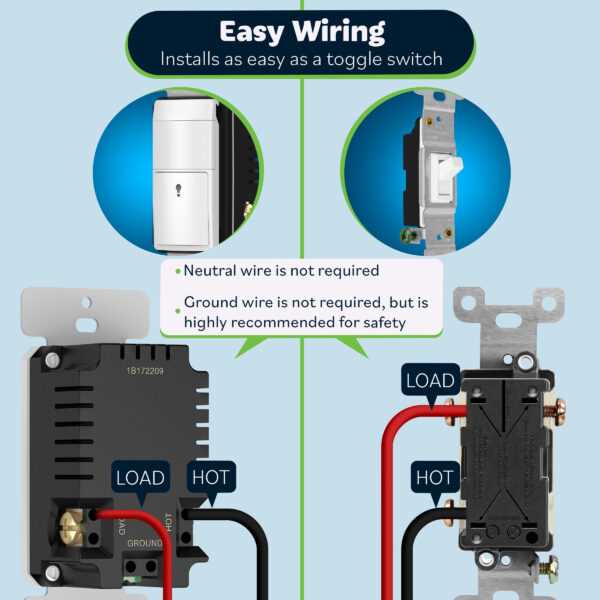
Connect the incoming power feed directly to the designated terminal on the control module. Ensure all conductors are stripped to the correct length and tightened securely under the screws to maintain stable contact.
Identify the load conductor that will carry electricity to the fixture. Label each lead clearly to prevent cross-connections and accidental short circuits during installation.
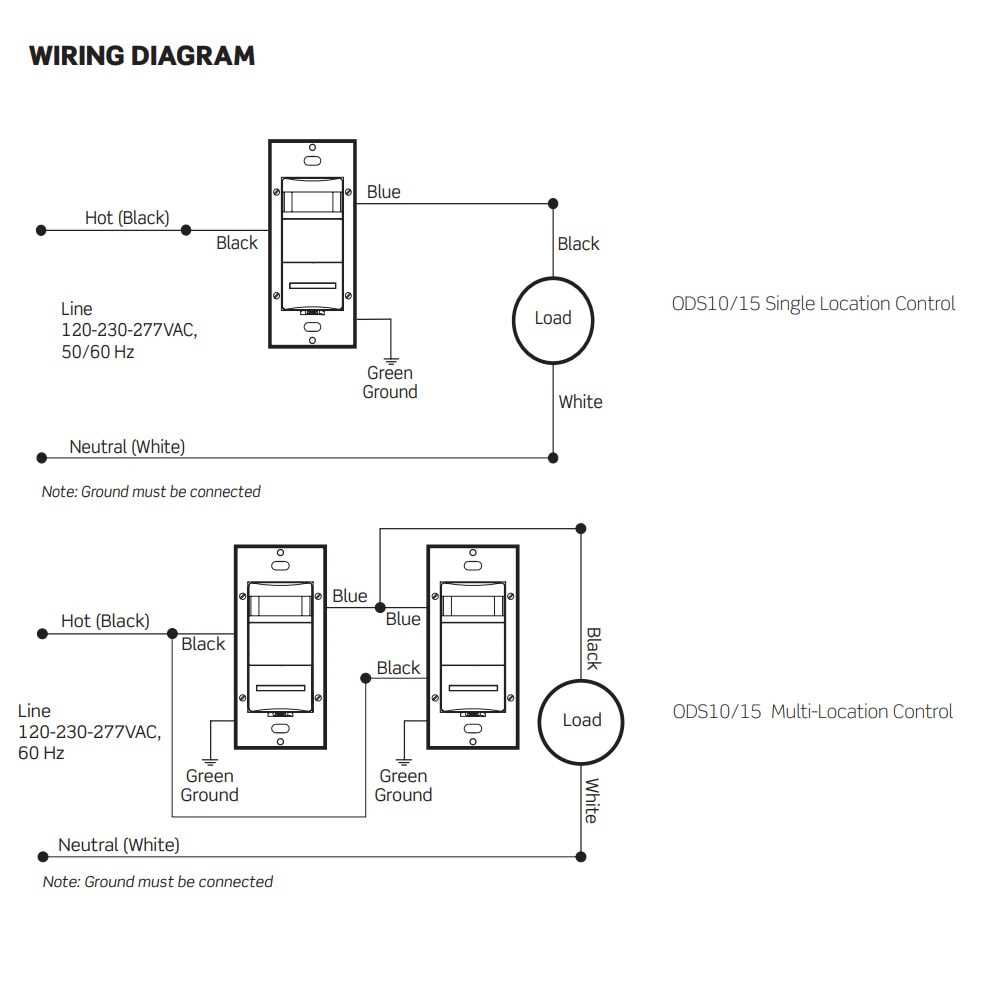
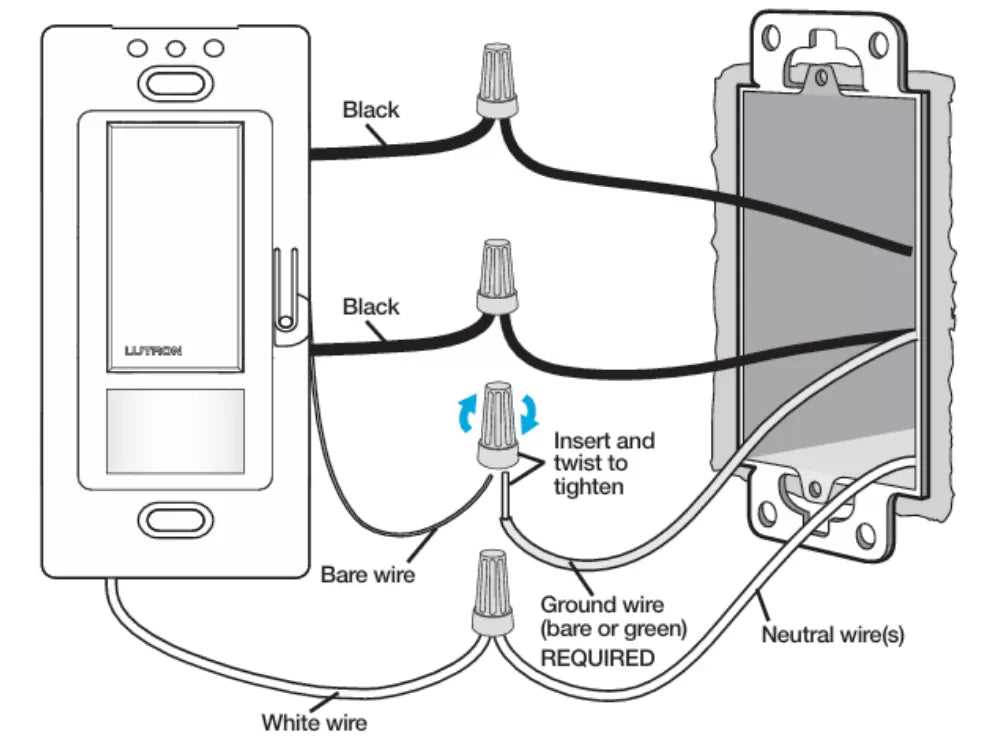
Verify grounding paths by securing the bare or green conductor to the metal box or chassis. Proper earthing prevents electrical interference and reduces the risk of accidental shocks.
Adjust the detection range and delay timer according to room size and expected activity. Test the module with repeated activation to ensure the system responds consistently under different conditions.
Secure all terminals and cover plates to prevent accidental contact or wire strain. Route conductors away from heat sources and moving parts to maintain long-term reliability of the automation system.
Automated Room Illumination Installation Guide
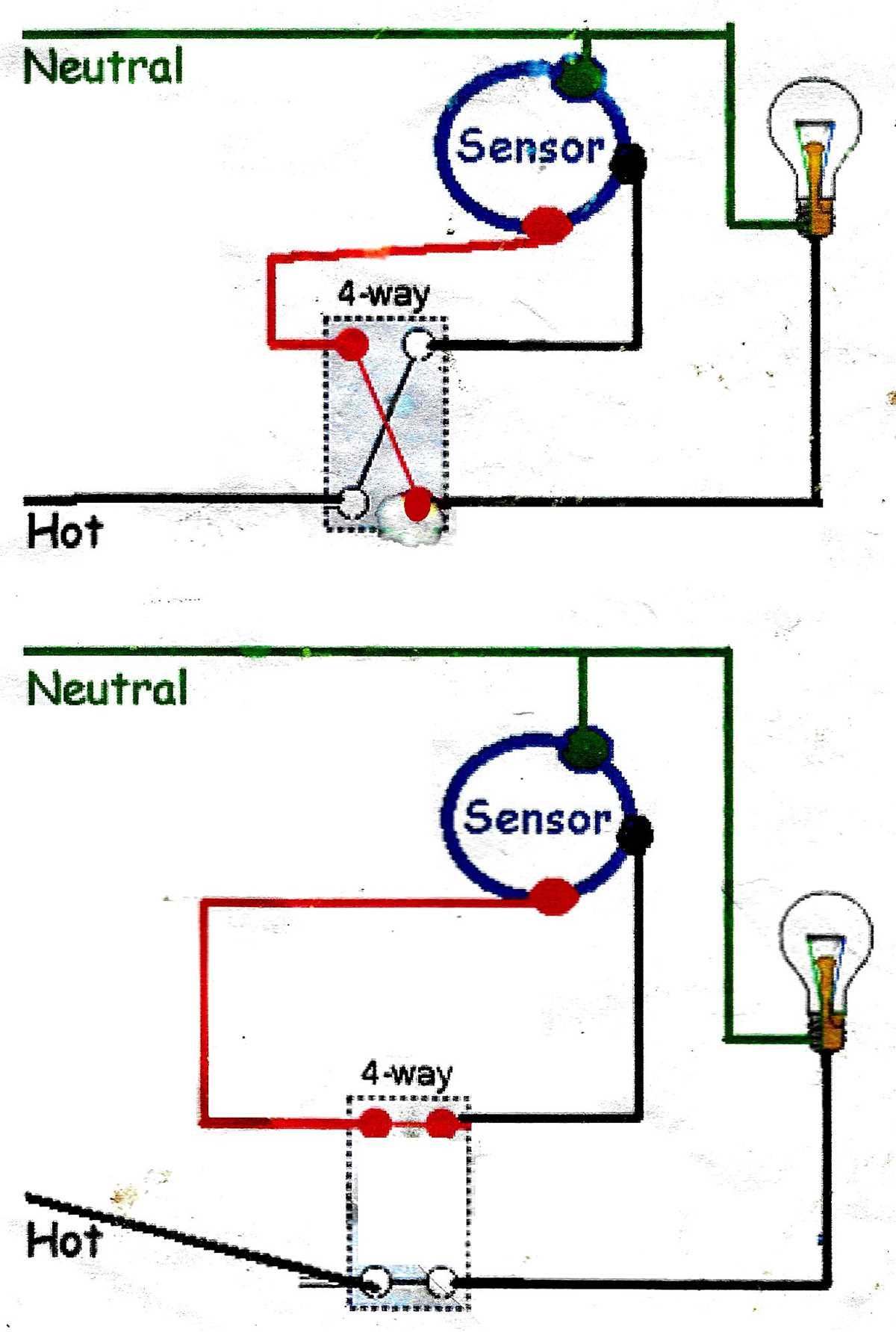
Connect the main power feed directly to the designated input terminal of the control module. Ensure each conductor is stripped to the correct length and fully inserted under the terminal screws to maintain secure contact.
Identify and attach the load line that will carry electricity to the fixture. Label all leads clearly to avoid accidental cross-connections and ensure the system activates the correct devices.
Secure the grounding conductor to the metal box or chassis point. Confirm continuity with a tester to prevent interference and reduce the risk of electrical faults or shocks during operation.
Test the module thoroughly by simulating room occupancy and observing response times. Adjust detection range and delay settings until activation is consistent and responsive to the intended coverage area.
Identifying Power and Load Connections
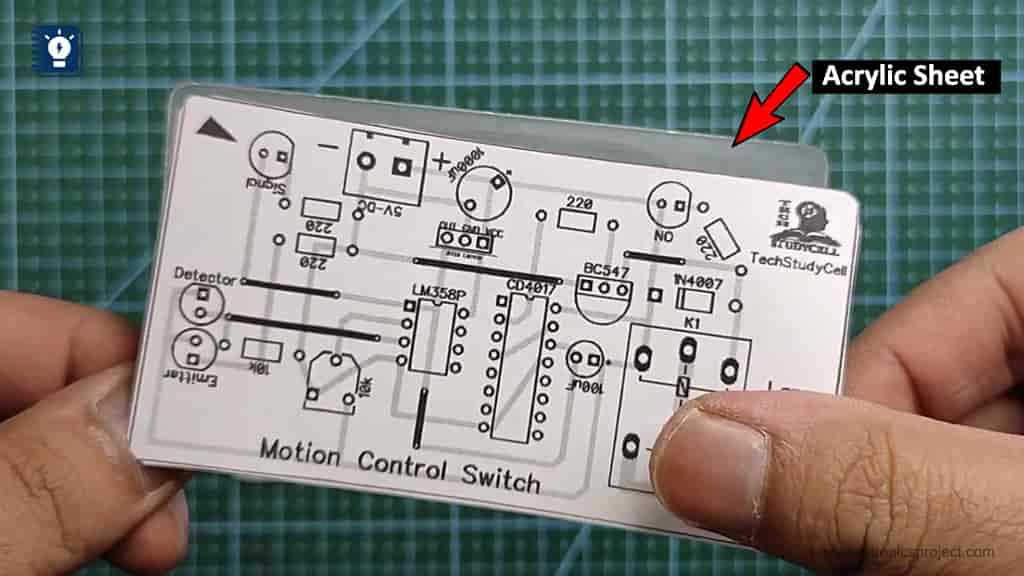
Locate the incoming power feed and verify voltage using a multimeter. Mark the hot and neutral conductors to avoid confusion when connecting the module. Ensure that the power source is de-energized before attaching any terminals.
- Hot line: typically black or red, connects to the input terminal.
- Neutral line: usually white, connects to the return or common terminal.
- Load conductor: carries electricity to the fixture, attach to the designated output terminal.
- Ground connection: green or bare, secure to chassis or grounding screw.
Double-check all labels and connections to ensure the module operates safely and triggers the correct devices under normal conditions.