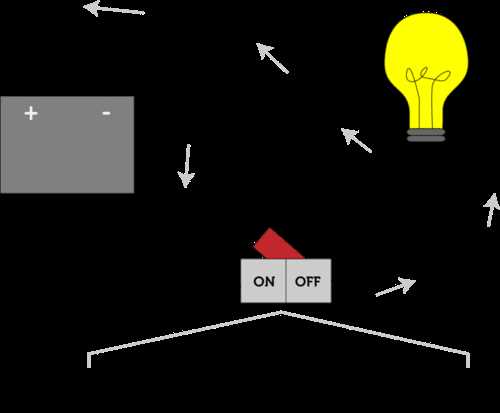
Use standardized electrical symbols and straight connection lines from the first sketch. A clear schematic prevents wiring mistakes and reduces time spent troubleshooting during assembly or testing. Place the power source at the top or left side of the page, then arrange components such as resistors, capacitors, switches, and integrated chips along logical signal paths.
Keep conductors horizontal or vertical whenever possible. Angled lines make technical schemes harder to read and increase the chance of misinterpreting connections. Leave enough spacing between components so that junction dots and line crossings remain visible. If two conductors cross without electrical contact, add a small arc or gap; if they connect, mark the intersection with a filled node.
Consistent symbol usage improves readability. For example, resistors appear as zigzag lines in ANSI style or rectangular blocks in IEC style, while ground is marked with three descending bars. Select one standard and keep it throughout the page. Label components with identifiers such as R1, C2, or U1, and add numerical values nearby, for example 10 kΩ or 100 µF.
Before finalizing the schematic, trace each path from the power source through loads and back to ground. This quick check reveals missing links, reversed polarity in diodes or electrolytic capacitors, and unintended short paths. Clear electrical plans built with these practices are easier to read, share, and convert into physical layouts.
Creating a Clear Electrical Schematic for Electronics Projects
Place the power source first and build the electrical scheme around it. Position supply nodes at the top or on the left side of the page so current paths move logically toward loads and ground. This layout helps readers trace connections quickly and reduces mistakes during assembly.
Use recognized graphic symbols from standards such as IEC or ANSI. A resistor appears as a zigzag or rectangle, a capacitor as two parallel plates, and ground as three descending lines. Mixing symbol styles within one electrical plan causes confusion, especially in documents shared between teams or students.
Keep connection lines straight and aligned along horizontal or vertical directions. Avoid diagonal segments except in rare cases such as antenna links or signal arrows. Straight conductors make node intersections easier to interpret and simplify visual inspection of the electrical plan.
Spacing and Connection Marks
Leave at least 5–10 mm of space between components on a printed page or equivalent spacing in software. Junction points must include a solid dot where conductors meet. If two lines cross without electrical contact, add a small bridge arc or separate the paths so the crossing cannot be mistaken for a node.
Assign reference labels to every component. Resistors use identifiers such as R1, R2, R3; capacitors appear as C1 or C5; integrated chips use U1 or IC1. Place the label near the symbol and add numeric values beside it, for example 4.7 kΩ or 220 µF. This practice allows quick cross-checking with a parts list.
Verifying the Electrical Plan
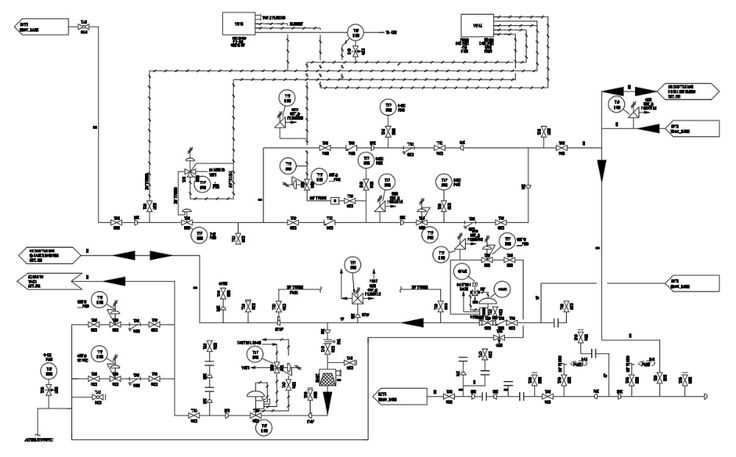
Trace each path from the supply node through switches, resistive loads, or semiconductors, then back to ground. Check polarity marks on diodes, LEDs, and electrolytic capacitors. Reversed orientation in these parts leads to device failure or non-functional prototypes.
Review the finished schematic with a short checklist: consistent symbols, readable spacing, clear node markers, and complete labels. A tidy electrical representation shortens troubleshooting time and allows another technician to assemble the hardware without guessing missing links.
Selecting Standard Electrical Symbols for Components and Connections
Use symbols defined by recognized standards such as IEC 60617 or ANSI Y32.2. These symbol sets appear in textbooks, engineering software, and technical manuals. Consistent notation allows another engineer or student to read an electrical scheme without additional explanation.
Choose one symbol system and keep it across the entire electrical layout. Mixing IEC rectangles for resistors with ANSI zigzag shapes in the same plan causes misinterpretation during assembly or review.
Common component symbols used in electrical schematics include:
- Resistor – zigzag line (ANSI) or rectangular block (IEC)
- Capacitor – two parallel plates, polarized type marked with “+”
- Inductor – series of curved loops or semicircles
- Diode – triangle pointing toward a vertical line
- LED – diode symbol with two outward arrows
- Ground – three stacked horizontal bars decreasing in length
- Battery or DC source – long and short parallel plates
Connection marks also follow fixed graphical rules. Conductors are straight lines, and intersections require clear identification.
- Solid dot at line intersection indicates an electrical node
- Crossing lines without a dot indicate no connection
- Small arc bridge can show one conductor passing over another
Component identifiers help link the graphical plan with a parts list. Each device receives a reference prefix and number.
- R – resistor (R1, R2, R10)
- C – capacitor (C1, C5)
- L – inductor (L1)
- D – diode (D1, D2)
- U or IC – integrated chip (U1)
Place value labels near each symbol. Examples include 1 kΩ for resistors, 100 nF for capacitors, or 12 V for a power source. Units must remain consistent across the page so the electrical scheme can be reproduced without additional calculations.
Software tools such as KiCad, Eagle, and Altium contain built-in libraries aligned with these standards. Use library components rather than custom graphics; built-in elements include correct pin numbering and naming, which helps prevent wiring mistakes in the electrical plan.