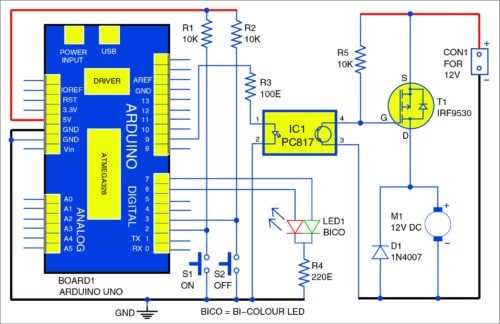
Check the power rails first to confirm stable voltage delivery to all modules. Measure both 5V and 3.3V outputs under load to detect drops that could affect sensor readings and motor drivers.
Label all input and output pins before connecting external components such as LEDs, relays, or sensors. Maintaining a clear reference prevents short circuits and ensures signals reach the correct microcontroller ports.
Inspect onboard connectors for loose solder joints or corrosion, especially at headers used frequently for expansion shields. Even minor contact issues can trigger unpredictable resets or signal failures.
Document all wiring using photos or sketches prior to modifications. This helps reconstruct connections accurately and avoids miswiring when replacing modules or testing new components.
Understanding the Microcontroller Layout and Key Electrical Connections
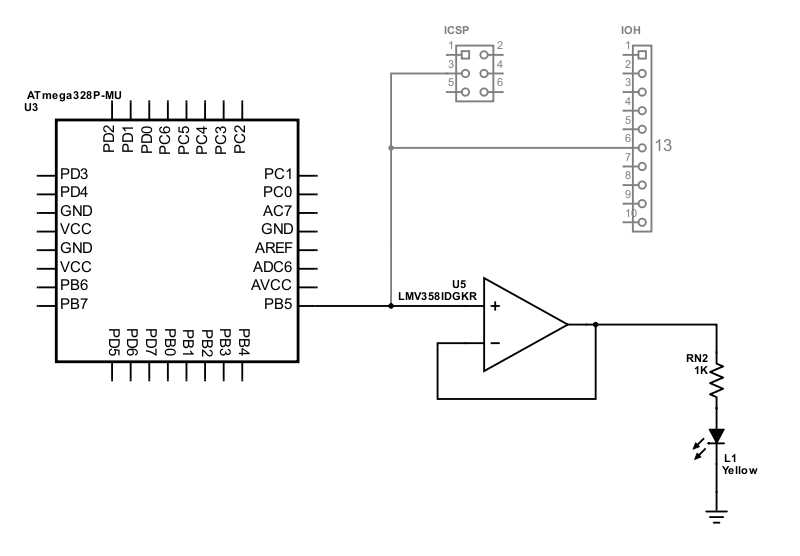
Begin by inspecting the power rails to ensure stable 5V and 3.3V outputs. Use a multimeter under load to verify voltage consistency, which prevents erratic behavior of sensors and actuators.
Identify all digital and analog pins and label them according to their intended functions. This helps avoid conflicts when connecting LEDs, switches, motors, or communication modules.
Check the ground connections for continuity across all headers. Incomplete grounding can lead to signal interference and unpredictable resets during operation.
- Measure voltage at each pin before applying signals.
- Verify pin mappings with official pinout references.
- Ensure pull-up and pull-down resistors are correctly installed where required.
Inspect communication ports such as UART, I2C, and SPI for proper soldering and orientation. Poor contacts can cause data loss or prevent modules from initializing.
Finally, trace wiring between power, control, and peripheral modules to detect frayed insulation, loose connections, or bent pins. Accurate connections extend the lifespan of the platform and improve reliability during experiments.
Identifying Power Supply and Ground Connections
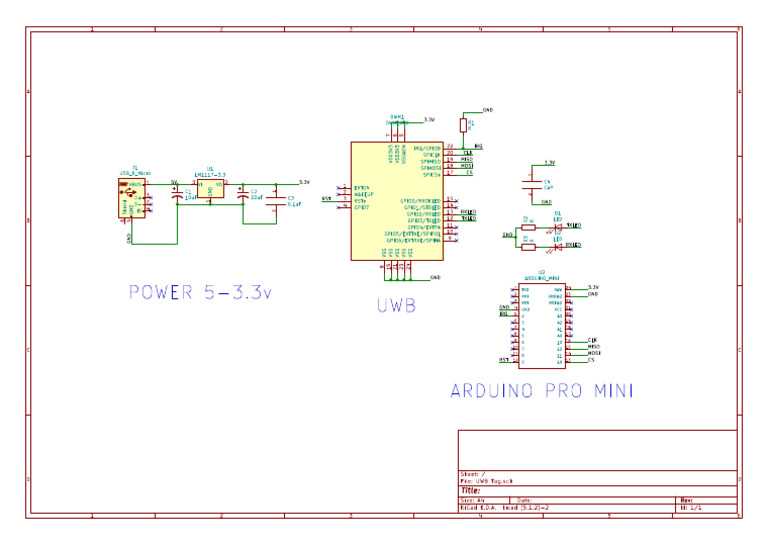
Measure the main voltage inputs first using a multimeter to confirm stable 5V and 3.3V outputs. Fluctuations or drops can cause sensors, LEDs, and motors to behave unpredictably.
Trace all ground paths across the headers to ensure complete connectivity. Incomplete grounding often produces signal noise and intermittent resets, especially when multiple modules share the same ground.
Inspect voltage regulators and fuses for discoloration, burnt traces, or damaged components. A failed regulator can reduce output voltage below operational levels, affecting connected peripherals.
- Check solder joints on power and ground pins for cracks or cold solder.
- Confirm polarity of connectors to avoid reverse voltage damage.
- Verify capacitors near regulators are intact and properly rated for smoothing voltage.
Finally, test power and ground under actual load conditions. Connecting motors, displays, and sensors while monitoring voltage ensures the supply remains stable and prevents unexpected failures during operation.