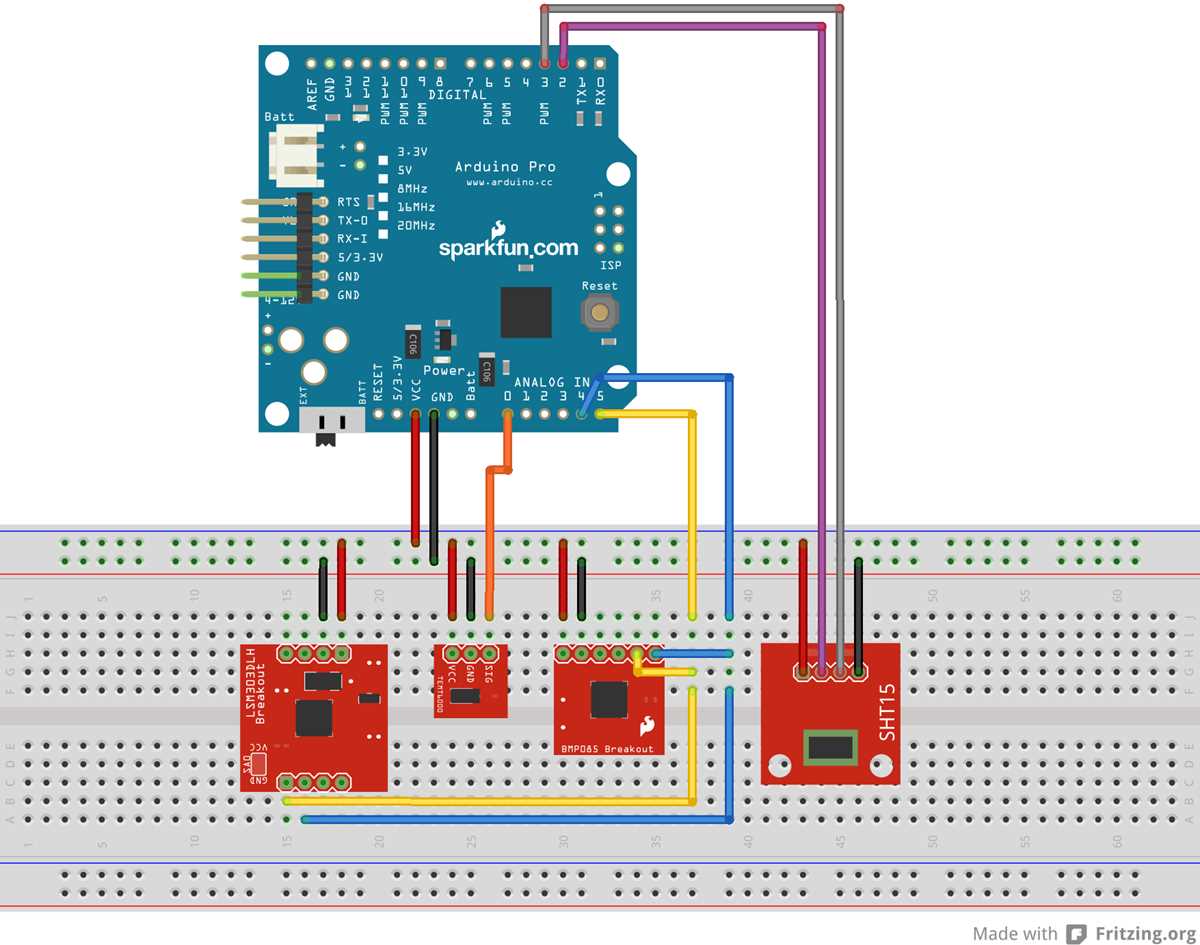
Use a breadboard to map all connections before soldering components to ensure pins are correctly aligned and power rails are consistent across modules.
Label each sensor, LED, and actuator with its respective pin number to prevent misplacement and reduce debugging time during testing phases.
Group components logically based on input and output types so that analog and digital signals do not interfere, and voltage drops remain minimal across the setup.
Verify power supply specifications for each module to avoid overloading microcontrollers or peripheral devices, particularly when using multiple voltage-dependent sensors.
Document the entire layout with sketches or digital software to facilitate future modifications and ensure repeatability of experimental or hobby projects.
Step by Step Guide to Creating Microcontroller Project Layouts with Clear Connections
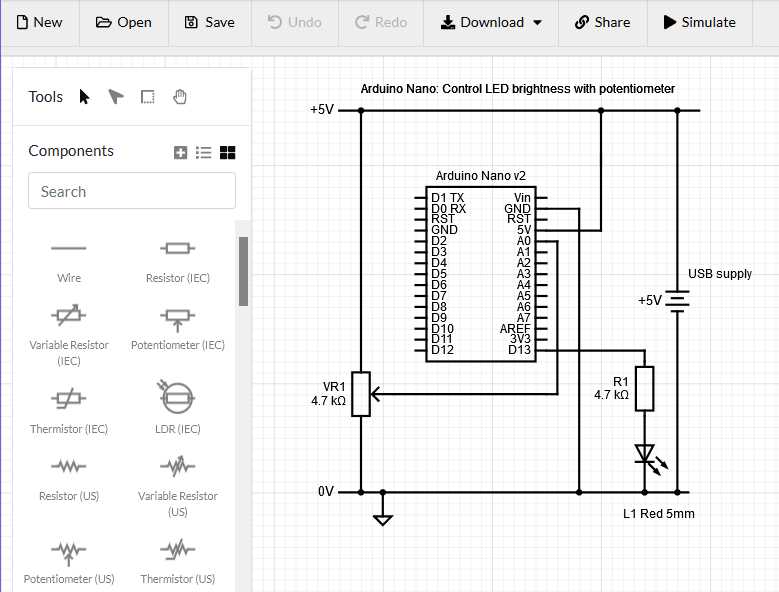
Begin by placing the main control board on a stable surface and align all peripheral modules nearby, ensuring that each connection path is short and does not overlap with others.
Use color-coded jumper wires for power, ground, and signal lines to quickly identify paths and avoid accidental cross-connections that could damage sensitive components.
Secure sensors and actuators in a logical order based on their input and output priorities, allowing for straightforward routing to the main board without crossing signal paths.
Check voltage and current requirements for each module before connecting, and include resistors or protection diodes where necessary to prevent overload or reverse polarity issues.
Document each step visually or digitally, including pin numbers, wire colors, and component labels, which helps when debugging or expanding the project later.
After completing the layout, test each section independently before integrating everything. This isolates errors early and ensures that the overall project operates reliably under the intended conditions.
Selecting Components and Preparing the Board
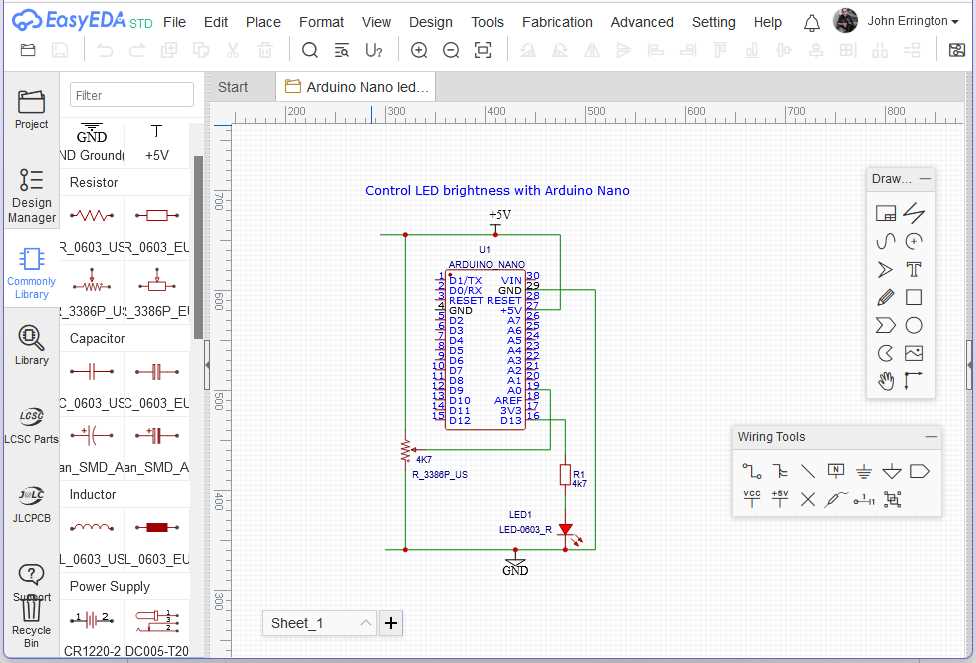
Start by listing all modules and sensors needed for the project and verify each part’s voltage, current, and pin compatibility with the control unit to prevent mismatches.
Choose resistors, capacitors, and other passive components according to the specifications of the connected devices. For example, use 220Ω resistors for standard LEDs and ensure capacitors match signal smoothing requirements.
Inspect the board for any physical defects such as broken traces or loose sockets. Clean the surface with isopropyl alcohol to remove dust or oil that could interfere with soldering or connections.
Arrange components on the board before final attachment to optimize spacing and reduce crossing lines. Position modules with high pin density near the control unit for easier wiring.
Use color-coded wires and clearly mark pin locations to simplify future modifications. Label each connection point with a small sticker or marker to avoid confusion during assembly and testing.
After component placement, double-check the alignment and continuity using a multimeter. This ensures that all tracks are correctly connected and no short circuits exist before powering the board.