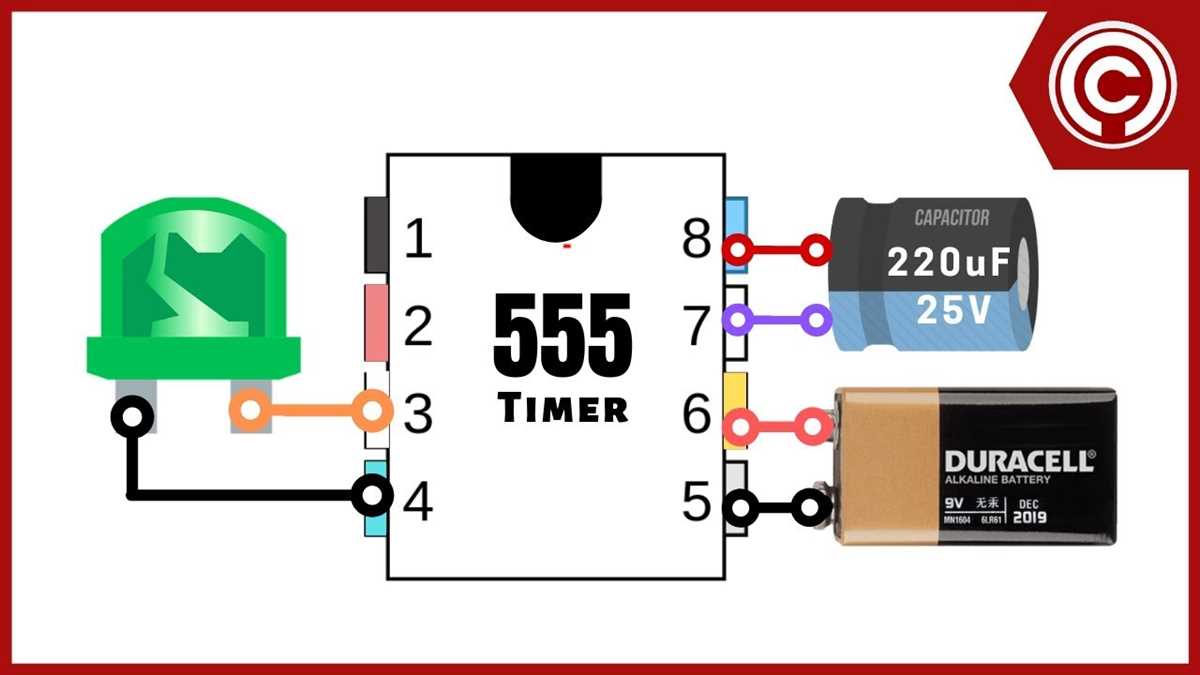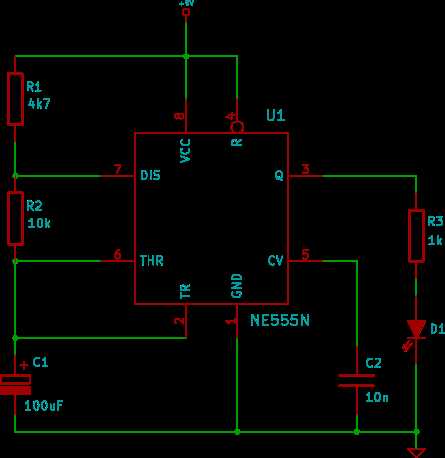
To create a flashing light effect, use a timer IC, which can easily control the on/off intervals of the light. This setup is often used in applications like automotive indicators or decorative lighting. Begin by gathering the necessary components, including the timer, resistors, capacitors, and an appropriate power source.
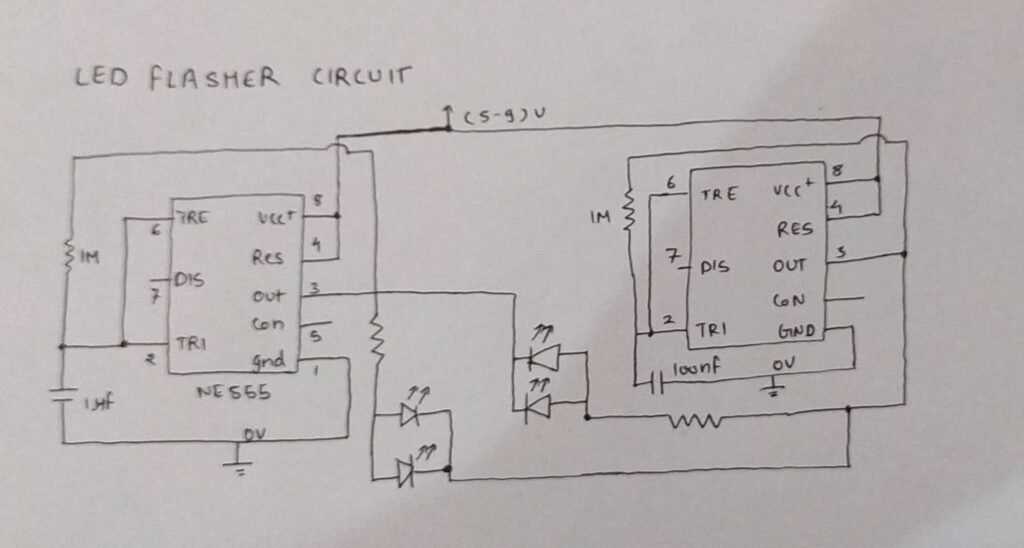
The timer IC in this setup operates in astable mode, generating a continuous square wave. By adjusting the timing components, you control the flashing rate, allowing you to set the intervals to your preference. The timer will alternate between turning the light on and off, creating the flashing effect.
Once you have the components, the next step is to wire them correctly. Start by connecting the timer to the light and ensuring that the timing components, like the resistors and capacitors, are placed in the correct positions to achieve the desired flash frequency. Proper soldering and attention to detail are key to ensuring the circuit functions reliably.
After setting up the circuit, you can experiment with different resistor and capacitor values to fine-tune the flashing speed. Make sure to test the circuit thoroughly to verify that it operates without flickers or irregularities. Once everything is working correctly, your flashing light setup will be ready for use in various projects.
Components Required for Building an LED Flasher Circuit with 555 Timer
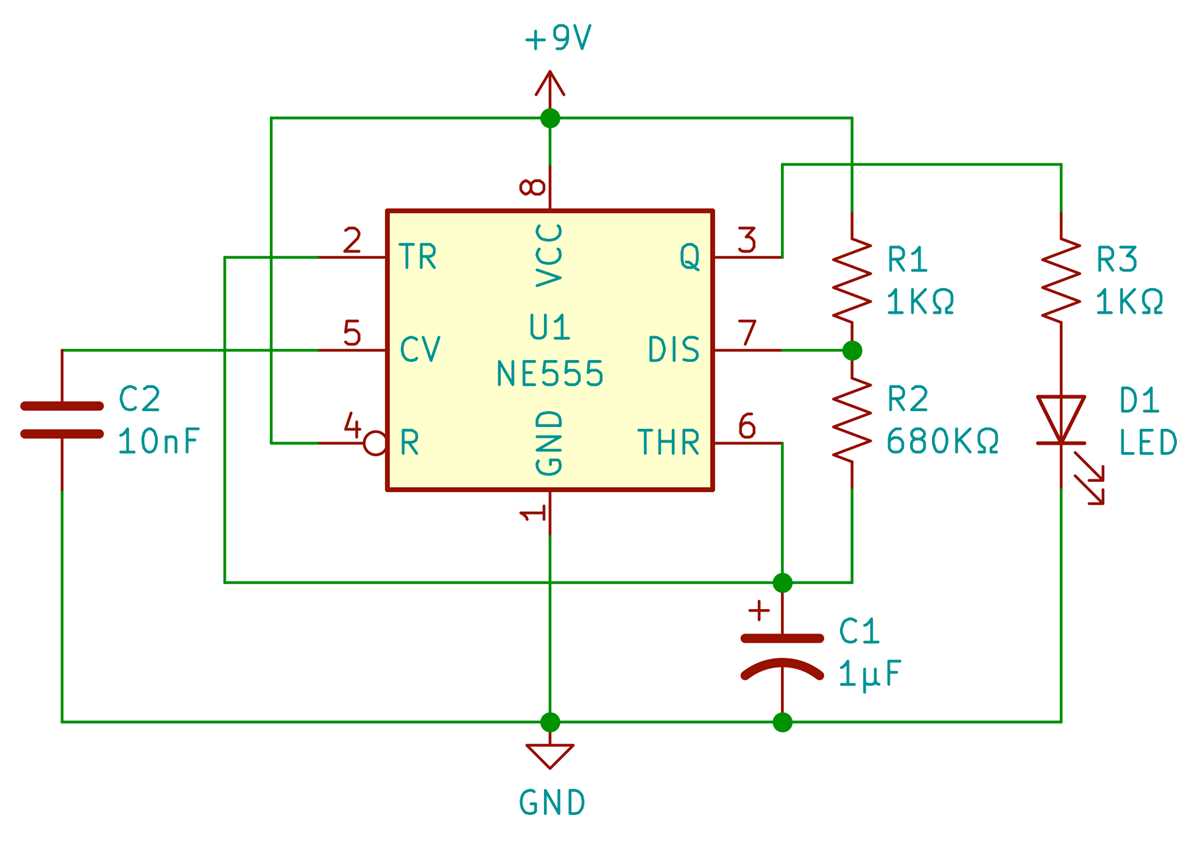
The key components for this setup include a timer IC, resistors, capacitors, an LED, and a power source. For the timer IC, a standard 555 timer IC will work well in astable mode. Choose a resistor value between 1kΩ to 10kΩ, depending on the desired flashing rate. The capacitor value should typically range from 10µF to 100µF for proper timing control.
In addition to the timer IC and timing components, you will need a 9V battery or a suitable DC power source for the circuit. An LED with a forward voltage rating of 2V to 3V will work well for this application. A small diode and a few jumper wires for connections will be required to complete the assembly. Ensure all components are rated for the desired voltage to avoid overloading the circuit.
Step-by-Step Instructions for Wiring the LED Flasher Circuit
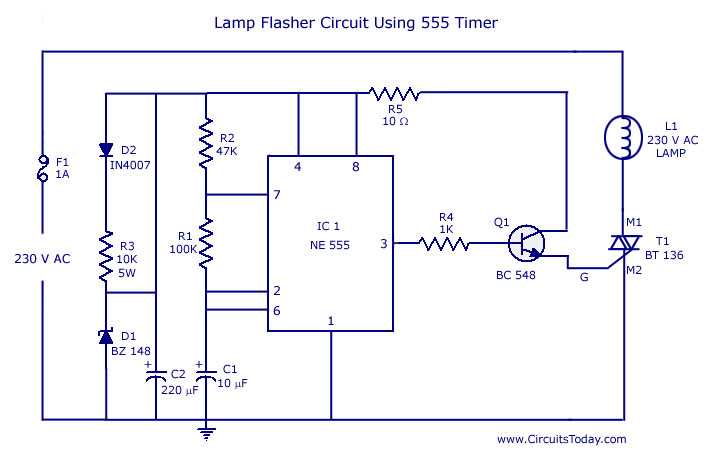
Start by connecting the timer IC. Insert the IC into the breadboard, ensuring it is properly oriented with the flat side facing up. Pin 1 should be grounded, while pin 8 is connected to the positive terminal of the power source.
Next, connect the resistors and capacitors. Attach the first resistor between pins 7 and 8 of the timer IC. Then, place the second resistor between pins 7 and 6. Insert the capacitor between pins 6 and ground. The capacitor will determine the flashing rate, so adjusting its value can change the speed of the LED’s blinking.
Now, connect the LED. Attach the anode (positive leg) of the LED to pin 3 of the timer IC, and the cathode (negative leg) to ground. The LED will blink on and off as the IC switches its output between high and low states.
Finally, wire the power source. Connect the positive lead of the power supply to pin 8 of the IC and the negative lead to pin 1. Verify all connections before powering on the circuit. When energized, the LED should begin flashing at a consistent rate based on the resistor and capacitor values you selected earlier.
Troubleshooting Common Issues in the 555 Timer LED Flasher Circuit
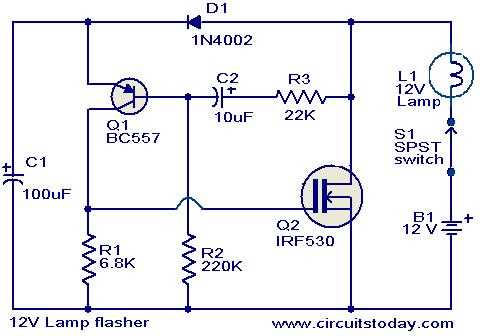
If the LED is not blinking, check the power supply. Ensure that the positive lead of the power source is connected to the appropriate pin of the timer IC, and the negative lead is properly grounded. Insufficient power can prevent the circuit from functioning correctly.
Verify the orientation of the timer IC. If the IC is inserted backward or the pins are misaligned, the circuit will not operate as intended. Make sure the flat side of the IC is facing upwards, and that the pin 1 is connected to the ground pin of the power supply.
Another common issue is incorrect resistor or capacitor values. The timing components control the frequency of the flashing. Ensure that the correct resistors are in place and that the capacitor between pins 6 and ground is properly connected. A capacitor with the wrong value can significantly affect the flashing rate or prevent it from working altogether.
If the LED flickers or flashes erratically, check for loose connections. A poor connection or a broken wire between the timer IC, LED, or power source could cause intermittent operation. Carefully inspect all the wiring to make sure every component is securely connected.
Overheating is another issue. If the timer IC or resistors are getting excessively hot, you may be using components with ratings too low for the current running through them. Double-check the power requirements and replace any components that seem to be struggling with the current load.
In some cases, the LED may stay on continuously, even when it should be blinking. This could indicate a problem with the timing cycle. Check the configuration of the resistors and capacitors again, ensuring that the values match the design specifications for your desired blink rate.
If the circuit works intermittently or only functions for a short time before failing, it could be due to a faulty IC. In this case, try replacing the 555 timer IC with a new one, as damaged or defective ICs can cause erratic behavior or complete failure of the circuit.