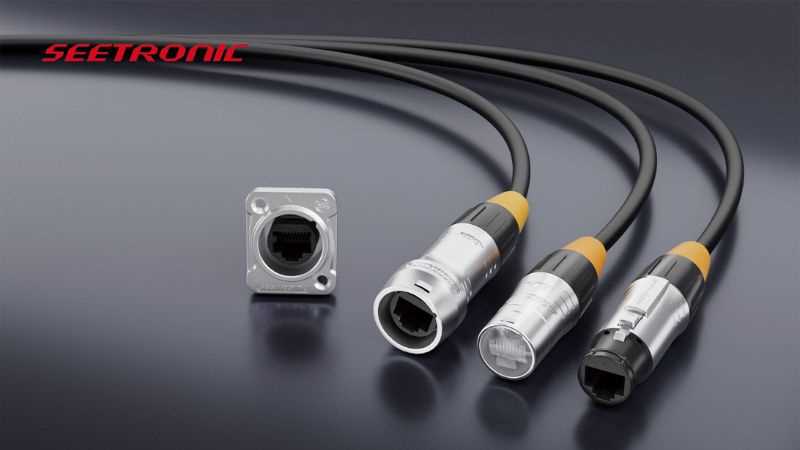
Use a standard color code sequence to avoid cross-connection and signal interference. Start with identifying each conductor by color and function before securing them in the modular plug. Consistent alignment ensures reliable data transmission across all eight conductors.
Verify continuity with a tester after insertion. This step detects misaligned conductors and prevents downstream network errors. Record the sequence of colored conductors for reference in future maintenance or network expansion.
Separate conductors carefully to prevent overlap. Keep twisted pairs intact until the final crimping stage to preserve signal integrity. Strain relief tabs in the connector should firmly hold each conductor without crushing or loosening them.
Label both ends of the cable clearly. Use numbered tags or color-coded markers to match corresponding terminals at the patch panel and endpoint device. This prevents confusion during troubleshooting or when adding new connections to the network.
RG45 Connector Setup and Connection Guide
Ensure each conductor is fully stripped to the recommended length before insertion. Expose only the copper core while leaving insulation intact near the crimp point. This guarantees a secure metal-to-metal contact and prevents shorts between adjacent terminals.
Maintain proper pair alignment. Keep the twisted pairs organized in their original grouping. Misalignment can introduce crosstalk, degrade signal quality, and cause intermittent connectivity problems over long cable runs.
Insert conductors fully into the modular connector until each tip reaches the end stop. Confirm that no copper is exposed outside the contact slots. This practice minimizes the chance of accidental short circuits and ensures stable connections.
Use a quality crimping tool suitable for the connector type. Apply consistent pressure across all contacts. Uneven crimping can loosen connections, resulting in intermittent signals or complete link failure.
Test continuity immediately after crimping. A simple continuity tester or network cable tester will detect miswires or open connections. Document the successful cable sequence for reference in future installations or expansions.
Label both ends of the assembled cable clearly with numeric or color-coded tags. Proper labeling simplifies maintenance and helps quickly identify corresponding ports on patch panels, switches, and endpoint devices without confusion.
Store excess cable properly. Avoid tight bends or kinks near the connector. Coiling cables in a controlled radius prevents stress on the contacts and preserves signal integrity, ensuring consistent performance over the cable’s lifespan.
Identifying RG45 Terminals and Wire Functions
Start by examining the connector contacts closely. Each slot corresponds to a specific conductor that carries data or power signals. Ensure the order matches the standard sequence for your intended network setup to prevent signal mismatches or connectivity issues.
Use color coding as a guide. Standard cable sets have consistent color pairs for transmit and receive functions. Following this pattern accurately reduces errors during installation and allows for quick troubleshooting if signal loss occurs.
Verify each terminal with a continuity tester before deploying the cable. This step identifies misaligned or damaged conductors early, saving time and preventing network downtime. Pay particular attention to adjacent pairs to avoid unintended shorts.
Document connections clearly at both ends. Labeling each conductor’s function simplifies future maintenance, replacement, or upgrades. Consistent records prevent confusion when connecting multiple cables to switches, routers, or patch panels.