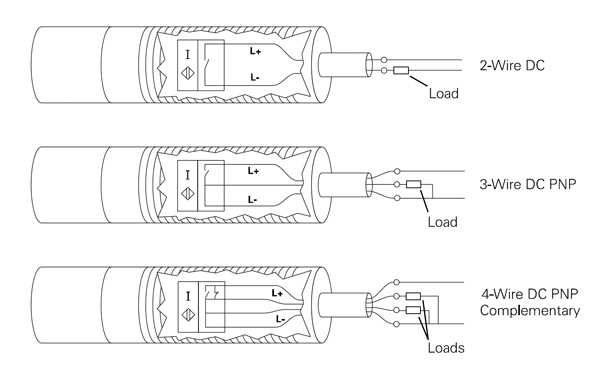
Connect the positive lead directly to a regulated 12-24V DC source ensuring stable voltage to prevent false activations. Use a secure terminal with corrosion-resistant contacts for long-term reliability.
Identify the output line carefully as it transmits the detection signal. Confirm its logic level matches your receiving module before applying power to avoid damage or erratic operation.
Ground the third line to a clean chassis point or designated common to reduce electrical noise. Avoid using shared returns with high-current circuits to maintain signal integrity and prevent interference.
Test connections sequentially by applying power and observing the device response. Monitor for unexpected signal fluctuations or activation delays, and adjust lead placement or isolation if necessary.
3 Wire Proximity Sensor Connection and Setup Guide
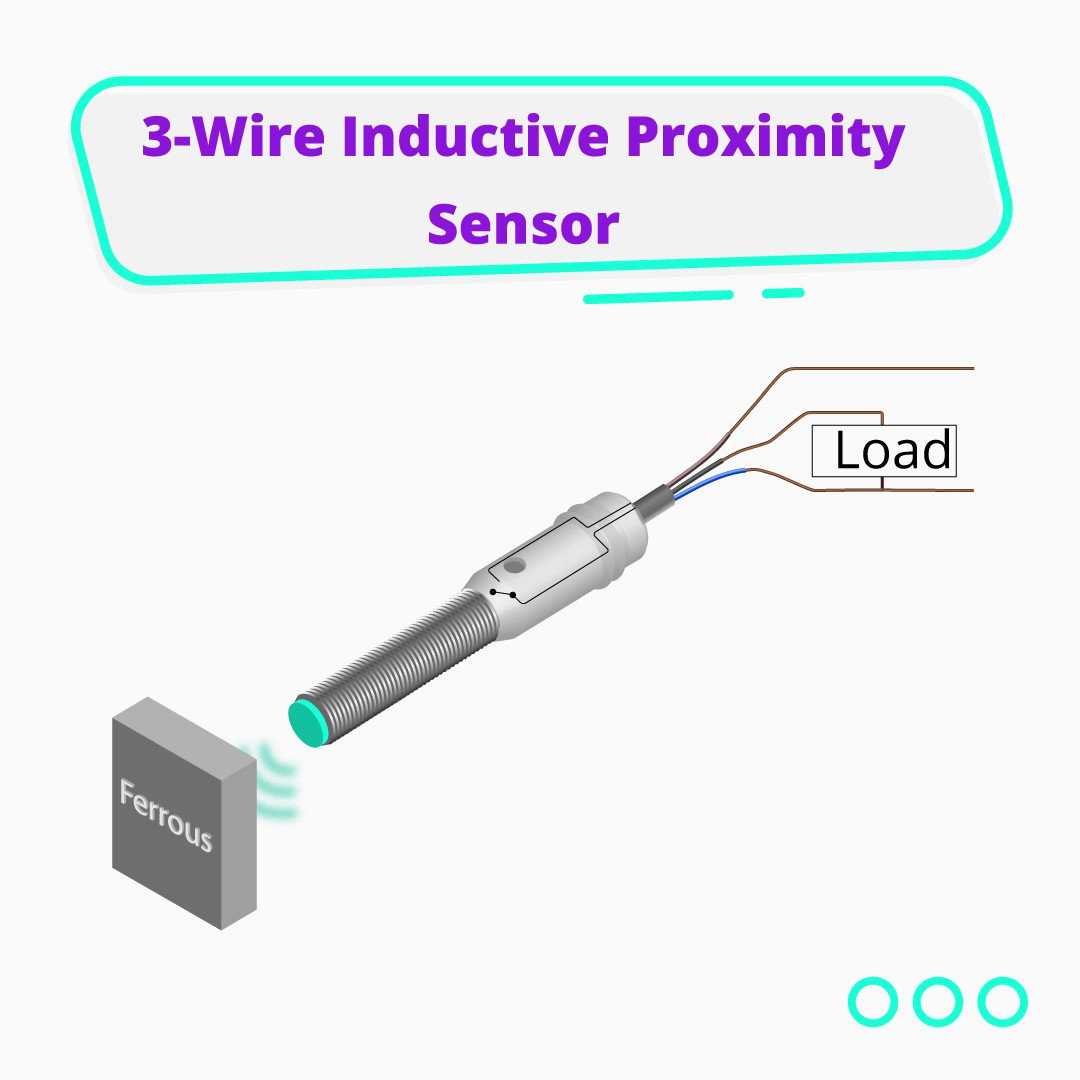
Attach the positive lead directly to a stable 12-24V DC source ensuring proper voltage range for reliable detection. Use insulated terminals and secure fasteners to maintain firm contact under vibration and prevent intermittent signals.
Connect the signal line to the input module and verify logic levels before activating the device. Ground the return lead to a low-noise point on the chassis, avoiding high-current circuits, then test the response to moving objects to confirm consistent operation.
Identifying Sensor Leads and Their Functions
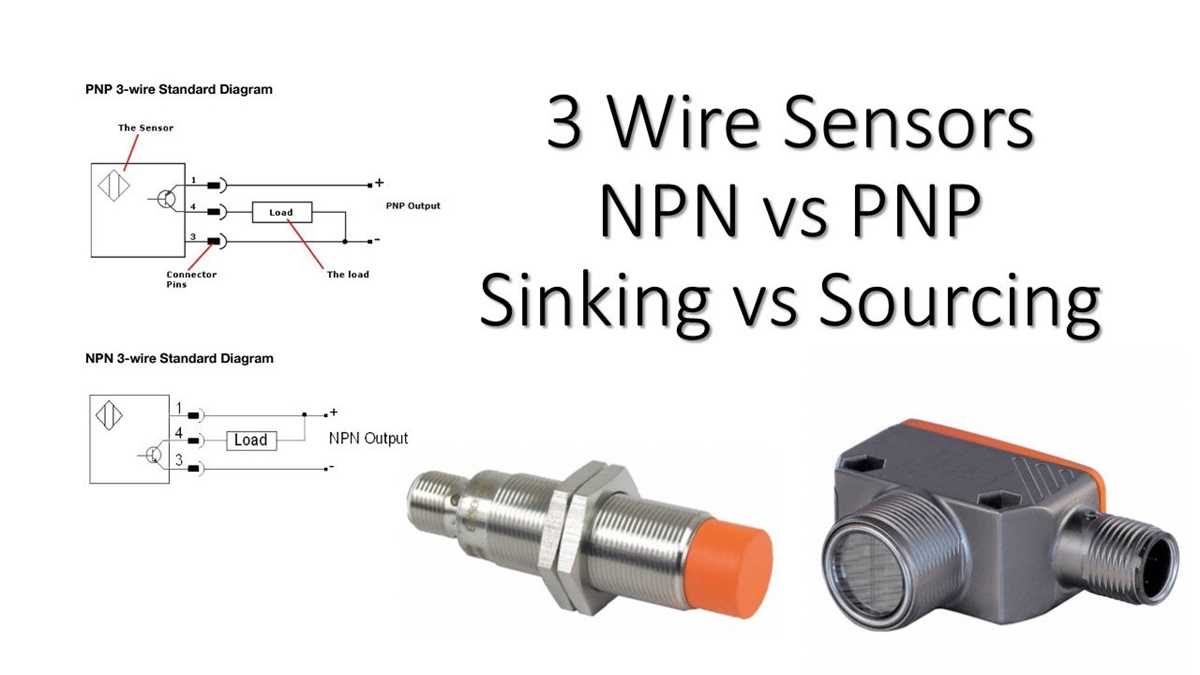
Locate the positive supply lead first and connect it to a stable 12-24V DC source. Confirm polarity using a multimeter to avoid damaging internal electronics.
Identify the ground return lead which should connect directly to a clean chassis point or low-noise ground bus. Ensure there is no shared path with high-current circuits to prevent interference.
Locate the output line that carries the detection signal. Check its logic level; typical open-collector outputs require a pull-up resistor to match the input module specifications.
Mark each lead with heat shrink or tags after confirming its function to prevent misconnection during installation or future maintenance. Use color coding when available: brown for positive, blue for ground, black for signal is common.
Test continuity for each conductor from the terminal to the component inside the device to ensure there are no breaks or shorts that could prevent proper operation.
Verify response using a controlled target by placing a metal object at the expected detection range. Observe the output line for correct switching behavior and measure voltage transition for reliability.
Check the load capacity on the output lead before connecting to the control system. Some units can only handle small currents and require external relays or buffers for larger devices.
Document lead functions and routing in a reference sheet for future troubleshooting. Clear labeling prevents accidental cross-connection and ensures consistent performance across multiple installations.