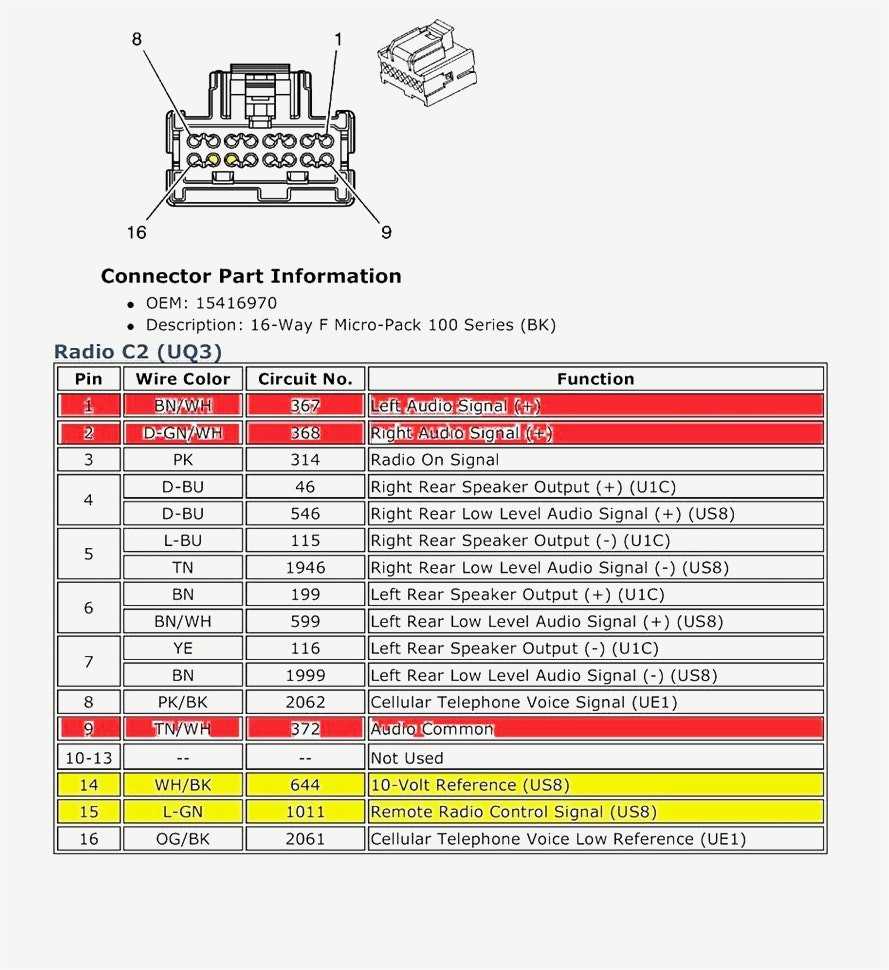
Match each color-coded conductor to its corresponding terminal before installation. For power supply lines, red wires carry 12 volts positive while black lines serve as ground. Incorrect pairing can result in blown fuses or permanent component damage.
Use a multimeter to confirm voltage and continuity on all leads. Test both constant and switched power sources to ensure the control module activates correctly without shorting or signal loss.
For speaker connections, observe impedance limits. Standard factory units operate at 4 ohms per channel. Verify polarity with a continuity test: positive terminals from the control unit must align with speaker positives to prevent phase cancellation and reduced audio output.
Secure all terminals with insulated connectors to prevent vibration-induced disconnection. Apply a small amount of dielectric grease to metal contacts to reduce oxidation and maintain consistent signal quality over time.
Label and organize each lead before routing into the dashboard assembly. Grouping power, signal, and speaker lines separately reduces electromagnetic interference and simplifies troubleshooting in case of malfunction.
2011 Silverado Radio Wiring Harness Guide
Connect the main power lead to the red terminal providing 12 volts constant. Ensure the black conductor attaches directly to the chassis ground to maintain stable current flow and prevent voltage drops.
Speaker channels should match the following configuration:
- Front left positive – white
- Front left negative – white with black stripe
- Front right positive – gray
- Front right negative – gray with black stripe
- Rear left positive – green
- Rear left negative – green with black stripe
- Rear right positive – purple
- Rear right negative – purple with black stripe
Use inline fuses rated at 15 amps for each power line to prevent overload. Test continuity across all connections with a multimeter before securing components to the dashboard panel.
Aftermarket Control Modules
When integrating non-factory units, add a 330-ohm resistor in series with the illumination line to prevent backfeeding. Confirm that switched 12-volt leads activate the accessory input only when the ignition is on.
Grounding multiple control modules requires separate attachment points to the chassis. Avoid daisy-chaining grounds as this may create voltage differentials affecting signal quality and causing intermittent failures.
Signal Protection and Noise Reduction
Install a 0.1 µF ceramic capacitor across the antenna input to suppress high-frequency interference. Route audio signal lines away from high-current cables and battery leads to reduce hum and static noise during playback.
Secure all connectors using insulated clips or zip ties. Group power, speaker, and control leads separately. This organization reduces the risk of short circuits and simplifies future troubleshooting or component replacement.
Identifying Wire Colors and Their Functions
Connect the red lead to the constant 12-volt supply from the battery. This line maintains memory functions and ensures settings remain stored when the ignition is off.
Black conductors serve as chassis ground. Attach directly to unpainted metal surfaces to reduce resistance and prevent intermittent loss of power to components.
Yellow leads provide switched power that activates only when the ignition key is in the accessory or run position. Test with a multimeter to verify voltage presence before making connections.
Speaker channels follow a standard color coding for positive and negative terminals: white and white/black for front left, gray and gray/black for front right, green and green/black for rear left, purple and purple/black for rear right. Maintain polarity to prevent phase issues and audio distortion.
Orange leads control dimmer and illumination functions of display units. Connect to the dashboard lighting circuit to synchronize brightness with instrument cluster intensity.
Blue and blue/white lines manage amplifier or antenna triggers. These conductors deliver a 12-volt signal when the system is powered on, allowing external modules to engage automatically. Confirm activation with a test lamp before final assembly.