Check the terminal block on the ceiling-mounted lift unit before attaching any conductor. The control board inside this linear rail lifting mechanism includes dedicated terminals for the wall push button, safety beam sensors, power supply, and limit switches. Matching each conductor to the correct terminal prevents unintended movement and control failure.
The lifting assembly uses a long threaded shaft inside the rail to move the carriage that pulls the overhead panel along the track. An electric actuator located in the head unit rotates this shaft while internal limit contacts stop movement when the panel reaches the fully raised or lowered position. Incorrect terminal connections may bypass these limit contacts and cause the system to run continuously.
Wall control units typically connect through two low-voltage conductors that complete a momentary control circuit on the control board. Pressing the button closes the circuit and sends a signal to the controller, triggering movement of the lifting mechanism. If the push button does not respond, measure continuity across these two control leads.
Photoelectric safety sensors mounted near the floor connect to a separate pair of low-voltage conductors. These sensors form a light beam across the opening. If the beam breaks while the panel moves downward, the controller reverses direction immediately. Correct polarity between the sensor transmitter and receiver leads ensures stable communication with the control board.
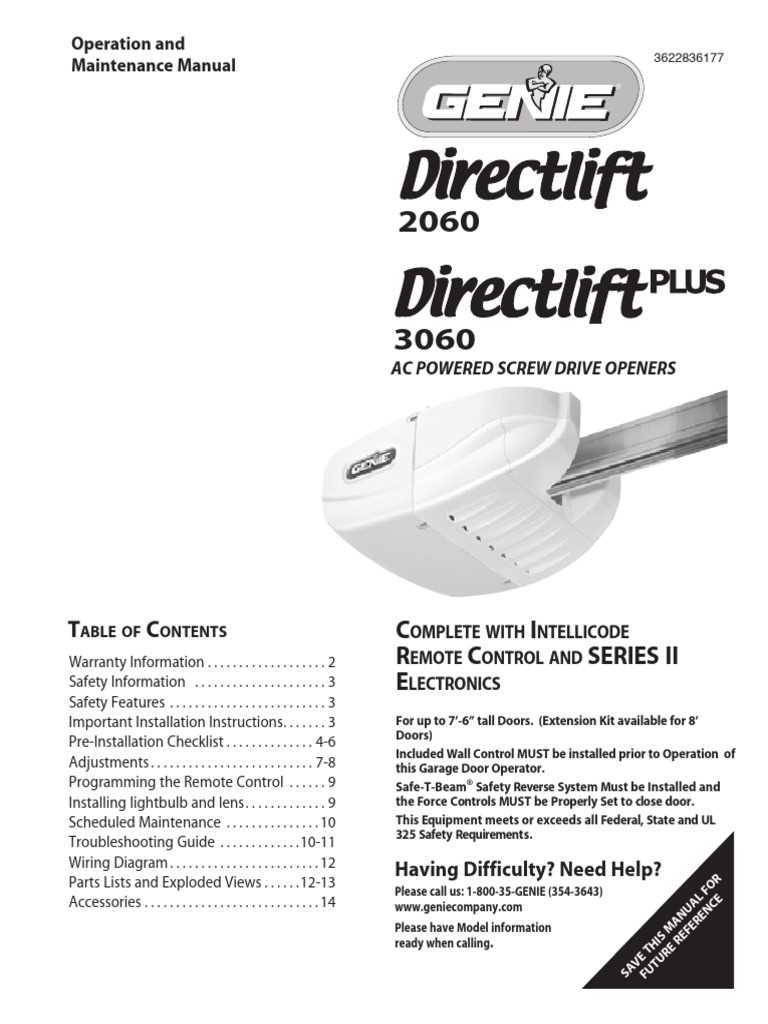
Old Genie Screw Drive Garage Door Opener Wiring Diagram and Terminal Connections
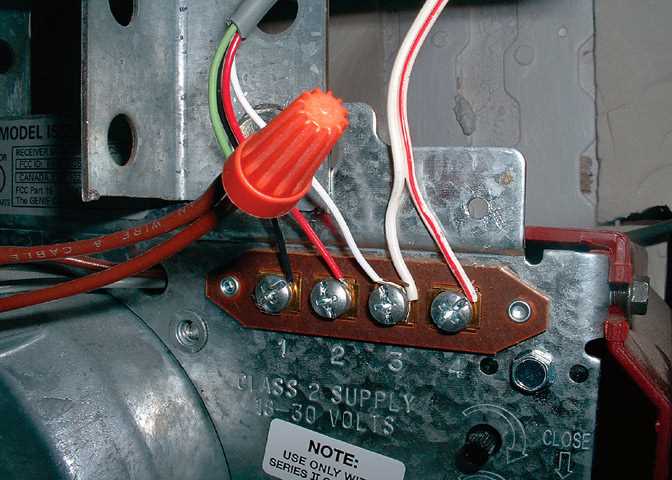
Disconnect the power supply before touching any terminals inside the ceiling-mounted lift unit. The control board contains separate connection points for the wall push button, safety beam sensors, AC input, and limit switch circuits. Identifying each terminal by its label prevents short paths and unintended movement of the overhead panel.
Typical terminal groups on the controller board include:
- AC LINE – incoming 120-volt supply from the household circuit
- NEUTRAL – return path connected to the main transformer
- WALL CONTROL – two low-voltage contacts for the interior push button
- SAFETY SENSOR – connection pair for the photoelectric beam units
- LIMIT SWITCH – contacts that stop travel at upper and lower positions
The wall push button operates through a simple momentary contact circuit. Pressing the button closes the two control terminals, sending a signal to the controller board. The controller then activates the internal electric actuator that rotates the threaded rail mechanism and moves the carriage along the track.
Photoelectric beam sensors mount near the floor on both sides of the opening. Their conductors run back to the controller board and connect to the designated sensor terminals. If an object interrupts the beam while the panel moves downward, the control board reverses direction immediately.
Follow this sequence while connecting the control lines:
- Attach the two push button conductors to the wall control terminals
- Route the sensor pair from each side of the opening to the board
- Secure the ground conductor to the metal chassis
- Connect the household supply through the designated AC input terminals
Limit switch contacts sit along the threaded rail assembly and signal the control board when the carriage reaches the top or bottom travel position. These contacts stop the actuator and prevent mechanical overload on the lifting mechanism.
If the system runs continuously or fails to stop at the end of travel, inspect the limit switch conductors and terminal screws. Loose contacts or broken insulation often interrupt the control signal between the rail switch assembly and the controller board.
Old Genie Screw Drive Opener Terminal Layout Power Input Wall Button and Safety Sensors
Verify the terminal labels on the controller board before attaching any conductors. The ceiling-mounted lift unit includes separate connection points for the household power supply, interior push button, and photoelectric safety beam sensors. Matching each conductor to the correct terminal keeps the lifting system operating correctly and prevents uncontrolled panel movement.
The power supply section usually contains two main terminals. One receives the 120-volt line conductor from the building circuit, while the second connects to neutral. These terminals feed the internal transformer and controller electronics that regulate movement of the threaded rail mechanism.
The interior push button connects through a pair of low-voltage conductors attached to the control terminals. Pressing the button briefly closes the circuit between these two contacts. The controller interprets that signal and activates the electric actuator that moves the carriage along the rail assembly.
Photoelectric beam sensors mounted near the floor connect to another terminal pair. One unit sends an infrared beam while the opposite unit receives it. If the beam becomes blocked while the panel moves downward, the control board reverses direction immediately. Stable sensor alignment and clean terminal connections keep this protection system working correctly.
If the system fails to respond to the wall control or reverses without obstruction, inspect the terminal screws for loose connections, check continuity along the control conductors, and confirm voltage at the main power input terminals.