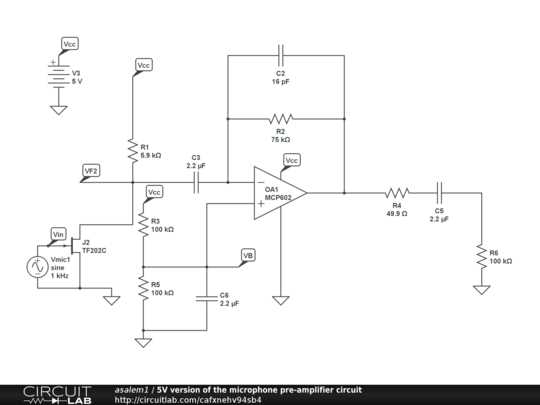
To enhance microphone signals, start by selecting the right components, such as op-amps and resistors, that are compatible with your desired input and output levels. A well-designed amplifier is key to achieving clean, distortion-free sound. Pay special attention to the input impedance to ensure proper matching with your microphone type. A mismatch can lead to signal loss or unwanted noise.
When wiring the system, carefully plan the power supply to avoid introducing hum or interference. A clean, stable voltage source is vital, as any fluctuations can affect the signal integrity. Consider using capacitors to filter out high-frequency noise and prevent ground loops from affecting performance.
Once the amplifier is wired, test it using a known good microphone and sound system. Check for any distortion or noise and adjust component values if necessary. Proper grounding and shielding of the system can significantly improve the overall performance, especially in environments with high electromagnetic interference.
Mic Preamp Circuit Diagram
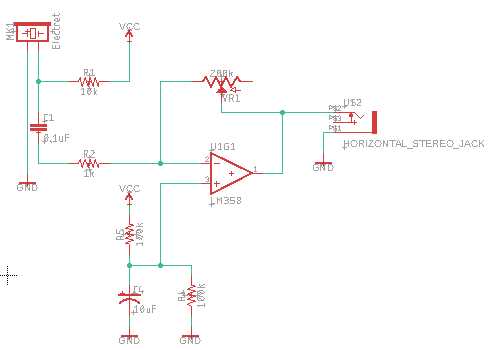
To design an amplifier for microphone signals, ensure that the operational amplifier (op-amp) is at the core of the system. The op-amp should have low noise and a high input impedance, which is necessary for accurately amplifying weak signals without introducing distortion. Start with a simple non-inverting configuration, where the microphone signal enters the positive terminal of the op-amp. The negative terminal is then connected to a feedback resistor to set the gain.
Key Components and Configuration
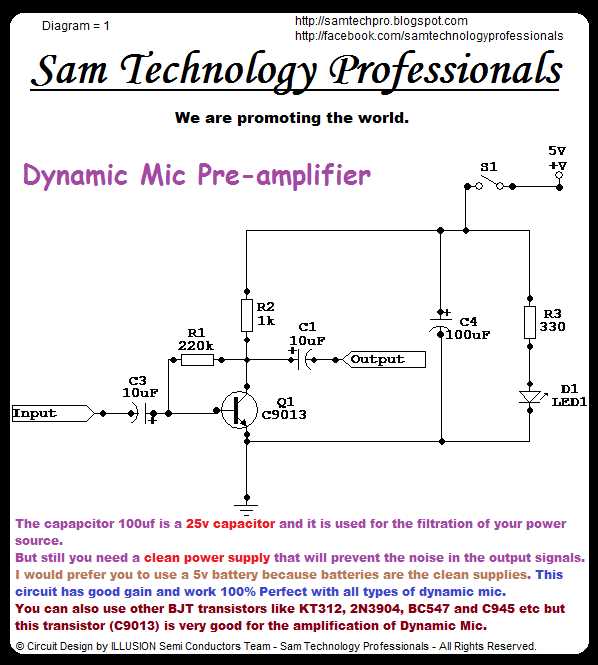
Use resistors to set the gain of the amplifier to an appropriate level, typically in the range of 20-40 dB for a microphone signal. Capacitors should be placed at both the input and output stages to block DC and ensure that only AC signals pass through. The power supply should provide a stable voltage, typically 12V or 15V, to the op-amp, ensuring that the system operates correctly without distortion or noise from power fluctuations.
Signal Output and Grounding
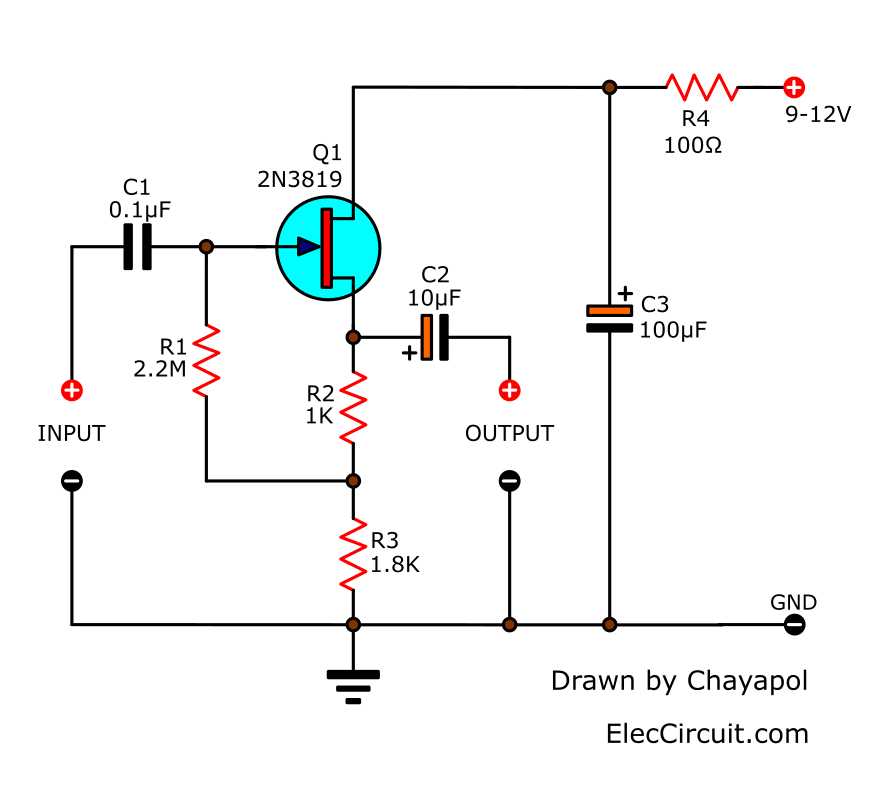
Connect the output of the amplifier to a sound system or audio interface. Ensure that the output stage of the amplifier is designed to drive the desired load, whether it’s a speaker, audio interface, or recording equipment. Proper grounding is critical throughout the setup, as poor grounding can result in hum or interference in the audio signal. Shielding the entire system can also help prevent electromagnetic interference from affecting the amplified signal.
Step-by-Step Guide to Wiring a Basic Mic Preamp
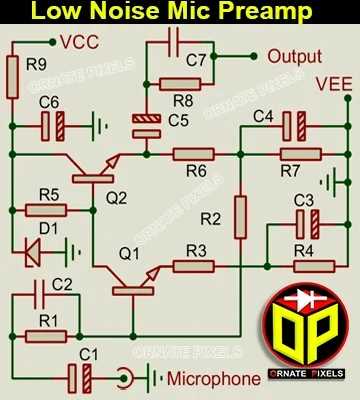
Start by selecting an operational amplifier (op-amp) that suits your application. For basic designs, an op-amp like the NE5532 or TL072 is a good choice due to its low noise and high input impedance. This ensures that the microphone’s weak signal is captured accurately without distortion. Connect the non-inverting input of the op-amp to the signal path, and the inverting input will be used for feedback.
Next, choose the right resistors to set the gain. A typical resistor network for gain control includes a feedback resistor and a resistor to ground. Start with a value for the feedback resistor around 10kΩ and adjust it based on the desired amplification level. The resistor to ground should be chosen carefully to set the op-amp’s input impedance and prevent signal loading.
Once the resistors are in place, add capacitors at the input and output to block DC signals. Place a capacitor at the input to ensure that any low-frequency noise or DC offset is filtered out before amplification. The output capacitor will prevent any DC voltage from reaching the next stage of the system, whether it’s an audio interface or sound system.
For the power supply, use a stable voltage source of around 12V or 15V to provide adequate power to the op-amp. Connect the positive supply pin of the op-amp to the voltage source and the ground pin to the system’s ground. Make sure to decouple the power supply with a small capacitor (e.g., 0.1µF) to filter out any high-frequency noise from the power source.
Finally, wire the output of the op-amp to the next stage of your audio system. Use a balanced output if you’re connecting to professional equipment to reduce noise and signal degradation over long cables. Ensure that all grounds are connected to a common ground point to avoid ground loops that can introduce hum or buzz in the signal.