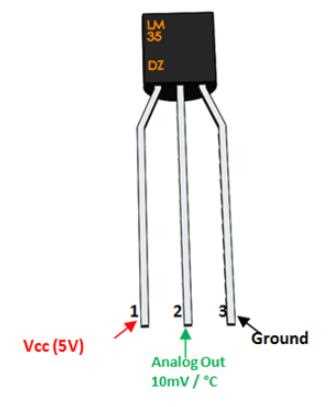
Connect the sensor’s VCC pin to a stable 5V supply to ensure accurate voltage output. Keep the ground lead close to the microcontroller ground to reduce noise and signal drift.
Route the analog output line directly to the ADC input of your microcontroller. Avoid long wires or routing near high-current traces to maintain precision readings.
Use a 0.1µF bypass capacitor across power and ground near the sensor. This stabilizes voltage fluctuations that can affect the millivolt-level signal.
Calibrate the sensor with known temperature references before deploying in projects. Measure the output voltage at 0°C and 100°C to create a linear correction curve for precise measurement.
LM35 Sensor Connection and Signal Guide
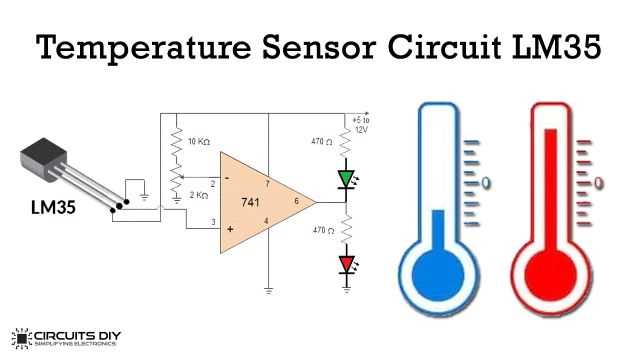
Connect the VCC pin to a stable 5V source to maintain consistent voltage output. Ensure the ground pin is linked to the microcontroller ground to reduce measurement noise.
Route the analog output directly to the ADC input without passing near high-current wires. This minimizes interference and preserves the millivolt-level signal accuracy.
Place a 0.1µF capacitor between power and ground close to the sensor. This suppresses voltage spikes that could distort readings in sensitive temperature measurements.
- Check sensor orientation before soldering or mounting to avoid reversed connections.
- Use short leads to reduce parasitic resistance and improve response time.
- Insulate the output from heat sources that may bias measurements.
Perform a calibration test using known temperature points such as ice water (0°C) and boiling water (100°C). Record the output voltage to create a linear correction for precise readings.
Maintain ambient stability around the sensor during operation. Avoid drafts, sunlight, or nearby heat-generating components that may shift the output unexpectedly.
- Use shielded cables if the sensor is placed far from the controller.
- Label connections clearly to prevent miswiring during multiple sensor installations.
- Periodically verify voltage output to detect aging or drift in the sensor over time.
Power Supply and Ground Pin Setup
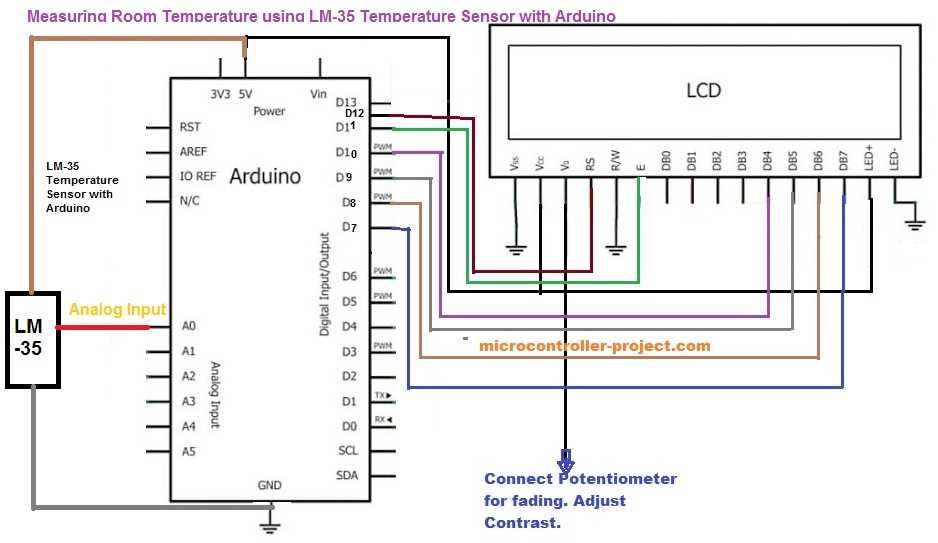
Connect the positive supply pin to a regulated 5V source to maintain stable output across all temperature ranges. Avoid using unregulated or fluctuating sources that may distort measurements.
Ensure the ground pin is directly linked to the microcontroller’s common ground to prevent voltage offsets. A separate ground plane can reduce electrical noise in sensitive analog signals.
Place a decoupling capacitor of 0.1µF between the supply and ground pins near the sensor body. This stabilizes the voltage and filters transient spikes from other components.
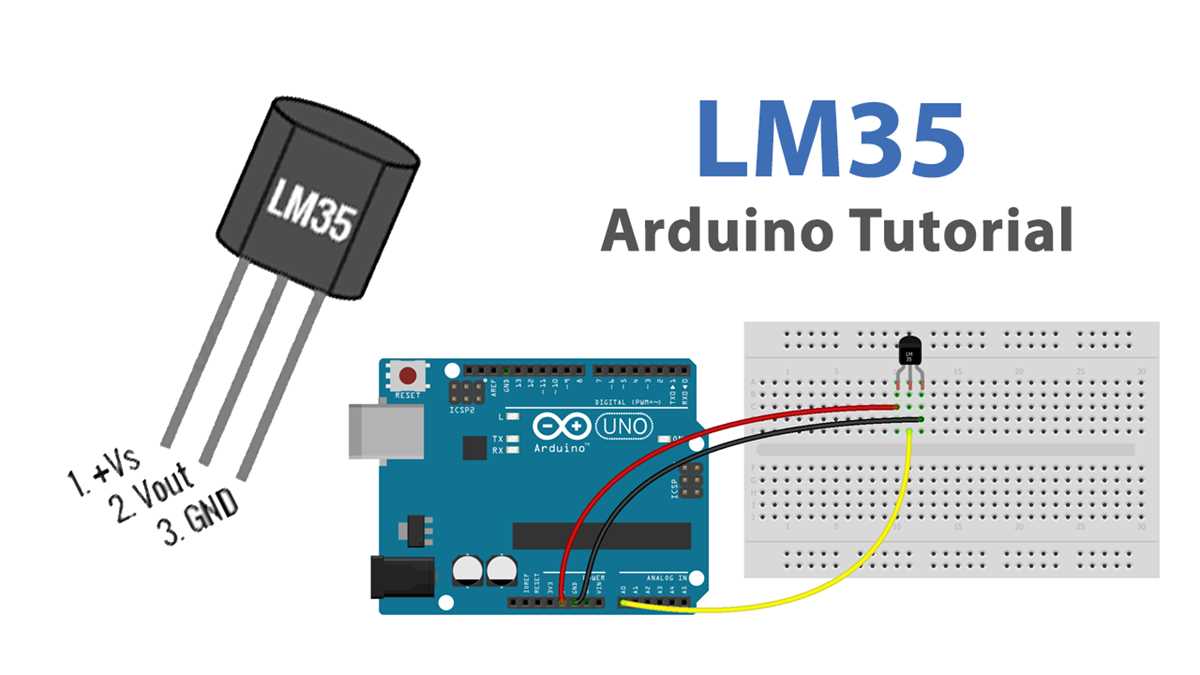
Keep power and ground leads short to minimize resistance and reduce susceptibility to electromagnetic interference from adjacent devices.
Check polarity before powering the sensor to avoid permanent damage. Reversing the supply and ground pins can lead to overcurrent and permanent failure.
If multiple sensors are connected to the same controller, use a star grounding method where each sensor’s ground connects individually to the main ground point. This prevents cross-sensor interference.
Monitor voltage at the sensor pins during operation to detect any drift or fluctuations. A small oscilloscope or multimeter can confirm that the supply remains within ±50mV of 5V.
- Use shielded cables for longer connections to reduce noise pickup.
- Label power and ground wires clearly to prevent accidental swapping.
- Regularly inspect solder joints for corrosion or looseness that may affect stability.