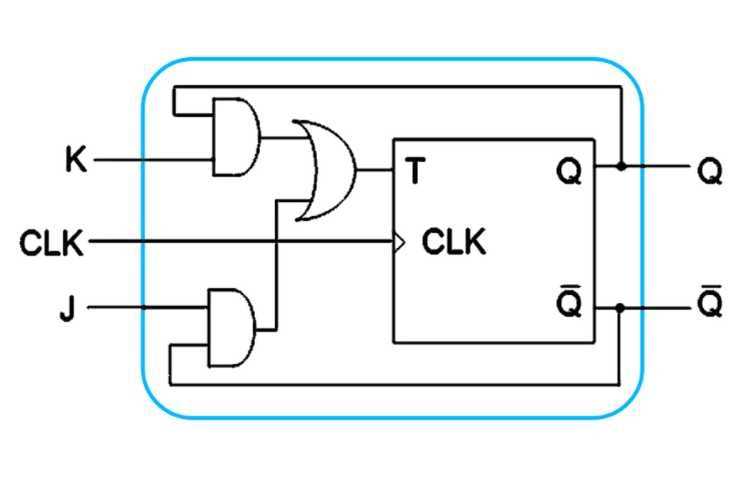
To build a reliable sequential logic system, it is crucial to understand how timing elements like state-changing components operate. Begin by analyzing the basic connections and functions that control how these components store and change states in response to inputs.
Pay close attention to the control inputs that determine whether the state will change or remain steady. Properly wiring and connecting these elements ensures that the output behaves as expected, allowing for synchronization and the correct sequencing of events.
Next, verify that the connections are secure and consistent. Even slight miswiring can lead to unintended results, such as the failure to hold a state or incorrect output sequencing. Using a step-by-step approach for troubleshooting and testing will help identify and fix common problems efficiently.
How to Read and Understand a Sequential Logic Circuit
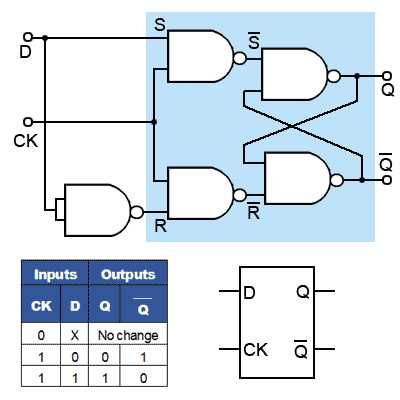
Start by identifying the input and output terminals in the schematic. Inputs control the state changes of the device, while outputs reflect the current state based on the inputs. Carefully trace the connections from inputs to outputs to understand how signals are passed through various components. In most designs, each input affects the state of the output based on predefined rules.
Once you have located the main components, focus on the control elements that determine when the state changes. These may include clock signals, reset inputs, and enable signals. Make sure to note the relationship between these control signals and the resulting output. Pay attention to how each signal either triggers or prevents a state transition. Understanding this flow will give you a clear idea of how the system behaves over time.
Types of Sequential Logic Elements and Their Applications
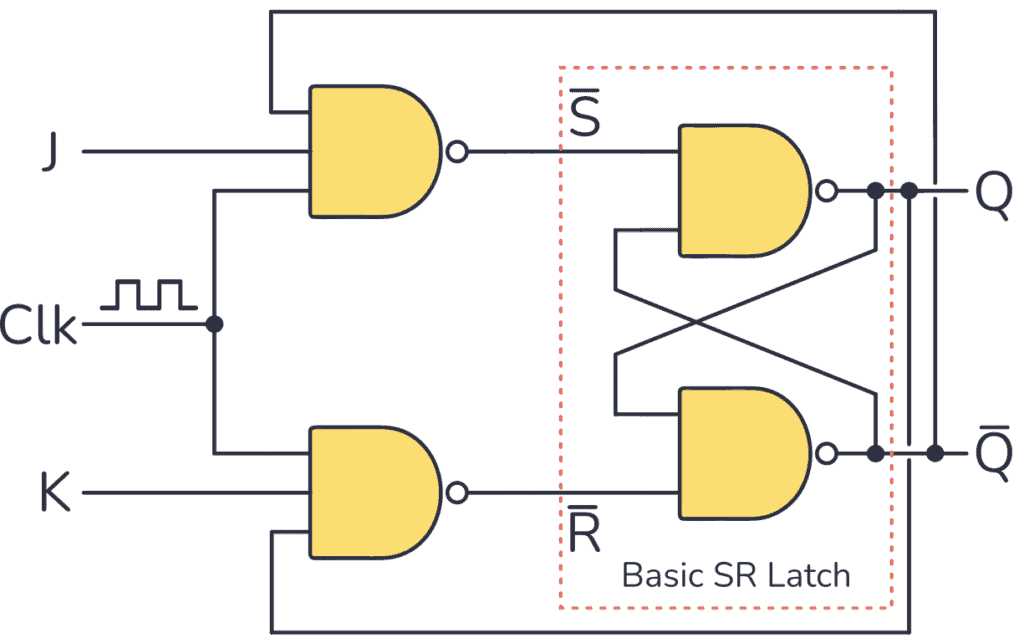
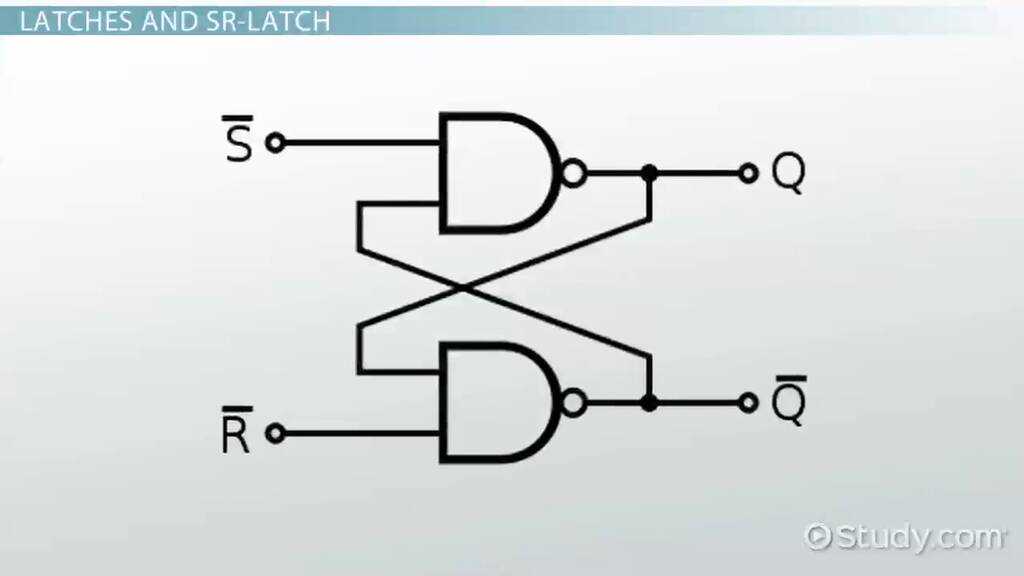
The most common types of these elements are SR, JK, D, and T types. Each has distinct characteristics and use cases in digital systems. For example, SR (Set-Reset) elements are often used when a simple on/off state is needed. They require two inputs: one to set the state to 1 and one to reset it to 0. These are simple but not always reliable due to the possibility of invalid states.
Next, the JK type allows for more complex state transitions. Unlike SR elements, JK types handle the case when both inputs are active, avoiding potential errors. They are widely used in counters and shift registers because they provide more flexibility and can toggle between multiple states effectively.
The D type is particularly useful in memory storage applications. This element only has one data input, making it simpler to use when the goal is to store a specific state temporarily. It is frequently applied in systems where data needs to be captured at specific intervals, such as in registers for microprocessors or other storage devices.
T types are simpler than other types and are used primarily in counting applications. The T element toggles its output each time it receives a clock pulse, making it ideal for creating binary counters. This element is commonly used in time-delay circuits and frequency division in digital clocks.
| Type | Application | Key Feature |
|---|---|---|
| SR | Simple on/off control, basic memory functions | Set and Reset inputs |
| JK | Counters, shift registers | Handles all input combinations without errors |
| D | Memory storage, register systems | Single data input for storing states |
| T | Binary counters, timing and frequency division | Toggles output with each clock pulse |
Troubleshooting Common Issues in Sequential Logic Elements
One common issue when working with these logic devices is an incorrect input signal. Ensure that the clock signal is properly connected and consistently providing pulses. If the state of the output remains unchanged despite expected input changes, this could indicate a problem with the clock signal or an issue with how the inputs are wired. A missing or fluctuating clock signal will prevent the device from properly toggling its state.
Another common problem occurs when both inputs are set to active states simultaneously, especially in SR elements. This can lead to unpredictable behavior or invalid states. To fix this, check for proper debouncing or filtering of input signals, especially in mechanical switches, to ensure that no simultaneous high signals are received. If your design involves JK elements, check the state of the inputs to ensure they do not create a race condition where outputs become indeterminate.
Lastly, incorrect grounding or power supply issues can cause erratic behavior or failure to store data. Make sure all components are grounded correctly and the supply voltage meets the specified requirements of the device. A loose connection or improper power source can lead to intermittent operation. Troubleshoot by testing the voltage levels and connections with a multimeter to ensure the device is receiving the correct power and ground references.