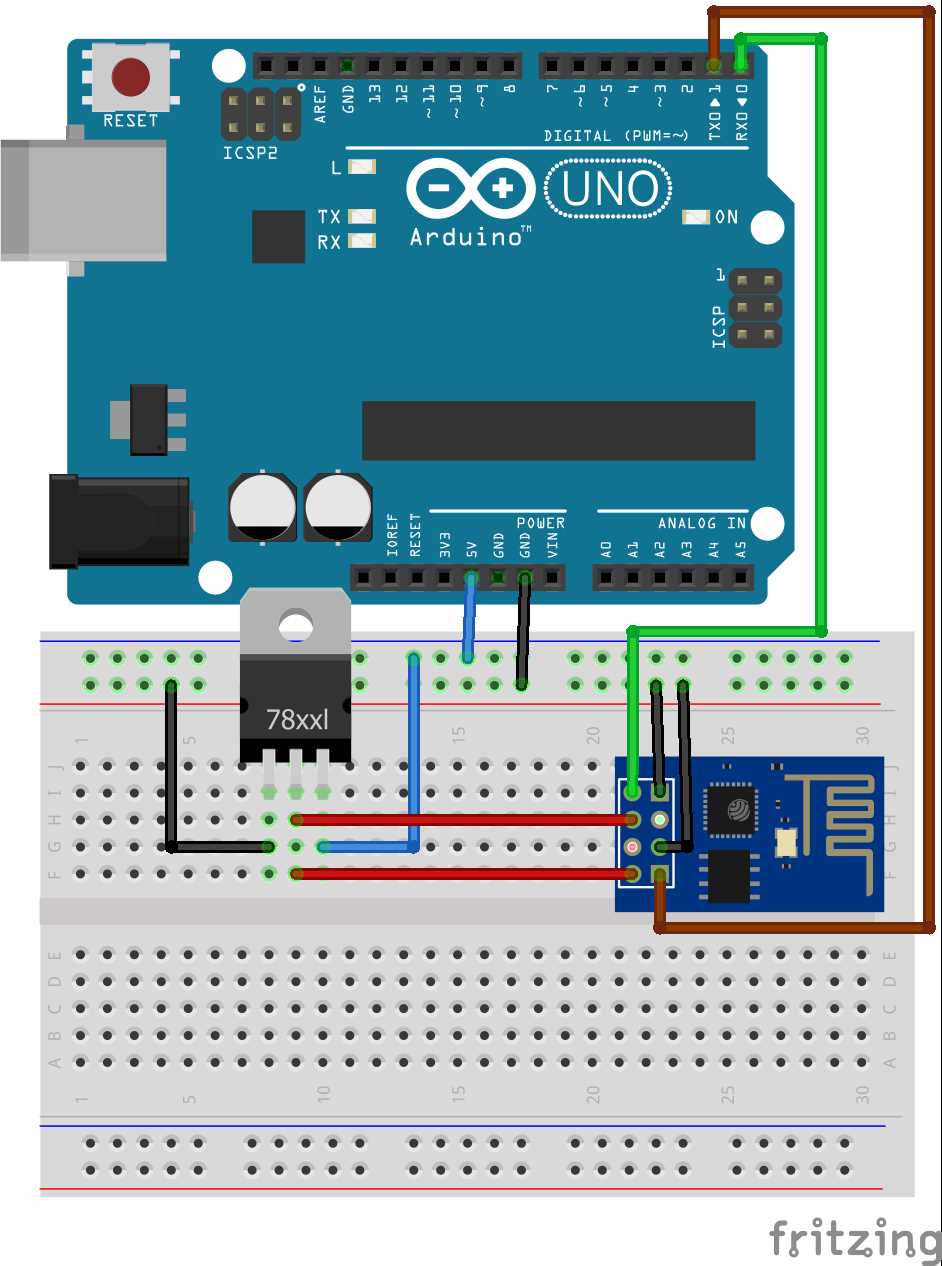
Use a stable 3.3V supply to power the microcontroller, ensuring the current can reach at least 500mA to prevent unexpected resets during Wi-Fi transmissions.
Connect all ground points directly to a single common node to avoid voltage differences that may interfere with digital signal integrity or analog sensor readings.
Include a decoupling capacitor of 10µF near the power pins to stabilize voltage fluctuations during sudden current spikes.
Ensure the GPIO pins are correctly pulled high or low according to the module’s startup requirements to prevent boot failures and erratic behavior.
Label and route all connections logically on a breadboard or PCB to avoid accidental short circuits and make troubleshooting straightforward.
Integrate a level shifter if connecting 5V sensors or outputs to the 3.3V microcontroller to protect the internal components.
Verify serial communication lines with a multimeter or logic analyzer before applying power to prevent misconfigurations that could damage the module.
Module Pin Layout and Connection Overview
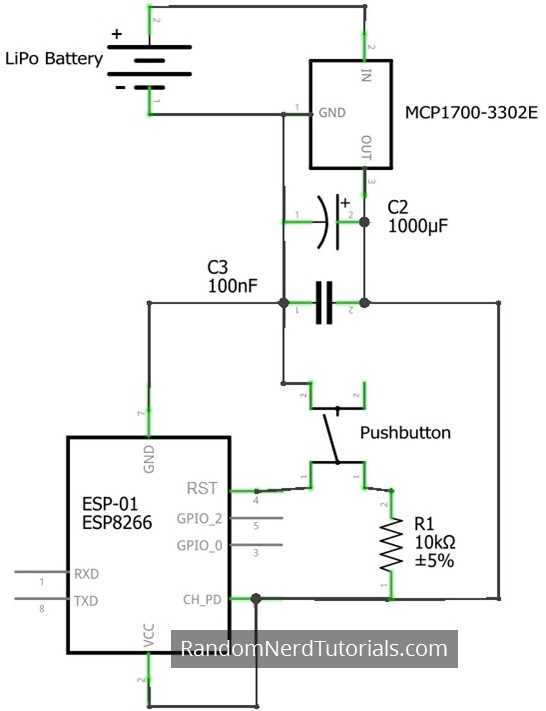
Identify all power and ground pins first to prevent accidental damage. Use a 3.3V regulated supply and connect all GND pins to a single reference point for consistent voltage levels across the module.
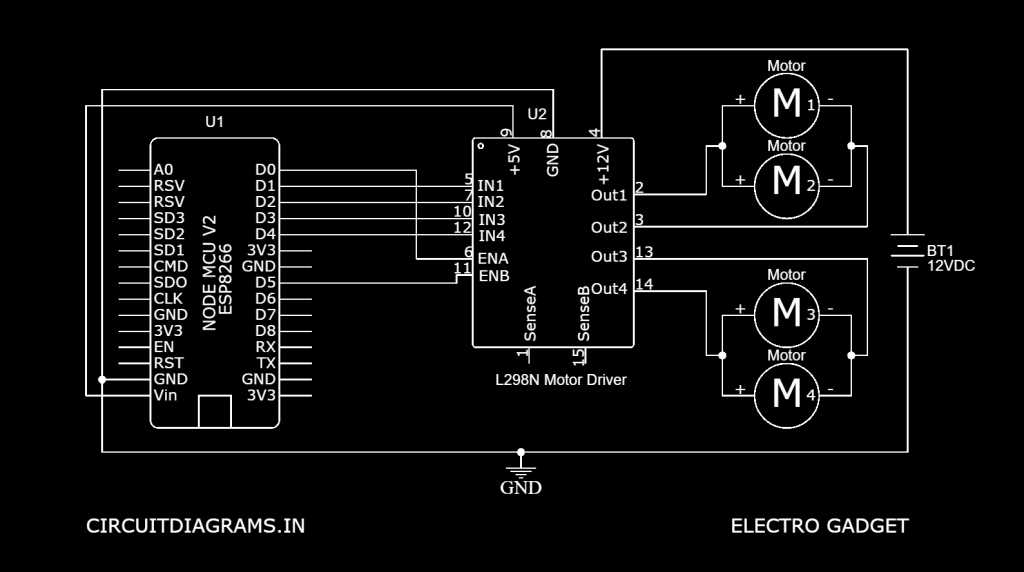
Organize GPIO pins based on function.
- Input-only pins should not be driven high during boot.
- PWM or ADC pins require correct pull-up or pull-down resistors to avoid floating states.
- Communication pins for UART, SPI, or I²C must match the voltage level of connected peripherals.
Check reset and boot mode pins before powering the board. A floating reset can cause random reboots, and GPIO0 or GPIO2 states determine the programming or normal operation mode.
Use short, labeled jumpers or traces for signal connections to minimize interference. Group related signals logically, and avoid running high-current traces next to sensitive analog or input pins to maintain stable operation.
Power Supply and Ground Connection Tips for Stable Module Operation
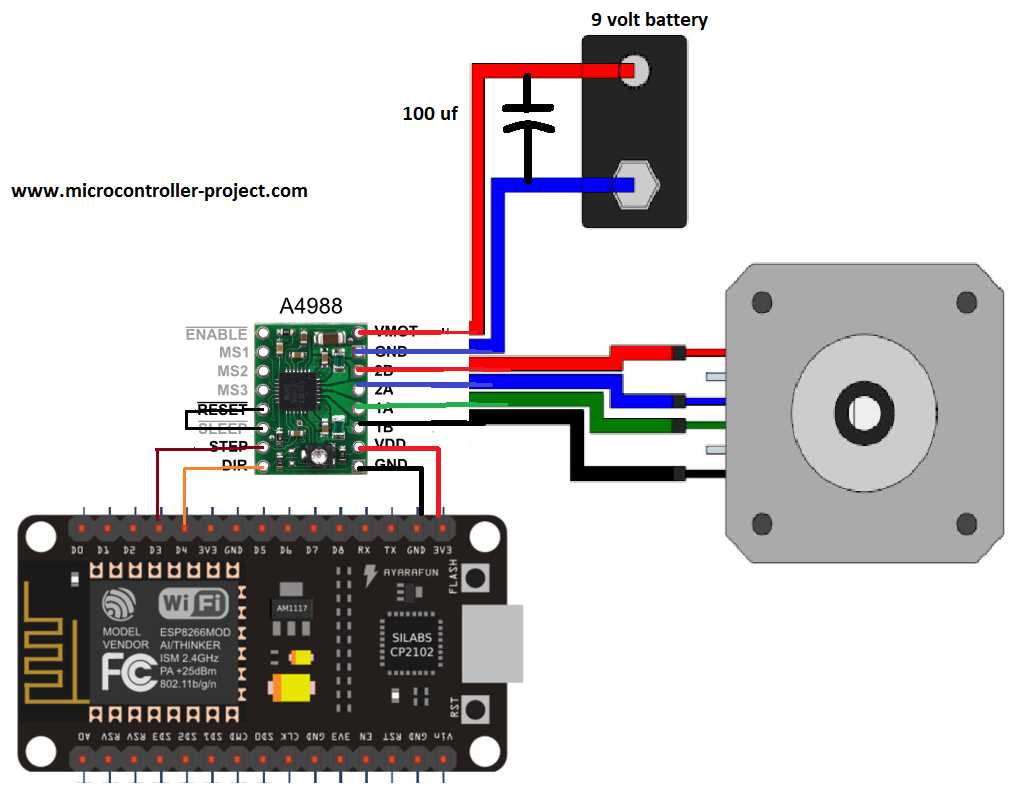
Use a regulated 3.3V power source capable of supplying at least 500mA. Voltage dips below 3.0V can cause unexpected resets or communication errors in the module.
Connect all ground pins to a single reference point. A star-ground configuration reduces noise and prevents ground loops, which can interfere with signal integrity.
Include decoupling capacitors close to the power pins. Use a 100nF ceramic capacitor in parallel with a 10µF electrolytic capacitor to filter high and low-frequency noise effectively.
Use thicker traces or wires for the power path. Thin traces increase resistance, which can lead to voltage drops during high-current bursts such as Wi-Fi transmission.
Minimize distance between the power source and the module. Long wires can introduce inductance and voltage fluctuations that reduce operational stability.
Avoid sharing power lines with high-current devices. Motors or relays on the same supply can produce spikes that reset the module or corrupt data transmission.
Implement a soft-start resistor if the power supply is prone to overshoot. A 10Ω resistor in series with the 3.3V line can reduce inrush current and prevent sudden voltage spikes.
Verify connections with a multimeter before powering up. Check voltage at the module pins under load to confirm that the supply maintains 3.3V and that ground continuity is solid across all pins.