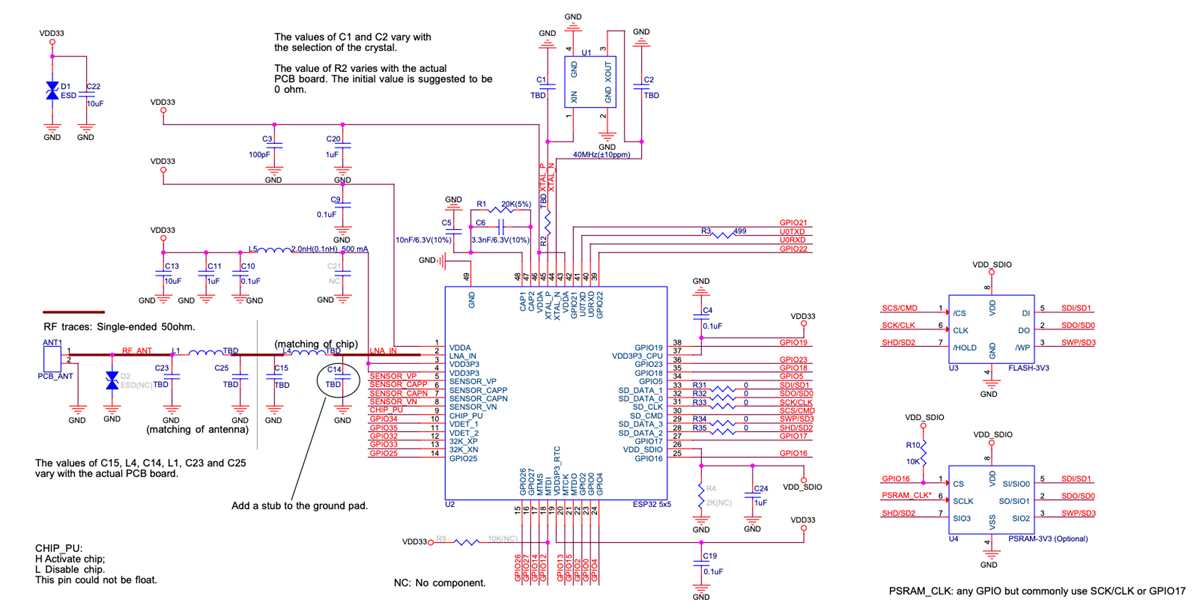
Select a schematic editor that includes microcontroller pin libraries so each GPIO, power line, and communication interface can be placed accurately. Tools such as KiCad-style editors or browser-based electronics planners allow placement of WiFi-enabled development boards together with sensors, voltage regulators, and communication modules while keeping connections readable.
Define the power structure before adding peripheral components. A typical IoT board built around the popular dual-core wireless module runs from a 3.3-volt rail and may require a stable regulator from a 5-volt USB input. Place the voltage regulator, filtering capacitors between 10 µF and 100 µF, and ground references first so every sensor or actuator shares the same reference line.
Map GPIO pins carefully while drawing the hardware layout. Digital lines can control relays, LEDs, and displays, while dedicated interfaces handle I2C, SPI, or UART devices. Assign pins for SDA and SCL near connected sensors, reserve hardware serial lines for debugging, and avoid boot-strapping pins for outputs that change state during startup.
Document every connection with labels and net names. Clear naming such as VCC_3V3, SENSOR_SDA, or MOTOR_CTRL reduces mistakes during breadboard assembly or PCB routing. Export the layout as PDF or vector graphics so the file can be referenced during soldering and troubleshooting.
ESP32 Circuit Diagram Maker Tools for Microcontroller Project Layouts
Use a schematic editor that includes libraries for wireless microcontroller boards so every GPIO pin, power rail, and communication interface can be placed accurately. Desktop platforms such as KiCad or browser tools similar to EasyEDA allow engineers to place development boards, sensors, displays, and regulators while maintaining readable signal paths.
Choosing Software for Hardware Layout Planning
Select design software that supports custom component symbols and editable pin mapping. A typical IoT board using the popular WiFi and Bluetooth module includes more than thirty programmable pins, multiple ADC channels, and hardware interfaces such as SPI, I2C, and UART. A good schematic editor lets users assign these connections visually, group related lines, and avoid overlapping traces during the planning phase.
Organizing Peripheral Connections
Group sensors and output devices by communication protocol. Place I2C devices like temperature or humidity sensors on shared SDA and SCL lines with pull-up resistors around 4.7 kΩ. SPI modules such as displays or SD storage should appear near the MOSI, MISO, CLK, and chip-select lines so routing paths remain short and clear.
Export the completed layout as PDF, SVG, or PCB-ready files and keep connection labels visible for assembly. Clear net names, voltage annotations, and pin labels simplify breadboard testing and reduce errors while soldering modules or routing traces on a printed board.
Selecting Software Tools for Drawing ESP32 Pin Connections
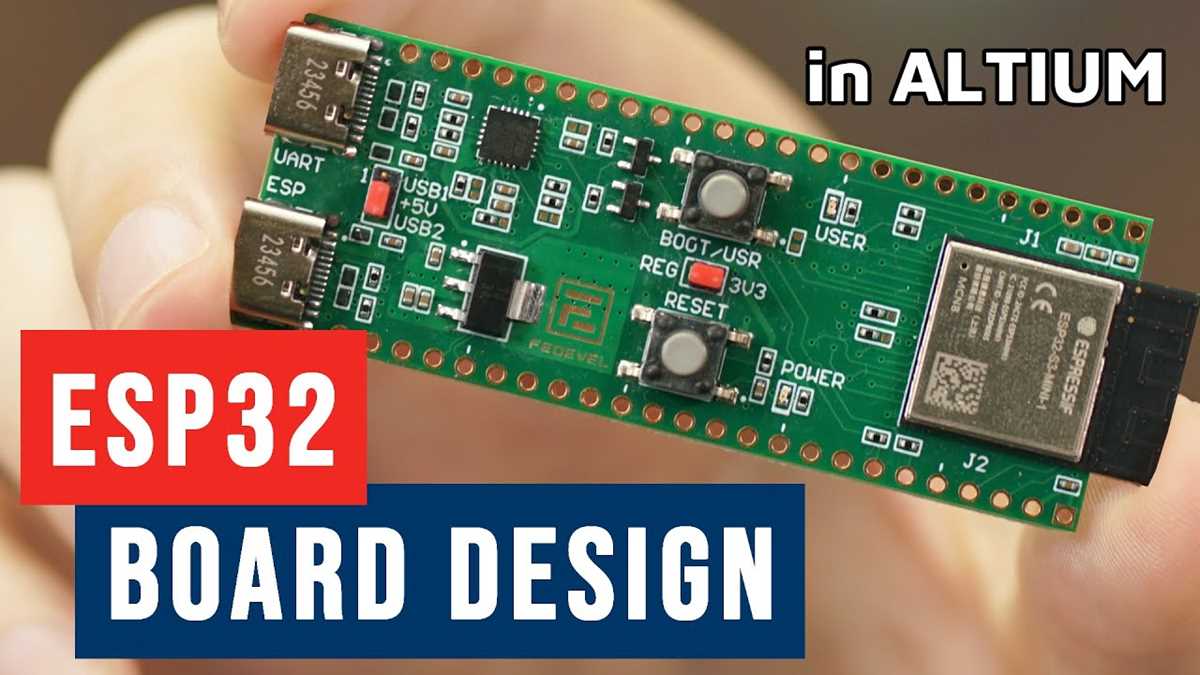
Choose a schematic editor that includes libraries for WiFi-enabled microcontroller boards so each GPIO pad, power rail, and communication interface can be placed without manual symbol creation. Applications such as KiCad, EasyEDA, and Fritzing provide editable component libraries and allow pin mapping with drag-and-drop placement.
Verify that the software supports clear net labeling and automatic connection tracking. Large microcontroller modules include more than thirty programmable pins, analog inputs, and dedicated communication lines. Without visible net names such as SDA, SCL, MOSI, or RX, debugging hardware connections becomes difficult.
Check the following features before choosing a schematic editor:
- Editable pin libraries for wireless microcontroller modules
- Net labels and automatic signal highlighting
- Export options such as PDF, SVG, and PCB layout formats
- Grid alignment for precise component placement
- Support for multi-sheet hardware documentation
Use software with component grouping and hierarchical sheets. Sensor modules, displays, storage chips, and motor drivers can be placed in separate blocks so signal routing remains readable. For example, I2C sensors may share SDA and SCL lines while SPI peripherals connect through MOSI, MISO, CLK, and chip-select lines.
Generate connection reports after completing the schematic layout. A netlist or connectivity table shows every pin assignment, allowing verification of power rails, ground lines, and communication interfaces before breadboard assembly or printed board routing.