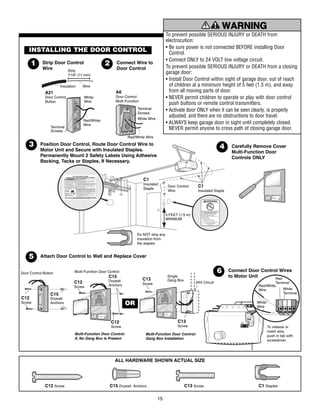
Connect the wall push control and safety photo sensors to the low-voltage terminals on the ceiling-mounted lift motor unit before powering the system. Most residential lift mechanisms use 18 to 22 AWG low-voltage conductors that attach to color-coded terminal screws on the control board. Red and white terminals typically accept the indoor push control line, while white and black terminals connect the infrared safety sensors placed near the floor tracks.
The ceiling motor assembly receives 120 V AC supply through a grounded outlet installed in the overhead structure. This high-voltage input feeds the internal control board, which distributes low-voltage signals to the wall control and the optical obstruction sensors. The optical units operate through paired transmit and receive modules mounted on opposite track rails roughly 15–20 cm above the floor surface.
Each optical unit contains a small indicator LED. A steady light usually confirms proper alignment and correct conductor placement at the control board terminals. A blinking indicator often signals reversed conductors or interrupted signal paths along the low-voltage lines between the sensor modules and the ceiling motor assembly.
Label each conductor before connecting it to the terminal strip. Mixing the push control line with the sensor pair may prevent the lifting mechanism from responding to the indoor button or may keep the system locked in safety mode. Use insulated staples or clips along ceiling beams and wall framing to guide the low-voltage lines without pinching the insulation.
Chamberlain Garage Door Opener Wiring Diagram With Sensor and Wall Control Connections
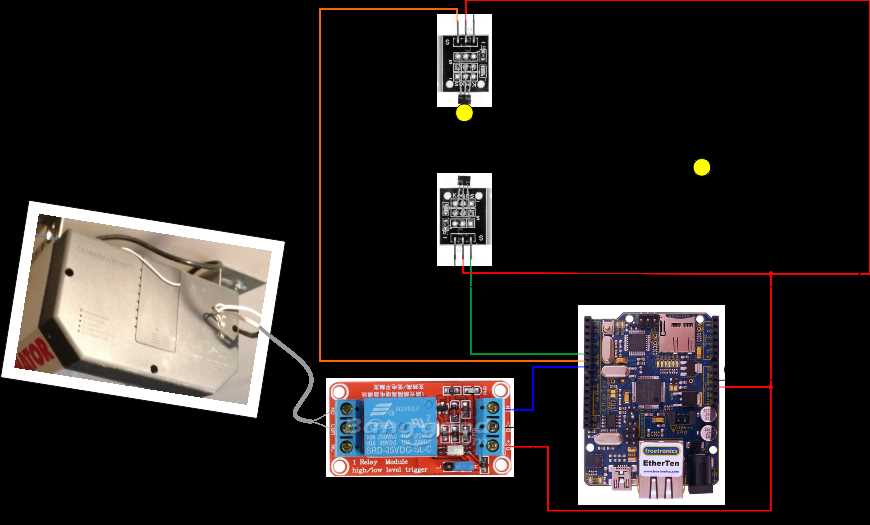
Connect the wall push control and infrared safety sensors to the low-voltage terminal strip on the ceiling-mounted lift motor unit. Use 18–22 AWG conductors and follow the color markings on the control board. The indoor control normally attaches to the red and white terminals, while the photo sensors attach to the white and black terminals.
The motor assembly receives standard residential supply from a grounded ceiling outlet. Internal electronics convert this supply to low voltage used by the control button and optical protection modules placed near the track rails.
Run the indoor push control cable from the wall panel to the terminal block on the ceiling unit. Strip about 6–7 mm of insulation from each conductor and secure them under the terminal screws.
- Red terminal – indoor push control signal line
- White terminal – shared return conductor
- Black terminal – optical protection sensor input
- Ground pin – equipment grounding connection
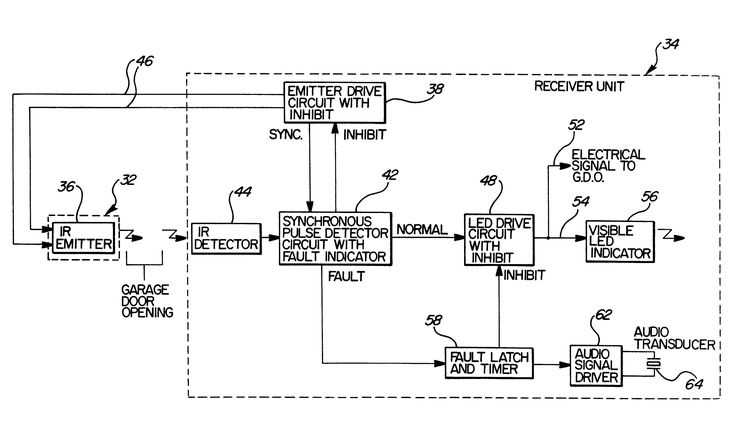
Mount the infrared protection modules on both track sides roughly 15 cm above the floor surface. One unit transmits the beam while the opposite unit receives it. A solid indicator light usually signals proper alignment and intact conductors.
Route the low-voltage lines along wall framing and ceiling joists using insulated clips. Avoid sharp bends and prevent the cable from contacting moving track hardware or the chain drive rail.
- Install the ceiling motor assembly
- Attach the indoor control conductors
- Connect both optical modules to the terminal strip
- Align the infrared units facing each other
- Restore power and test movement using the wall control
If the lift system refuses to close and the light indicators blink, inspect the optical modules first. Misalignment, reversed conductors, or damaged insulation along the low-voltage line commonly triggers the safety lockout that stops downward movement.
Terminal Layout on Chamberlain Garage Door Opener Motor Unit and Wire Color Identification
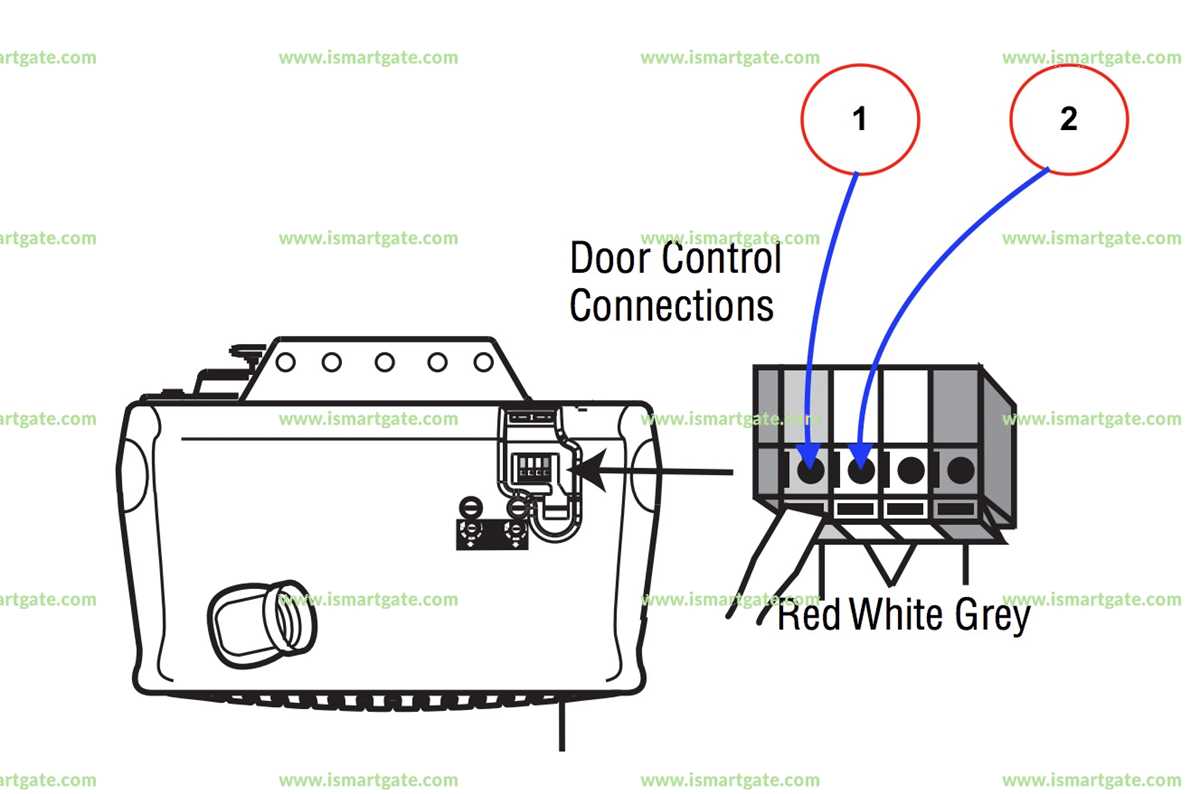
Open the rear panel of the ceiling-mounted lift motor unit and locate the low-voltage terminal strip before attaching any conductors. The strip normally contains four screw terminals arranged in a horizontal row, each marked with a color indicator that matches the insulation of the connected conductors.
Typical installations use 18–22 AWG solid copper conductors. These lines carry low-voltage control signals from the indoor push button and the infrared protection modules mounted along the track rails.
Standard terminal color arrangement
Most units follow a consistent color pattern on the terminal strip:
- Red – indoor wall push control signal conductor
- White – shared return conductor used by control panel and sensors
- Black – infrared receiver module line
- White/Black pair – optical protection system connection
The indoor control panel normally uses a two-conductor cable. One conductor attaches to the red terminal, while the second attaches to the white terminal. Pressing the wall button momentarily closes this low-voltage path and signals the control board to activate the lift motor.
Infrared protection module connections
The optical protection system uses two small units placed on opposite sides of the track assembly near the floor. Each module connects to the terminal strip using paired conductors routed along the wall framing.
Common conductor arrangements include:
- White conductor – shared return line
- Black conductor – signal line from the receiving optical module
- White/black stripe conductor – signal from the transmitting module
If the conductors attach to incorrect terminals, the optical system reports an obstruction and prevents downward movement. The ceiling unit indicator lights often blink repeatedly during this condition.
Inspect conductor insulation and tighten each terminal screw firmly. Loose connections on the terminal strip often interrupt the low-voltage signal path and cause intermittent control response from the wall push button.