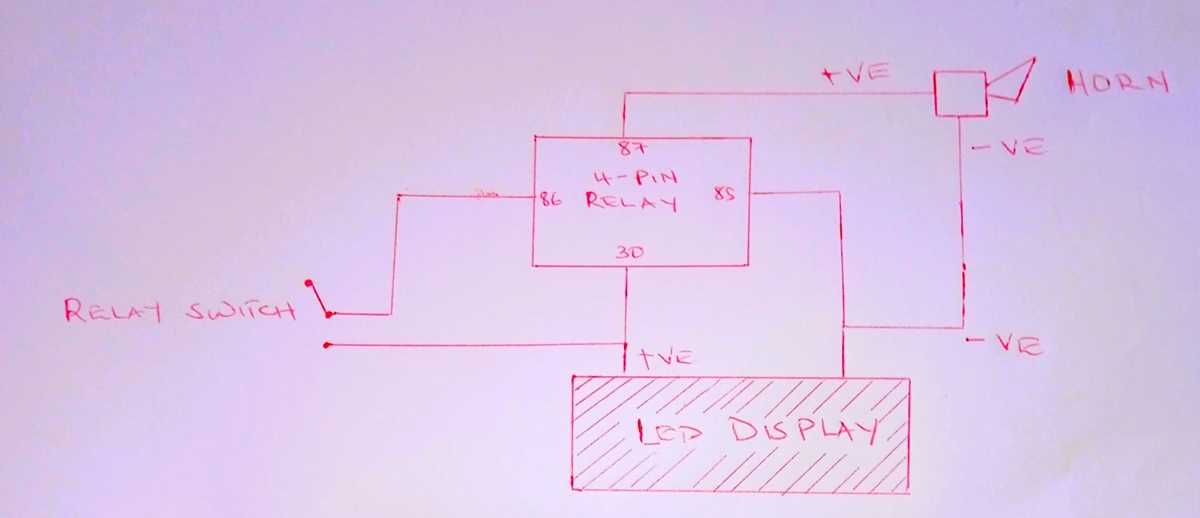
Connect the control coil to a dedicated voltage source. Ensure the input voltage matches the module rating and confirm polarity to prevent damage. Use insulated leads and secure terminals tightly.
Identify each output contact before attaching loads. Typically, two terminals control the switching path while the other two remain idle until activation. Misconnecting outputs can cause motors or lights to operate unexpectedly.
Use color-coded or labeled wires for clarity. Red and black leads generally supply power, while yellow and white carry the activation signal to devices. Proper labeling reduces errors during maintenance or testing.
Test continuity and signal presence with a multimeter before energizing the module. Verify that the coil activates and outputs conduct correctly. Adjust or replace connections showing resistance or inconsistent contact to ensure stable operation.
Step by Step Guide to Connecting a 4 Lead Relay for Electrical Systems
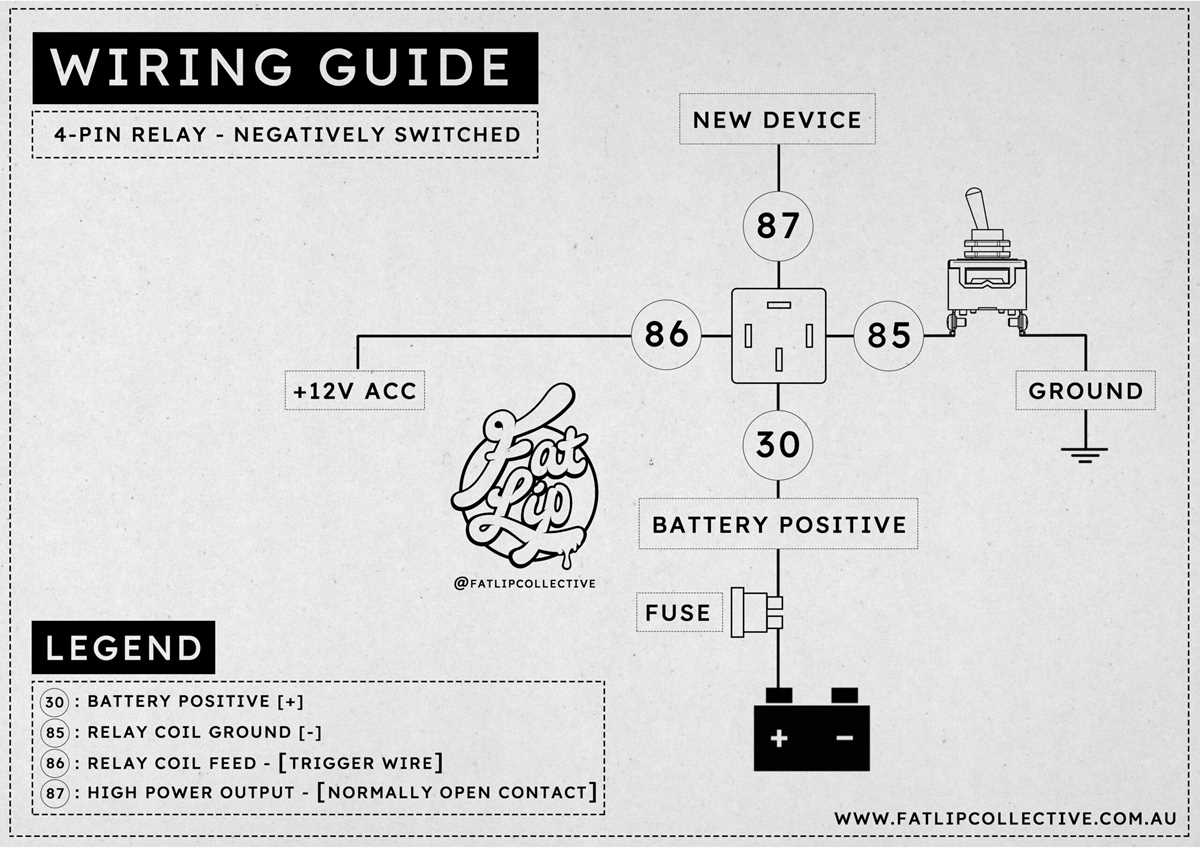
Identify the coil terminals and connect them to a stable voltage source. Verify the voltage rating stamped on the module and ensure the polarity aligns with the power supply. Use insulated connectors to prevent accidental shorts.
Attach the switching outputs to the load devices. Confirm that one output is designated as normally open and the other as normally closed. Incorrect attachment may cause unintended device operation when energized.
Secure all connections with screw or spade terminals. Loose contacts can generate heat and cause intermittent operation. Use a torque screwdriver if recommended by the component specification.
Check continuity with a multimeter before powering the system. Measure resistance across the coil and outputs to confirm proper connectivity. This prevents damage from accidental misconnection during initial activation.
Label each wire to simplify future troubleshooting. Mark power leads and load leads clearly using heat shrink or adhesive tags. This practice reduces confusion when multiple modules are present in the control panel.
Perform a test activation of the module without full load first. Observe the switching action and ensure that the connected devices respond correctly. After verifying correct operation, integrate the module into the complete system and monitor performance under normal load conditions.
Identifying Input and Output Terminals
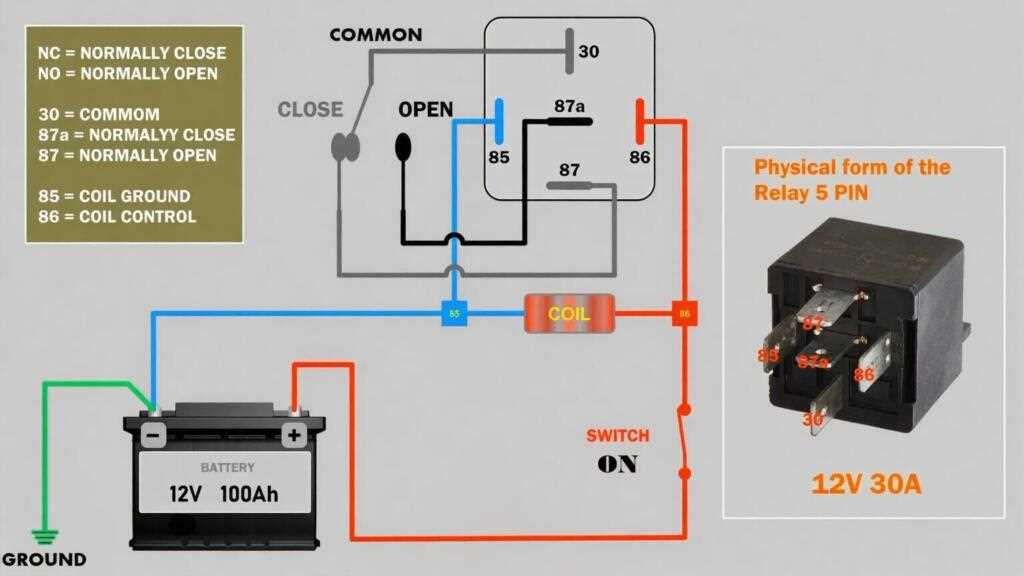
Locate the coil connections and connect them to the designated control voltage. Typically, two terminals are marked for input power; ensure the supply matches the module rating. Reversing polarity on a DC module can prevent activation or damage internal components.
Determine the switching outputs by checking the normally open and normally closed contacts. Use a multimeter to measure continuity while manually activating the coil. This confirms which terminal closes or opens when energized, preventing accidental activation of connected devices.
Mark each terminal clearly to avoid misconnection. Use numbered or color-coded labels for both the input power and the output lines. Proper identification simplifies future maintenance and ensures safety during system modifications.
Test the module under controlled conditions before connecting full loads. Apply the control voltage to the input terminals and verify that the outputs operate as expected. This step identifies incorrect connections early and prevents damage to other electrical components.