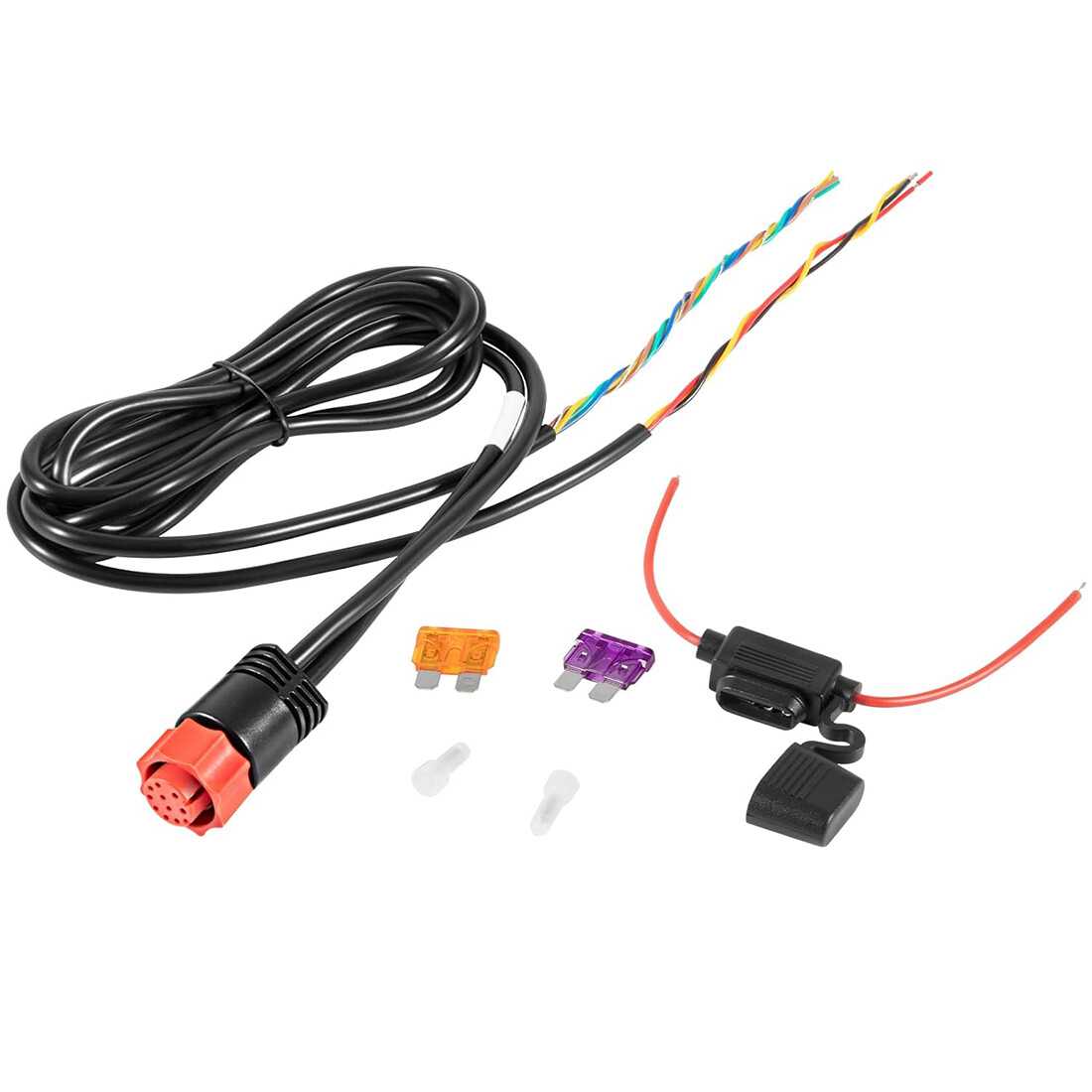
Use a dedicated 12V line with fused protection to connect your sonar and navigation unit directly to the battery. This prevents voltage drops that can cause display flicker or unit resets.
Match the conductor thickness to the unit’s current draw. For devices drawing up to 5 amps, a 16 AWG line is sufficient, while higher draw units may require 14 AWG or thicker to maintain stable operation over longer runs.
Ensure color-coded terminals correspond accurately to positive, negative, and signal connections. Incorrect polarity can damage internal electronics or cause the unit to fail intermittently.
Route lines away from motors, pumps, and ignition systems to minimize electromagnetic interference. Keep signal paths short and use twisted pairs for communication lines when possible.
Install inline fuses within 18 inches of the battery for overcurrent protection. Choose a fuse rating slightly above the unit’s maximum draw to prevent nuisance blowouts while maintaining safety.
Check connections with a multimeter before powering the device. Measure voltage at the unit terminals to confirm full supply voltage under load and ensure there are no loose or corroded contacts.
Secure all terminals and lines with clamps or cable ties to prevent vibration-induced loosening. Proper fastening extends the lifespan of connections in a marine environment and reduces risk of short circuits.
Power Line Setup and Connection Guide for Marine Electronics
Use a dedicated 12V supply with inline fuse protection to prevent voltage fluctuations and protect the unit from overcurrent conditions. Position the fuse within 18 inches of the battery terminal.
Match conductor gauge to device current draw. Devices under 5 amps can use 16 AWG lines, while units exceeding 10 amps require 14 AWG or thicker to maintain voltage stability over longer runs.
Maintain correct polarity at each terminal. Connect red leads to positive and black to negative, ensuring all connectors are secure to prevent intermittent operation or damage to internal components.
Route lines away from high-interference sources such as motors, bilge pumps, and ignition systems. Use cable ties and clamps to secure lines along the hull or console without kinks or sharp bends.
Consider adding a voltage drop check using a multimeter at the unit terminals. Confirm voltage remains above 11.5V under load to avoid unit resets or erratic behavior during operation.
Use marine-grade connectors and terminals to resist corrosion in saltwater environments. Apply dielectric grease at connections to further prevent oxidation and maintain conductivity over time.
Label each line clearly for positive, negative, and auxiliary functions. This simplifies future troubleshooting or expansion of additional devices without risking misconnection or short circuits.
Verify system operation before finalizing installation. Power the unit and check for consistent illumination, stable readings, and proper communication with sensors or accessories to confirm correct connections.
Identifying Correct Terminals and Color Codes for Marine Electronics Units
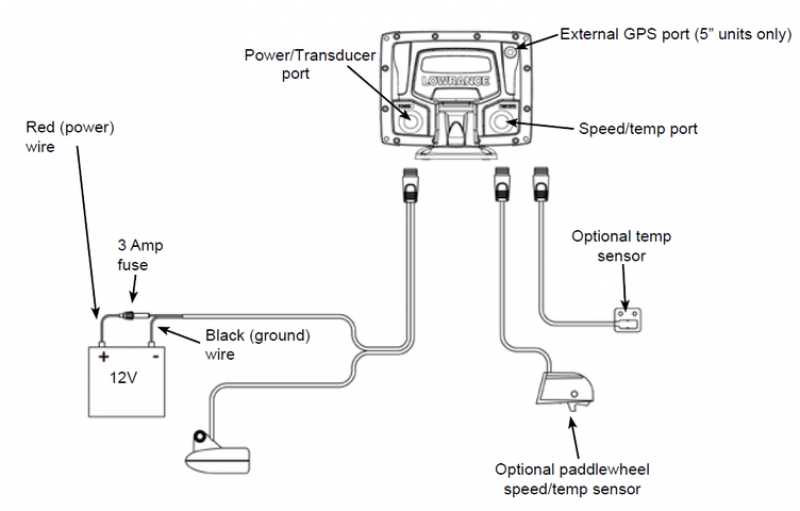
Match each terminal to its designated function by consulting the unit’s installation label. Red connectors indicate positive input, black terminals mark negative return, and yellow lines serve auxiliary functions such as illumination or data signals.
Verify color consistency before making connections. Some units may include brown or blue leads for transducer or accessory feeds. Cross-check with manufacturer specifications to avoid misconnection that could damage internal circuits.
Test continuity using a multimeter to confirm each lead corresponds to its assigned terminal. Checking resistance and polarity ensures that voltage is delivered correctly, preventing intermittent operation or electrical faults during use.