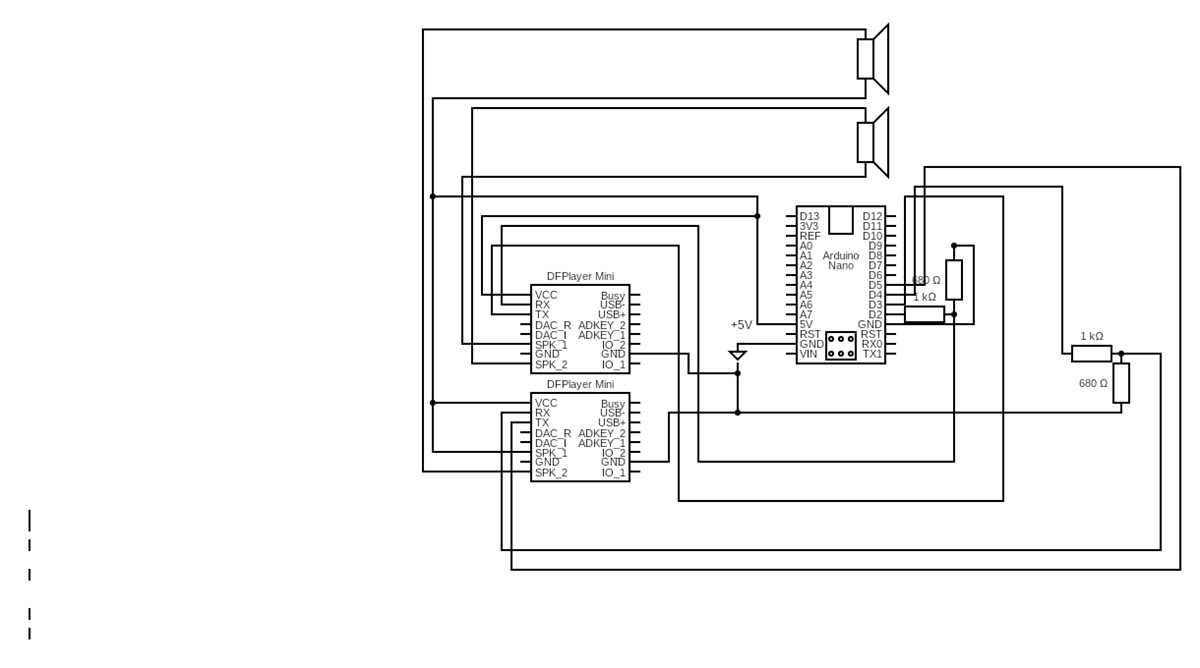
When troubleshooting or building electronic systems, understanding the layout of connections is key. Each component within the system is represented by specific symbols, indicating how it interacts with others. Start by identifying the power source and tracing the connections to various parts. This will help you locate potential points of failure.
Take note of how components are linked–whether in series or parallel–and how power flows between them. Understanding the path of electrical current is critical for diagnosing issues like broken connections or damaged parts. By following these connections, you’ll be able to identify the exact point where a fault might have occurred.
Pay attention to the color-coding of the wires, which can guide you in quickly identifying positive, negative, and signal lines. These visual cues allow you to distinguish between different types of electrical paths, making repairs more efficient. Checking for continuity along these paths can help pinpoint issues such as short circuits or open circuits.
Understanding the Electrical Layout of Devices
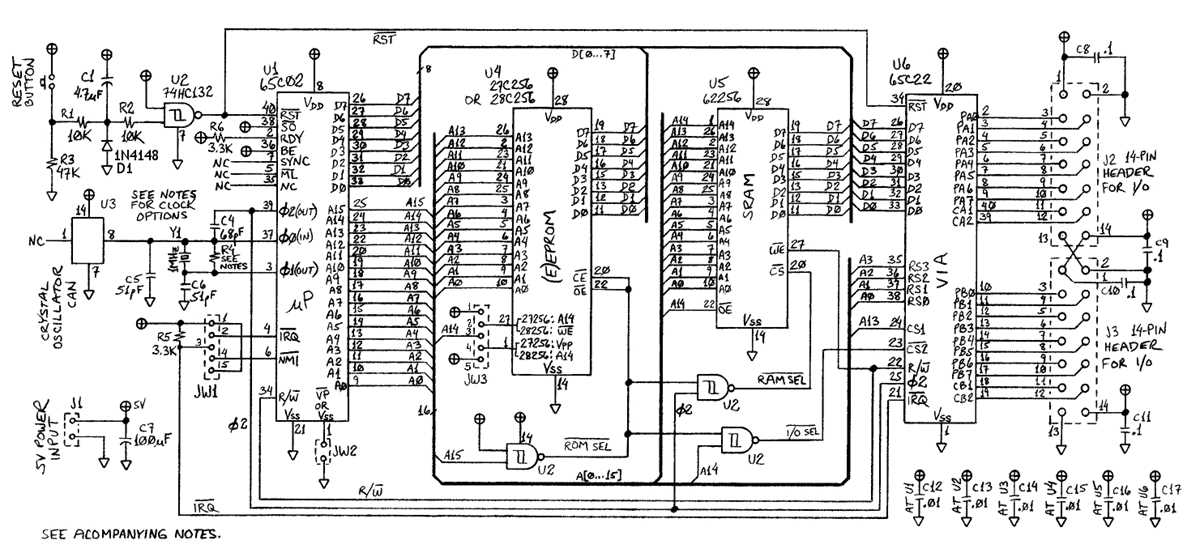
When working with electronic systems, the first step is to identify the primary power source and the path the current follows. This will allow you to determine how energy flows through the entire structure. Start from the battery or main power unit and trace each connection leading to other components like resistors, capacitors, and sensors. This will help pinpoint where energy is being supplied and where interruptions may occur.
Identifying Key Components and Their Functions
Each element within the structure serves a specific role, such as regulation, control, or power management. For example, transistors act as switches or amplifiers, while diodes control the direction of current flow. It’s important to recognize these components by their symbols to understand their function in the system. Pay attention to their placement, as it reveals how each part contributes to the overall design.
Reading the Connection Paths

Examine the lines that connect components. These indicate the electrical paths and often vary in thickness depending on the current they carry. Thicker lines usually represent high-power paths, while thinner ones are used for lower power signals. Understanding these connections is key to diagnosing issues like short circuits or open circuits, where power may be blocked or improperly routed.
Color coding of wires is also significant when inspecting these connections. Red often denotes positive connections, while black or brown indicates ground. Identifying these can help you quickly spot where power enters or exits a component, making troubleshooting much faster. If a wire is broken or disconnected, you can easily track the fault back to its origin.
By following the flow from one part to another, you can isolate problems effectively. If the system isn’t working correctly, focus on the points where the flow is interrupted or inconsistent. Inspecting fuses, relays, and connectors along the way ensures you don’t overlook minor issues that could cause major disruptions.
How to Read and Interpret a Computer Circuit Diagram
Start by identifying the main power source and how it connects to other parts of the system. This usually begins at the power supply unit and flows through various components, such as resistors, capacitors, and diodes. Recognizing this path is crucial for understanding how energy moves throughout the system and pinpointing any potential faults.
Look for the symbols that represent each component. Each part of the system, like transistors, resistors, or capacitors, will have its own unique symbol. These symbols should be easy to spot and are used universally in electronic layouts. Familiarizing yourself with these will make it easier to identify how each component functions within the structure.
- Resistor: A zigzag line
- Capacitor: Two parallel lines with a gap in between
- Transistor: Three connected lines with an arrow
- Diode: A triangle pointing towards a line
Next, pay attention to the lines connecting components. These lines represent the flow of current and indicate how parts are connected. Thick lines often indicate higher power paths, while thinner lines are used for low-power signals. The layout’s structure tells you how each component interacts and whether they work together or function separately.
Lastly, check for any color-coding or labeling of wires. These can help you quickly identify which components are connected to the positive or negative terminals. Following this process step-by-step will allow you to accurately interpret the system and make troubleshooting easier.