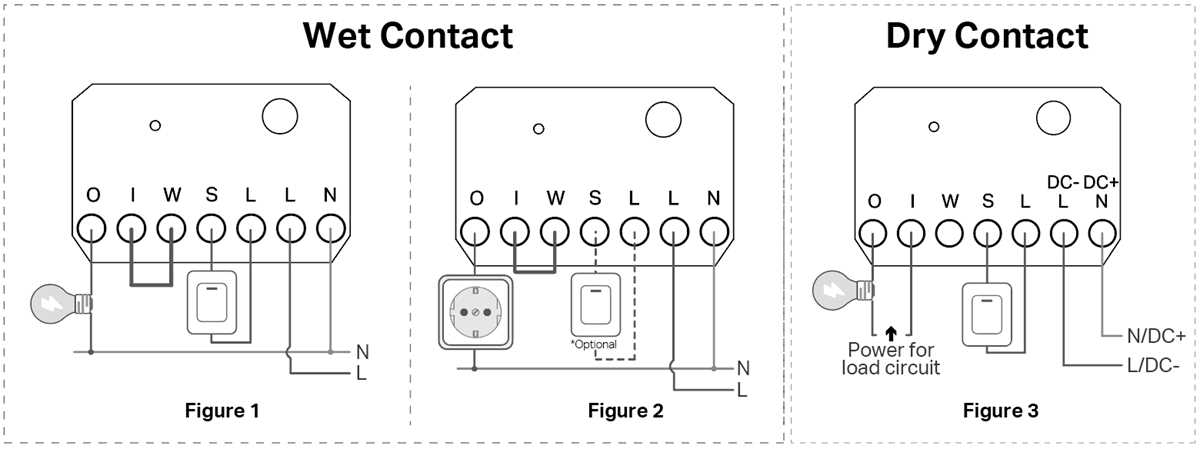
To properly connect a relay for control systems, first identify the terminals on your switch. Typically, the common terminal (COM) connects to the input power, while the other two terminals, normally open (NO) and normally closed (NC), control the connection depending on the switch’s position. When the switch is open, the circuit remains off, and when closed, power flows through it.
For applications requiring switching between two different systems, it’s critical to wire the terminals correctly. The COM terminal links to the first system, and the NO or NC terminals link to the second. Use proper connectors to avoid issues like loose connections or electrical faults that could lead to system failures. Ensure you have a steady supply of current flowing through the circuit to prevent any interruption of service.
When troubleshooting, check for any signs of faulty connections. If the switch is unresponsive, start by testing the power source and ensure that your connections to the common, NO, and NC terminals are secure. It’s also a good idea to test the relay for continuity and make sure it is functioning correctly. Replace any defective parts to restore full functionality.
Dry Contact Setup and Applications
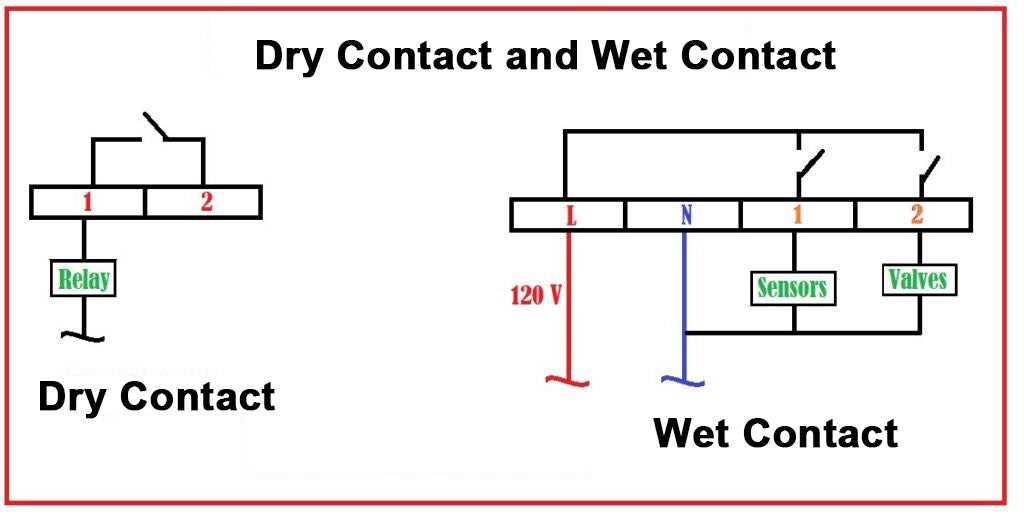
To properly set up a relay for switching control systems, begin by identifying the terminals: common (COM), normally open (NO), and normally closed (NC). Connect the common terminal to the primary circuit’s power source. The NO terminal is used to complete the circuit when the switch is activated, while the NC terminal allows the circuit to remain active until the switch is triggered. This configuration is ideal for applications requiring simple on/off control, such as security systems or automation systems.
Ensure all connections are secure and well-insulated to prevent accidental short circuits. Use a multi-meter to test for continuity across the terminals before finalizing the setup. Proper grounding is also critical for ensuring system stability and preventing electrical hazards. For systems that require integration with sensors or remote control, incorporate additional components such as controllers or monitoring systems that can interface with the relay for automated switching.
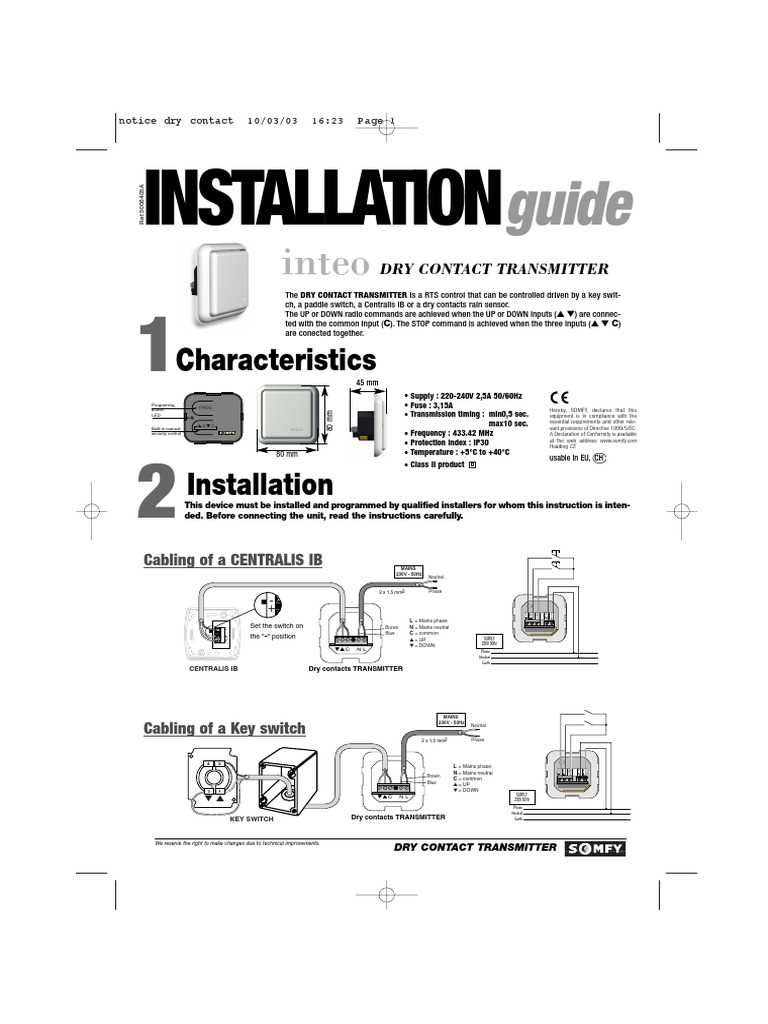
This type of switching setup is widely used in building automation, HVAC systems, and alarm systems, where controlling a circuit remotely or automatically is required. They are also commonly found in industrial machinery, where precise control of power or signal circuits is necessary. By setting up the correct terminals and ensuring proper system integration, you can create a reliable and easily maintainable system for various applications. Always check system functionality after setup to verify proper operation and avoid unexpected failures.
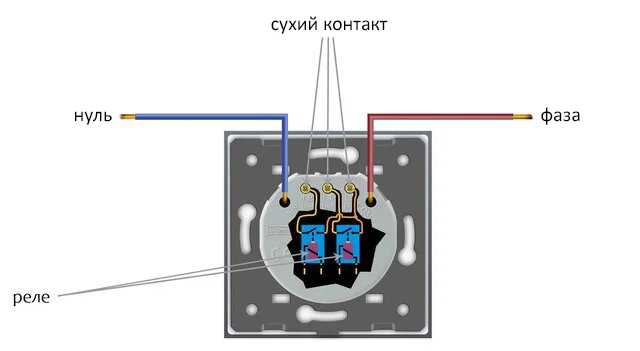
How to Wire a Dry Contact Switch for Basic Connections
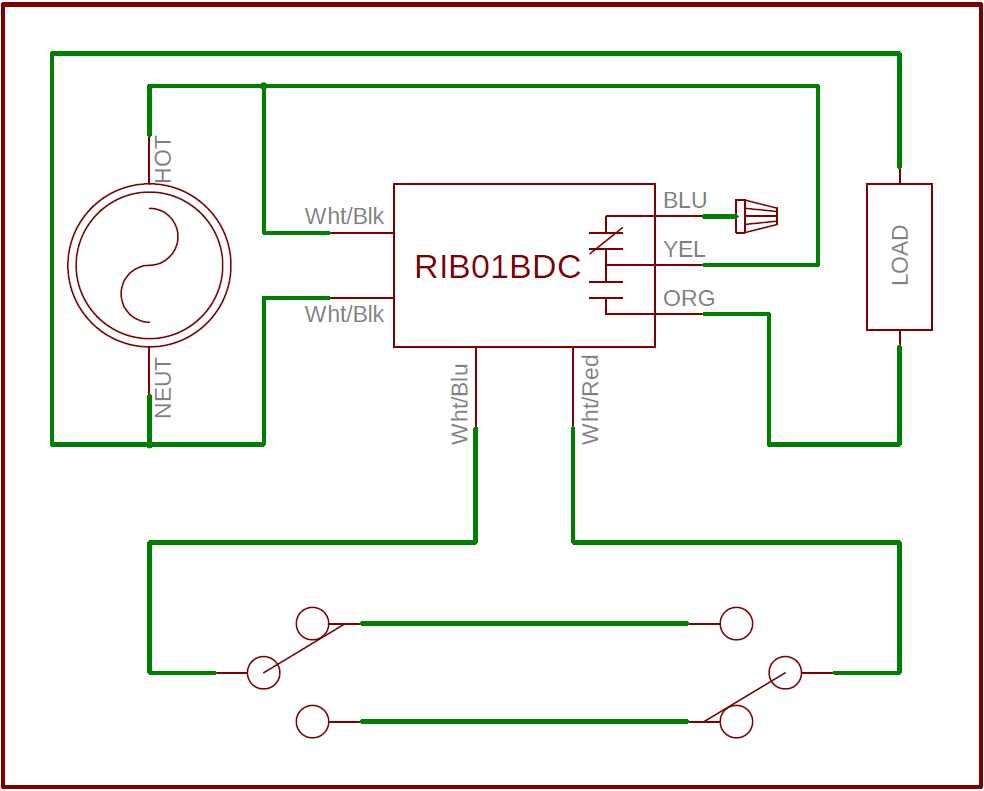
Start by identifying the key terminals on the switch: the common terminal (COM), normally open (NO), and normally closed (NC). The COM terminal connects to the source of power, while the NO terminal is used for the path that will be completed when the switch is activated. The NC terminal is for maintaining continuity until the switch is triggered. These basic connections form the foundation for controlling simple on/off mechanisms.
For a simple on/off circuit, connect the source of power (typically from a control panel or power supply) to the COM terminal. Then, connect the NO terminal to the device you want to control, such as a relay or another piece of electrical equipment. When the switch closes, the circuit will complete, allowing current to flow and activating the connected equipment.
If you’re using the NC terminal, connect it to the device that needs to remain powered unless the switch is engaged. This setup ensures that the device operates normally until the switch changes state, causing the device to stop working or activate another process. This is useful in alarm systems and other applications where a fail-safe or default state is needed.
Once all connections are made, test the setup using a multimeter to ensure that continuity is established correctly when the switch is activated. Double-check that all wiring is insulated and that no wires are exposed to prevent shorts or electrical hazards. Always secure your wiring using cable clips or ties to prevent wear and tear on the connections over time.
This type of setup is commonly used in security systems, home automation, and industrial machinery. It allows for remote or manual control of electrical circuits with minimal complexity, making it an ideal solution for a variety of simple switching applications. Ensure that your system is tested thoroughly before finalizing installation to avoid malfunctions later on.