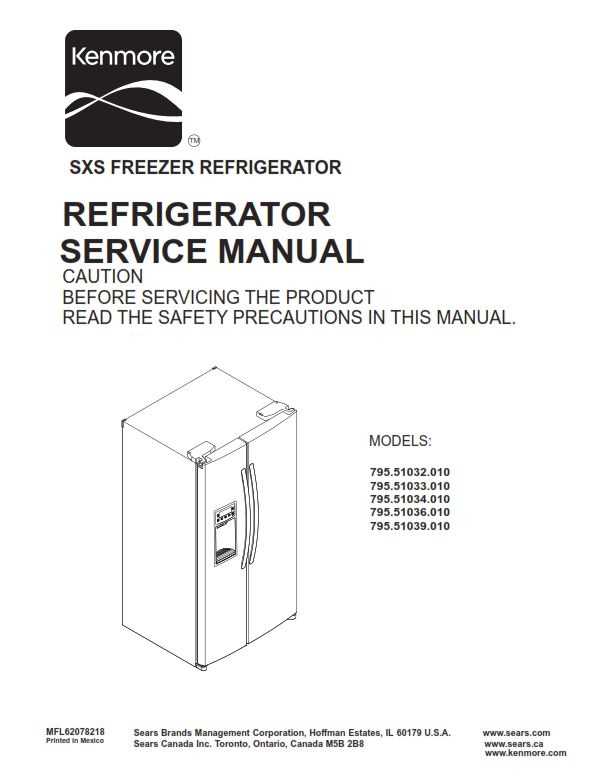
If your appliance isn’t cooling properly, it’s time to inspect the components. Start by checking the door seal; if it’s cracked or loose, cold air escapes, causing the appliance to work harder. Replacing a faulty door seal can often resolve cooling issues quickly. Look for a model-specific replacement to ensure a snug fit and proper insulation.
Another common issue is a malfunctioning thermostat. A faulty thermostat prevents the unit from maintaining the correct temperature, leading to inconsistent cooling. If your appliance is too warm or freezing excessively, consider replacing the thermostat. Ensure the new thermostat matches the specifications of your model.
The evaporator fan is also crucial for proper airflow. Over time, it can accumulate dirt or wear out, resulting in poor cooling performance. Clean the fan blades regularly, and replace the fan if it’s making unusual noises or no longer spinning. A working fan circulates cold air throughout the unit, preventing hot spots and ensuring even cooling.
Detailed Breakdown of Key Components for Your Unit
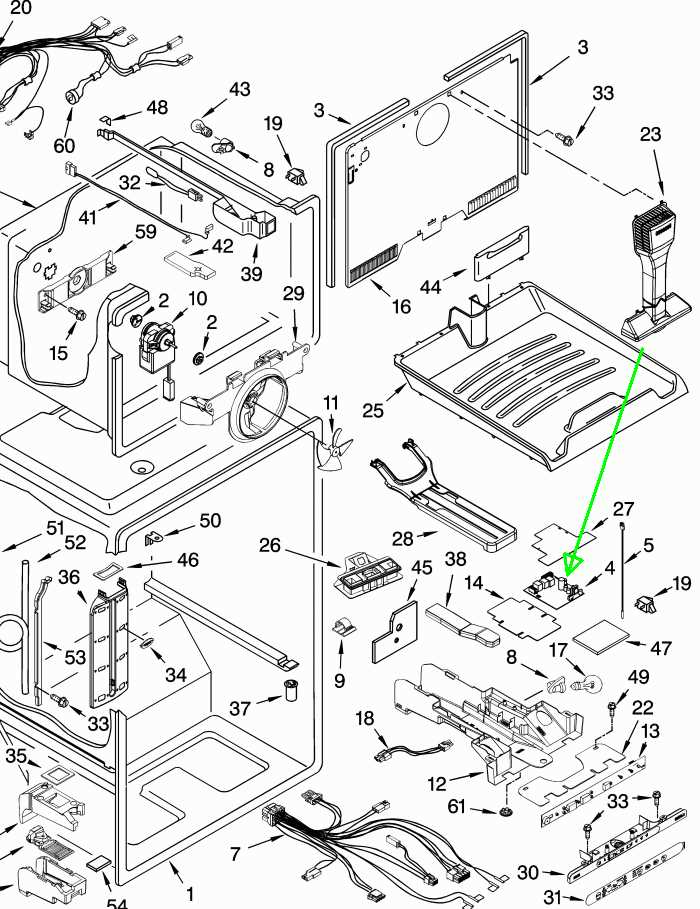
For effective repair and maintenance, familiarize yourself with the specific parts that keep the appliance running smoothly. Here’s a breakdown of the primary components and their roles:
- Door Seal: Inspect for tears or signs of wear. If damaged, cold air escapes, and the appliance loses efficiency. Replace the seal to ensure the cold air stays inside and the unit operates efficiently.
- Thermostat: A faulty thermostat will prevent the unit from maintaining the correct temperature. If it fails to cycle on or off, or if temperatures are inconsistent, it should be replaced with an exact match for your model.
- Evaporator Fan Motor: This fan is responsible for circulating cold air. If it becomes clogged with dirt or stops spinning, the air circulation will suffer, leading to uneven cooling. Check for damage or obstruction and replace if necessary.
- Condenser Coils: These coils release heat from the system. If they become dirty or clogged, they can cause the appliance to overheat. Clean them regularly, and if they show signs of rust or other damage, replace them to ensure efficient operation.
- Defrost Heater: Frost buildup can block airflow and hinder cooling. A malfunctioning defrost heater will cause excessive frost accumulation. If your unit has frequent frost buildup, replace the defrost heater to restore proper functioning.
Each of these components plays a vital role in ensuring your appliance stays in top condition. Consult your model’s manual for part numbers and instructions specific to your unit when performing any replacements.
How to Identify and Replace the Door Seal
To check the door seal, close the door on a piece of paper or a dollar bill. Try to pull it out; if it slides easily, the seal is not tight enough. Inspect the gasket for any visible cracks, tears, or signs of wear. If you find any damage, it’s time to replace the seal.
To replace the seal, first remove the old one by pulling it out from the grooves around the door frame. Clean the area to remove any dirt or debris before installing the new seal. Align the new gasket with the frame, making sure it fits snugly in place. Press it into the grooves, ensuring the entire perimeter is securely attached.
Once installed, close the door and test the seal again by using the same paper or bill test. If the paper can’t be pulled out easily from all sides, the door is properly sealed. If there’s still movement, adjust the gasket or check for any misalignments to ensure maximum insulation.
Step-by-Step Guide to Replacing the Thermostat
Start by unplugging the unit to ensure safety during the replacement process. Locate the thermostat, which is typically found inside the compartment, near the temperature control dial. Use a screwdriver to remove the panel or cover that conceals it.
Once exposed, disconnect the wires connected to the thermostat. Take note of their placement, or use a photo for reference, as this will be important when reconnecting the new thermostat. Carefully remove the old thermostat from its mounting bracket or screws.
Install the new thermostat by securing it in place with the screws or clips. Reconnect the wires exactly as they were connected to the old part. Ensure each wire is firmly attached and not loose.
After installation, replace the cover and plug the unit back in. Test the new thermostat by adjusting the temperature setting and ensuring the appliance cycles properly. If it doesn’t turn on or reach the correct temperature, check the wiring connections or consider replacing the thermostat again if it’s faulty.
How to Maintain and Replace the Evaporator Fan
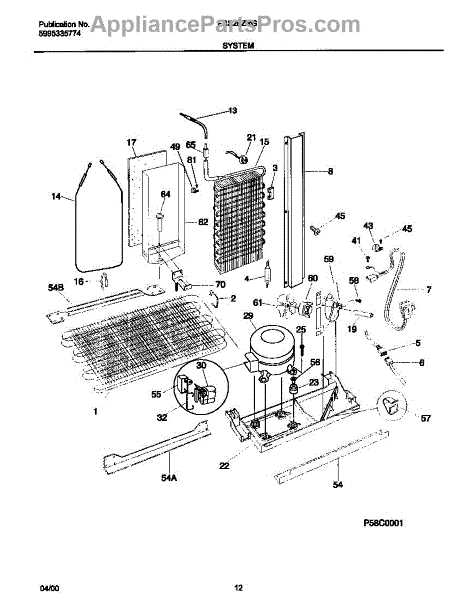
Start by unplugging the unit to ensure safety before working on the fan. Open the compartment where the fan is located, which is typically behind the back panel of the unit. Use a screwdriver to remove the screws securing the panel and expose the fan assembly.
Inspect the fan blades for any visible damage or debris that could obstruct airflow. Clean the blades with a soft brush or cloth to remove dirt or frost buildup. If the fan is making unusual noises or not spinning properly, it may need to be replaced.
To replace the fan, disconnect the wiring that powers it, taking note of the connections for easy reattachment. Remove the screws or clips holding the fan motor in place, then carefully lift the fan out of its mounting. Insert the new fan motor into the same position, securing it with screws or clips.
Reconnect the wiring, ensuring each connection is secure. Once the new fan is in place, replace the panel, screw it back into position, and plug the unit back in. Test the new fan by turning on the appliance and checking if the fan operates smoothly and circulates air properly throughout the unit.