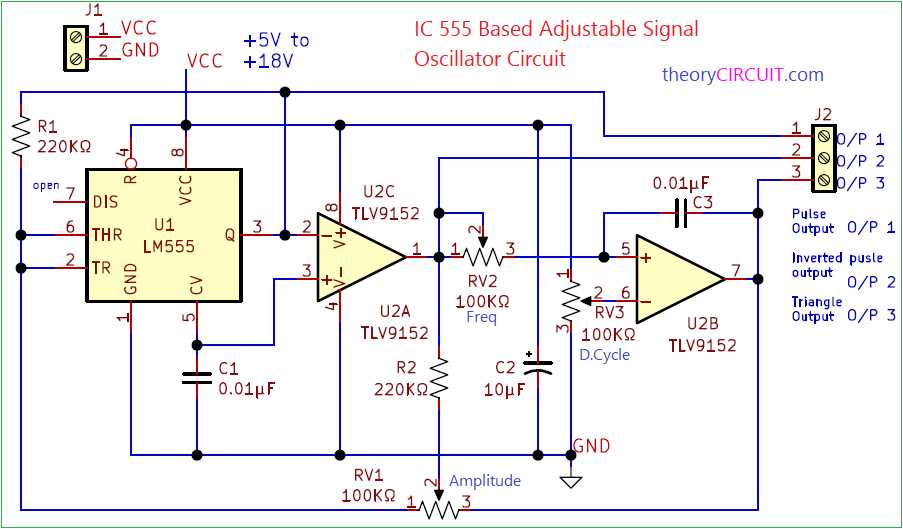
Use a regulated 5V to 15V supply to ensure consistent pulse generation and prevent component stress. Connect the positive rail directly to the upper voltage pin and ground to the lower pin to maintain voltage stability.
Set resistor and capacitor values carefully to define the frequency range precisely. For a 1 kHz output, use a 10kΩ resistor with a 0.01 µF capacitor, adjusting ratios proportionally for higher or lower frequencies.
Verify output connections before loading to avoid short circuits. Attach LEDs or measurement devices using series resistors to limit current and protect the integrated module.
Incorporate decoupling capacitors near the power pins to reduce noise and maintain clean pulse shapes. A 0.1 µF ceramic capacitor between power and ground is recommended for most configurations.
555 Timer Oscillator Circuit Construction and Component Guide
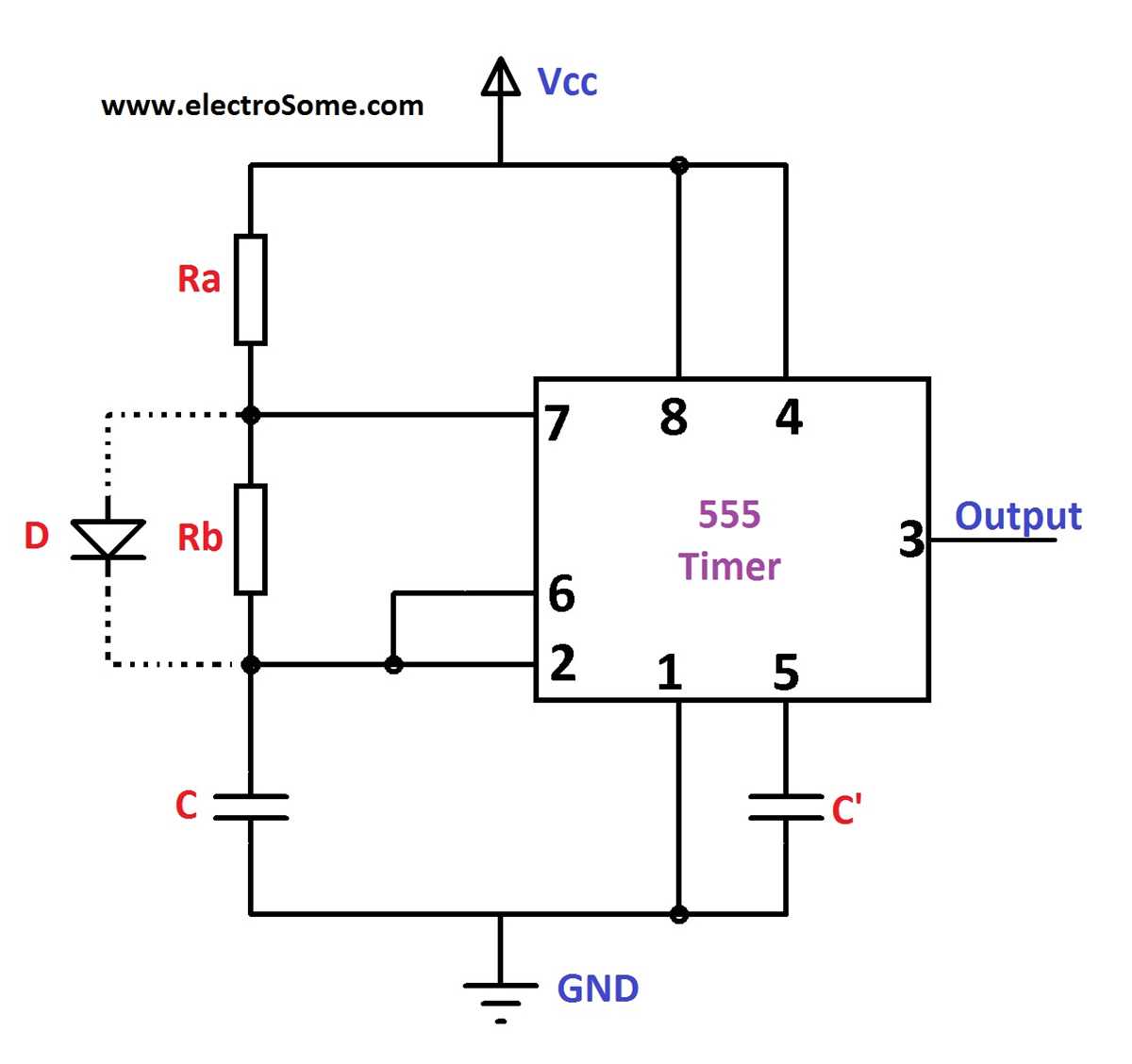
Choose a stable DC supply between 5V and 15V to maintain consistent pulse generation. Connect the positive rail to the control pin and the negative to ground to prevent voltage fluctuations that distort output waveforms.
Select resistors with precise tolerance for timing accuracy. Use 1% metal film resistors for critical frequency-setting positions, as variations in resistance directly affect pulse width and duty cycle.
Capacitors define the oscillation period. Use low-leakage ceramic or electrolytic capacitors in the timing network. For a 1 kHz output, combine a 10kΩ resistor with a 0.01 µF capacitor, adjusting ratios proportionally for different frequencies.
Integrate a decoupling capacitor of 0.1 µF across power rails to reduce high-frequency noise. Place it as close as possible to the IC pins to stabilize internal voltage references and prevent jitter.
Ensure secure connections using soldered joints or a reliable breadboard. Loose contacts in the charging and discharging paths of the timing element can result in inconsistent pulse generation and irregular duty cycles.
Output protection is crucial. Insert a current-limiting resistor when connecting LEDs or other low-impedance loads. This prevents excessive current draw and extends component lifespan.
Test frequency and duty cycle using a multimeter with frequency measurement or an oscilloscope. Adjust resistor or capacitor values gradually to achieve the desired pulse width and waveform stability before finalizing the assembly.
Setting Up Power Supply and Pin Configuration for Stable Oscillation
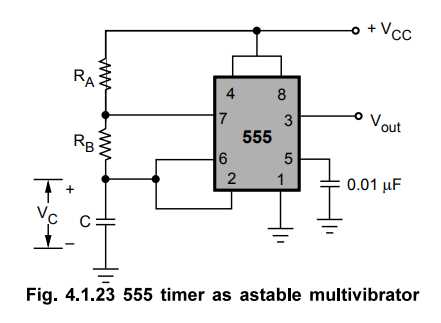
Use a regulated DC source between 5V and 15V to maintain consistent pulse output. Connect the positive terminal directly to the control pin and the negative terminal to ground to avoid voltage dips that could distort timing.
Place a 0.1 µF ceramic capacitor close to the supply pins to filter high-frequency noise. This stabilizes the internal voltage reference and minimizes unwanted jitter in the output pulses.
Configuring Trigger and Threshold Pins
Connect the trigger pin to a voltage divider if external pulse shaping is needed. Ensure that the threshold pin is linked to the timing network without loose connections, as small variations can cause significant changes in frequency and duty cycle.
Control voltage pin adjustment allows fine-tuning of the output waveform. Use a small potentiometer or a fixed resistor-capacitor network to slightly shift the reference voltage, providing accurate pulse width control.
Output and Reset Pin Handling
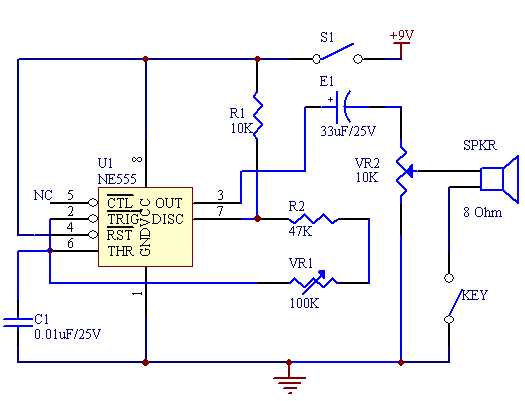
Direct the output through a current-limiting resistor when driving LEDs or low-impedance loads. Tie the reset pin to the positive rail if continuous operation is required, preventing accidental interruptions and maintaining stable oscillation under varying conditions.