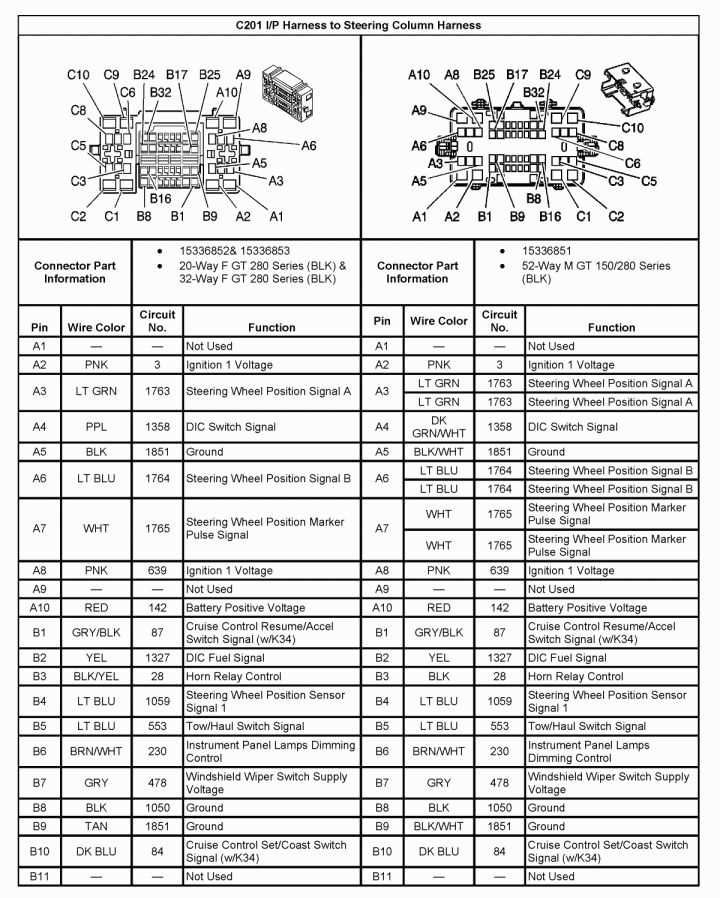
Start by identifying the color-coded leads behind the dashboard unit to match power, ground, and speaker connections. Accurate recognition of each conductor prevents short circuits and signal loss. Use a multimeter to verify voltage on red and yellow cables before any attachment.
Mark each terminal according to its function to simplify the assembly of aftermarket or replacement entertainment components. Pay special attention to the antenna input and amplifier triggers, as incorrect connections can distort sound output or disable the system entirely.
Secure all plugs and connectors with insulated crimp terminals to maintain stable contact under vibrations common in trucks. Avoid splicing wires without proper connectors, since loose joints can create intermittent audio interruptions or blow fuses.
Test each speaker channel individually after completing the hookups to confirm proper polarity and signal routing. Adjust balance and fade only after ensuring the electrical path is fully established, preventing potential damage to internal circuits.
Audio System Pin Layouts and Connection Details
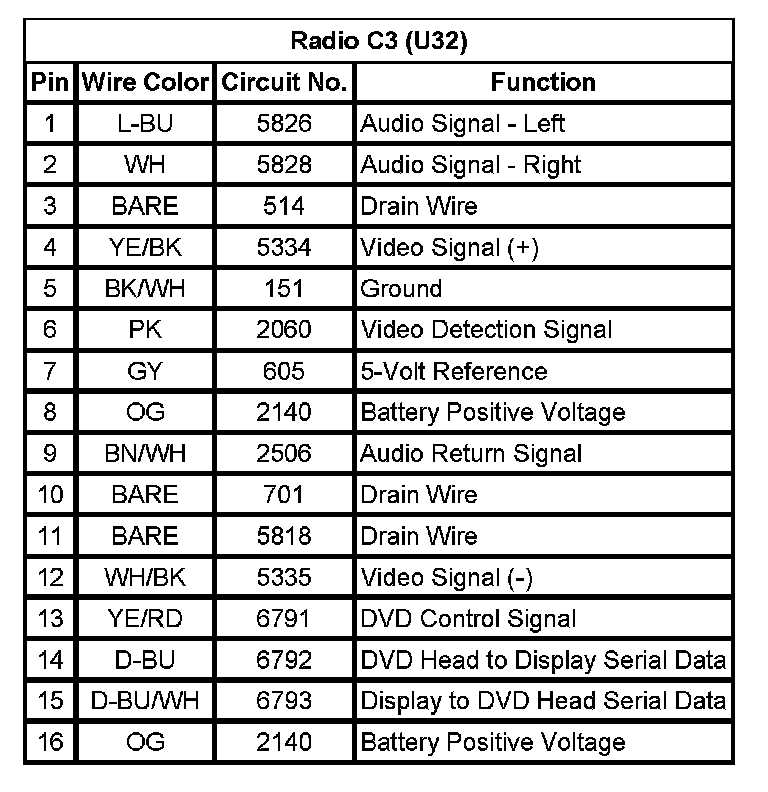
Verify each terminal using a voltage tester before linking any connector. The dashboard control unit has clearly labeled pins for power, ground, and speaker outputs. Red leads carry constant 12V, yellow pins handle switched ignition power, and black terminals are designated for chassis grounding. Correct identification prevents blown fuses and signal interference.
Follow this sequence when connecting channels:
- Front left speaker – green pair
- Front right speaker – purple pair
- Rear left speaker – white pair
- Rear right speaker – gray pair
- Antenna input – coaxial connector at the top rear slot
- Amplifier trigger – blue/white stripe
After completing connections, secure all terminals with insulated crimps and route the harness away from moving parts. Conduct a channel-by-channel test using a low-volume signal to detect miswires or reversed polarity before final assembly of the dashboard panel. Proper routing minimizes hum and preserves signal integrity.
Locating and Identifying Audio Leads in the Truck Dashboard
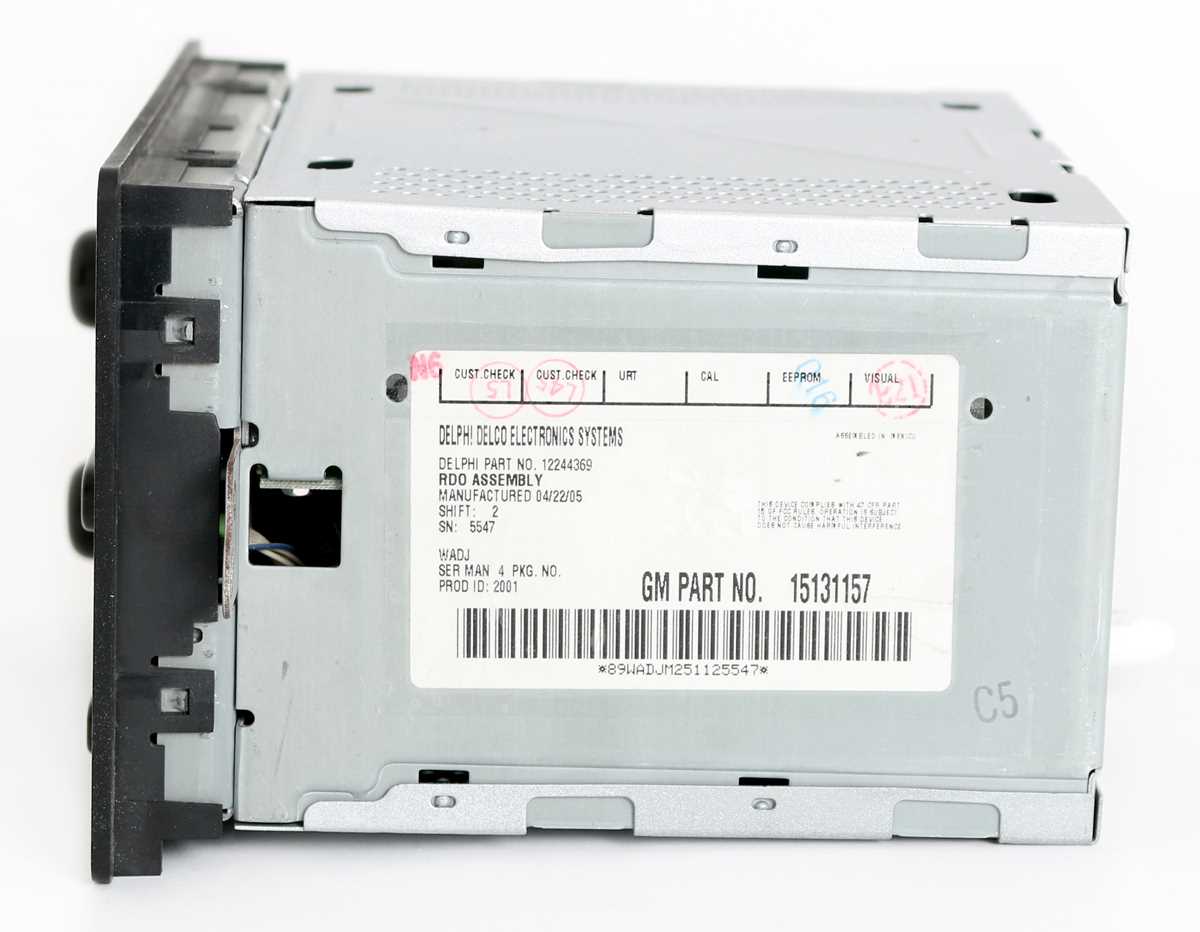
Begin by removing the center console panel to expose the factory entertainment harness. Each conductor is grouped by function, with color codes indicating speaker channels, power, ground, and auxiliary connections.
Use a multimeter to trace voltage on the red and yellow lines. The constant 12V feed supplies memory functions, while the switched lead powers the unit only when the ignition is on. Black cables connect directly to the chassis for grounding.
Front speaker outputs are usually bundled in a green and purple pair, while rear channels appear as white and gray sets. Confirm continuity from the harness to each speaker location before connecting aftermarket equipment.
Label every terminal with masking tape or heat-shrink tags to avoid confusion during reassembly. Include notes for antenna inputs, amplifier triggers, and any auxiliary ports to simplify reconnection and reduce troubleshooting time.
Route the harness away from moving components like the steering column and HVAC flaps. This prevents abrasion, accidental shorts, and signal degradation caused by vibration over time.
Check for inline fuses along power lines before attaching new modules. These protect the circuitry and prevent damage to both the entertainment unit and vehicle electrical systems if a short occurs.
Test each lead individually using a low-voltage signal or the unit’s built-in diagnostics. Verify that left and right channels are properly polarized, and that front and rear signals reach the intended speakers without interference.
After confirming all connections, secure the harness with cable ties and reinstall the console panel. Regular inspection of connectors and insulation will maintain signal quality and prevent intermittent faults over prolonged use.