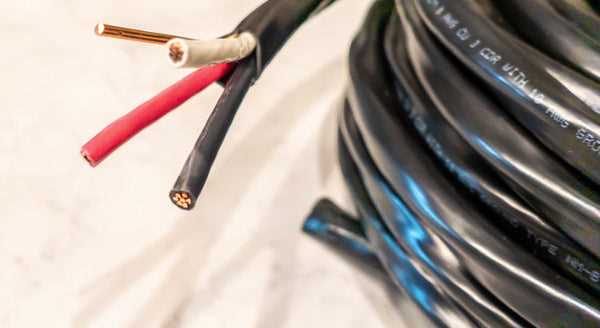
Ensure each conductor is matched to its correct terminal before assembling the connector. Hot leads must be firmly seated, and the ground line should make uninterrupted contact to prevent electrical faults.
Check the insulation on all strands for cuts or frays. Damaged insulation can cause short circuits or equipment failure, so replace any compromised section before final installation.
Tighten all fastening screws to manufacturer torque specifications. Loose contacts generate heat and can lead to sparking, so using a calibrated screwdriver ensures a reliable connection.
After assembly, conduct a continuity test across all paths. Verifying current flow confirms that each conductor is properly linked and that the protective line is correctly routed, reducing risk during operation.
Label each lead clearly and secure strain relief clamps. Preventing accidental disconnections preserves the integrity of the connection and extends the service life of the device under heavy loads.
Connecting a Three-Conductor High-Power Device Safely
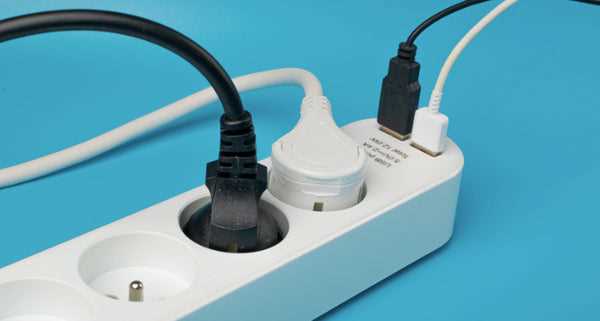
Begin by identifying each strand by function. Live leads should be routed to their designated terminals without crossing paths, while the neutral conductor is secured to prevent accidental contact.
Strip insulation precisely to expose enough metal for solid contact, avoiding excessive length that can touch other terminals or the housing.
Use a screwdriver to tighten terminals to the exact torque rating. Loose screws can generate heat and increase resistance, which may damage the equipment.
Inspect the shielding or casing for cracks or defects. Compromised insulation can lead to short circuits or electric shock during operation.
After attaching all leads, perform a continuity check. Confirming uninterrupted paths ensures the protective line is properly linked and reduces the risk of electrical faults.
Organizing Conductors Inside the Connector
Route each strand neatly to prevent bending or pinching when closing the cover. Strain relief clamps should hold the sheath firmly without crushing the internal cores.
Label each terminal clearly to identify hot, neutral, and protective paths for future maintenance. Proper marking avoids confusion during replacement or troubleshooting.
Complete the assembly by closing the housing and verifying no metal is exposed. Final inspection ensures safe operation under high-current conditions and prolongs the life of the device.
Identifying Conductor Colors and Functions for High-Power Connector
Assign each strand based on standard color coding to prevent misconnection. Red and black cores typically carry the active current, while green or bare strands serve as protective ground.
Verify each conductor using a multimeter before assembly. Measuring continuity ensures that the protective path is intact and that the live paths are not crossed.
Keep an updated reference chart for color assignments:
- Red: Line A, carries current to the device
- Black: Line B, second active line
- Green: Ground, connects to chassis or earth
Check insulation markings for clarity. Faded or missing codes should be corrected with tape or labels to avoid mistakes during connection.
When separating strands, avoid nicking or breaking internal strands. Damaged conductors reduce current capacity and may overheat under load.
- Strip ends to proper length, typically 10–12 mm for terminal insertion.
- Twist exposed cores tightly to prevent fraying.
- Insert fully into corresponding terminals and tighten firmly.
Double-check the protective path before energizing the device. Proper grounding prevents shock hazards and equipment damage.
Keep colors consistent across multiple connectors in the workspace. Uniform coding simplifies maintenance and reduces the chance of misconnection in complex setups.