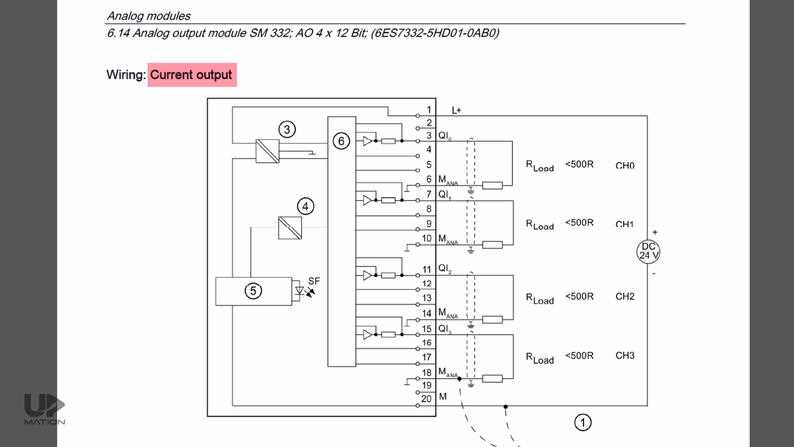
Always disconnect the main power supply before handling any terminal blocks or relay modules to prevent electric shock or damage to components.
Identify input and output points clearly using the color-coded labeling system provided on the device. Typically, digital sensors connect to positive and negative terminals, while actuators use the load and common connections.
Use a multimeter to verify voltage levels at each port before attaching any external modules. For 24V DC systems, ensure polarity matches the specifications to avoid short circuits.
Follow the sequence for connecting field devices: first connect all sensors, then actuators, and finally the communication modules. This prevents signal interference and ensures stable operation.
Keep wiring organized by using cable ducts and terminal markers. This reduces troubleshooting time and avoids accidental disconnections during maintenance.
After all connections are made, perform continuity tests across all critical paths. Ensure no loose screws or exposed conductors remain, as these can create faults or trigger emergency stops.
Power up the system in stages, starting with the main supply, then module power, and finally the actuators. Monitor the startup sequence to detect any irregularities immediately.
PLC Control Panel Terminal Connections and Layout Guide
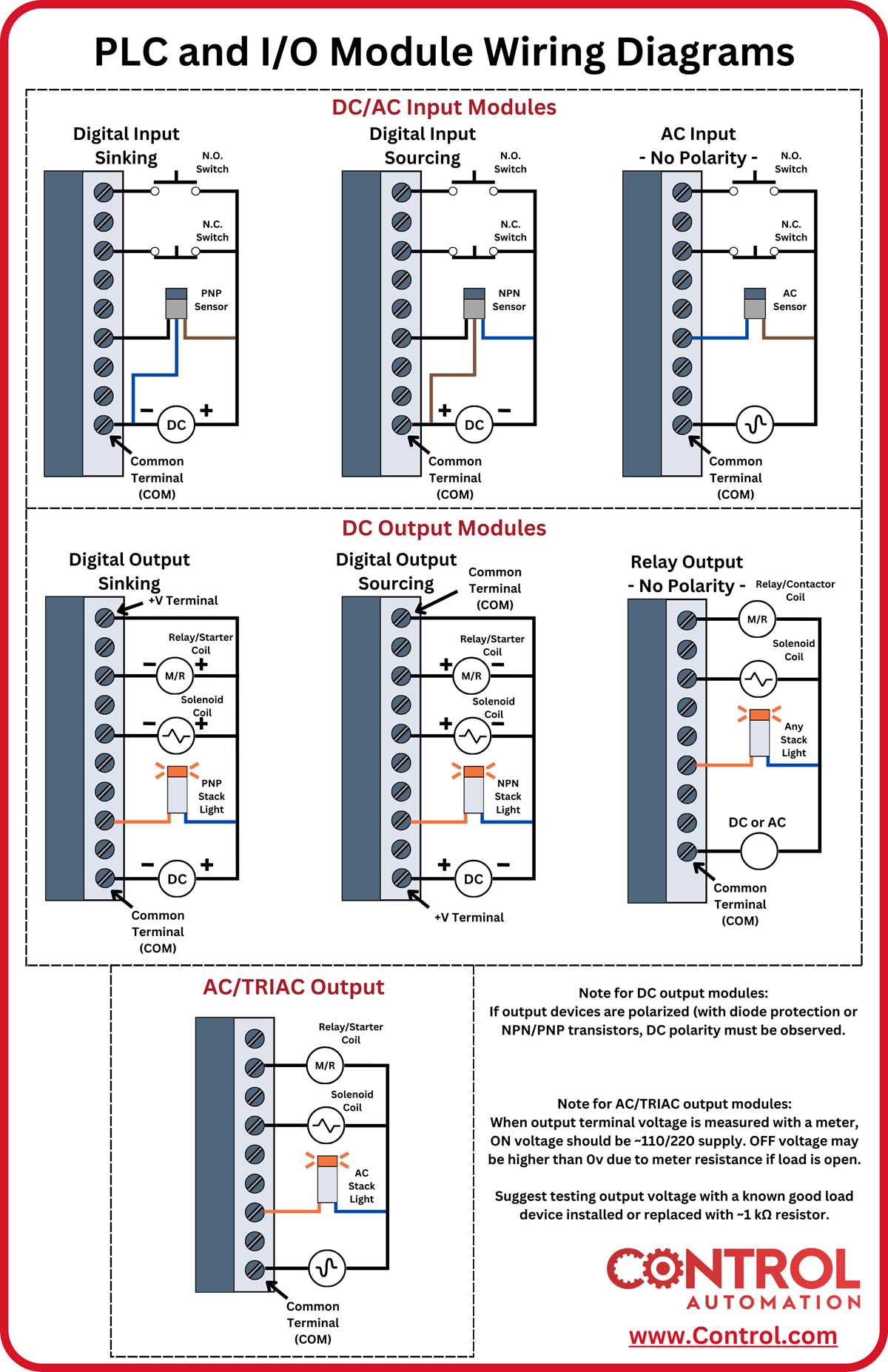
Always label each terminal block before connecting sensors or actuators to avoid confusion during maintenance. Use numeric or alphanumeric codes consistent with the panel schematic.
Group terminals by function: digital inputs, digital outputs, analog inputs, and analog outputs. Keep field device connections on one side and communication lines on the opposite side to reduce interference.
Follow this practical layout sequence:
- Top row: power supply and protective devices
- Middle row: digital sensors and pushbuttons
- Bottom row: output relays and actuators
Check torque specifications on each screw terminal to ensure proper contact. Over-tightening can strip terminals, while under-tightening may cause intermittent faults.
Conduct a final continuity and voltage test after all connections are made. Verify that inputs read correctly and outputs respond as expected before closing the panel door and energizing the system.
Understanding PLC Input and Output Terminals
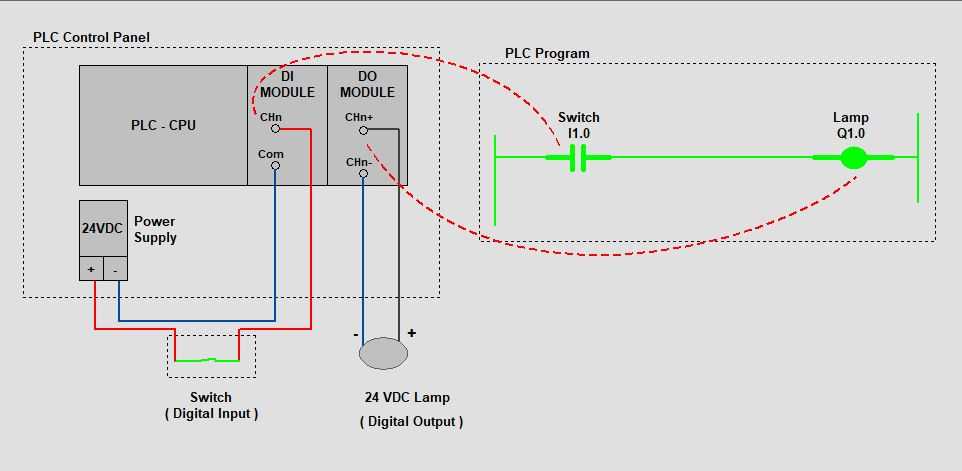
Identify each input terminal according to the type of sensor it will receive. Digital sensors such as pushbuttons or limit switches should be connected to designated discrete input points, while analog sensors like temperature or pressure transmitters require analog input slots.
Separate voltage levels carefully to prevent damage. Ensure that low-voltage signal devices are not mixed with higher-voltage inputs, and always follow the manufacturer’s voltage ratings for each terminal.
Outputs should be matched to the load type. Relay outputs can handle larger current devices, while transistor outputs are suited for fast-switching low-current loads. Verify the current and voltage ratings before making connections.
Use clear labeling and color-coded wires for each terminal to reduce troubleshooting errors. For example, blue for neutral, brown for positive, and green/yellow for protective earth connections simplifies maintenance and inspections.
Check for correct polarity on analog terminals. Reversing polarity on voltage or current input points can cause inaccurate readings or damage the internal circuitry, so double-check connections before powering the system.
Perform a functional test after all inputs and outputs are connected. Trigger digital inputs manually and observe response on output devices, and simulate analog signals to ensure proper scaling and system behavior before full operation.