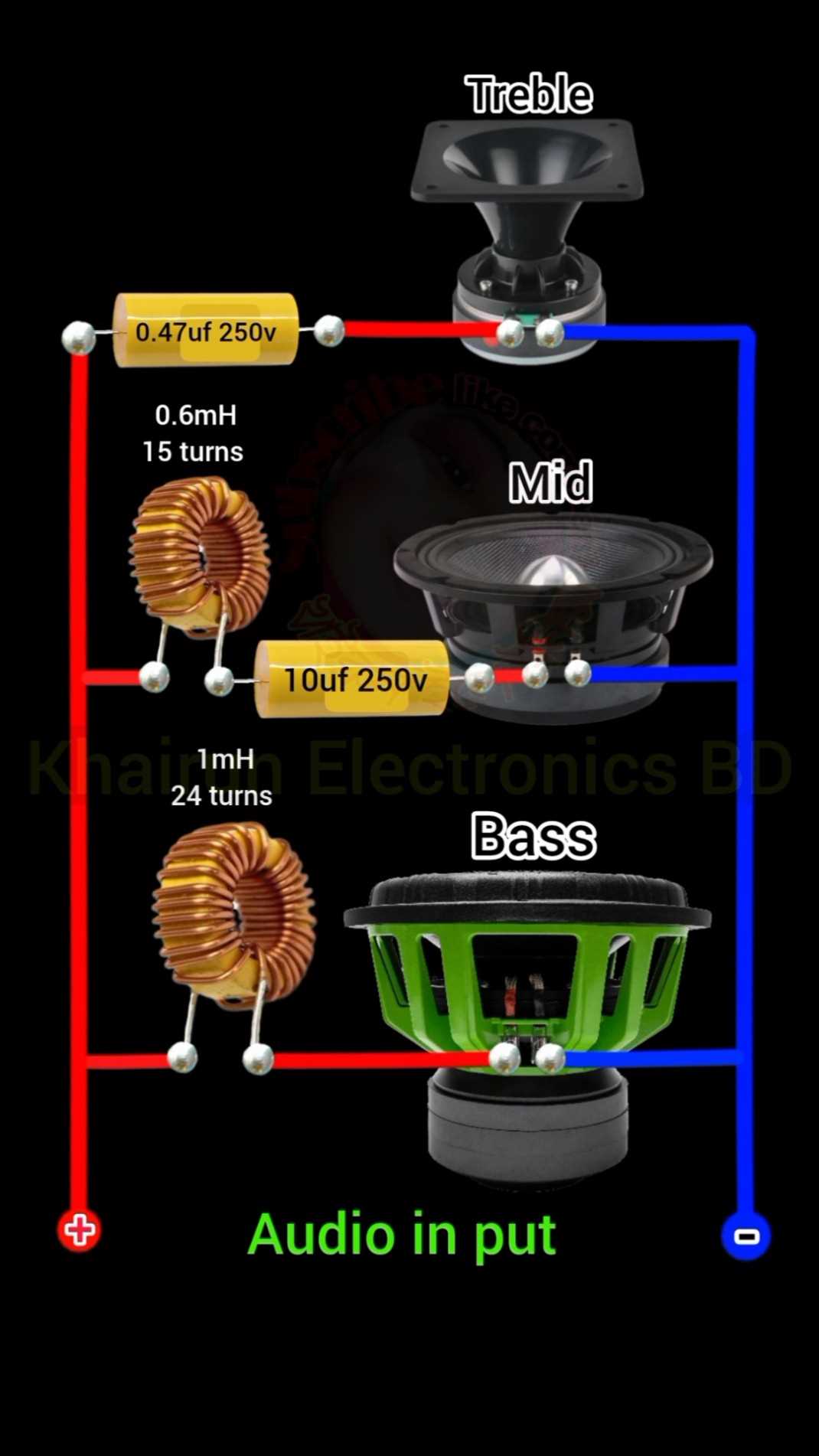
To achieve a fully operational 8-unit audio setup, the first step is selecting an appropriate connection method. Typically, you’ll use either parallel or series methods, depending on the desired impedance. Ensure you choose the right configuration based on the specifications of your amplifier to avoid overload or damage.
Each unit should be connected securely, ensuring a stable and consistent flow of power to all channels. If you’re opting for a series arrangement, remember that the total resistance increases, which will lower the output power. On the other hand, a parallel connection decreases the total resistance, potentially increasing the load on your amplifier.
If your amplifier is unable to support the load of eight units, consider using a multi-channel amplifier or adding a speaker selector to balance the power distribution. Pay attention to the speaker impedance ratings, ensuring they match your setup to avoid strain on your equipment. Each component must be connected with high-quality cables to maintain clarity in sound.
8 Speaker System Wiring Guide
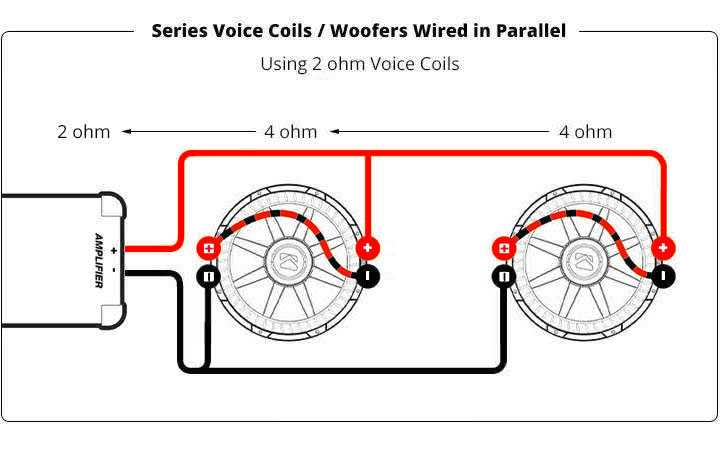
For connecting eight units in a multi-channel audio setup, choose between series or parallel configurations depending on your amplifier’s power output and the desired impedance load. A parallel setup will lower the total impedance, increasing the load on the amplifier, whereas a series configuration raises the impedance, offering more control and reducing the strain on the amplifier.
Use high-quality cables to ensure clear, undistorted sound transmission. Carefully match the total impedance of your system with the amplifier’s capabilities to prevent overload. If your amplifier features multiple channels, divide the load across these channels for better power distribution. If necessary, a speaker selector switch can help prevent overloading the amp.
To achieve the best sound quality, ensure each unit is connected correctly to avoid phase issues. Double-check impedance ratings for each unit and avoid mixing different values. Using an impedance-matching device can help balance the load, protecting your equipment and providing even, high-quality sound across the setup.
How to Properly Connect an 8 Speaker System
Start by determining the total impedance your amplifier can handle. For an 8-unit setup, make sure the amplifier is compatible with either series or parallel connections, as these configurations will affect the load on the device.
For a parallel connection, connect the positive terminals of each unit to the amplifier’s positive output, and the negative terminals to the negative output. This configuration will lower the impedance, so ensure the amplifier can handle the resulting load without distortion or damage.
If you choose a series setup, connect the positive terminal of one unit to the negative terminal of the next, continuing until all units are connected. This will raise the impedance, providing a safer load for the amplifier but potentially reducing the overall volume output.
Next, select a quality cable that can handle the power your setup requires. The wire gauge should match the distance between the amplifier and units. Longer distances require thicker cables to minimize signal loss and ensure optimal performance.
Ensure each unit is placed in a strategic position to avoid phase issues, where the sound waves might cancel each other out. Position them evenly in the space and test the audio to confirm the setup is balanced and the sound is clear.
If the amplifier has multiple channels, divide the connections between these channels to ensure the load is properly distributed. This will prevent overloading any single channel and ensure even power distribution across the setup.
If you’re concerned about overloading your amplifier, consider using an impedance matching device or speaker selector. This will help distribute power evenly across all units and prevent strain on your equipment.
After making all the connections, test the system at a low volume to ensure there are no issues with the sound. Gradually increase the volume to check for distortion or feedback. If everything sounds clear, your setup is ready to go.