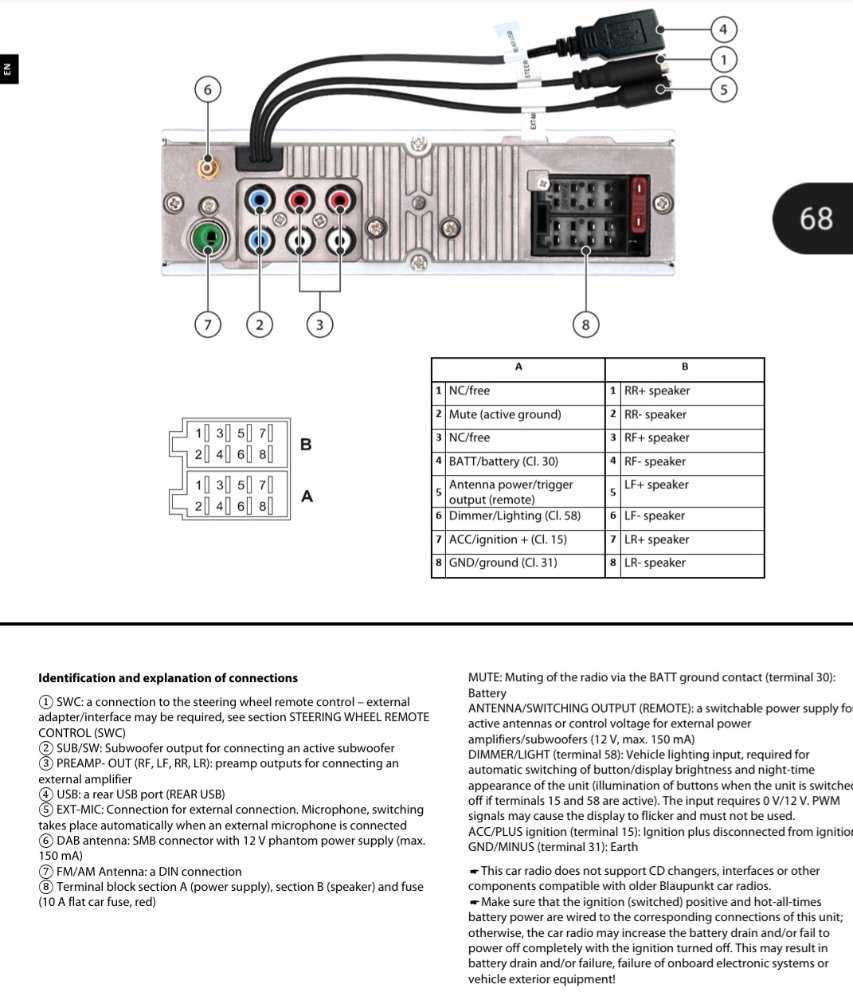
Check the color coding of each lead before linking the head unit to the power supply and speakers. Standard codes typically assign red for ignition, yellow for constant power, and black for grounding.
Use crimp connectors or solder joints for all signal lines to prevent intermittent contact or shorts. Insulate exposed metal with heat shrink tubing to maintain a safe and reliable connection.
Match speaker wires carefully with the correct terminals to preserve channel integrity. Front and rear channels often follow specific color conventions, and reversing polarity can distort audio performance.
Test the system after all connections are made by turning on the unit with the engine off. Verify each speaker produces sound and that the unit powers down properly when the ignition is switched off.
Head Unit Connection Guide
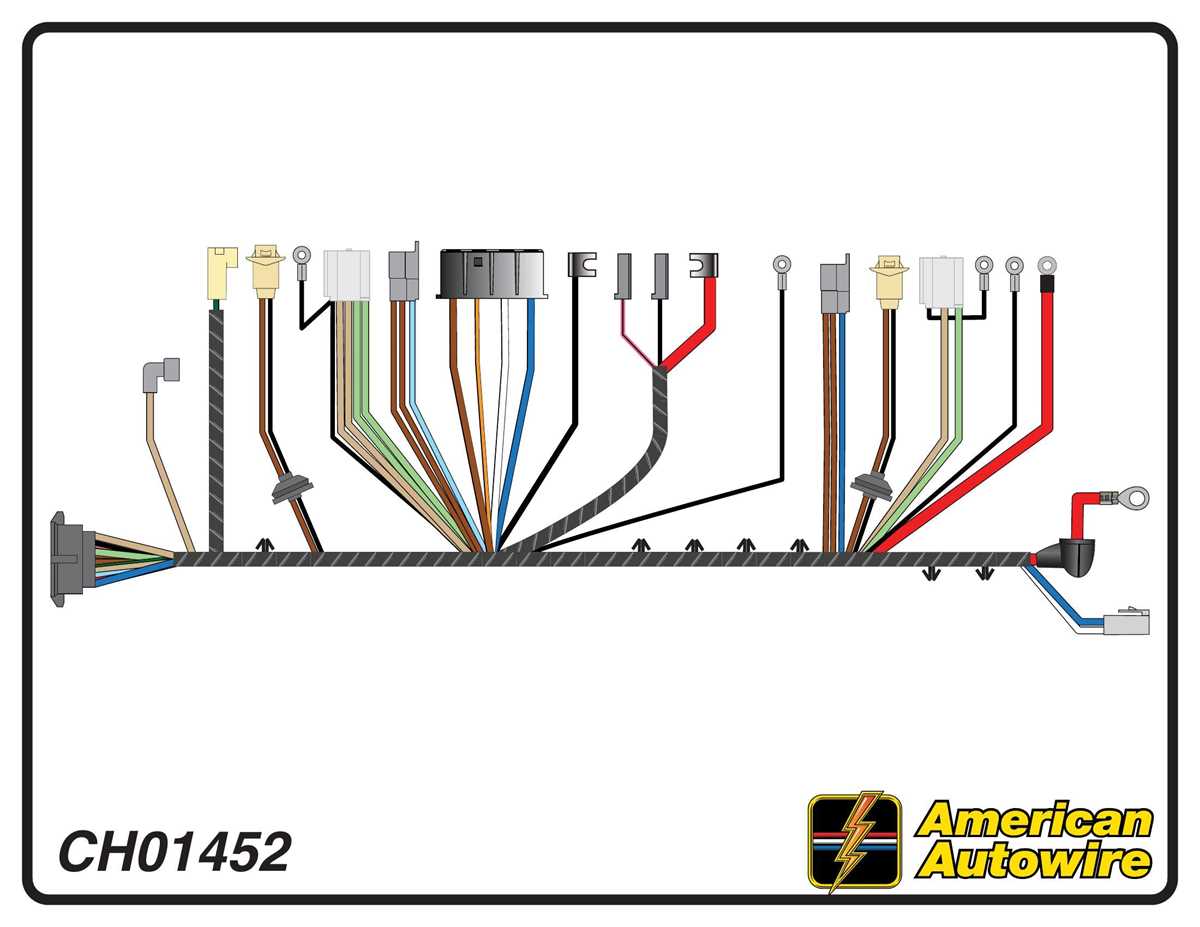
Secure the ignition and constant power leads separately to avoid draining the battery. The red cable connects to switched power, while the yellow line must attach to a constant 12V source. Ensure the ground wire has a clean, unpainted metal contact to prevent voltage drops and noise interference.
Align speaker outputs precisely with their respective channels. Front left and right are usually white and gray pairs, rear channels green and purple. Twisting the positive and negative wires together can reduce electromagnetic interference and maintain sound clarity across all frequencies.
Identifying Head Unit Lead Colors and Functions
Match each cable with its designated role to prevent electrical faults. Typical assignments are:
- Red: Switched power activated with ignition
- Yellow: Constant 12V supply for memory retention
- Black: Ground connection for chassis stability
- Blue: Amplifier or power antenna trigger
Speaker pairs are color-coded for channel accuracy. Front left often uses white and white with black stripe, front right gray and gray with black stripe. Rear outputs follow green and purple combinations. Keep polarity consistent to avoid phase issues.
Auxiliary and remote inputs use smaller gauge wires, typically blue/white for remote turn-on. Connect only to compatible devices to prevent voltage mismatch or signal interference.
Label each lead before installation if connectors are removed from the harness. Use masking tape or shrink tubing to mark each wire. This reduces mistakes when joining multiple outputs to separate components.
Test connections incrementally. Power the head unit without engaging speakers first. Confirm voltage at power and ground terminals, then check each channel individually to ensure proper signal flow and stable operation.