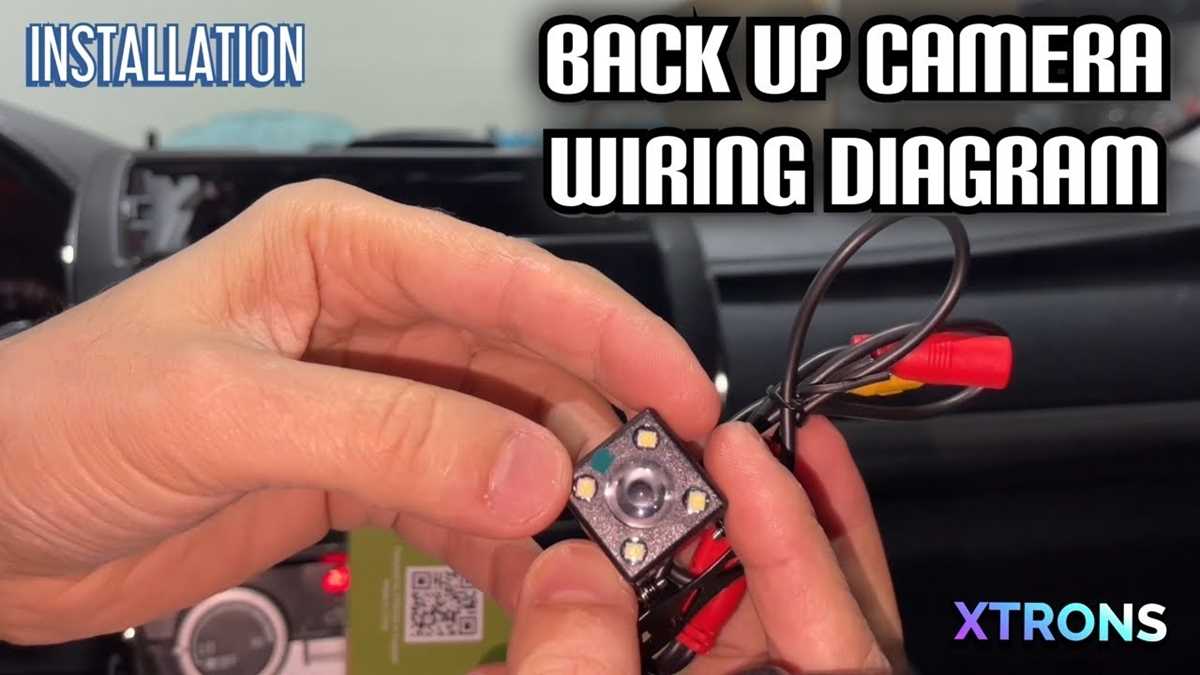
Begin by identifying the power source and display unit for your system. The power needs to be connected to a constant 12V source, typically from the vehicle’s battery or fuse box, to ensure the unit remains operational when needed. For the video feed, connect the output from the sensor to the display unit, ensuring the signal travels through a properly shielded cable to avoid interference.
Next, install the trigger wire, which will automatically activate the system when the vehicle is shifted into reverse. This wire is typically connected to the reverse light’s power source, allowing the system to turn on only when the vehicle is in reverse gear. This step ensures that the unit does not continuously draw power when not in use.
Ensure all connections are made securely with proper insulation to prevent short circuits or power loss. Use weather-resistant connectors and consider running the wires through protective tubing to shield them from potential damage or wear. This will increase the system’s longevity and reliability.
Installing a Rear View System: Connecting the Components
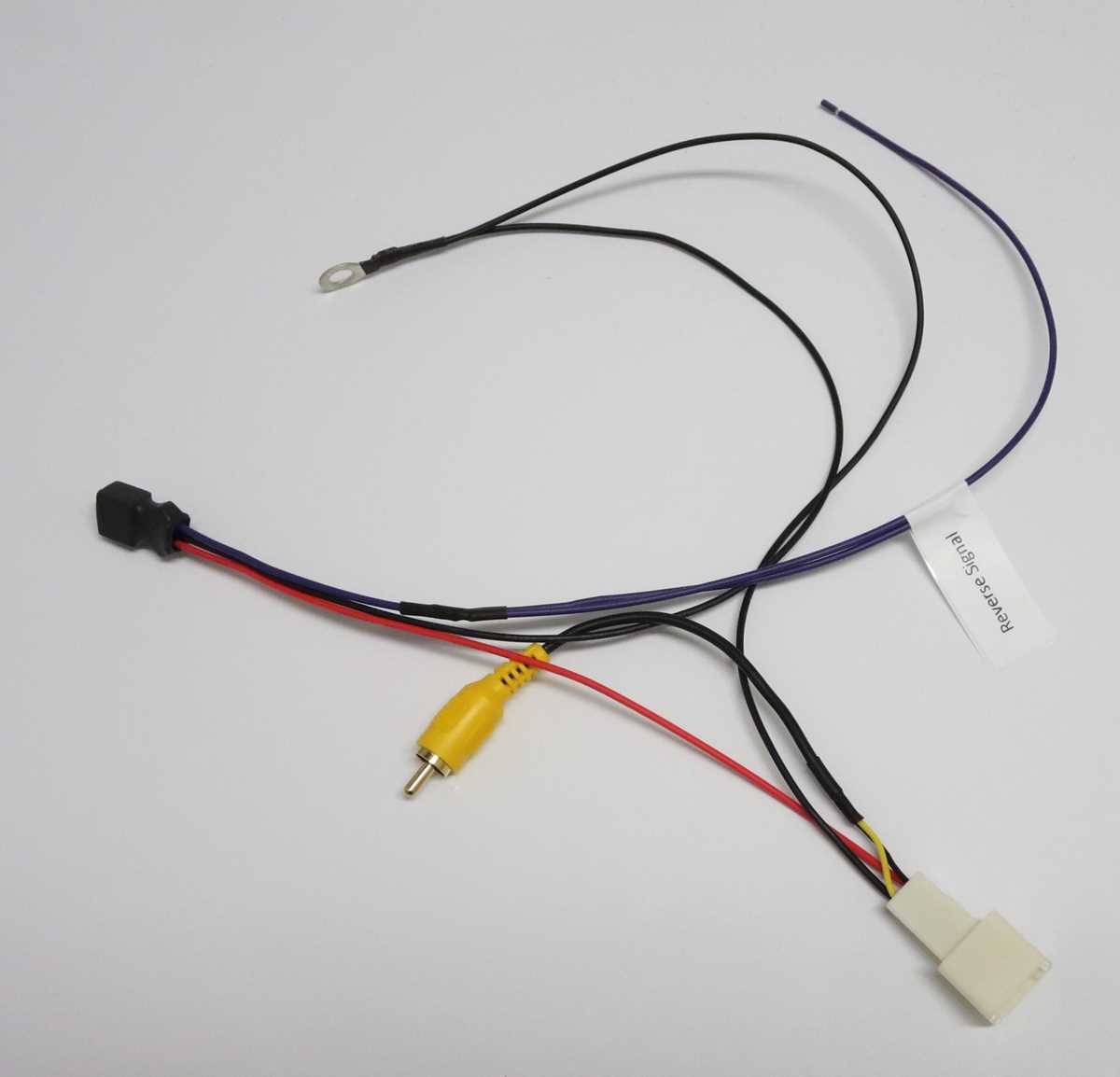
Start by selecting the correct power supply for your setup. A constant 12V source is necessary to keep the system active at all times. The best option is usually the vehicle’s fuse box, but a dedicated power line from the battery can also work. Connect the positive lead to the power terminal and the ground to the vehicle’s chassis to complete the circuit.
For the display, run a video cable from the sensor unit to the monitor inside the vehicle. Ensure the cable is shielded to prevent signal interference, especially if the wiring runs along or near other electrical components. A quality video cable, such as a coaxial cable, ensures a stable image quality without distortion or signal loss.
Powering the Sensor Unit
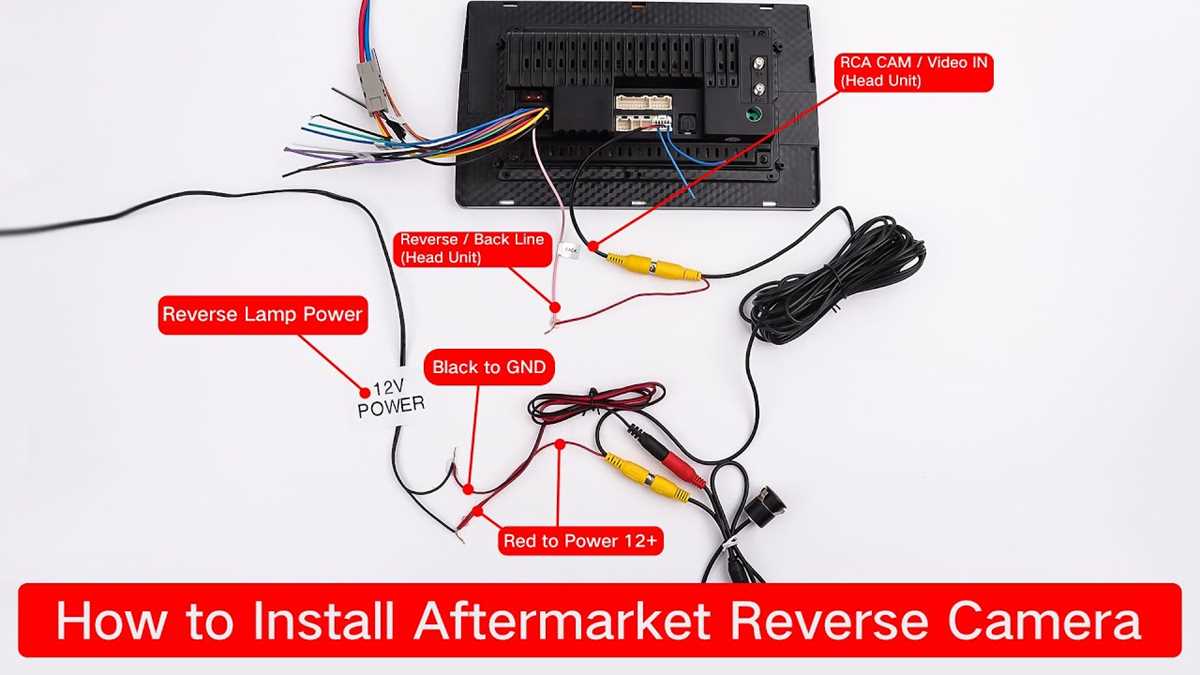
The sensor unit requires power that needs to be connected to the reverse lights or a dedicated 12V switch. This wire sends a signal when the vehicle shifts into reverse gear, activating the sensor automatically. Locate the reverse light circuit in the vehicle and connect the trigger wire to it to enable the system’s activation when needed.
Use a relay if the system requires more power than the reverse light can safely provide. The relay will act as a buffer between the light circuit and the sensor, preventing any electrical overloads that could damage either component. This step adds durability and stability to the system over time.
Ensuring Proper Grounding
Grounding is an often overlooked yet vital part of the setup. All components, including the sensor unit, display, and power source, need to be grounded correctly to avoid hum, noise, or instability. Connect the ground wire to a metal part of the vehicle’s chassis for the most reliable connection.
Once the components are connected, double-check the system’s connections. Ensure no wires are exposed or can potentially short-circuit, as this could cause failure. Use cable ties to secure the wires neatly and prevent them from interfering with any moving parts or becoming damaged over time.
Finally, test the system by shifting the vehicle into reverse and verifying that the monitor displays the video feed from the sensor unit. If everything is working correctly, secure the components and reinstall any panels you may have removed to complete the installation.
Connecting the Sensor to the Power Supply and Display
Begin by selecting a stable 12V power source for the sensor. A reliable option is to tap into the vehicle’s fuse box, as it provides a constant supply of power. Ensure the voltage matches the sensor’s requirements. Use an appropriate fuse for safety to protect the system from overloading.
Next, connect the positive lead of the sensor’s power wire to the 12V power source. The negative terminal should be connected to a solid ground point within the vehicle’s chassis. This ensures a clean and secure power flow, minimizing potential electrical issues.
The video signal from the sensor needs to be routed to the display unit. Use a coaxial cable or another high-quality video cable for this connection. Make sure the cable is long enough to run from the sensor unit to the monitor without excess slack, which could interfere with vehicle components.
- Run the video cable along the edges of the vehicle to prevent it from interfering with moving parts.
- Ensure the video cable is shielded to protect the signal from electromagnetic interference.
- Connect the video cable to the sensor’s output and the display’s input, ensuring both ends are securely attached.
Once the power and video connections are made, secure the cables to avoid any loose wiring. Use zip ties to hold the wires in place along the vehicle’s interior, ensuring they do not get tangled with other components or exposed to harsh elements.
Before finalizing the installation, check that the display is receiving the signal. Turn on the vehicle and check the monitor to ensure the feed from the sensor appears. Adjust the display settings if necessary for optimal clarity and visibility.
After confirming the system is working, finalize the cable management, securing the wires with adhesive clips or cable ties, and tuck any excess wire out of sight. Reinstall any panels or covers that were removed during installation.