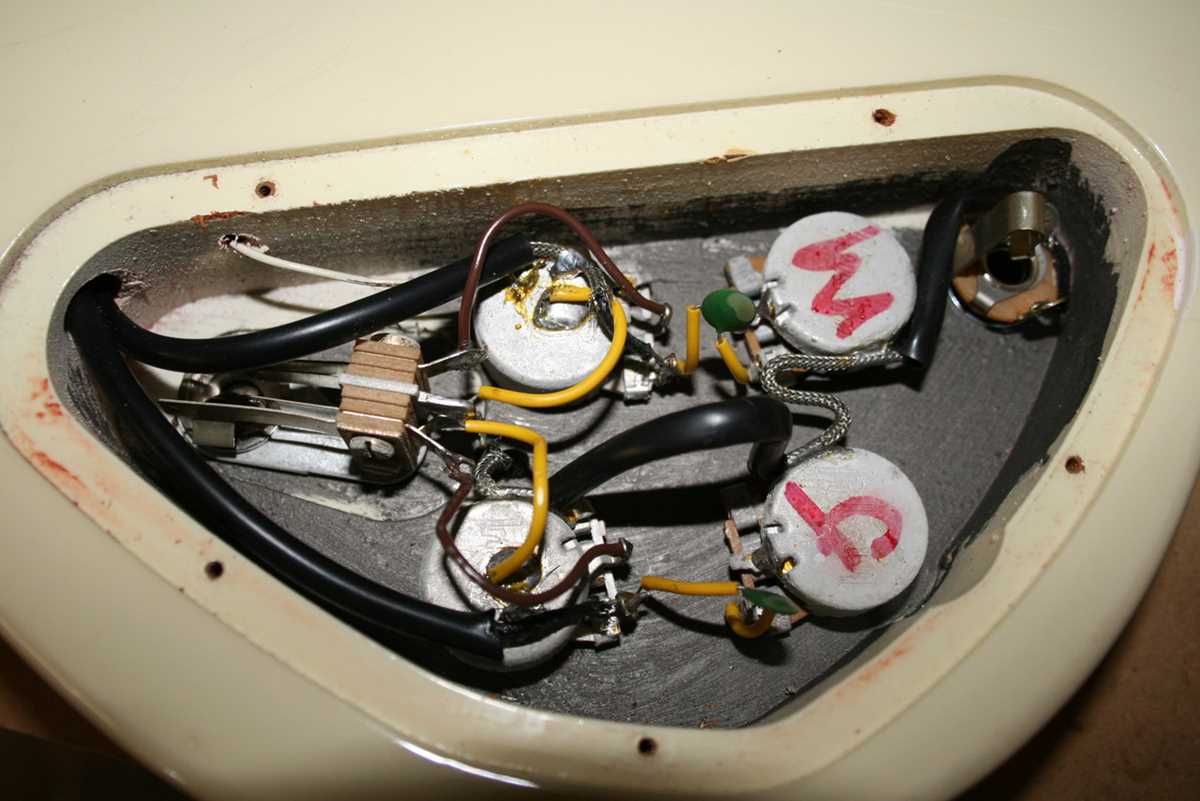
Start by connecting the bridge and neck pickups directly to the tone and volume pots using shielded wires to minimize interference. Ensure each connection is soldered cleanly and insulated to avoid shorts.
Check the three-way selector switch positions carefully to match pickup combinations with desired tonal output. Bridge position should route only the bridge pickup signal, middle blends both, and neck selects the neck pickup exclusively.
Ground all metal components including pots, bridge, and output jack to a single point to prevent hum. Use stranded wire for flexibility and secure connections with proper soldering techniques.
Verify each wire path with a multimeter before closing the guitar cavity. Continuity testing helps detect miswiring and prevents signal loss or unwanted noise during play.
Adjust pot values to match your preferred response: 500k pots suit humbuckers for brighter output, while 250k softens the tone. Replace any worn switch contacts to maintain consistent signal flow.
Gibson SG Pickup and Control Setup Guide
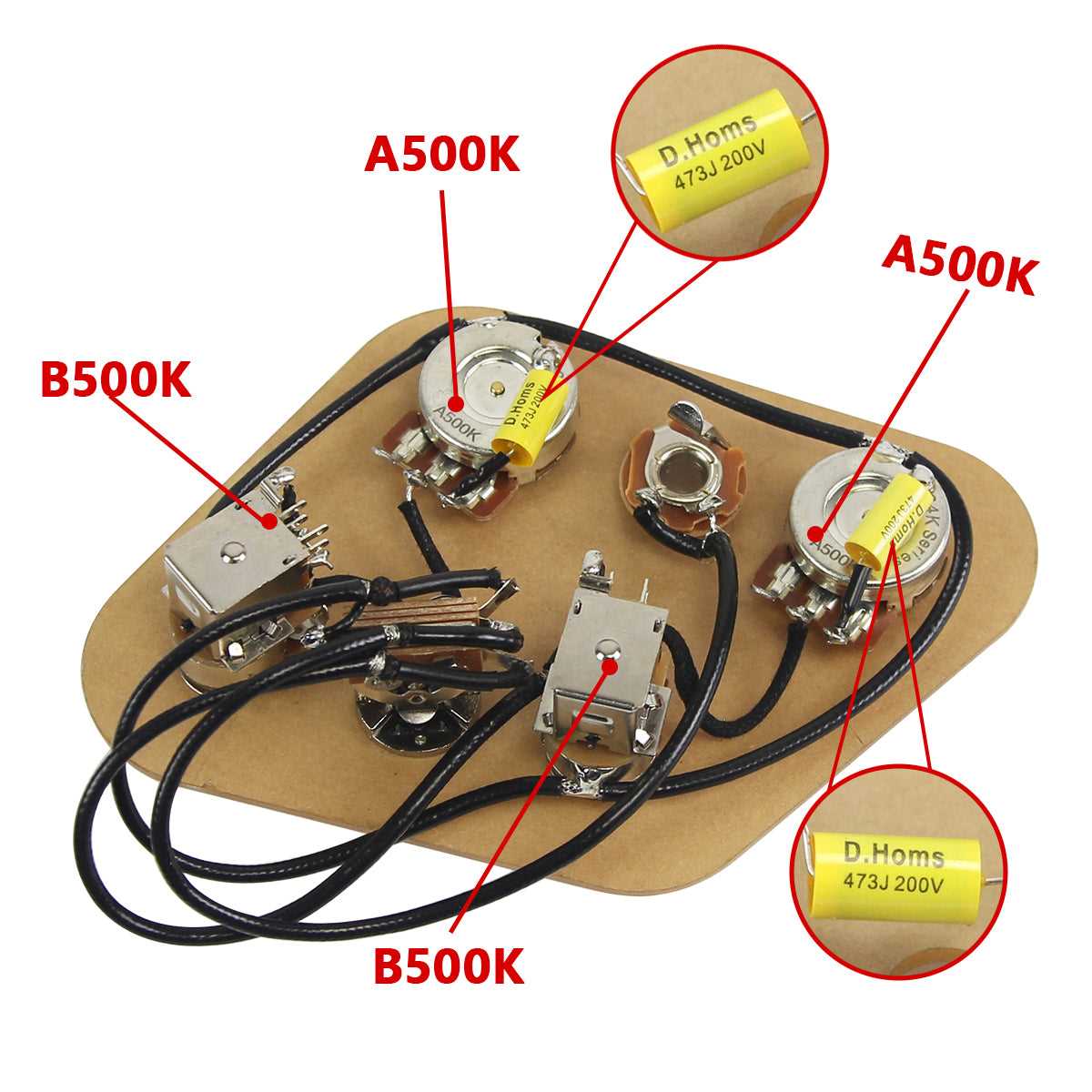
Connect the bridge pickup directly to the volume pot lug closest to the input jack and ensure the ground wire attaches firmly to the back of the pot. Use heat shrink tubing to protect exposed solder points.
Neck pickup leads should route through the selector switch before reaching the tone and volume controls to maintain correct signal sequencing. Avoid crossing wires to reduce crosstalk between pickups.
Secure the three-way toggle switch in the cavity and solder each pickup wire to its designated terminal. Verify the switch clicks distinctly in all three positions for reliable pickup selection.
Attach the output jack wiring to match the volume control output, ensuring the tip and sleeve connections are correct. Test the connection with a guitar cable to confirm signal flow before reassembling the body.
Ground all metallic components including the bridge, control pots, and switch chassis to a single solder point. This prevents hum and preserves clean tone across all pickup combinations.
Check continuity across all paths with a multimeter to detect any cold solder joints or broken connections. Adjust or resolder as needed to maintain consistent signal strength and tonal clarity.
Final adjustments to pot values and capacitor selection allow tailoring the tonal response: 500k pots brighten humbuckers, while 250k softens high frequencies. Swap capacitors between 0.022µF and 0.047µF to fine-tune treble roll-off without affecting overall output.
Connecting Pickups to Volume and Tone Controls
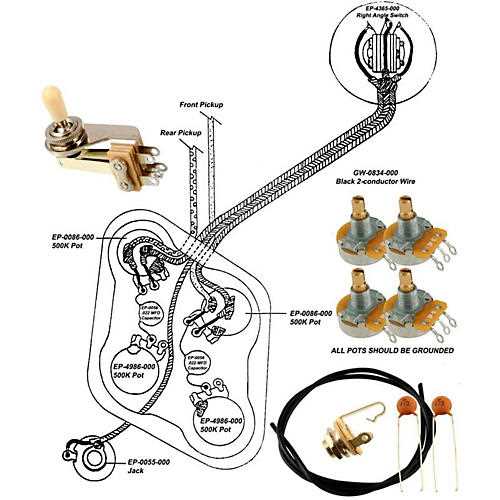
Attach the bridge pickup hot lead to the first lug of the volume control closest to the output jack. This ensures direct signal flow and preserves maximum output from the pickup coil.
Neck pickup should connect through the selector switch before reaching its dedicated volume pot. This arrangement maintains proper tonal balance when blending both pickups.
- Solder the ground wire from each pickup to the back of its respective pot.
- Use shielded wire to reduce interference and unwanted hum.
- Trim excess wire to avoid contact with other components inside the cavity.
Connect tone controls by linking a capacitor from the middle lug of the volume pot to the outer lug of the tone pot. Common values are 0.022µF for brighter response and 0.047µF for a warmer tone.
Verify all solder joints are solid and clean to prevent signal loss. Cold joints can cause intermittent volume drops or crackling noises when adjusting pots.
- Test each pickup individually by pressing the selector switch in all positions.
- Adjust the tone pot to ensure smooth treble roll-off without affecting the overall output.
- Secure all components and route wires to avoid strain when closing the guitar cavity.