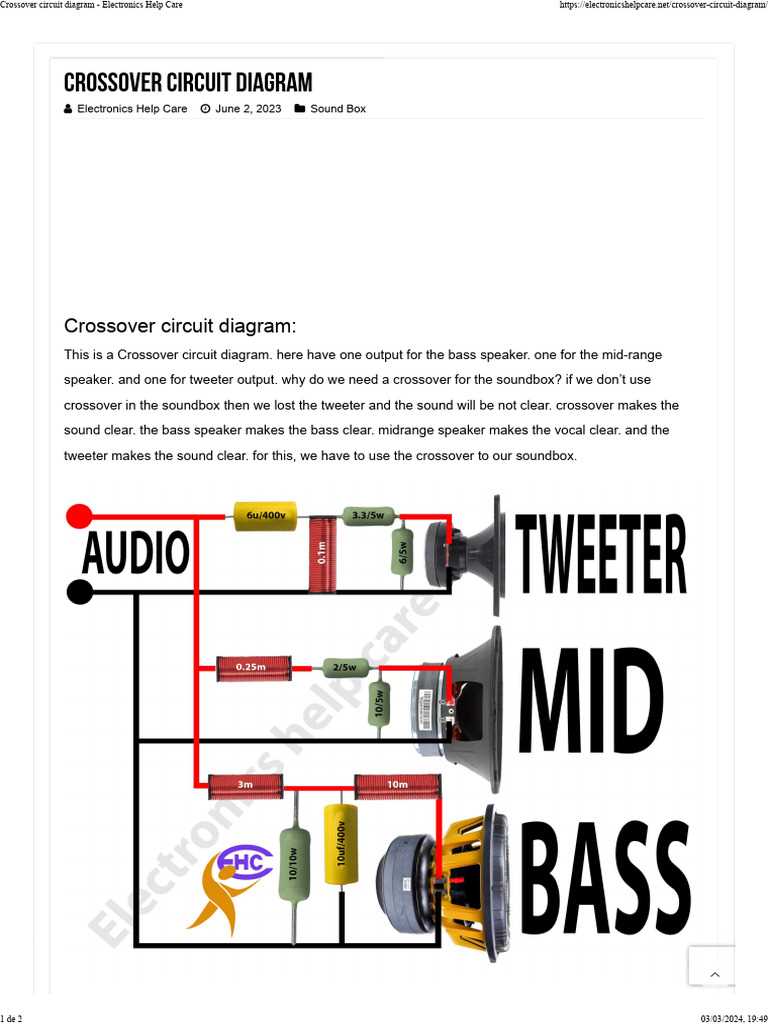
Connect low frequency outputs directly to subwoofer inputs using shielded cables to prevent signal loss. Include series resistors to match impedance and avoid overloading the amplifier stage.
Route midrange signals through carefully selected capacitors and resistors to maintain flat frequency response. Adjust resistor values to control crossover points between drivers and prevent distortion.
Direct high frequency outputs to tweeters using short, twisted wires. Include small series capacitors to block low frequencies and prevent damage to delicate high-frequency elements.
Test each band separately with a signal generator and measurement device to ensure the desired frequency ranges reach their respective speakers without overlap or dips.
Secure all connections in insulated junctions or terminal blocks. Verify that grounding points are consistent to reduce hum and prevent interference across the network.
Layout and Connections for Multi-Band Audio Networks
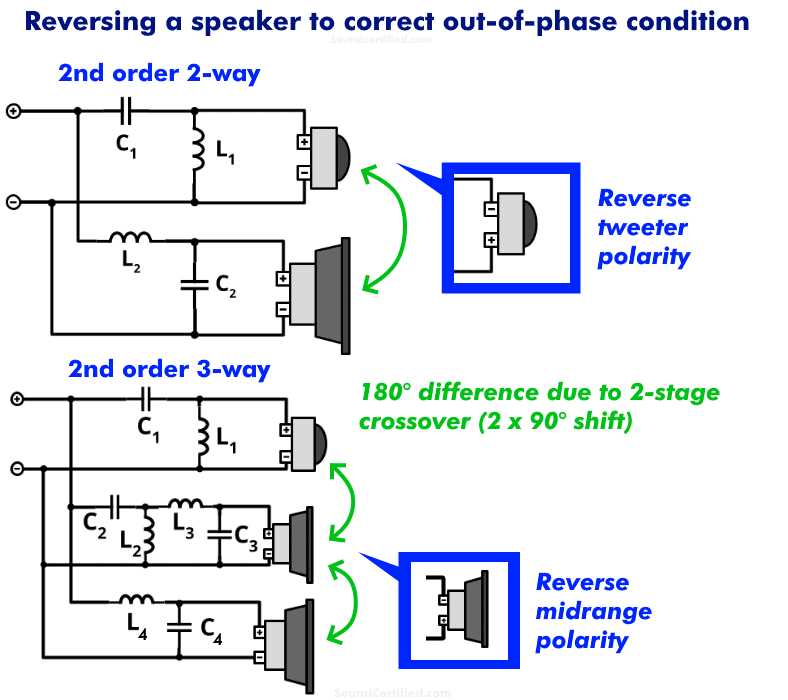
Connect low frequency outputs to subwoofer terminals using shielded wires to reduce signal loss. Include series resistors of 1–5Ω depending on the amplifier output to protect the driver from overload.
Route midrange signals through capacitor-resistor networks to maintain a smooth frequency transition. Adjust values to set the cutoff point near 300–5k Hz depending on speaker specifications.
Link high frequency outputs to tweeters with short, twisted cables. Add series capacitors of 2–4 μF to block low frequencies and prevent damage to delicate high-frequency components.
Component Selection and Placement
- Use metal film resistors for low noise and temperature stability
- Electrolytic or polypropylene capacitors depending on frequency and voltage rating
- Keep wiring lengths short to minimize phase shift and inductive effects
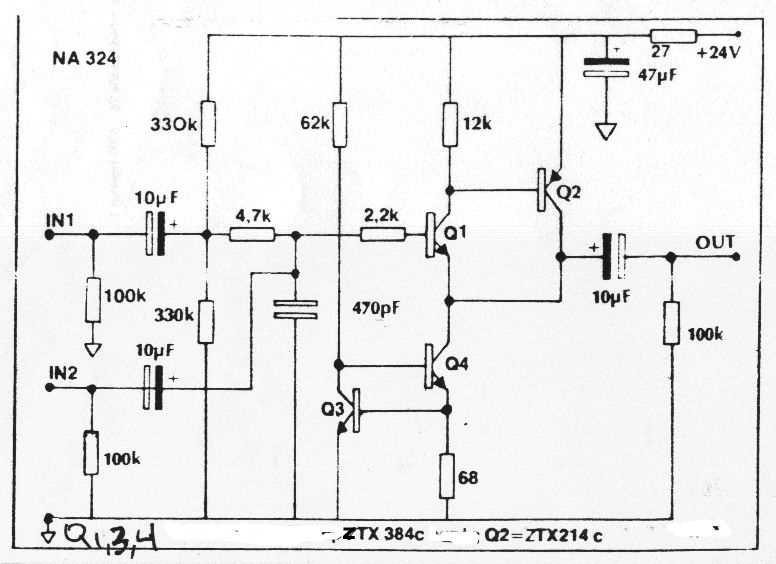
Verify power rails with ±12–15V supply. Include 0.1 μF ceramic bypass capacitors near all op-amp stages to filter high-frequency noise.
Test each frequency band separately using a signal generator. Measure output with an oscilloscope to ensure that each band reaches its intended driver without overlap or signal loss.
Grounding and Safety
- Connect all grounds to a single reference point to prevent hum
- Insulate junctions to avoid shorts between bands
- Check impedance of each driver to match amplifier output and prevent clipping
Final verification includes measuring frequency response at each driver using a calibrated microphone or analyzer. Adjust resistor and capacitor values if crossover points need fine-tuning to achieve a flat response across the system.
Connecting Low Frequency Sections to Subwoofers
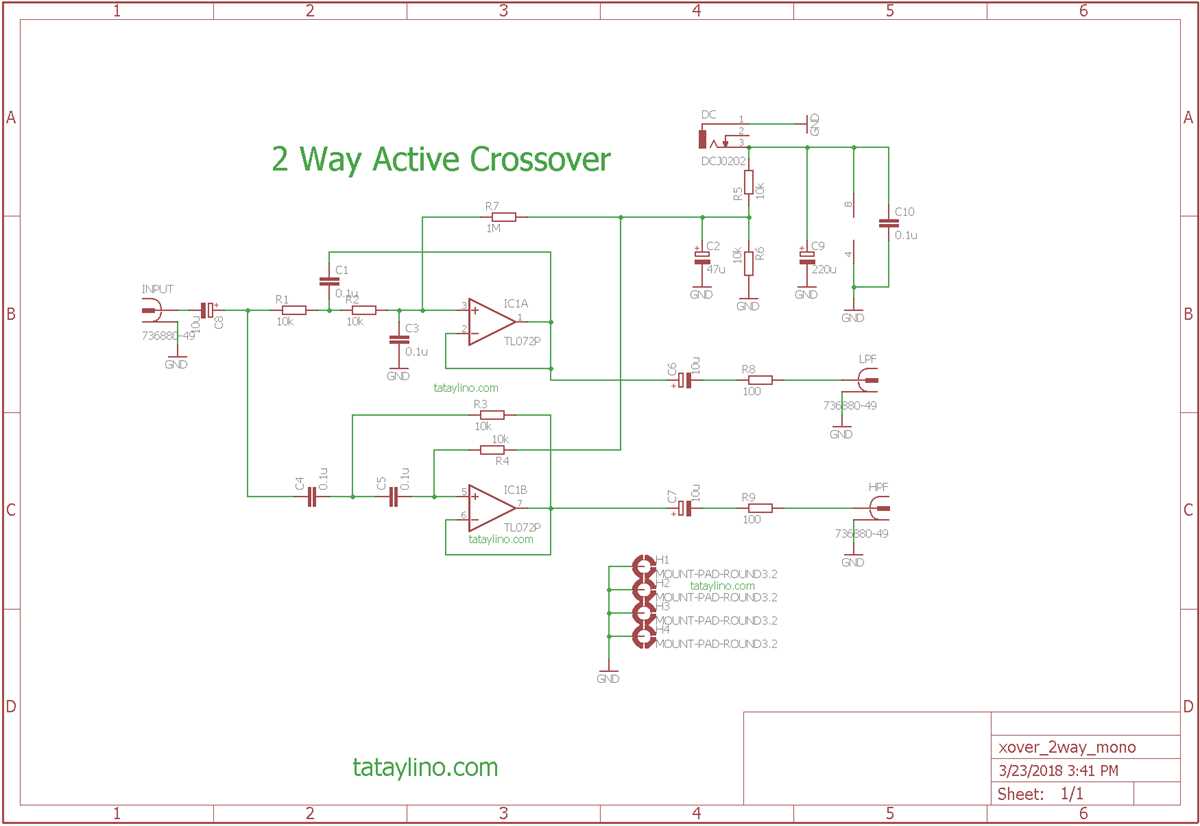
Attach low frequency outputs directly to subwoofer terminals using shielded wires to maintain signal integrity. Ensure that the polarity matches the driver’s positive and negative terminals to avoid phase cancellation.
Include series resistors of 1–5Ω depending on amplifier output and subwoofer impedance. This helps prevent overdriving the driver and reduces the risk of distortion at high volume levels.
Use short, twisted cable runs to minimize inductive interference from nearby high-frequency wiring. Keep connections secure with soldered joints or high-quality terminal blocks to maintain reliable contact.
Component Placement and Filtering
Insert capacitors or inductors as low-pass filters near the input of the subwoofer to attenuate frequencies above the desired cutoff point. Typical cutoff values range from 80 to 120 Hz depending on the system design.
Check impedance matching between the amplifier output and subwoofer. Measure the load with a multimeter and adjust series resistors or buffer stages to maintain consistent power delivery without clipping.
Testing and Verification
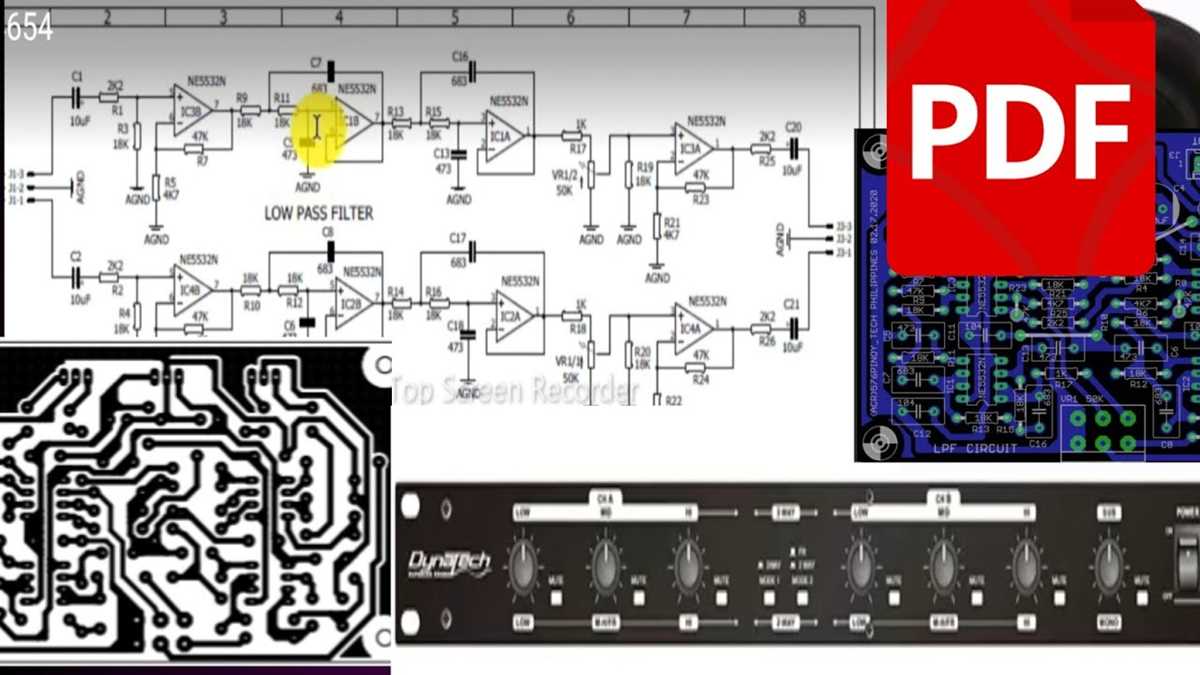
Verify each low-frequency channel using a test tone and measurement device. Ensure the subwoofer responds cleanly without distortion, and confirm that other drivers in the system remain unaffected by low-frequency routing.