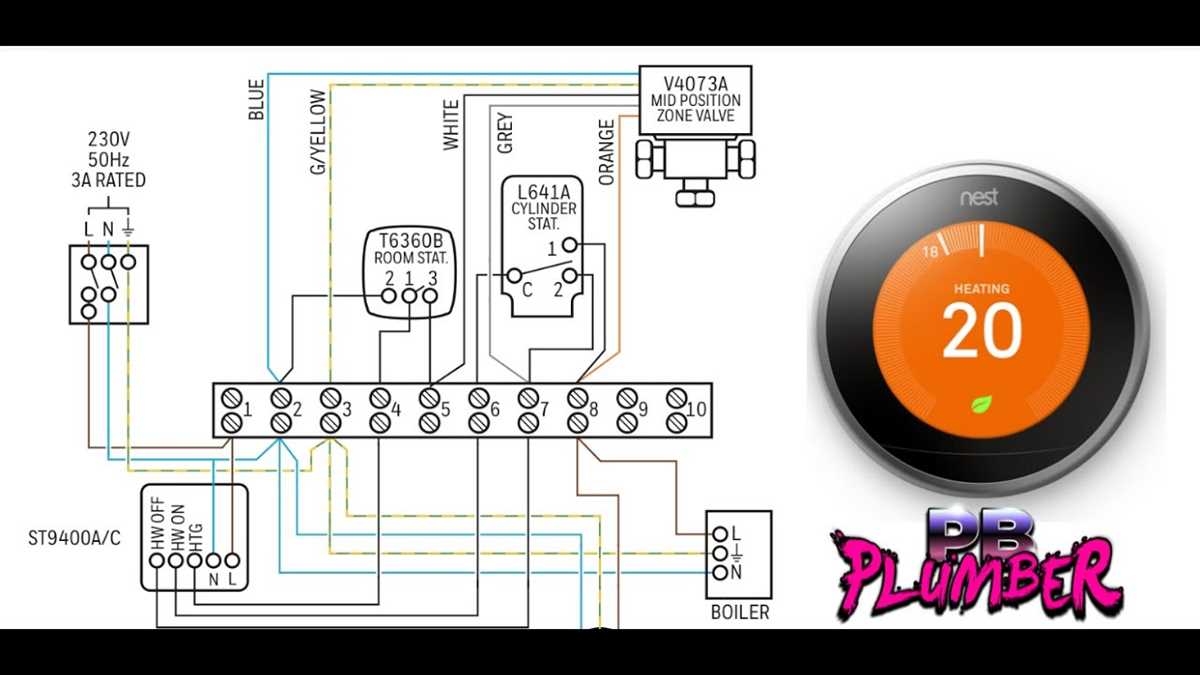
Turn off power at the main breaker before handling any terminals. Verify voltage is absent using a multimeter to avoid electric shock or damage to the control unit.
Identify each terminal clearly. Label heating, cooling, and common wires to ensure proper connection. Misplacing wires can prevent the system from functioning or cause short circuits.
Check that each wire is stripped correctly and the insulation is intact. Insert wires fully into terminal slots and tighten screws securely. Loose connections reduce performance and may trigger error codes.
Confirm that the power wire matches the system voltage requirements. Use a voltage meter and verify polarity before securing the connection. Incorrect voltage can damage the thermostat and HVAC equipment.
Thermostat Terminal Connections and Layout
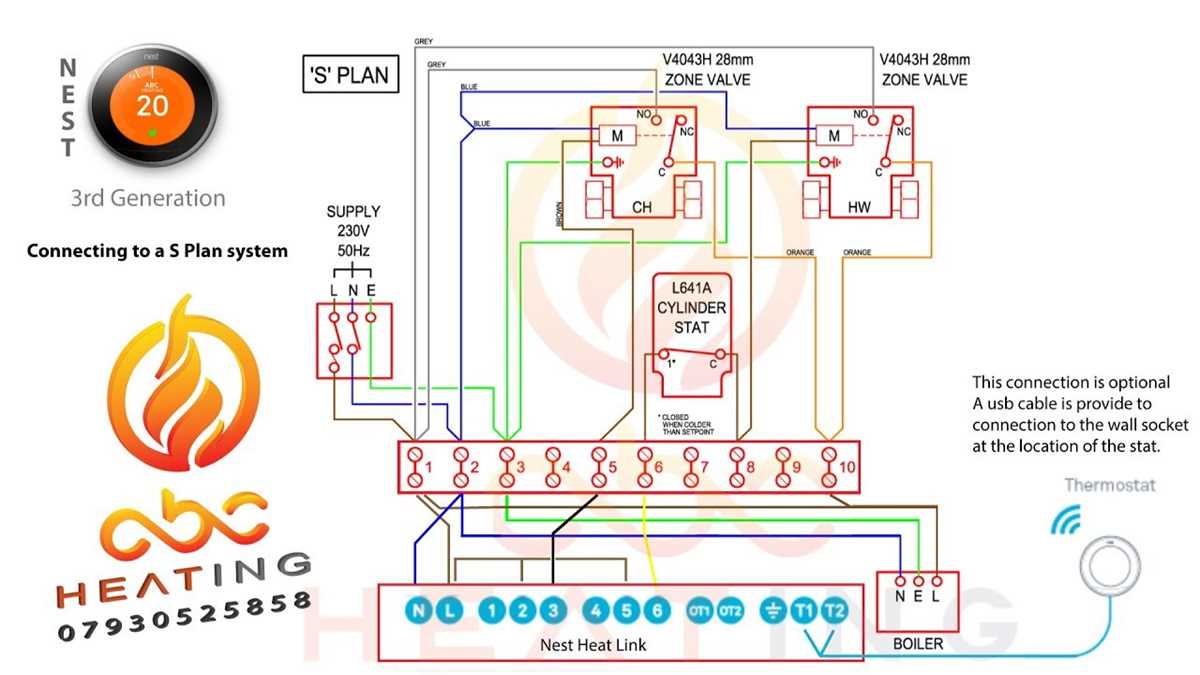
Turn off all power at the main breaker before touching any terminals. Use a voltage tester to confirm zero current flow to prevent short circuits or electrical injury.
Identify each terminal according to function. Label heating, cooling, and common connections to avoid misplacement. Incorrect connections can prevent proper temperature control or damage components.
Check that each wire is stripped to the correct length and insulation is intact. Insert wires fully into terminals and tighten screws securely. Loose connections may trigger system errors or inconsistent performance.
Power Supply and Common Path Connections
Verify the power wire matches the system voltage and polarity. Test with a multimeter before securing. Incorrect voltage can damage the thermostat and connected HVAC equipment.
Inspect the common terminal path for corrosion or debris. Clean the connection and ensure a snug fit for the common wire. Poor contact may prevent the unit from receiving constant power.
Signal Verification and Final Testing
After connecting all terminals, restore power and check system operation. Confirm heating and cooling responses and test fan control. Use a multimeter to verify voltage delivery to each path, ensuring reliable operation and correct temperature regulation.
Identifying Terminals and Wire Functions
Turn off the main power before inspecting any terminals. Use a voltage tester to confirm that no current is present, preventing damage or electric shock during handling.
Examine each terminal label carefully. Heating, cooling, and common connections are typically marked with letters such as R, W, Y, G, and C. Correct identification is critical for proper system operation.
Check the type and color of each wire. Red is usually power, white connects to heat, yellow to cooling, green to the fan, and blue or black to the common terminal. Mislabeling wires can cause system malfunction.
Terminal Layout and Connection Sequence
Observe the sequence of terminals on the mounting plate. Follow manufacturer spacing to avoid accidental contact between adjacent terminals. Incorrect placement may create short circuits or faulty signals.
Test continuity between terminals and connected devices. Use a multimeter to ensure that each pathway is complete and there are no unintended shorts. Broken or crossed paths reduce reliability of the thermostat.
Final Verification and Safety Checks
Secure each wire and confirm firm attachment. Tighten screws to manufacturer torque specifications and check that insulation is not pinched. Loose connections can trigger error codes or intermittent operation.
After completing connections, restore power and verify all functions. Activate heating, cooling, and fan cycles to confirm correct response. Monitoring voltage and current ensures that the control system operates safely and accurately.