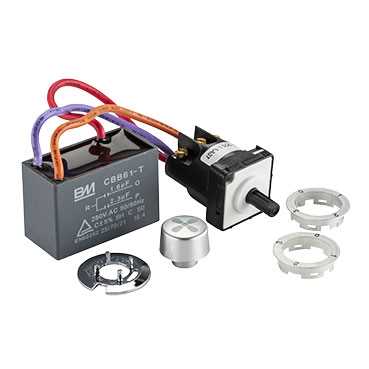
Directly connect the main power lead to a fused 12V source rated for at least 20 amps. Use 14-gauge stranded wire for all high-current connections and secure terminals with crimped connectors to prevent voltage drop under load.
Identify each conductor based on its output function. Typically, one line controls low output, another medium, and the third high. Use a multimeter to confirm continuity and voltage before connecting to the motor terminals to avoid misalignment and overheating.
Ground the assembly on a clean metal surface using a bolt with a lock washer to maintain stable operation. Multiple grounding points can reduce electrical noise and prevent flickering at higher outputs. Inspect contact points regularly for corrosion and tighten as needed.
Route all conductors along existing harness paths and protect exposed segments with split loom tubing or heat-resistant sleeving. Avoid sharp bends and proximity to hot engine components to maintain insulation integrity and prevent shorts.
Test each output individually under operational load using a voltmeter or test light. Verify that each setting delivers correct current without overheating wires. Apply dielectric grease to terminals to minimize oxidation and secure all connections with cable ties for a tidy installation.
Identifying Fan Switch Terminals and Wire Functions
Label each terminal before connecting any line to prevent confusion between low, medium, and high outputs. Typically, the black conductor is used for power input, while red, blue, and yellow carry signals for different motor levels. Verify each pin with a multimeter to confirm continuity and voltage output before installation.
Ensure proper ground connection on the white conductor to maintain stable performance and prevent flickering or intermittent operation. Route each line along the factory harness, avoid sharp bends, and use protective sleeving to prevent abrasion or short circuits. Testing each output individually under load confirms correct function and prevents overheating of the motor control assembly.
Step-by-Step Connections for 3 Speed Fan Motor
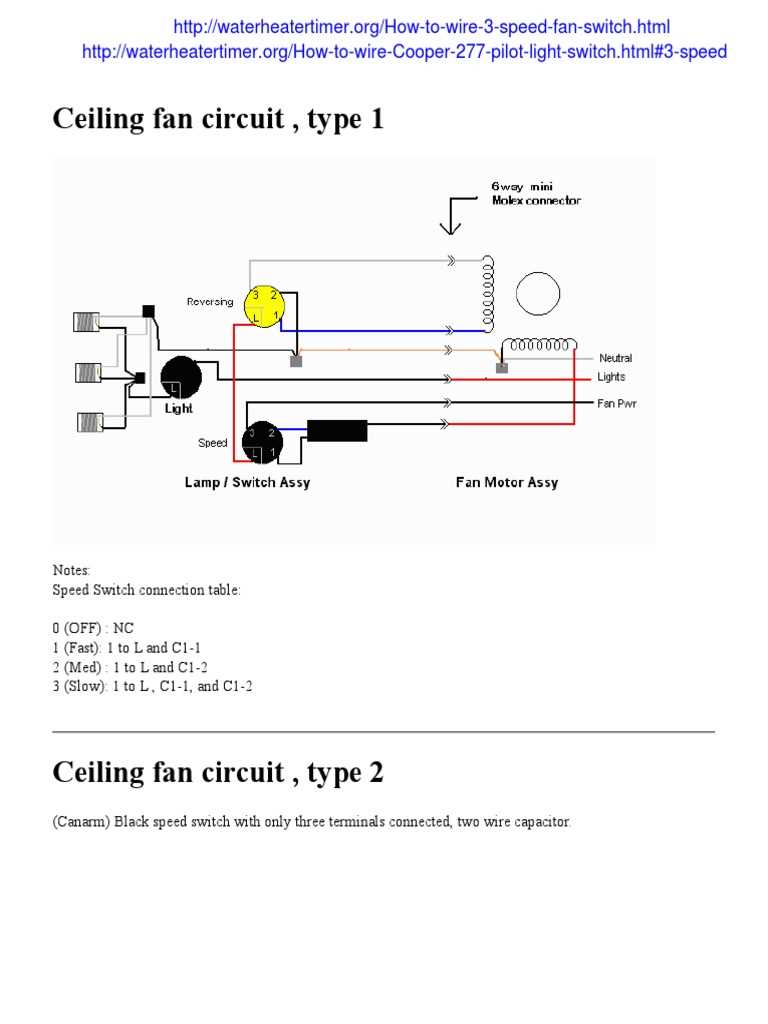
Connect the main power line to a fused 12V source rated for at least 20 amps. Use 14-gauge stranded wire and crimped terminals to ensure minimal voltage drop under load. Route the conductor along the factory harness path and protect it with split loom tubing to prevent abrasion.
Attach output lines to the motor terminals according to their function. Typically, one wire controls low operation, another medium, and the third high. Verify each connection with a multimeter before powering the assembly to avoid misalignment or short circuits.
Recommended Terminal Connections
| Terminal | Wire Color | Function |
|---|---|---|
| T1 | Red | Low output |
| T2 | Blue | Medium output |
| T3 | Yellow | High output |
| T4 | Black | Power input |
| T5 | White | Chassis ground |
Test each output individually under load using a voltmeter or test light. Confirm correct current delivery without overheating wires. Apply dielectric grease to all terminals and secure loose conductors with zip ties to maintain a clean, reliable installation.
Testing and Troubleshooting Fan Speed Circuits
Check the main power line first to ensure it delivers a stable 12V under load. Use a digital multimeter at the input terminal while the motor is operating to confirm voltage drop does not exceed 0.5 volts, which can indicate loose connections or corroded terminals.
Inspect the ground connection on the white conductor for continuity to the chassis. Poor grounding can cause intermittent operation, flickering, or uneven motor performance. Tighten bolts and clean contact surfaces as necessary.
Step-by-Step Testing Procedure
- Turn off power and visually inspect all terminals for corrosion or frayed insulation.
- Reconnect each conductor according to color-coded outputs.
- Use a multimeter to measure voltage at each output line individually.
- Activate each motor level and confirm current flow matches the expected rating.
- Test for abnormal heating along wires or terminals.
Verify each output line under operational load. Red should activate low, blue medium, and yellow high. Unexpected readings may indicate a shorted conductor or worn contacts within the control assembly.
Check for voltage drop along long runs using the multimeter. Excessive drop above 0.5–1V can reduce performance and overheat the control unit. Reinforce connections or replace undersized conductors if necessary.
Inspect the thermal and mechanical protection on the motor and control assembly. A tripped thermal fuse or stuck relay can prevent certain outputs from activating. Reset or replace components according to manufacturer specifications.
Common Faults and Solutions
- Flickering or no operation: Verify ground and input power integrity.
- Low output only works: Test medium and high lines for continuity and replace damaged wires.
- Overheating terminals: Tighten connections and check wire gauge.
- Intermittent operation: Inspect connectors for oxidation and apply dielectric grease.
After repairs, retest each output individually under normal load conditions to confirm correct operation. Secure all conductors with cable ties and protective tubing to maintain reliability and prevent future faults.