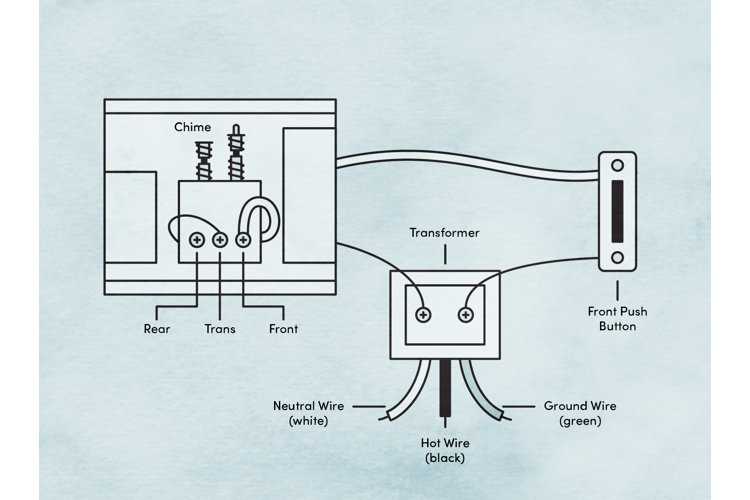
Start by ensuring the power supply is correctly connected. The most common issue is a poor connection between the transformer and the button. Check the wiring between these components for any signs of wear or damage. Make sure the connections are secure and that the power supply voltage matches the system’s requirements. A multimeter can help verify that the correct voltage is being supplied to the system.
Next, focus on the mechanism that produces the sound. This typically involves a small motor or an electromagnetic mechanism activated by the current. If the system does not produce sound when activated, inspect the mechanism for any faults. Ensure the wiring leading to the sound-producing component is intact, and check for any short circuits or disconnected wires.
If the system does not activate at all, you may need to test the button itself. Over time, the button can wear out or develop internal faults. Use a continuity tester to ensure the button is properly functioning when pressed. If the button is fine, then the issue may lie in the wiring or power supply.
How to Wire a Basic Home Notification System
Begin by connecting the transformer to a standard power source. This will step down the high voltage to a safe level for the rest of the components. Make sure the transformer is rated correctly for your system, typically 16V to 24V for residential setups. Double-check the voltage before proceeding with the wiring process.
The next step is wiring the button. Connect one terminal of the button to the low-voltage output of the transformer. Ensure that the button is positioned in a convenient location, such as near the entrance. When the button is pressed, it will complete the circuit, allowing the current to flow to the sound-producing component.
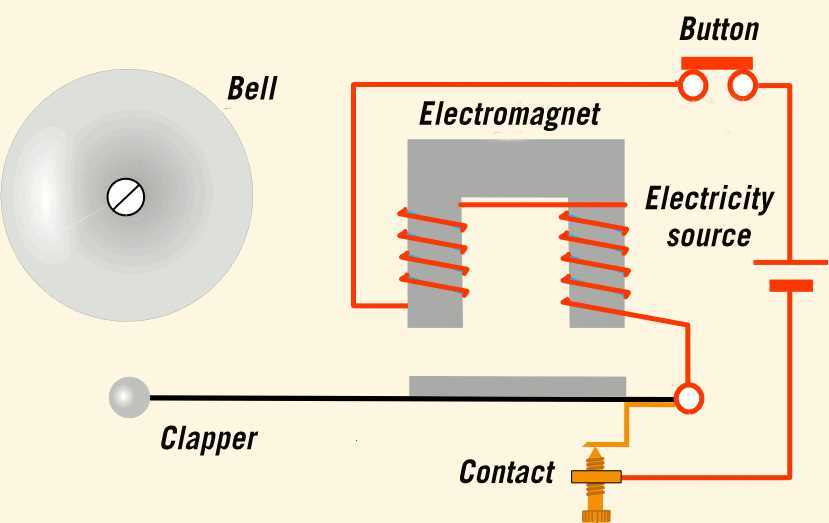
For the sound-producing mechanism, you’ll typically be using an electromagnet or a small motor connected to a chime or bell. Connect the other terminal of the button to the activation terminal of the sound system. If you’re using a traditional mechanical chime, ensure that all moving parts are free from obstruction.
- Test the system by pressing the button.
- If the sound doesn’t activate, check for any loose or disconnected wires.
- Verify that the sound mechanism is receiving power by testing the connections.
If no sound is heard, inspect the wiring for short circuits or faulty connections. If everything looks good but there is still no response, the issue might be with the transformer or the sound mechanism itself. Use a multimeter to check voltage at different points and ensure that power is reaching each component correctly.
Understanding the Components of a Simple Doorbell System
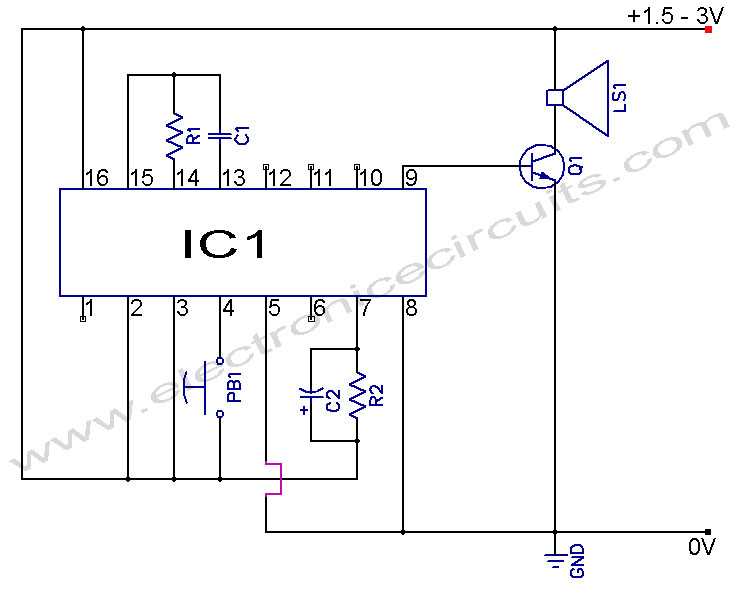
The transformer is the first component that converts high-voltage power into a lower voltage suitable for the rest of the setup. It typically steps down the voltage to 16V or 24V, which is safe for the button and sound-producing mechanism. Ensure that the transformer is rated for your setup to avoid potential overloading or malfunction.
The push button, positioned at the entrance, completes the electrical path when pressed. It connects directly to the transformer’s low-voltage output. The button should be reliable and sealed against environmental factors to prevent damage, as it’s exposed to frequent use and weather conditions.
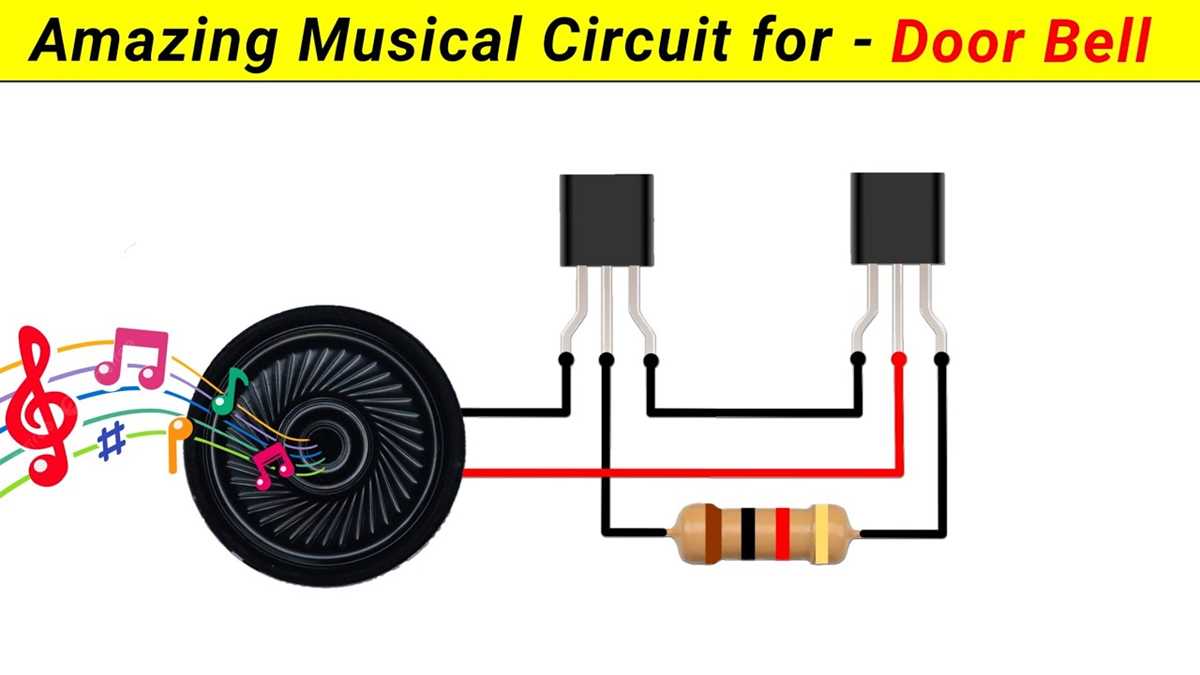
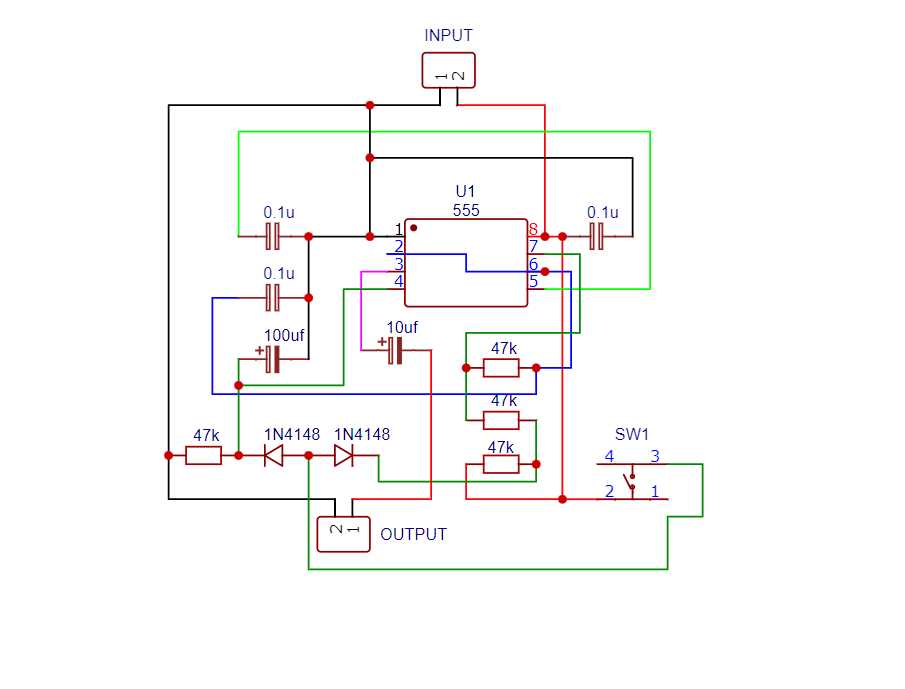
The sound-producing unit, whether a mechanical chime or an electronic speaker, is activated when current flows through it. This component requires a solid connection and should be located in a place where the sound can easily be heard. If you are using a mechanical system, ensure that the moving parts are clean and free of debris for smooth operation.
Finally, grounding is often overlooked but can prevent malfunction in the system. Ensure that the system is properly grounded to avoid short circuits and ensure safe operation. If grounding is not secure, the system may not function as expected, or it could cause electrical hazards.